Conversation


 TomTasche
left a comment
TomTasche
left a comment
TomTasche
left a comment
There was a problem hiding this comment.
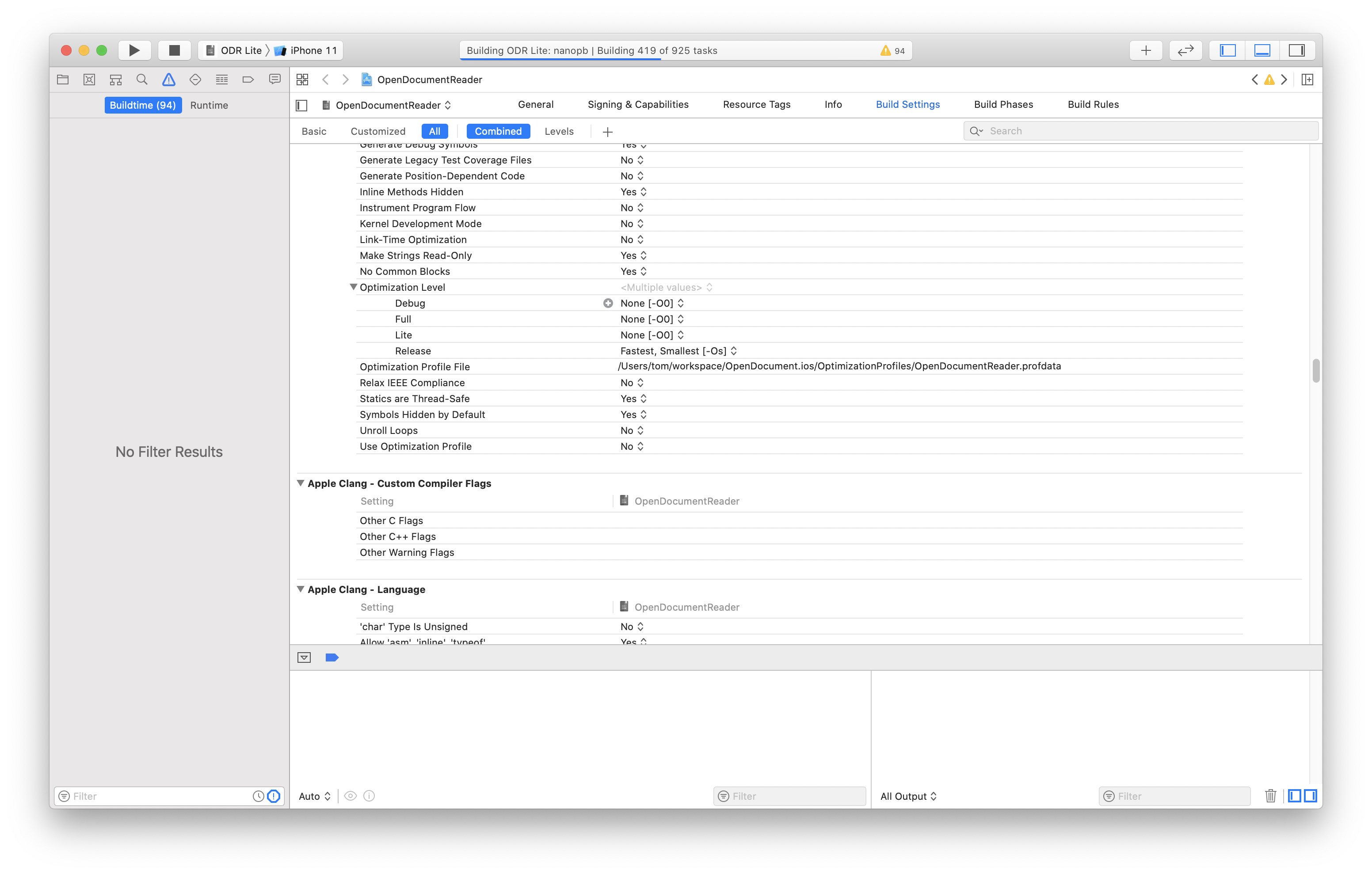
generally works, thank you! the Full and Lite targets use debug configuration, which means I won't be able to release it like that (e.g. see "Optimization Level" in screenshot attached).
other than that, the ads don't really fill the screen from left to right. on Android they have special ads that try to fill the screen as much as possible. does that exist on iOS too? also, do we control the background color? currently it shows black bars left and right...
| struct ConfigurationManager { | ||
| static let manager = ConfigurationManager() | ||
|
|
||
| private(set) var configuration: String! |
There was a problem hiding this comment.
only setter is private. getter is public
There was a problem hiding this comment.
no, we can not control the background color. There is a property adSize, but the documentation says, we should not create own sizes, but use predefined that can not cover the whole width. Probably i need to investigate more how to fix this problem.

|
are we using adaptive banners? those should fill the screen as much as possible https://developers.google.com/admob/ios/banner/adaptive |
TomTasche
left a comment
TomTasche
left a comment
There was a problem hiding this comment.
I can still see a few options that are not set properly for Lite / Full. Maybe it makes sense to create them from scratch and copy over from Release? Also, can you point me to the guide you were using to do that?
| AC384BCD23B4FFA700C7BF47 /* ContentViewController.swift in Sources */ = {isa = PBXBuildFile; fileRef = AC384BC923B4FFA700C7BF47 /* ContentViewController.swift */; }; | ||
| AC384BCE23B4FFA700C7BF47 /* Constants.swift in Sources */ = {isa = PBXBuildFile; fileRef = AC384BCA23B4FFA700C7BF47 /* Constants.swift */; }; | ||
| AC384BCF23B4FFA700C7BF47 /* PageViewController.swift in Sources */ = {isa = PBXBuildFile; fileRef = AC384BCB23B4FFA700C7BF47 /* PageViewController.swift */; }; | ||
| AC6A1CD9243E6B8400CD42EC /* (null) in Sources */ = {isa = PBXBuildFile; }; |
There was a problem hiding this comment.
weird, i recreated both configurations from scratch. here ist the guide that i used:
|
this seems like a good approach: https://blog.testfairy.com/2-ios-apps-1-codebase-with-xcode-scheme/ problem with yours right now: even while developing you are building the app in release mode, which means longer build times and worse debugging support! @Metaxa007 |

|
@TomTasche thanks, nice tutorial. I implemented changes according to it. |
|
Looks very good now! I'll do some more tests with uploading to the App Store to make sure it's working. Would it be possible to hide / show the ad-area based on if an ad was loaded? Two scenarios I can think of:
|
|
Making a few commits to this branch to resolve merge conflicts. Please pull before making any further changes |
…nto feature/lite-version
|
I'll take a look. If it has a completion handler, would be very easy to implement what you described. |
|

2 participants


No description provided.