Repository navigation
Tutorial: Simulating data with a simulator Agent
If you don't have a data connection running yet or want to simulate the behaviour of an attribute, you can use the Simulator Agent to replay data. To do that, take the following steps:
- Add the 'Simulator Agent' to your system
- Add the configuration 'Agent link' to the attribute you want to replay data for
- Select the 'SimulatorAgentLink'
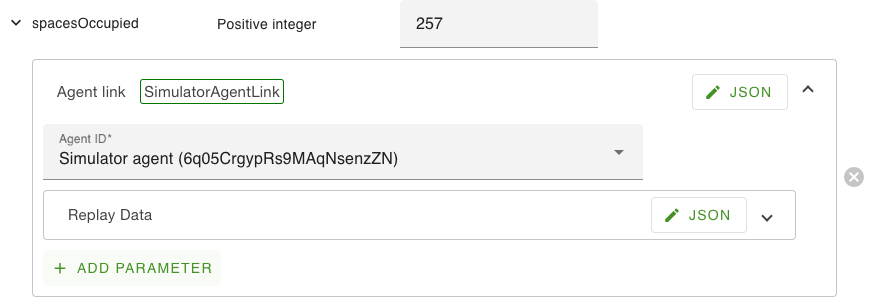
- Open the 'Replay data' JSON for this attribute and add a number and the related timestamps for a 24hr time period

- You will now see the attribute replaying the filled in data