Support for running on Windows using Linux Containers for Windows (LCOW) #17461


Description

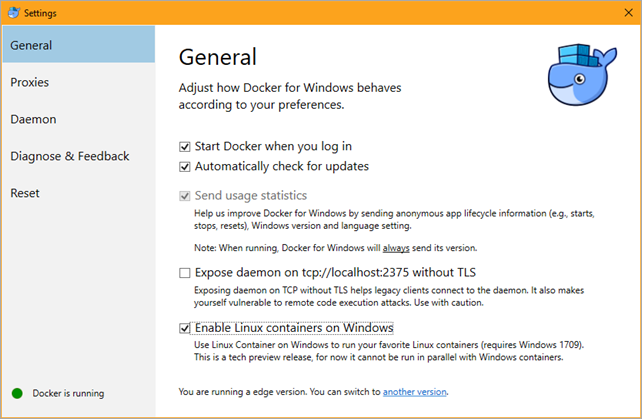
As part of the Windows 10 Pro 1709 and the Docker edge release, it is possible to activate "Linux Containers on Windows" (LCOW). This means that in future versions, the user needs to choose the older MobyLinuxVM or use LCOW. Either this needs to be made comptaible, or documented.
I was running Docker for Windows + Hyper-V + oc cluster up
Then I decided to update Docker for Windows to Edge channel according the docs : "Edge builds are released once per month."
After that Docker for Windows + Hyper-V + oc cluster up stopped to work and show this error message: "Windows does not support privileged mode".
Steps To Reproduce
- install Windows Pro 10, version 1709
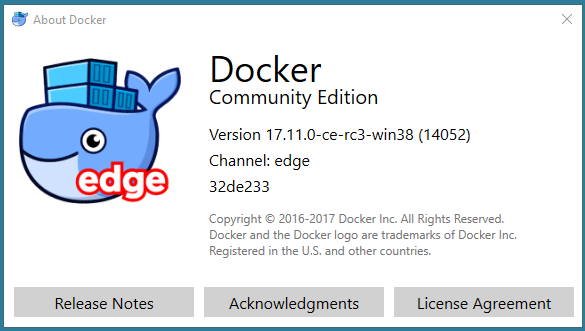
- install Docker for Windows (Edge)
- enable Linux Containers on Windows (LCOW)
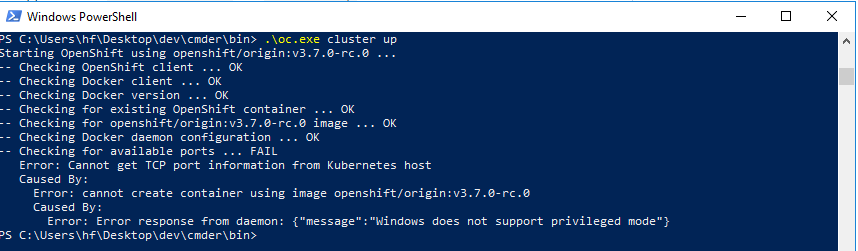
- run
oc cluster up
Current Result
"Windows does not support privileged mode".
Expected Result
Startup succeeds or informs me beforehand that this is not possible.
Additional Information
It seems "Enable Linux Containers on Windows" (LCOW) does not support "privileged mode" => nodeshift/nodeshift#127 (comment)
The check in Moby/Docker can be found here:
https://github.com/moby/moby/blob/a2f3f6660d08dfb667f091e0fd8454c815dd1c81/runconfig/hostconfig_windows.go#L75-L84
Requirements
- Insider build of Windows (1709)
https://insider.windows.com/en-us/ - Docker for Windows (edge channel)
https://download.docker.com/win/edge/Docker%20for%20Windows%20Installer.exe
References
- Proposal: LCOW Support containerd/containerd#1185
- https://cloudblogs.microsoft.com/hybridcloud/2017/04/18/dockercon-2017-powering-new-linux-innovations-with-hyper-v-isolation-and-windows-server/
- https://blog.docker.com/2017/09/preview-linux-containers-on-windows/
Example
C:\Users\gbraad>docker run -it --privileged --pid=host gbraad/hostenter /bin/sh
docker: Error response from daemon: Windows does not support privileged mode.