
A Lavender-inspired theme for the Jellyfin Media Server.
Installation »
View Gallery
・
Report Bug
・
Request Feature
Lavender is a CSS theme for the Jellyfin Media Server.
With a aesthetically pleasing color scheme, attention paid
to every detail; including the login page, popout player,
hover style and more. Lavender is a must-use for your
media player. (๑′ᴗ‵๑)
To get the project installed, follow this simple guide.
This project depends on the following:
https://jellyfin.org/downloads
-
Sign into an administrator-enabled account on your Jellyfin instance.
-
From the home page, click on the Profile Icon up in the top right corner.
-
Go to the 'Dashboard' = then to > 'General'
-
Paste the following into the 'Custom CSS code':

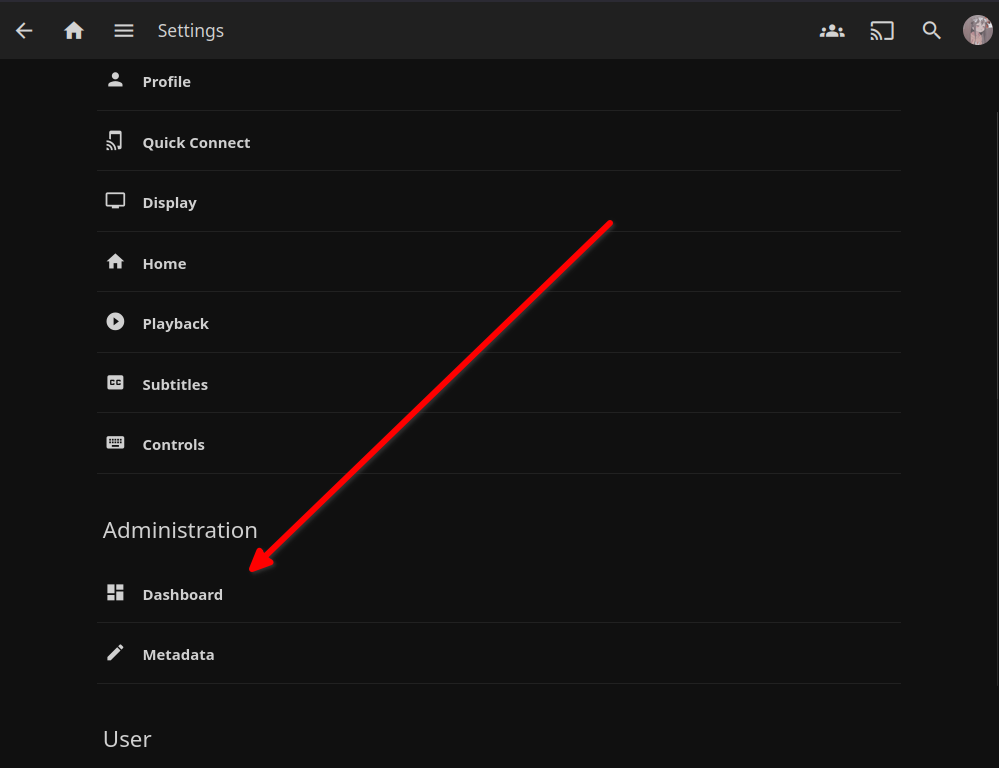
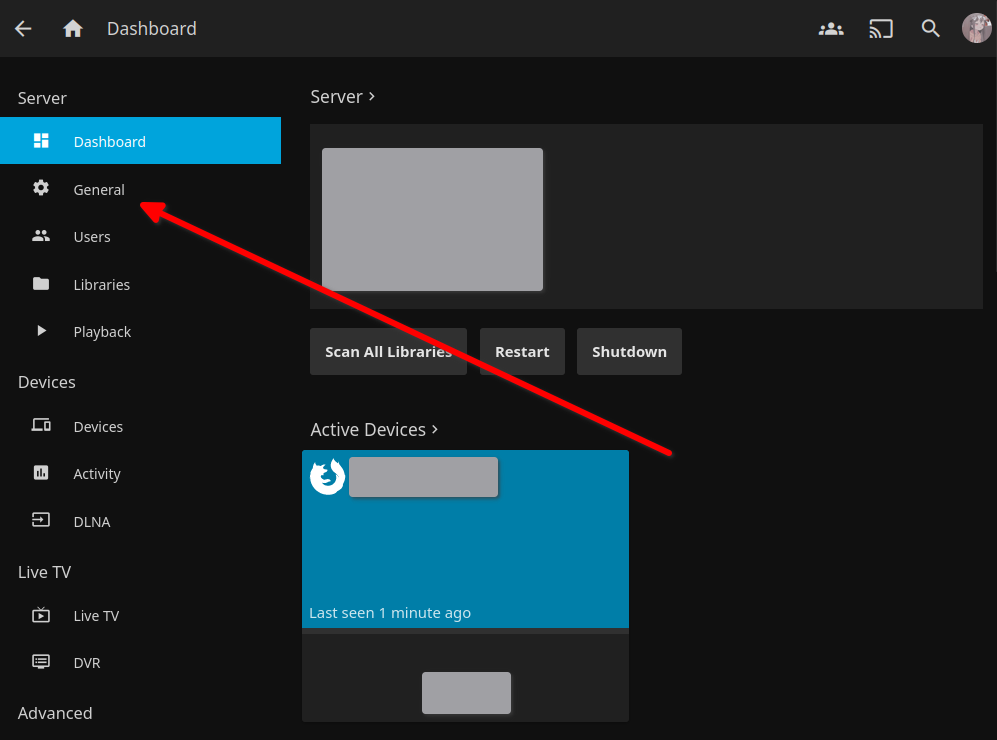
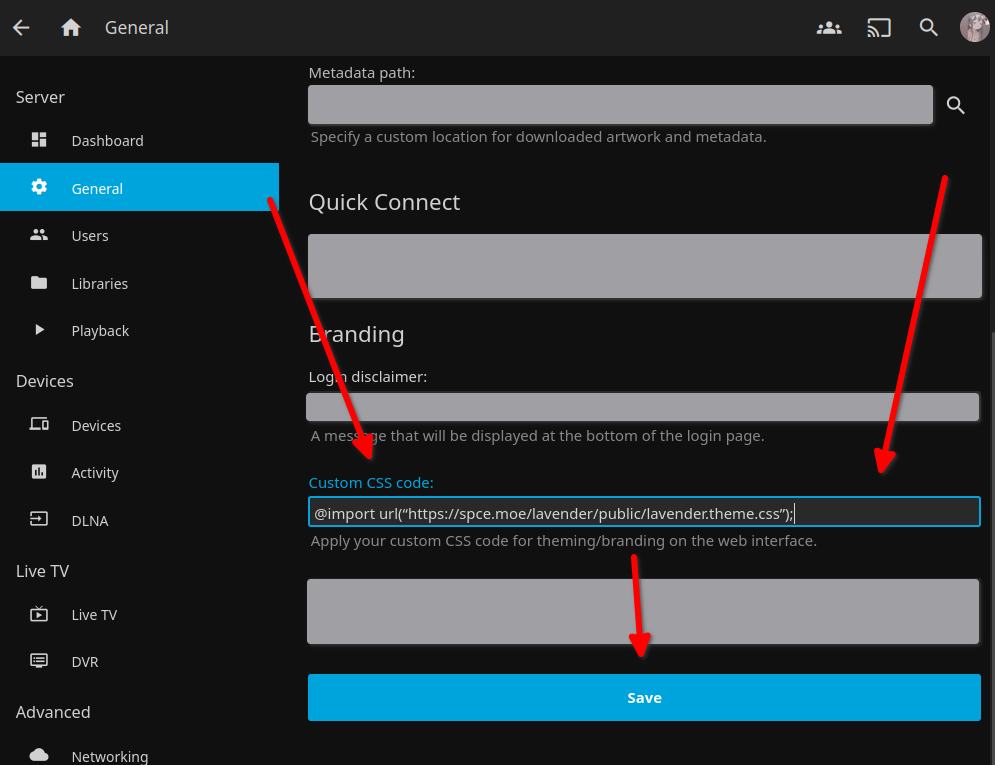
@import url(“https://spce.moe/lavender/public/lavender.theme.css”);- Save & Refresh, enjoy your fresh lavender!
- No roadmap provided. (yet?)
Please see the open issues for a list of proposed features (as well as known issues).
If you want to make a contribution, please fork the repository & create a pull request. If you have a suggestion you would want to see, you can open a new issue with your request.
- Fork the project
- Create your Feature Branch (
git checkout -b feature/YourFeature) - Commit changes (
git commit -m 'This is my feature commit.') - Push to the Branch (
git push origin feature/YourFeature) - Open a Pull Request.
- biz(at)spce.moe - Send me mail
- GitHub (This Project) - Project Link