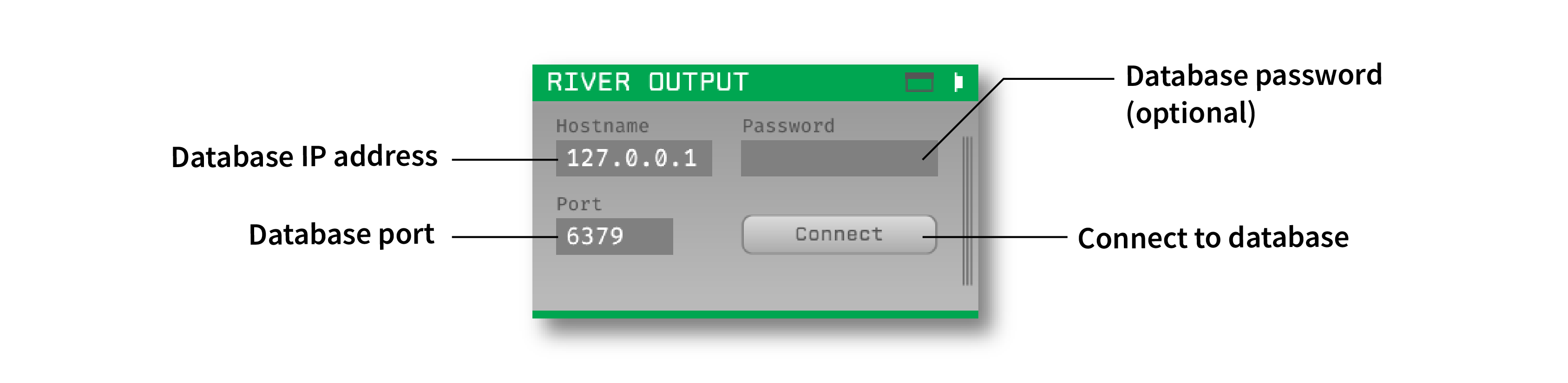
This is an Open Ephys GUI plugin that streams spikes and events using the River library. River is a C++ framework that allows simple, schema’d streaming of data, without any compromises on latency or throughput. It requires a connection to a Redis database in order to work.
This plugin can be added via the Open Ephys GUI's built-in Plugin Installer. Press ctrl-P or ⌘P to open the Plugin Installer, browse to "River IO", and click the "Install" button. The River IO plugin should now be available to use.
Instructions for using the River IO Plugin are available here
First, follow the instructions on this page to build the Open Ephys GUI.
Important: This plugin is intended for use with the latest version of the GUI (0.6.0 and higher). The GUI should be compiled from the main branch, rather than the former master branch.
Then, clone this repository into a directory at the same level as the plugin-GUI, e.g.:
Code
├── plugin-GUI
│   ├── Build
│   ├── Source
│   └── ...
├── OEPlugins
│   └── river-io
│       ├── Build
│       ├── Source
│       └── ...
- River - shared lib for Windows is included with this plugin
- Redis - shared lib for Windows is included with this plugin
Requirements: Visual Studio and CMake
From the Build directory, enter:
cmake -G "Visual Studio 17 2022" -A x64 ..Next, launch Visual Studio and open the OE_PLUGIN_river-io-plugin.sln file that was just created. Select the appropriate configuration (Debug/Release) and build the solution.
Selecting the INSTALL project and manually building it will copy the .dll and any other required files into the GUI's plugins directory. The next time you launch the GUI from Visual Studio, the new plugins should be available.
Requirements: CMake
From the Build directory, enter:
cmake -G "Unix Makefiles" ..
cd Debug
make -j
make install
This will build the plugin and copy the .so file into the GUI's plugins directory. The next time you launch the compiled version of the GUI, the new plugins should be available.
From the Build directory, enter:
cmake -G "Xcode" ..Next, launch Xcode and open the river-io.xcodeproj file that now lives in the “Build” directory.
Running the ALL_BUILD scheme will compile the plugin; running the INSTALL scheme will install the .bundle file to /Users/<username>/Library/Application Support/open-ephys/plugins-api8. The new plugins should be available the next time you launch the GUI from Xcode.
This plugin was developed by Paul Botros in the Carmena Lab at UC Berkeley. See this fork of the GUI for the original implementation.