Filter by scriptblock position#1220
Filter by scriptblock position#1220nohwnd merged 4 commits intopester:masterfrom nohwnd:filter-by-scriptblock-position
Conversation


ScriptBlockFilter filters top-level describes by position of the Fixture instead of filtering by name, this is for plugin usage to accomodate tests that expand properties in the describe name, and so AST and runtime values in the name do not match.
# file run.ps1
get-module pester | remove-module
import-module .\Pester.psd1

# runs a and b but not e
$o = New-PesterOption -ScriptBlockFilter @(
    # describe a
    @{ Path = "C:\Users\nohwnd\Desktop\filtering on sb position.ps1"; Line = 1 }
    # describe b
    @{ Path = "C:\Users\nohwnd\Desktop\filtering on sb position.ps1"; Line = 5 }
    # describe c, but it does not apply on child blocks
    @{ Path = "C:\Users\nohwnd\Desktop\filtering on sb position.ps1"; Line = 6 }
)
invoke-pester -Script "~\Desktop\filtering on sb position.ps1" -PesterOption $o
# file filtering on sb position.ps1
Describe "a" {
    Write-Host "a runs"
}

Describe "b" {
    Describe "c" {
        Write-Host "c runs"
    }

    Describe "d" {
        Write-Host "d runs"
    }
}

Describe "e" {
    Write-Host "e runs"
} |
|
@bergmeister @rkeithhill implemented the filter here, could you test if it works for your purpose, pls? |

|
@nohwnd Awesome, thanks. I took it for a quick test drive and it works locally. Is there a way to call the API so that it also works on a system that does not have this new upcoming Pester version without having to query the Pester version? |
|
I don't see anything in my changes that should cause such a bug, and I don't see it running recursively in your output. Do we understand each other what this change is supposed to do? I just added a filter that works like the TestName filter, but it filters on different criteria. So the files that you give it will still run, it does not filter the paths until the scriptblock is reached, if you want one file to run you should still give it just a one file to run. |
|
It was a mistake that I made locally when i wasn't aware that I had to specify the path inside the filter as well, sorry, I edited my previous comment. |
|
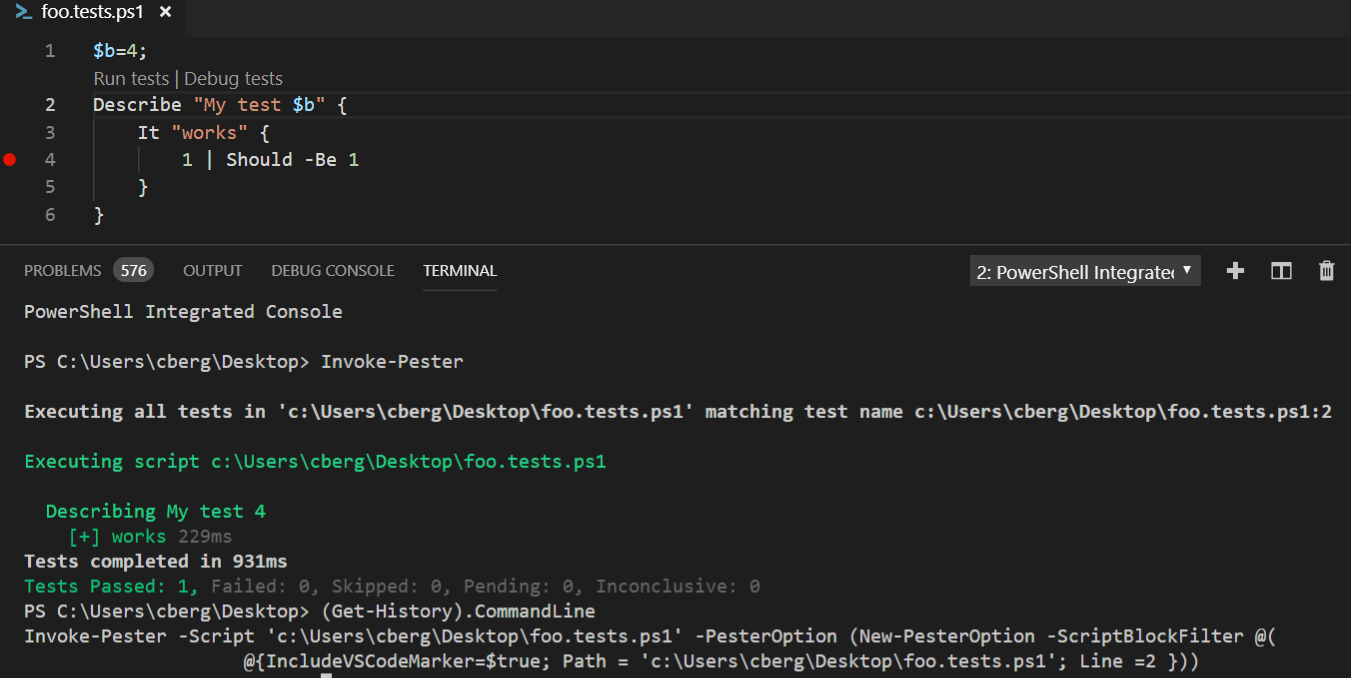
After I upstreamed my PSES and vs-code branches, I have it working now end to end. The big question now to @rkeithhill is if we need to have a check on the Pester version or if we should download Pester the minimum required v ersion as a fallback similar to how the extension does it for PSSA? |

|
I think we'd need to add the version check regardless of whether Pester ships with the extension. A user could have loaded a specific (older) version of Pester into the PSIC that doesn't support this. RE shipping Pester with the question. That is probably something @rjmholt and/or @TylerLeonhardt should answer. |

|
Yeah we tack on the end of the PSModulePath so even if we ship Pester, a version check is the right way to go here. I don't think we should ship Pester personally but I would love to use the extension to get people on the newer version in an semi-unobtrusive way. |
|
@bergmeister great news you got it to work. I will make a 4.6.0 release in the evening. |
4 participants


ScriptBlockFilter filters top-level describes by position of the Fixture instead of filtering by name, this is for plugin usage to accomodate tests that expand properties in the describe name, and so AST and runtime values in the name do not match.
See PowerShell/PowerShellEditorServices#827