Home
This is a brackets extension used for math visualization.
To use, just hit Cmd-Alt-M while on the line you want to show. If you want to display multiple lines, just highlight what you want and hit Cmd-Alt-M.
You can set the following options in preferences:
- Style
- rightOffset: 35 /distance from right side for multiLine use
- mathDiv: css{} /mathDiv is the main wrapper
- equations: css{font} /equations are any lines that aren't comments
- comments: css{} /lines commented out with '//'
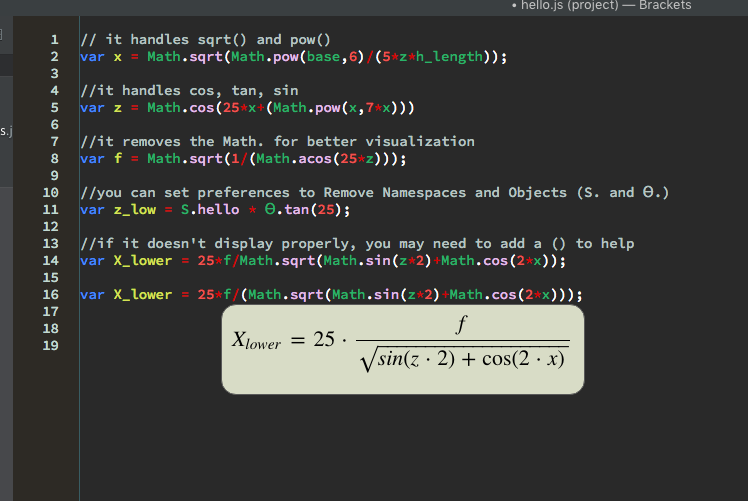
Displaying math from single line at the current cursor position.
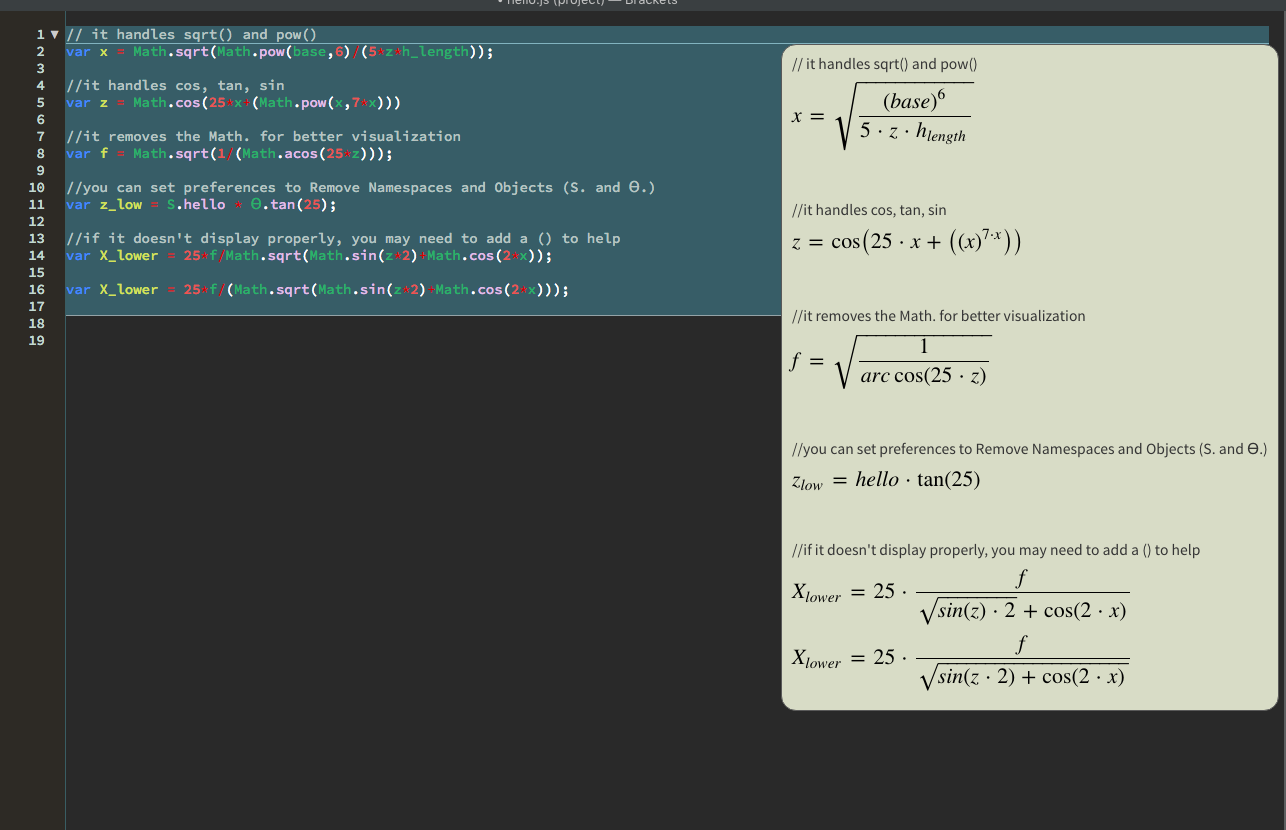
Multiple lines are displayed at the right.