Conversation


 rpkyle
left a comment
rpkyle
left a comment
rpkyle
left a comment
There was a problem hiding this comment.
@CanerIrfanoglu Looks great overall! Just a few requests before we can merge this one. Shouldn't take too long 🙂
| ***Sweep mode*** | ||
|
|
||
| Set the sweep parameters `start`, `stop` and `step` as well as the time | ||
| spent on each step, then click on the button `START SWEEP`, the result of the |
There was a problem hiding this comment.
"Start Sweep" is a little less threatening (even if the button text is capitalized) 😂
| spent on each step, then click on the button `START SWEEP`, the result of the | ||
| sweep will be displayed on the graph. | ||
|
|
||
| The data is never erased unless the button `CLEAR GRAPH` is pressed, or if the |
|
|
||
| Click on theme toggle on top of the page to view dark/light layout. | ||
|
|
||
| You can purchase the Dash DAQ components at [ |
There was a problem hiding this comment.
Dash DAQ is now free, so I'd change to
You can check out the Dash DAQ components in action at
| if (measTriggered) { | ||
|
|
||
| # Single data point does not draw graph, | ||
| # duplicating data to show single data point |
There was a problem hiding this comment.
Interesting; why is this step necessary?
There was a problem hiding this comment.
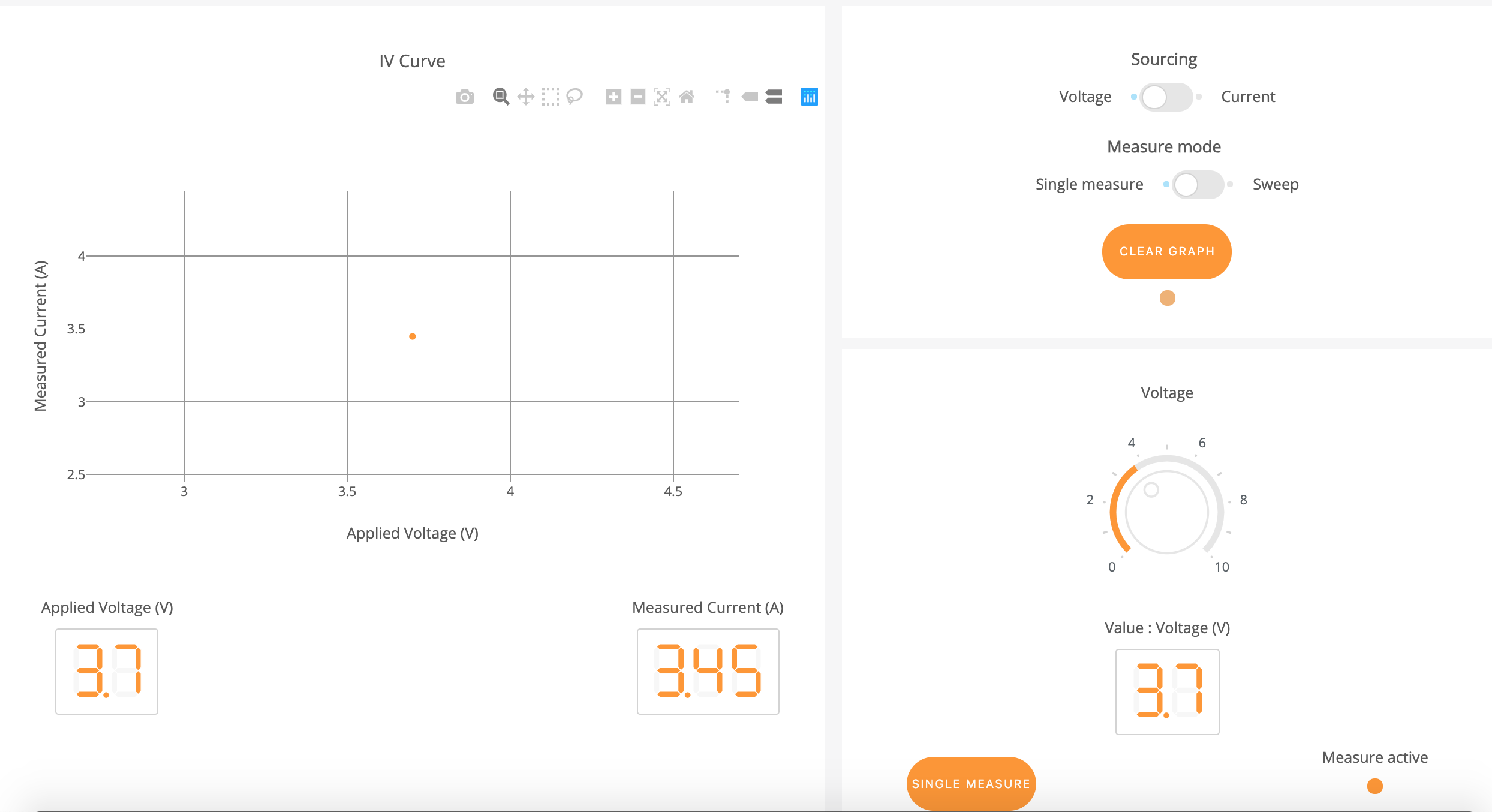
When the voltage/current value set from the daqKnob and Single Measure is clicked, we expect having a single data point on the graph like in the python version. However, when there's only 1 data point in xdata and ydata, the callback was returning an empty graph. Just duplicating values in this scenario solved the issue. However, not sure if it is the best solution.
There was a problem hiding this comment.
Ah, OK; thanks for the additional detail. I think we should revisit this sometime soon, but for now it's fine. We can discuss alternatives and then just open a new, tiny PR to update later.
The main reason I bring it up is that eventually someone will face a similar issue and might conclude this is the "official" approach. Then again, maybe it's the ideal solution and I just don't realize it yet 🙂


|
Nice work!! 💃 |

 KPhans
left a comment
KPhans
left a comment
KPhans
left a comment
There was a problem hiding this comment.
Just reviewed the app. Looks good! Seems to be alot of if and else commands and seems real simple to follow. just noticed that there are alot of if else with only two options and so maybe use ifelse() rather then if({} else{}. Also, there are alot of callbacks. alot of them using the same input. Callback context can definitely be used for this app in the future. Other then that, good work. approving !
|
@KPhans thank you for reviewing :) Solid suggestions, definitely will look into |

3 participants


Issue for app: #[issue number here]
App pull request
About
Workflow
elements necessary for successful deployment are in place.
existing gallery app, I've summarized the changes requested in the
appropriate Streambed issue and confirm that they have been applied.
the GitHub repository for the source code in the portal description.
DashR gallery, the app in this PR mimics, as closely as possible,
the style and functionality of the existing app.=
assets/folder.The pre-review review
I have addressed all of the following questions:
any dead and/or irrelevant code.)
readable and, where it isn't, it has been commented appropriately.)]
lessen the volume of code that needs to be maintained.)