FigureWidget does not apply layout in Jupyter Notebook (unless using fig.show()) #3145

Description

According to the docs, it should not be necessary to use f.show() to display a FigureWidget. However, the following code does not apply the specified title.
import plotly.graph_objects as go
f = go.FigureWidget()
f.add_scatter(y=[2, 1, 4, 3])
f.add_bar(y=[1, 4, 3, 2])
f.layout.title = 'Hello FigureWidget'
f
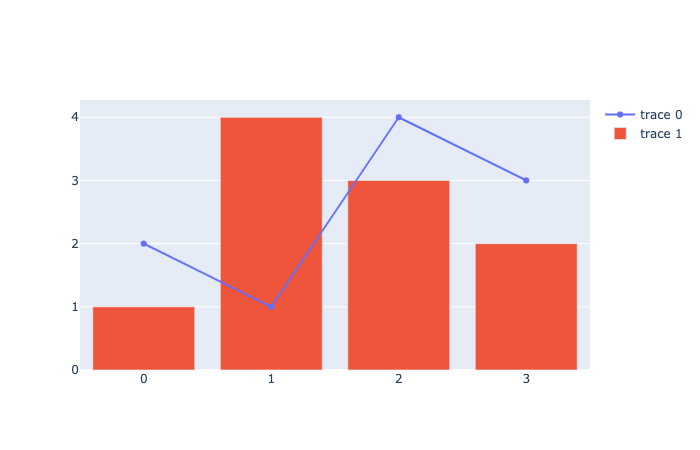
I found that other updates to the layout, such as custom colorscales, do not get applied.
If I use f.show(), however, the layout is applied. Since I am passing f to GridspecLayout, it throws an error if I use f.show(), so that's not an option.
This was not an issue before I made some package updates, but I cannot figure out an environment that works. Here's what I have:
ipywidgets==7.5.1
widgetsnbextension==3.5.1
plotly==4.8.1
Assistance greatly appreciated!