Behavior
- When the block is registered with inputting multi-byte characters (Japanese) to the label field, the following error occurs.
Identifier name 'glpi_plugin_fields_computeroneseveneightfiveeightfourzeroeightsixzeros' is too long
- After that, when showing the block list page, it appears that the block has been successfully registered.
- In addition, if you try to add a field to that block, another error occurs.
0 multiple alter in glpi_plugin_fields_computeroneseveneightfiveeightfourzeroeightsixzeros - Error during the database query: ALTER TABLE `glpi_plugin_fields_computeroneseveneightfiveeightfourzeroeightsixzeros` ADD `additionalfieldfield` VARCHAR(255) DEFAULT NULL - Error is Identifier name 'glpi_plugin_fields_computeroneseveneightfiveeightfourzeroeightsixzeros' is too long
Improvement proposal (my Expected Behavior)
- If it is difficult to handle multi-byte characters (e.g. Japanese) as a label,
the block registration function fails correctly without accepting the registration request.
Environment
GLPI Field plugin 1.10.1 + GLPI 9.4.3 + mysql 5.7
mysql settings: $ mysqld --character-set-server=utf8 --collation-server=utf8_unicode_ci
Steps to Reproduce
- Inputs character
値 in japanese kanji and press Add.
値's Unicode numerical character references (NCR) is 値.
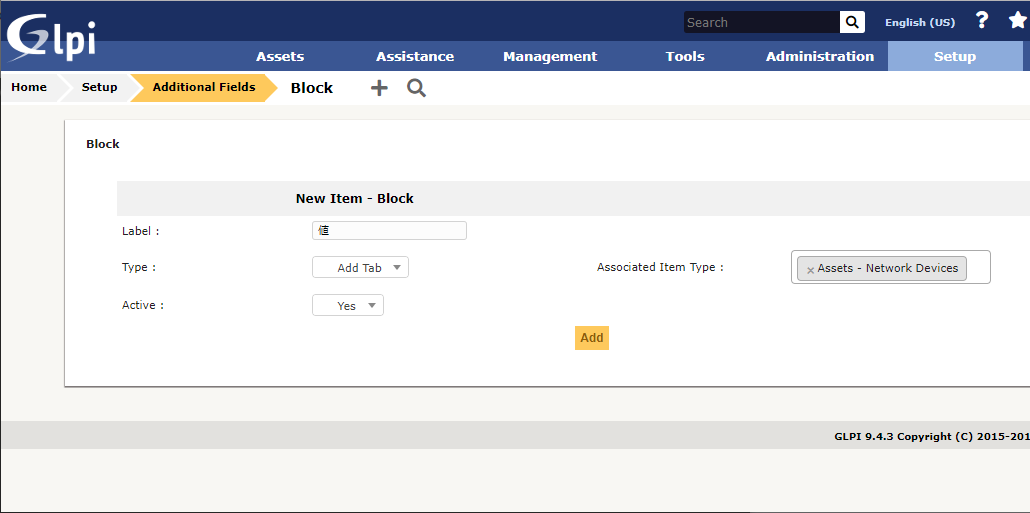
Then Occuring the error1.

- Browser back (press Alt+Left) and click the link of the block showed.
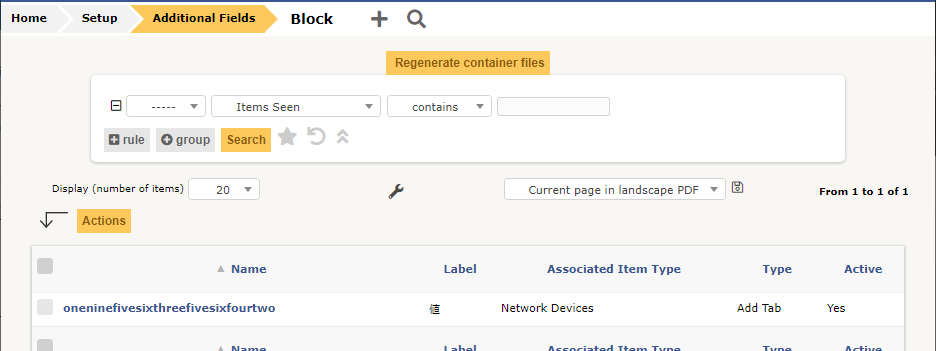
- Entering the Block's field inputpage.
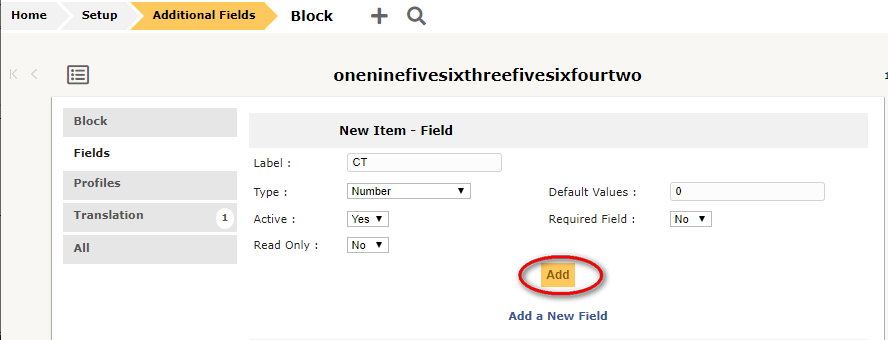
and press Add button then occurs error2.

Reference
Registered status of db.
mysql> SELECT * FROM glpi.glpi_plugin_fields_containers\G
*************************** 1. row ***************************
          id: 1
        name: oneninefivesixthreefivesixfourtwo
       label: ?
   itemtypes: ["NetworkEquipment"]
        type: tab
     subtype: NULL
 entities_id: 0
is_recursive: 0
   is_active: 1
1 row in set (0.00 sec)

mysql> SELECT * FROM glpi.glpi_plugin_fields_fields\G
Empty set (0.00 sec)

mysql>


Behavior
Improvement proposal (my Expected Behavior)
the block registration function fails correctly without accepting the registration request.
Environment
GLPI Field plugin 1.10.1 + GLPI 9.4.3 + mysql 5.7
mysql settings:
$ mysqld --character-set-server=utf8 --collation-server=utf8_unicode_ciSteps to Reproduce
値in japanese kanji and press Add.値's Unicode numerical character references (NCR) is値.Then Occuring the error1.
and press Add button then occurs error2.
Reference
Registered status of db.