Skip to content

pmcao/svauth-python-adapter-example

Folders and files

NameName
Last commit message
Last commit date

Latest commit


History

45 Commits


Repository files navigation

Python adapter for SVAuth

Prerequisites

On any machine with Python 3, install requirements:

pip3 install -r requirements.txt

Installation

Run the Python adapter for SVAuth on port 80

sudo python3 index.py

Running on http://0.0.0.0:80/

Note: you might need root permission to run the python webserver on port 80

Visit localhost page

http://localhost

Login with SVAuth

  1. Click on the login button
  2. Authorize SVAuth to access your Identity Provider profile
  3. Finish! You should see your profile information shown on the web page.

An important thing to note: your login has been verified by SVAuth
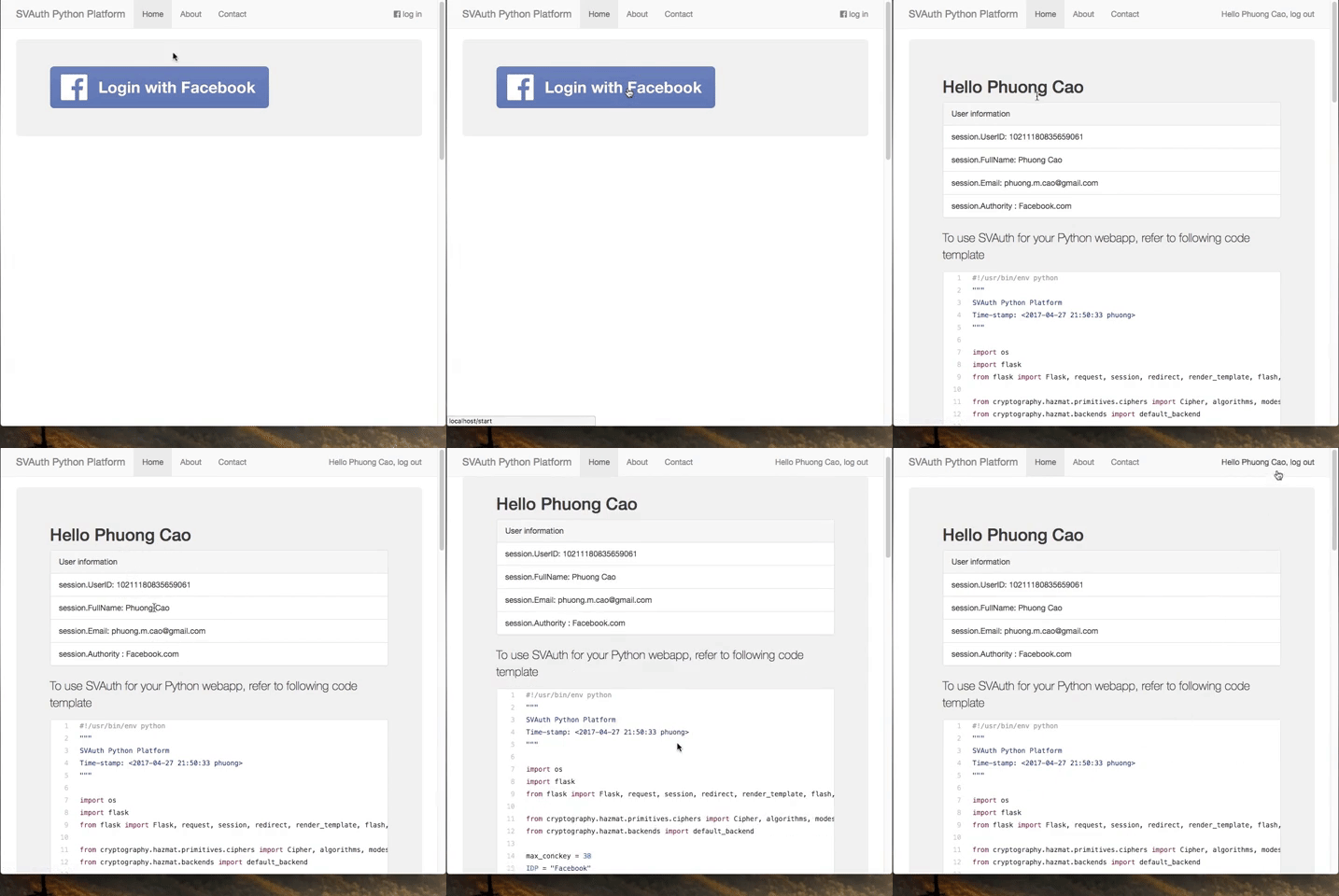
Demo

Python adapter for SVAuth

Deploy with Heroku

Deploy

About

No description, website, or topics provided.

Resources

Stars

Watchers

Forks

Releases

No releases published

Packages


Contributors