
Lambda implementation for generating Application Authentication Tokens for the Pocket Network.




This example is a starting point for building an AAT server on AWS Lambda and API Gateway.
Clone the repo locally.
Your local environment should be running node 12.15.0 to match the version available on Lambda and the version requirements of the associated libraries. For an easy way to install and switch between multiple node versions, see the easy node version switcher, N.
After cloning, change directory to the repo and edit generator.js. You must put in the public key(s) and private key necessary to generate the AAT for your application:

See the Pocket-AAT-JS library for more details.
Once complete, install the packages:
npm install
If you are not running node 12.15.0 and you attempt to build, you may run into version incompatibility errors once you deploy to Lambda.
Once installed, zip it for preparation to move to Lambda:
zip -q -r /tmp/generator.zip .
Open the AWS Console and create a new Lambda function.
Name it aatGenerator running under Node 12.x:
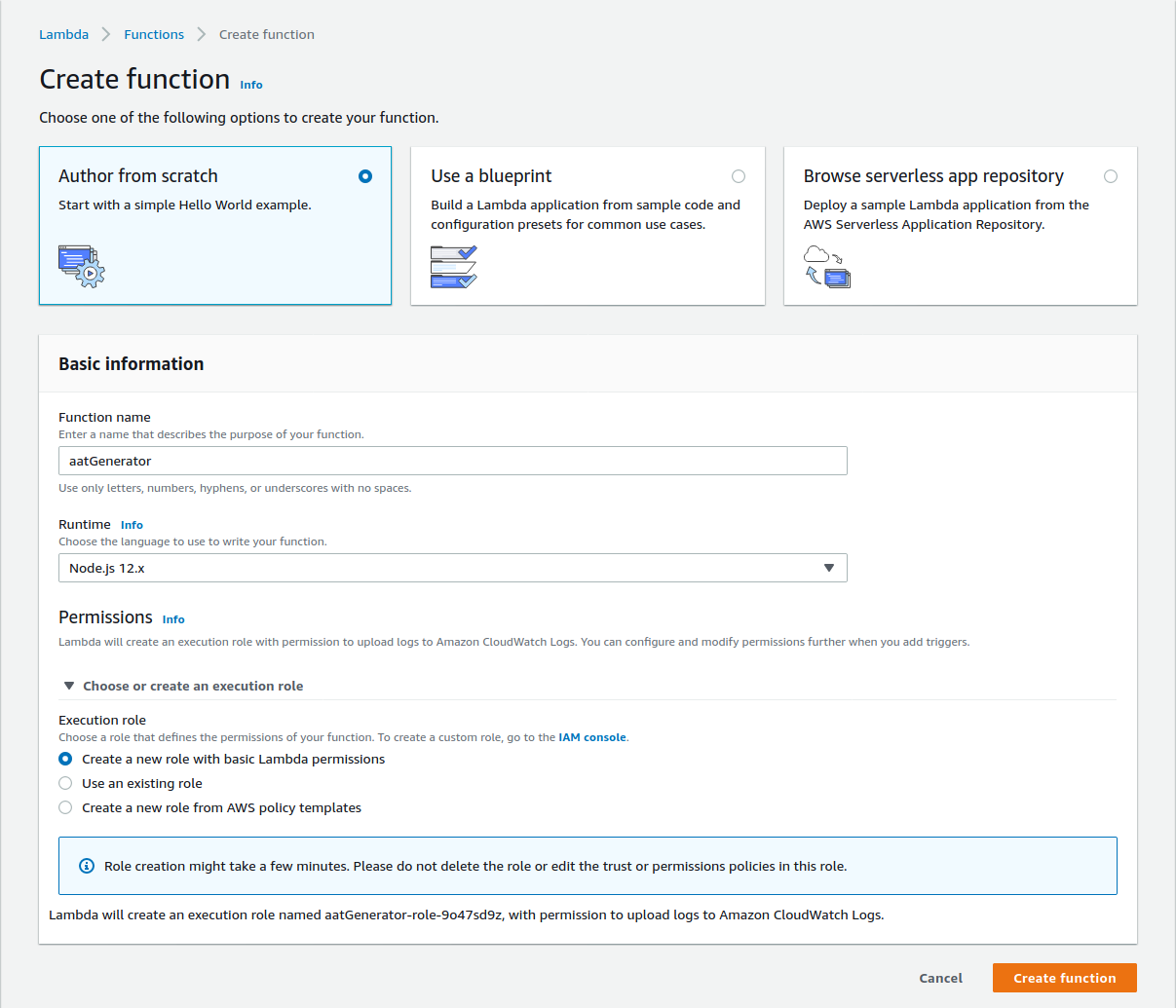
After the function and associated resources are created, upload the function and change the handler name on the next screen. The handler should be named generator.generateAAT:

Once the function is saved and uploaded you can create a simple test and add a trigger with the API Gateway:
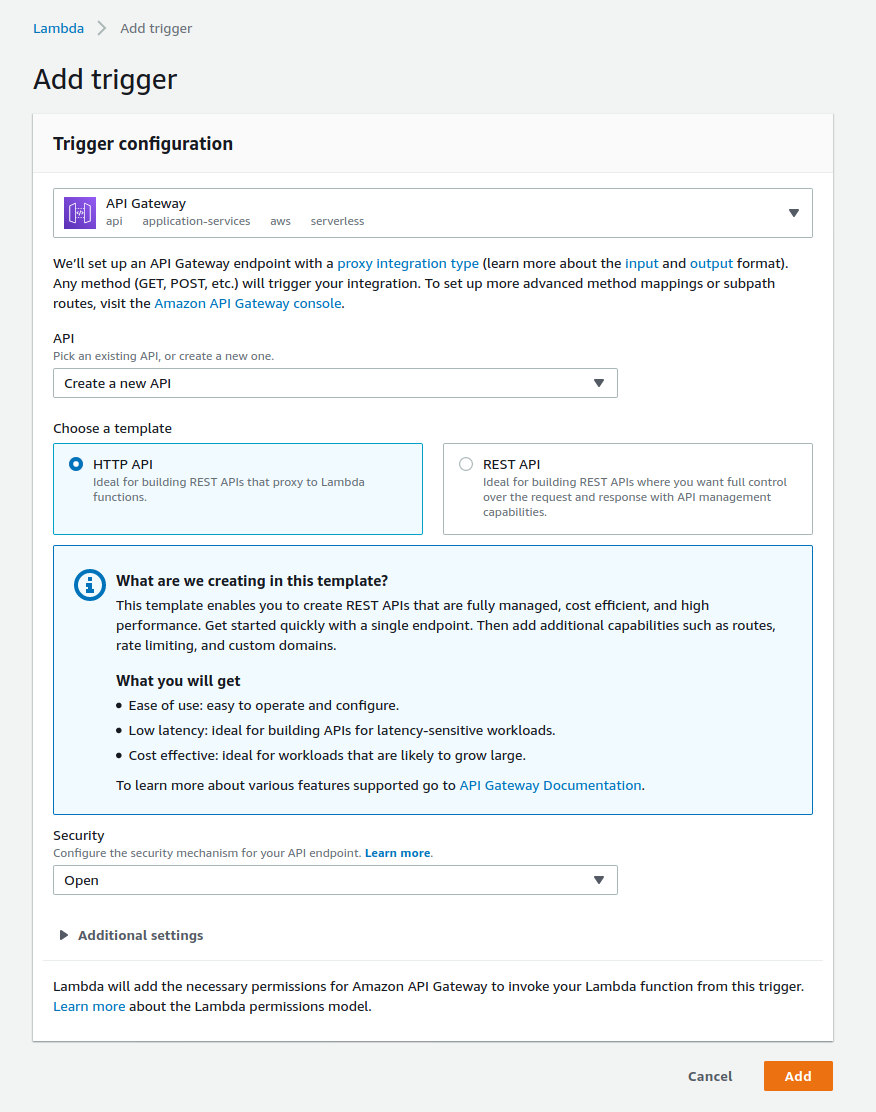
Note that at this point your AAT Generator is open to the world.
There are multiple methods of securing the API Gateway depending on your application architecture. First, see the overview of HTTP APIs at AWS.
- Securing API Gateway using custom authorizers
- Securing APIS with JSON Web Tokens (JWT)
- Okta offers a commercial solution to API Authorization
For more on AATs, see the Pocket-AAT-JS repository, and the Pocket Network documentation.
Please read CONTRIBUTING.md for details on contributions and the process of submitting pull requests.



This project is licensed under the MIT License; see the LICENSE.md file for details.