App Integration
Currently, 1wallet supports app integration via in-browser redirect (explained below). Several other integration methods are being evaluated and implemented. Some of them are discussed in #73. We are also planning to add integrations to common libraries such as via a web3 provider. Note that, since 1wallet requires the user to provide 6-digit (or 12-digit) code from the authenticator for every transaction, the integration flow would require the user to do so at some point in the 1wallet UI.
This should not be a problem for most apps that work by sending a request to the wallet (i.e. MetaMask) for every transaction. But for a small category of apps that intend to act a wallet (typically by getting a copy of the user's private key and initialize a wallet instance in the app), it should be understood that the same thing cannot be done with 1wallet. There is no private key, so there is nothing to load. The local data stored by 1wallet is 64MB, so passing it into your app would be non-trivial if your app intends to act as a wallet.
The simplest way to support 1wallet with your app is through redirect integration. Using this method, your app will need to redirect the user to a URL similar to https://1wallet.crazy.one/auth/[action]?[params=values], where action and its corresponding params and values are one of the following. The redirect could be through a new browser tab, or a pop up window, so the user does not need to leave your app to complete the flow. The user will have a chance to review your request at their 1wallet UI, and make a decision on whether they would approve or reject your request. In either case, the user would be redirected back to your app at a callback URL you specified in params and values. The state of your request (e.g. approved / rejected, transaction id, user wallet address, and others) will be passed to the the callback URL.
Unless otherwise specified, all APIs should have the base URL https://1wallet.crazy.one/auth prepended to the routes. For example, the URL for connect would be https://1wallet.crazy.one/auth/connect. All requests are GET requests. Parameters and values are passed in as query strings. e.g. https://1wallet.crazy.one/auth/connect?caller=Bob&callback=....
-
caller: URL encoded string (e.g.Tip%20Jar), the name of the app that made the request. -
callback: Base64 encoded string, the callback URL which the user would be redirected back to, after they made a decision on whether to approve or reject the request. Example:aHR0cHM6Ly9nb29nbGUuY29t(decodes tohttps://google.com) -
network: (optional) the network the app intends to use. Must be one of "harmony-mainnet" or "harmony-testnet". In local testing environment you may use "eth-ganache" as well, provided that a local relayer and web client are running with ganache enabled.
For address-like parameters, hexidecimal checksum is expected (e.g. 0x37CCbeAa1d176f77227AEa39BE5888BF8768Bf85) unless otherwise specified. Addresses in bech32 and hexidecimal lowercase formats are also supported, but are not advised.
All parameters are required, unless otherwise specified as (optional).
-
success: 0 or 1, indicates whether the user has rejected (0) or approved (1) the request from the app.
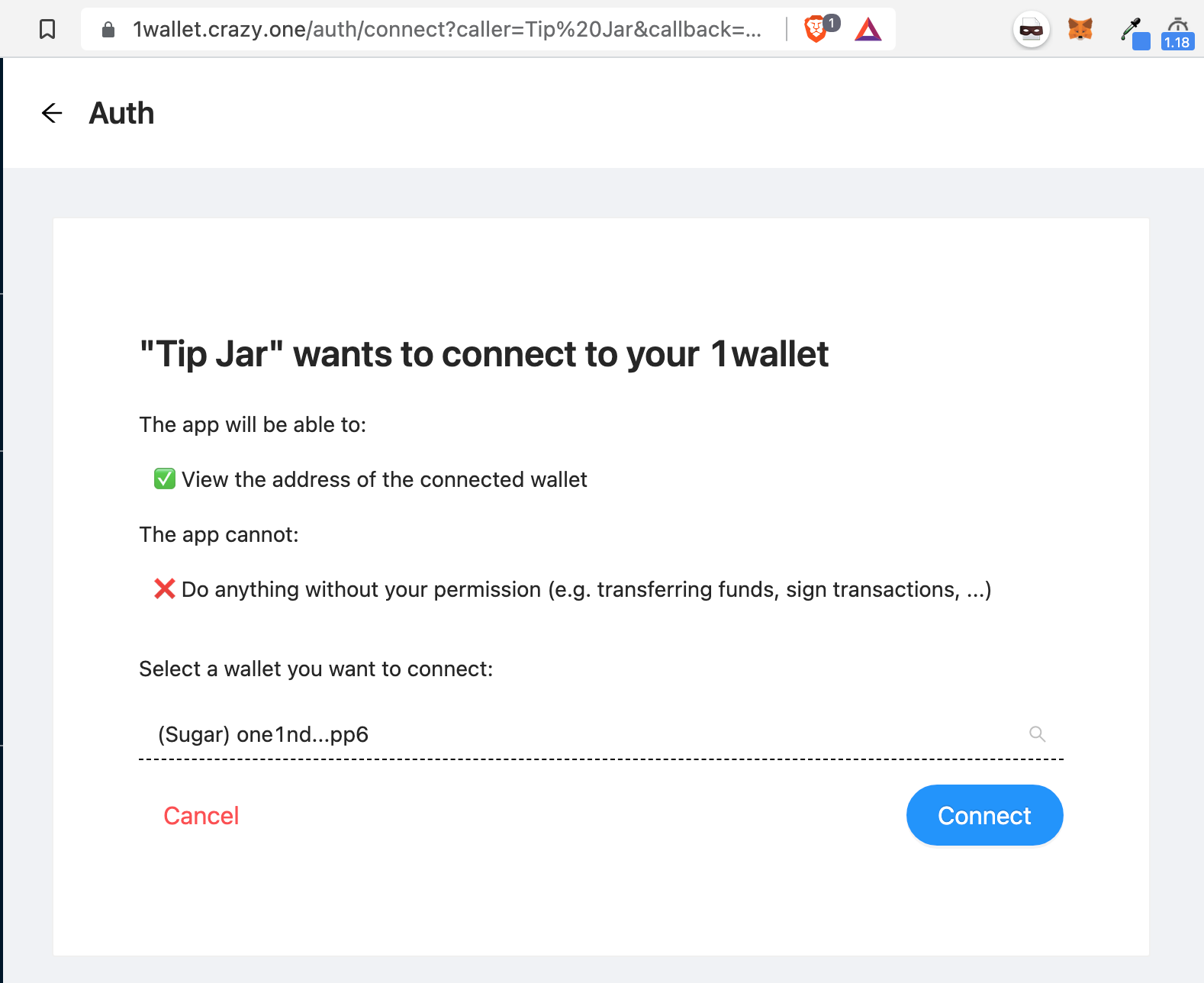
Allows the app to retrieve a 1wallet address owned by the user. Note that, this endpoint does not verify ownership. Technically the user can spoof an address and call the callback URL with any address they want. If your app needs verification of address ownership, you should consider sending a Payment Request or Signing Request (see below sections).
Endpoint: /connect
None (only common parameters are used)
-
address: the address of the wallet the user chooses to connect with
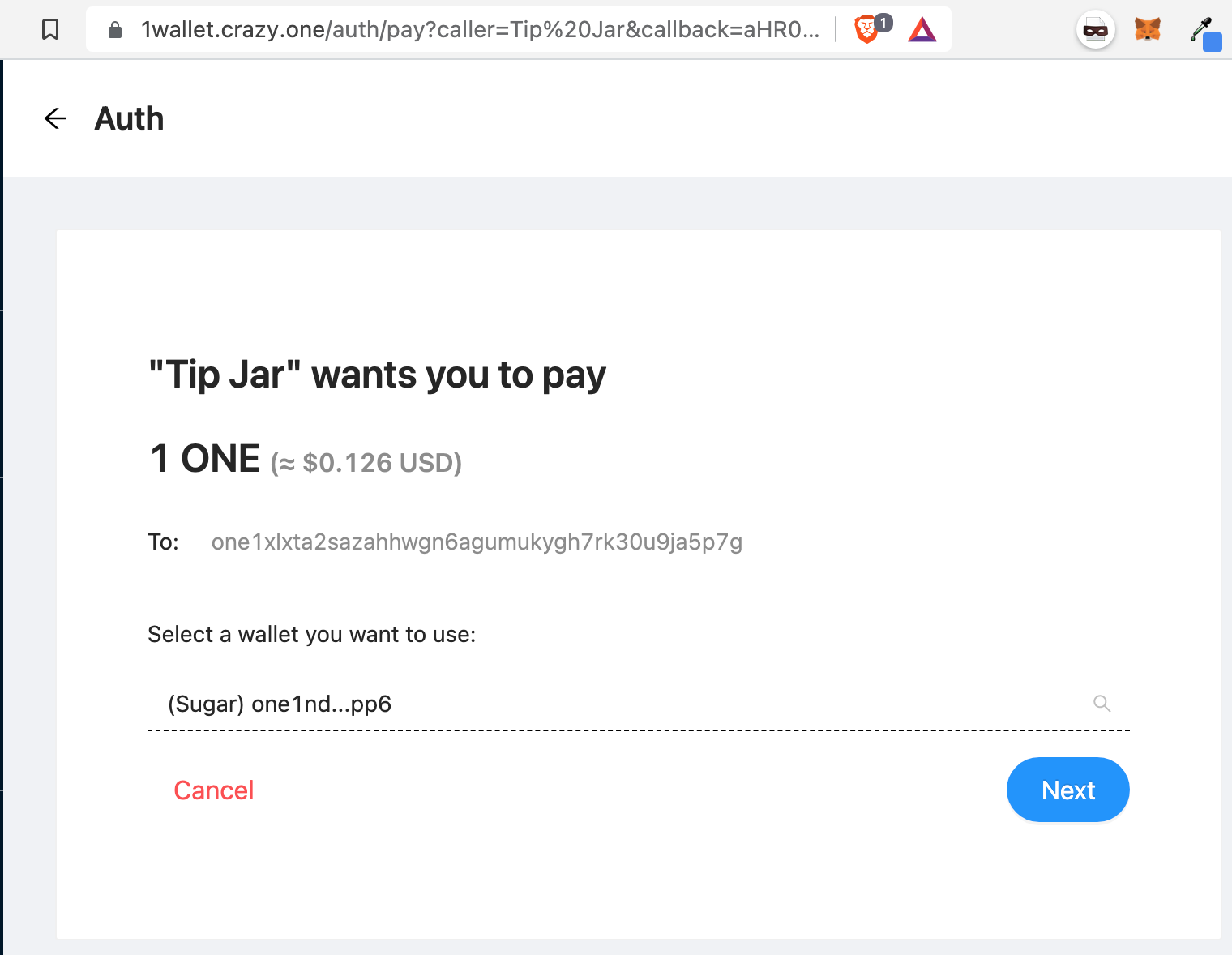
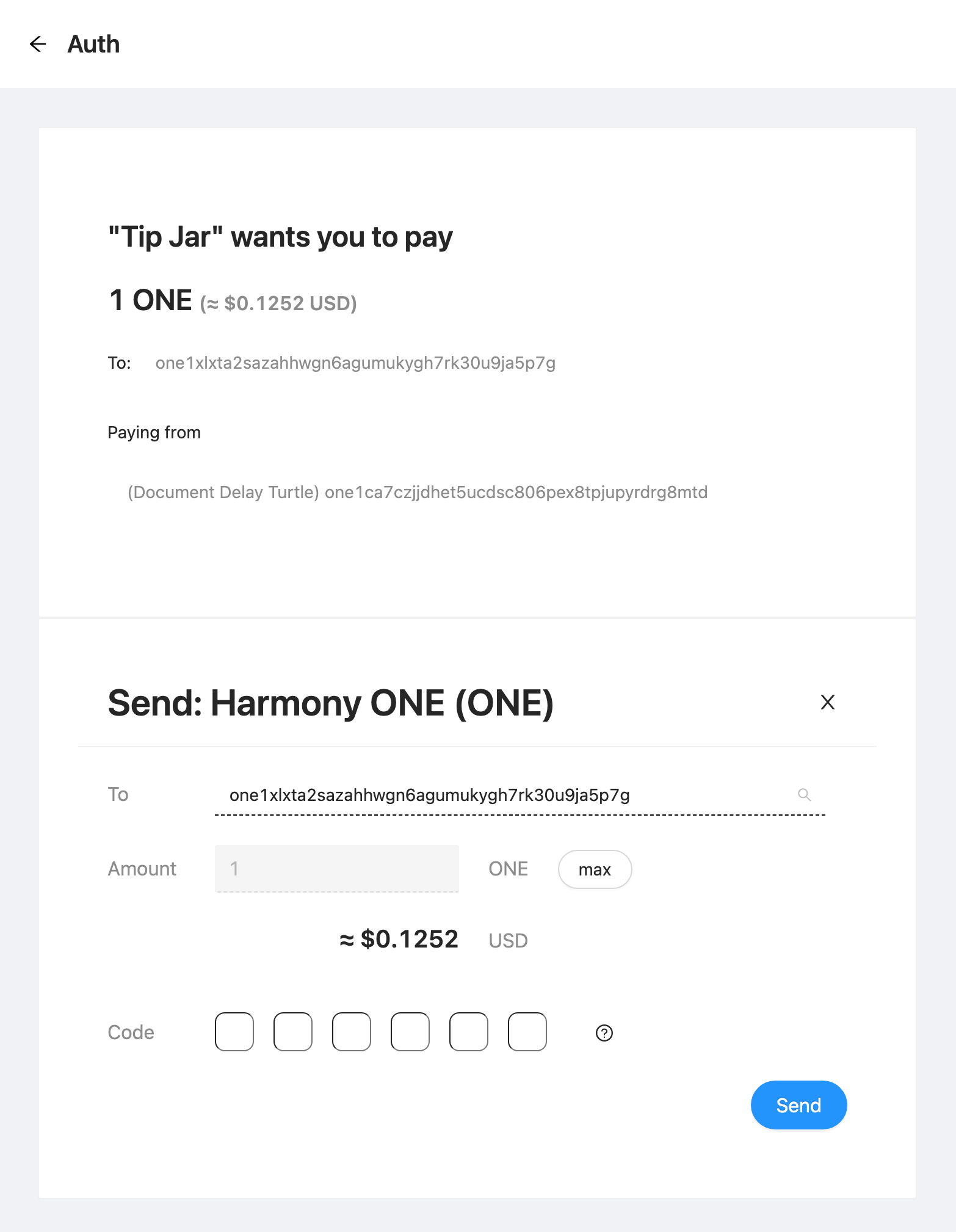
Allows the app to ask the user to send payment to a specific address. The app may optionally specify an address which the user must make the payment from. The payment may be in the form of tokens (ERC-20, ERC-721, ERC-1155).
Endpoint: /pay
-
amount: the amount requested, in wei or otherwise lowest divisible unit (if a payment using a token is requested). Example:1000000000000000000(=1.0 ONE) -
dest: the address you want the user to make payment to. -
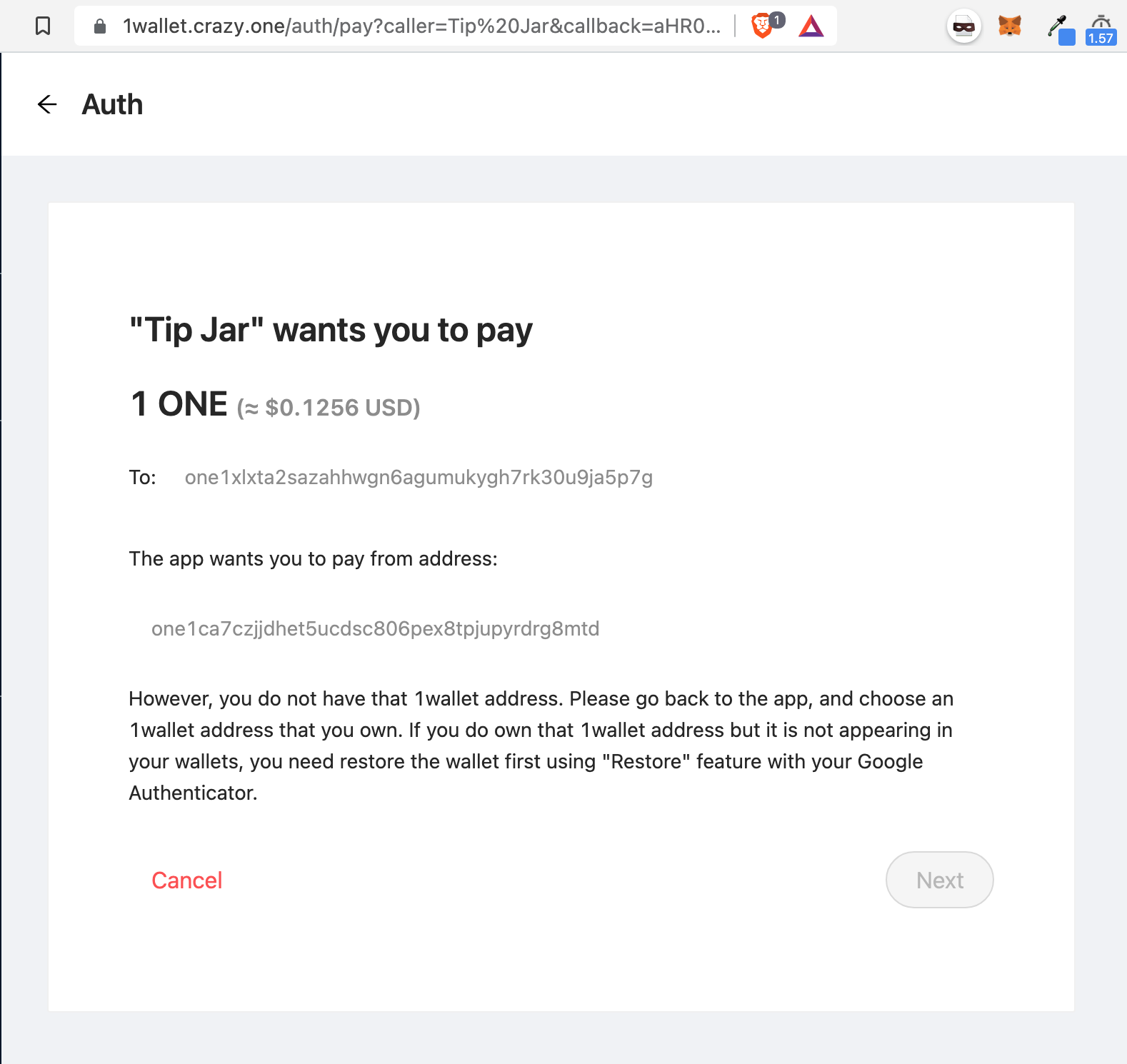
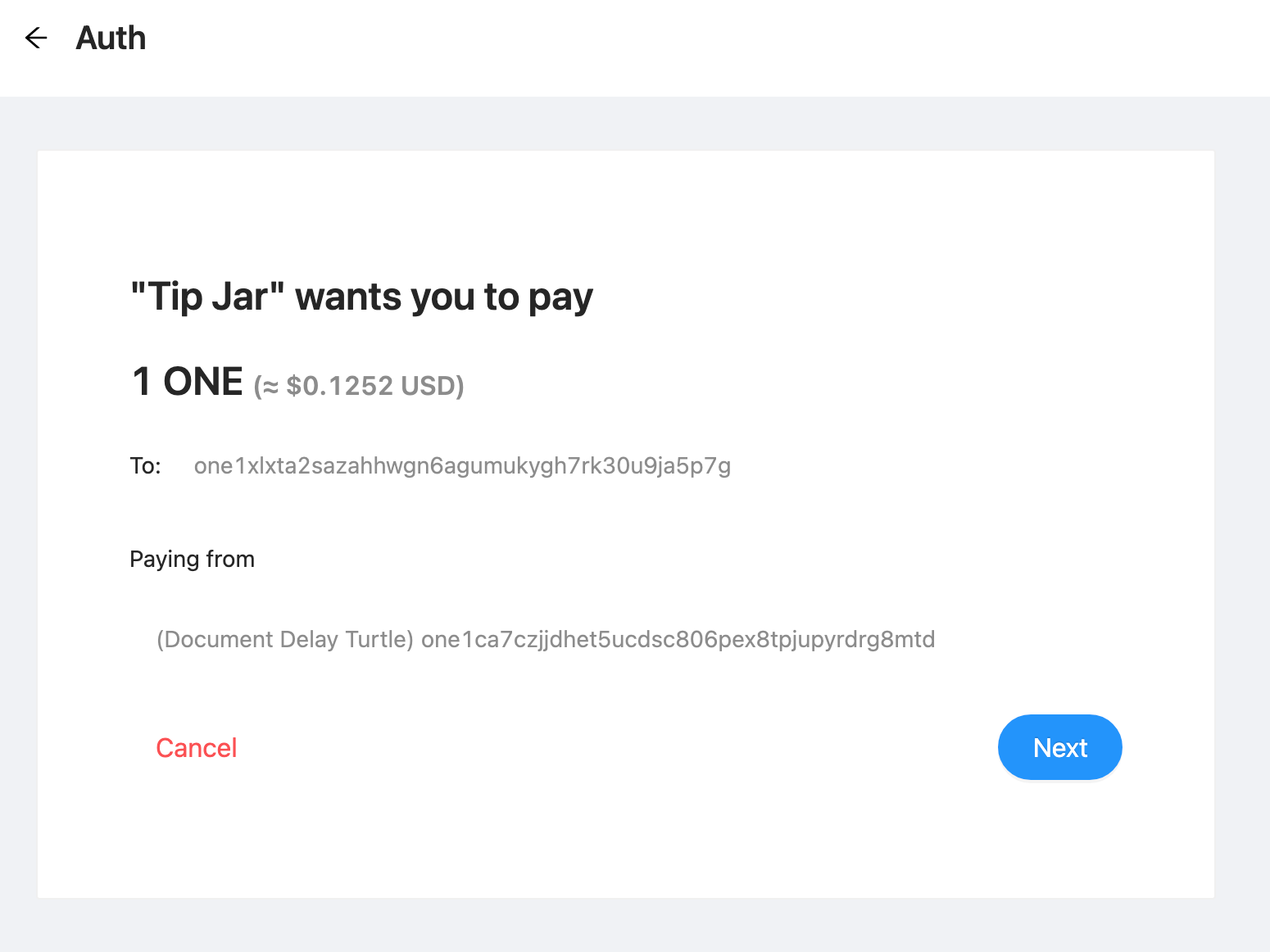
from: (optional) the address of the user's wallet which the payment must be made from. If the user does not have this 1wallet address, the request cannot proceed (thus the user must reject the request). If this parameter is unspecified, the user would be allowed to pick any 1wallet address they own to complete the payment request.
At this time, payment by token is not supported, but they will be added very soon. You will need to provide the token's contract address in the parameter tokenContractAddress. If the token is an NFT, you will also need to specify token ID in tokenId and token type (ERC721 or ERC1155) in tokenType.
-
txId: the transaction id of the payment. The app should verify whether the transaction was successful and whether payment was received. Since a 1wallet does not revert unless the user provides invalid proof (authenticator codes and local partial proofs), you should check the internal calls of the transaction and determine whether the internal call that actually sends the funds was successful and indeed delivered the specified amount of funds to the destination address. Errors are emitted as events. The easiest way to ensure the transaction was successful is to check balances on the destination address.
Not supported at this time, but it will be some time during the first week of September, 2021.