
Thank you for using Positron!
Downloads
Please review Positron's license agreement and privacy policy. Your acceptance of this license agreement and privacy policy is required as a condition to proceeding with your download or use of the software.
| Platform | Download |
|---|---|
| Windows 10, 11 x64 (system level install) | Positron-2026.06.0-211-Setup-x64.exe |
| Windows 10, 11 x64 (user level install) | Positron-2026.06.0-211-UserSetup-x64.exe |
| Windows 10, 11 arm64 (system level install) | Positron-2026.06.0-211-Setup-arm64.exe |
| Windows 10, 11 arm64 (user level install) | Positron-2026.06.0-211-UserSetup-arm64.exe |
| MacOS 11.0+ (arm64/Apple Silicon) | Positron-2026.06.0-211-arm64.dmg |
| MacOS 11.0+ (x64/Intel) | Positron-2026.06.0-211-x64.dmg |
| Debian-based Linux x64 (Ubuntu 22+) | Positron-2026.06.0-211-x64.deb |
| Debian-based Linux arm64 (Ubuntu 24+) | Positron-2026.06.0-211-arm64.deb |
| Red Hat-based Linux x64 (RHEL9) | Positron-2026.06.0-211-x64.rpm |
| Red Hat-based Linux arm64 (RHEL9) | Positron-2026.06.0-211-arm64.rpm |
| REH Linux x64 | positron-reh-linux-x64-2026.06.0-211.tar.gz |
| REH Linux arm64 | positron-reh-linux-arm64-2026.06.0-211.tar.gz |
| Installer Checksums | positron-2026.06.0-211-checksums.json |
Highlights
Check out all the changes for this release.
Posit Assistant
Last release we introduced Posit Assistant, our unified, data-science-focused approach to AI assistance. This release continues that work, and we want to give you advance notice that the older Positron Assistant will be deprecated in the next release. If you are still using Positron Assistant, we encourage you to migrate to Posit Assistant now. As a first step, the positron.assistant.enable setting is deprecated in favor of assistant.enabled, and the Positron Assistant welcome view now points you to Posit Assistant.
Posit Assistant supports the same broad set of providers as Positron Assistant, along with the Posit AI model provider and new experimental support for Google Vertex. Learn more about the differences between the new Posit Assistant and the older Positron Assistant.
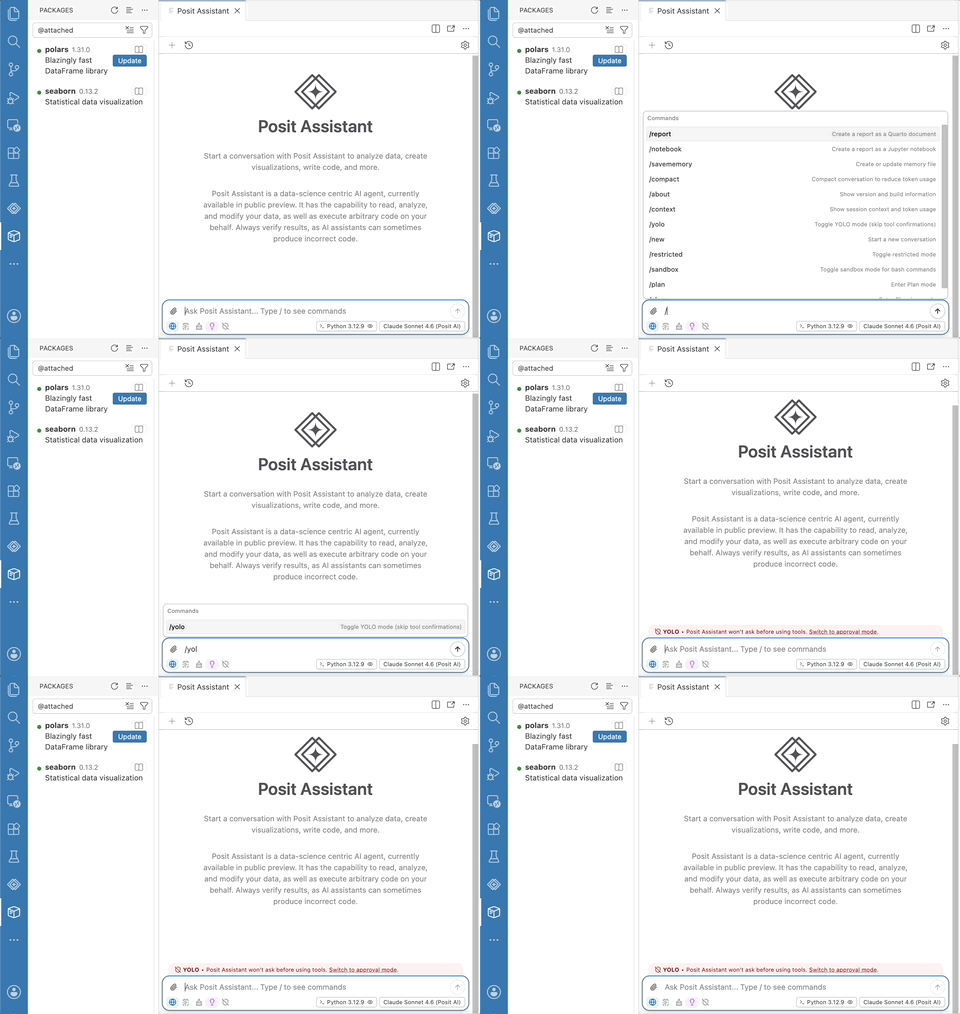
New in Posit Assistant this release, you can use the Posit AI model provider for Next Edit Suggestions, which propose your likely next change as you edit. You can also access the Configure Language Model Providers item in the accounts menu.
Packages pane improvements
We introduced the Packages pane last release, and this release makes it more informative and flexible. A Show Help button and context menu entry on every package take you straight to its documentation in the Help pane. You can now combine category filters as an intersection, so you can narrow the list to, for example, packages that are both attached and outdated. A new Item Size toggle lets you switch between a compact row view and a richer card view that surfaces package descriptions and other metadata. For R users, the new packages.r.installer setting controls whether installs, updates, and removals use pak, base R, or an automatic choice. The setting that controls the pane has been renamed to packages.enabled; the previous positron.packages.enable setting is deprecated but still honored.
Inline output for Quarto
Inline output for .qmd documents was one of Positron's most-requested features ever, and it is now out of preview. A new toolbar button in Quarto documents gives you one-click access to running cells, managing inline output, and showing the console. Inserting code into a Quarto document from the History pane now automatically wraps it in cell markup when you drop it into a prose region. You can opt in to inline output with the positron.quarto.inlineOutput.enabled setting.
Faster startup
We continue to invest in performance improvements, and Positron starts up even faster in this release. Positron now caches previously discovered system interpreters, dramatically speeding up startup in new folders and projects; you can control this with the new interpreters.discoveryCache.enabled setting. On Windows, we fixed multi-minute startup delays by skipping slow PATH discovery by default, governed by the new positron.r.interpreters.pathDiscoveryMode setting. We also fixed an occasional hang at "Preparing" when starting Positron after updating to a new version.
R language intelligence
Positron's R language support now understands symbols within a file. You can rename a local symbol and have every use of it updated at once, and Go to Definition and Find References now work for local symbols, so you can jump to where a variable is defined (such as via <- or a function parameter) or see everywhere it is used within a function. Renaming symbols across files is not yet supported, but it is coming soon.