这是一个使用 ChatGPT 和 Stable Diffusion 自动给你的日记配图的应用 an app that automatically generate pictures for your diary, with help of ChatGPT and Stable Diffusion
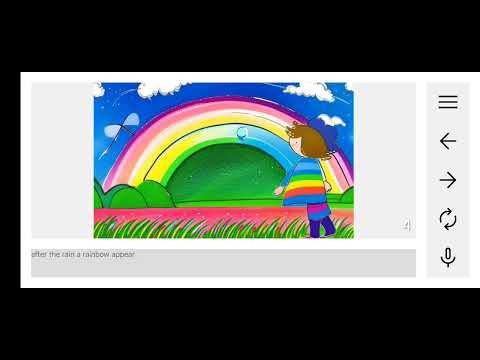

- 总体来讲这是一个调研,学习如何使用 Stable Diffusion, 以及了解它能做到什么程度 | it's mostly a research, to learn how to use Stable Diffusion and how good can it be
- 这个日记配图的想法也是因为我刚好有个该写日记了的女儿 | this idea come to me thanks to my 6 year old daughter
-
启动 nats, 他负责传递 nodejs-server 和 stable-diffusion-worker 之间的消息, 运行
cd nats && docker compose up或者启动你自己的 nats 但需要记得调整消息大小限制,默认只有 1M 是不行的 -
启动 stable diffusion worker, 他负责从 prompt 生成图片, 提前安装 python3 和 pip 包
diffusers,torch,asyncio,nats然后运行cd stable-diffusion-worker && python3 worker.py -
启动 nodejs server, 它接收客户端的请求并响应, 提前安装 NodeJS 并设置环境变量
OPENAI_API_KEY, 运行cd nodejs-server && npm i && npm run dev -
构建并运行 android app, 使用 android studio 打开, 修改服务端 IP (搜索
10.0.0.197并替换为实际 IP), 接入手机并开启 adb 调试 然后选择在手机启动app -
bring up nats, it's for messaging between nodejs-server and stable-diffusion-worker,
cd nats && docker compose upor you can use your own nats and make sure allow large messages -
bring up stable diffusion worker, it provides picture from prompt, make sure you have python3 and pip packages
diffusers,torch,asyncio,natsthencd stable-diffusion-worker && python3 worker.py -
bring up nodejs server, it receive client requests and response, make sure you have NodeJS and set env
OPENAI_API_KEY, thencd nodejs-server && npm i && npm run dev -
build and run android app, open with android studio, change server IP (search
10.0.0.197and replace your server IP), then plugin your device with adb debug and runappon your device