Repository navigation
Reading the report
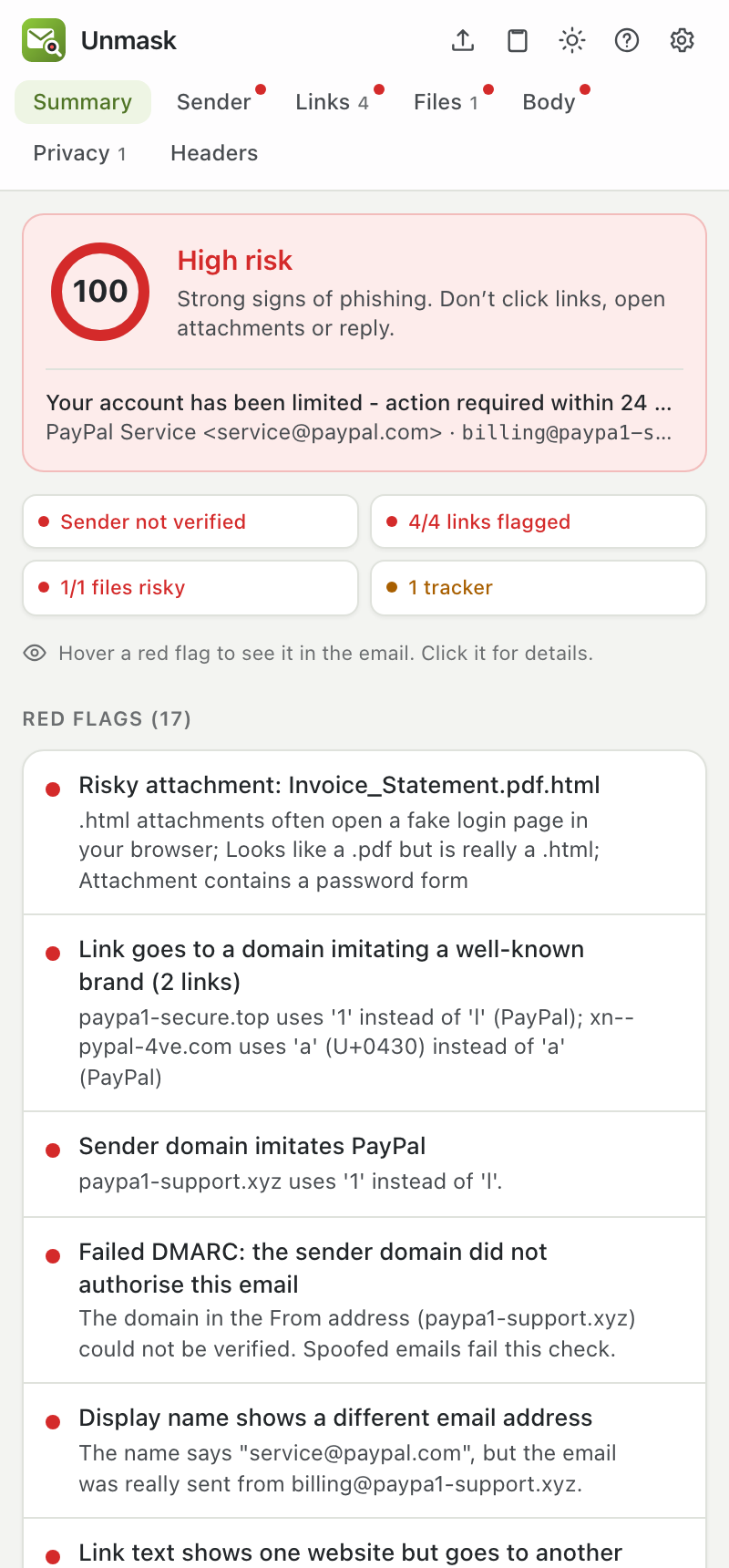
At the top is the verdict:
| Verdict | Score | What to do |
|---|---|---|
| 🔴 High risk | 50 to 100 | Strong signs of phishing. Don't click links, open attachments or reply. |
| 🟠 Suspicious | 20 to 49 | Some warning signs. Check with the sender another way, for example by calling them, before acting. |
| 🟢 No red flags found | 0 to 19 | Nothing obviously wrong. That's not a guarantee, so stay careful. |
Below it, four summary chips give the state of the sender, links, files and trackers at a glance. Click a chip to open that section. When a genuine signature is being misused (a replayed email or a fake "passed" stamp), the sender chip says Signature passes, but misused instead of Sender verified.
What this looks like names the kind of attack the red flags point to, such as Password phishing, Callback scam or Replayed genuine email, each with a confidence. Open What Unmask couldn't check to see this email's blind spots, such as links checked by address only or a signature not verified with the sender's key.
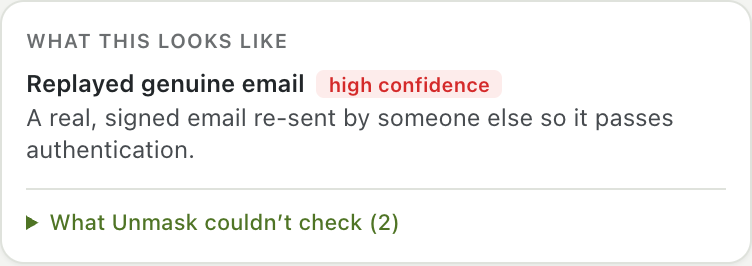
Then come the findings:
- Red flags: problems, worst first. Each one says what's wrong in plain words.
- Good signs: things that check out, such as a verified sender.
- Notes: neutral information, such as how old the sender's domain is.
Unmask never says an email is "safe". A clean result means the checks found nothing, not that nothing is there.
The row under the Unmask logo stays visible while you scroll. A red dot on a tab means it contains a warning. Every tab has a Back to summary button that returns you to where you were.
| Tab | What it shows |
|---|---|
| Summary | Verdict, summary chips and all findings |
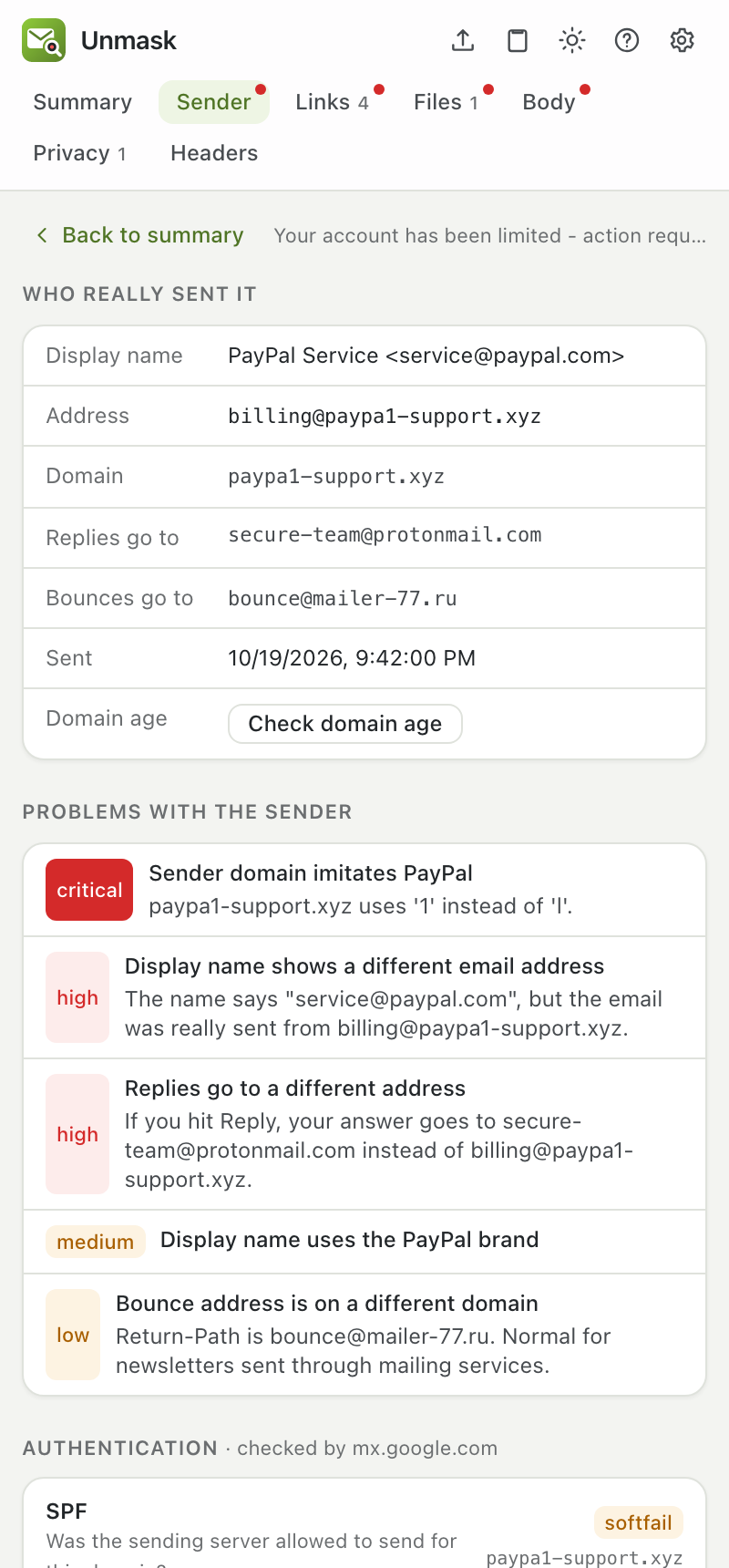
| Sender | Who really sent the email: the real address, where replies go, how old the domain is, and SPF/DKIM/DMARC results explained in plain language |
| Links | Each link: the text you see, where it really goes (with the real website in bold), warnings, and buttons for extra checks |
| Files | Each attachment: type, size, fingerprint (SHA-256), warnings, and a VirusTotal check |
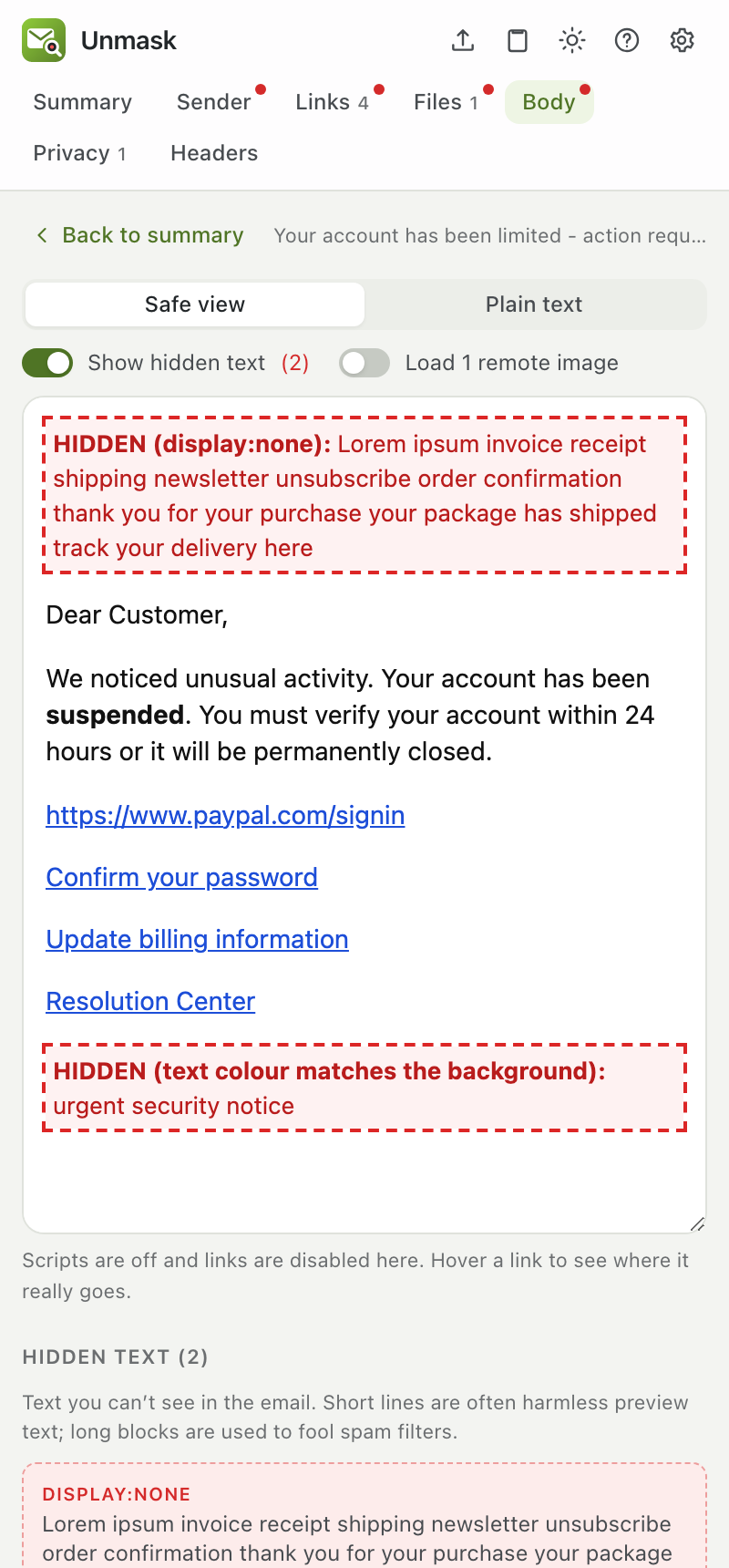
| Body | The email shown safely: scripts off, links disabled, images blocked. Switch on Show hidden text to see invisible text outlined in red |
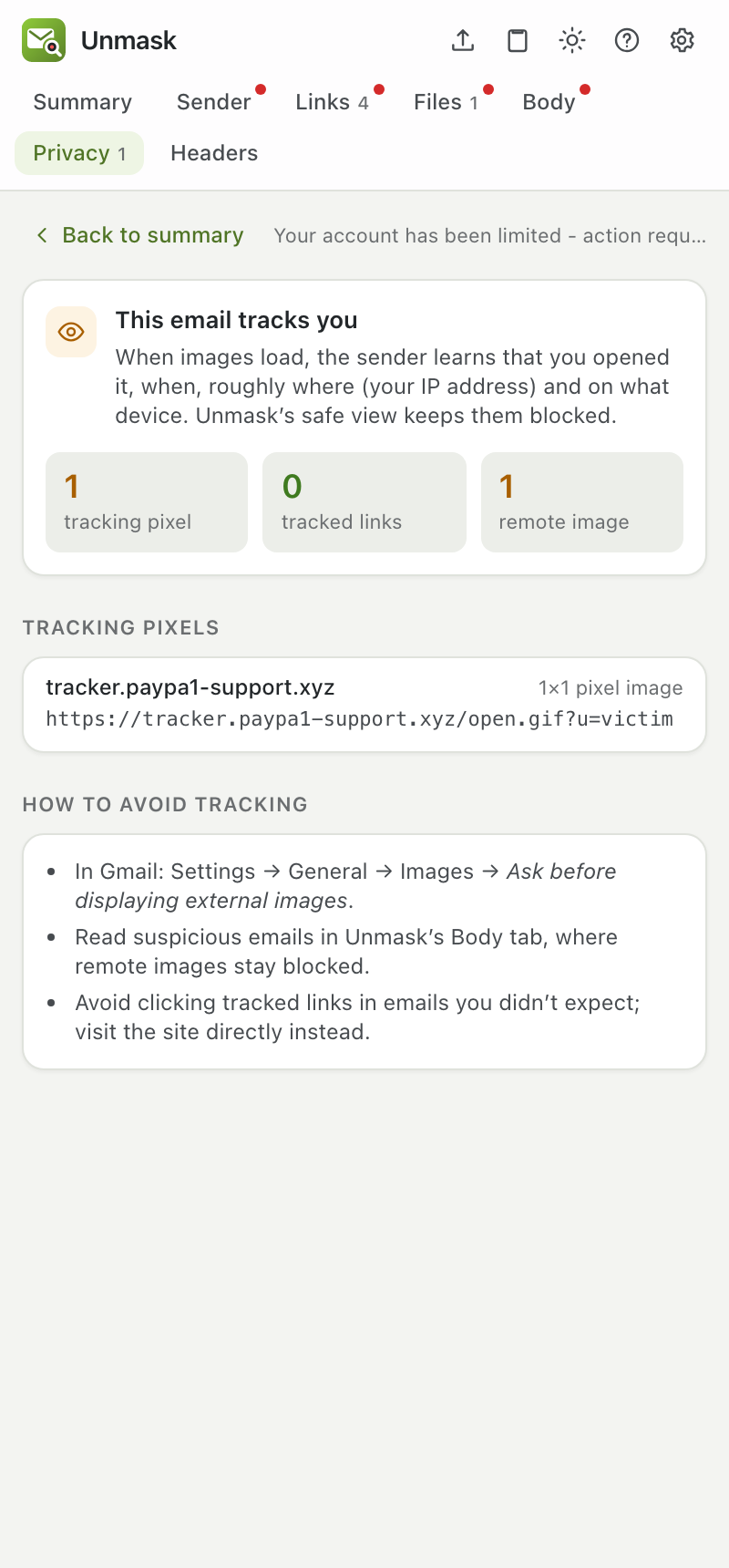
| Privacy | Tracking pixels and click-tracked links, which company runs them, where each pixel sits in the email, and how to avoid tracking |
| Headers | Every DKIM signature (did the text change after signing? does the signature verify with the sender's key?), the forwarding record (ARC), the delivery path from the first server to your inbox (steps written before your provider got the email are marked can't be verified, and the sending server's network when that check is on), and every technical header, with a filter box |
| Red flag | In plain words |
|---|---|
| Display name shows a different email address | The name says one address but the email came from another. A classic trick. |
| Sender domain imitates PayPal (or another brand) | The address looks like the real company's but has swapped letters, such as paypa1 or a Cyrillic а. |
| Failed DMARC | The domain in the From address did not authorize this email. Spoofed emails fail this. |
| Replies go to a different address | If you hit Reply, your answer goes to someone else, often a free webmail account. |
| Link text shows one website but goes to another | The link looks like paypal.com but takes you somewhere else. |
| Risky attachment | A file type that can run code or open a fake login page, or a file pretending to be a PDF. |
| Hidden text blocks | Invisible text, often stuffed in to fool spam filters. |
| Sender domain was registered N days ago | Real companies use domains that are years old. New ones are a strong warning sign. |
The full list, with points, is in CHECKS.md. How each step works, from the delivery path to the analyst write-up, is in How Unmask analyses an email.
This page is generated from docs/USER_GUIDE.md. Edit it there, not in the wiki.