Repository navigation
Setting up VirusTotal
VirusTotal checks files and links against 70+ antivirus engines. It's free. Unmask only sends a file's fingerprint (a SHA-256 hash), never the file itself, unless you choose to upload it.
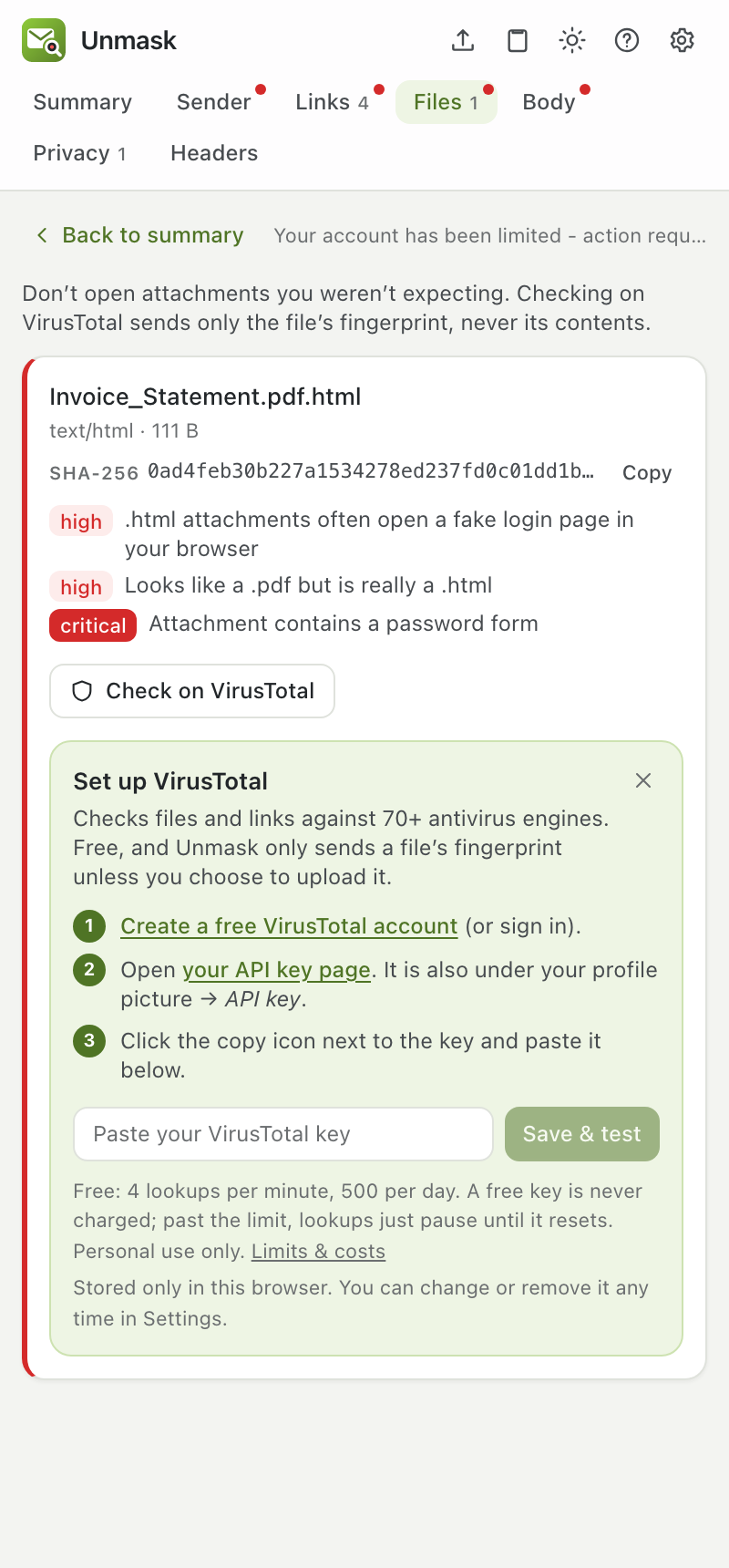
The easy way: click Check on VirusTotal on any attachment, or VirusTotal on any link. If no key is set up yet, the panel shows these steps right there:
- Click Create a free VirusTotal account (or sign in if you have one).
- Click your API key page. You can also find it by clicking your profile picture on virustotal.com, then API key.
- Click the copy icon next to your key. It's a long string of 64 letters and numbers.
- Paste it into the box in Unmask and click Save & test.
Unmask checks the key works before saving it. You'll see "Connected to VirusTotal", and the check you clicked runs automatically.
What is an "API key"? A password that lets an app use your VirusTotal account. It's not your account password. Unmask stores it only in your browser.
Limits and cost: free keys allow 4 lookups per minute and 500 per day, and can never be charged: going over just pauses lookups until the limit resets. The free API is for personal use; using Unmask for your company's security work needs a VirusTotal Premium licence. See Free limits and costs.
Scanning a new link: if VirusTotal has never seen a link, Unmask offers Scan it now. Submitted links become visible to VirusTotal's customers, including any name, address or token inside them, so Unmask asks you to confirm first. For personal links use the private Sandbox scan instead.
Uploading files: if VirusTotal has never seen a file, Unmask offers Upload file…. Uploaded files can be downloaded by VirusTotal's paying customers, so never upload anything confidential such as invoices, contracts, payslips or ID documents. Unmask asks you to confirm first.
This page is generated from docs/USER_GUIDE.md. Edit it there, not in the wiki.