Repository navigation
Settings
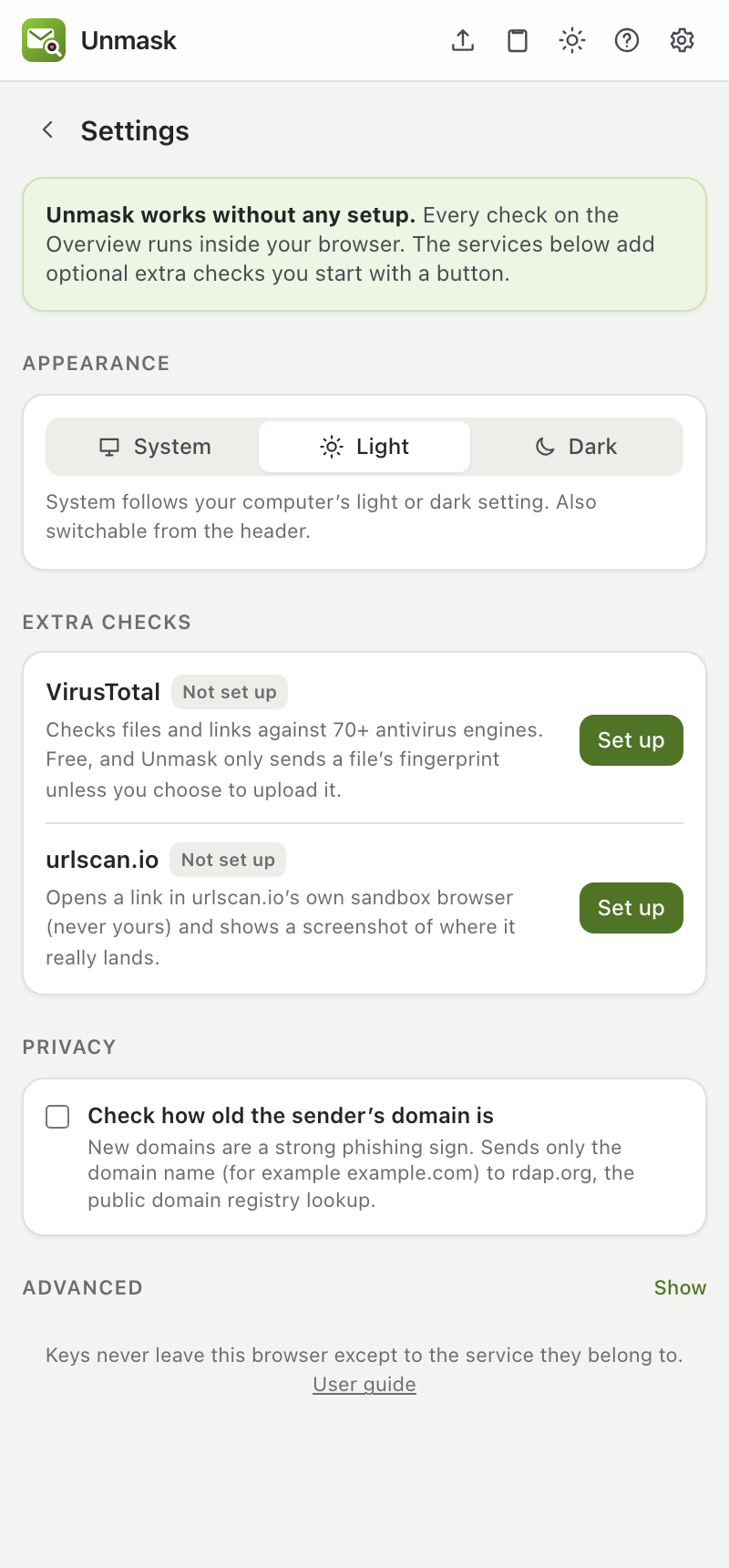
Open Settings with the gear icon. The ? icon next to it opens this guide.
- Extra checks: each service shows Connected or Not set up, with buttons to set up, change or remove its key.
- urlscan.io scans are always private (50 free per day). There is no setting: links in your email can contain personal tokens.
- Protection inside Gmail: the warning banner, inbox badges, and the link and reply checks, each with its own switch.
- Privacy → Remember who emails me: powers first-contact warnings. Shows how many senders are remembered, with Forget all.
-
Privacy → Check how old the sender's domain is: on by default. It sends only the domain name (for example
example.com) to rdap.org, the public registry lookup. - Privacy → Check certificate history and mail records: on by default. Sends only domain names to crt.sh and dns.google to spot brand-new certificates and domains without mail records, and fetches each DKIM signing key so Unmask can verify signatures itself.
- Privacy → Check who runs the sending server: off by default. Sends the IP address of the server that delivered the email (never your own) to dns.google, to spot mail sent from home connections and rented servers.
- Appearance: System (follows your computer), Light or Dark. The sun/moon button in the header switches it too.
- Advanced → Redirect tracing: Inside Unmask (default) or My own server, with the server's address.
This page is generated from docs/USER_GUIDE.md. Edit it there, not in the wiki.