





Website • Install • Usage • Features • Modules • GitHub
ThreatCrush is a security daemon that runs on your server, reading your logs and watching inbound connections for live attacks. It checks every nginx request against 96 OWASP CRS rules (paranoia level 1) + 1 ThreatCrush rule with CRS anomaly scoring, runs 15 detection rules over auth, web and network events, auto-bans attackers, scans your codebase, spot-checks your URLs, and alerts you in real-time.
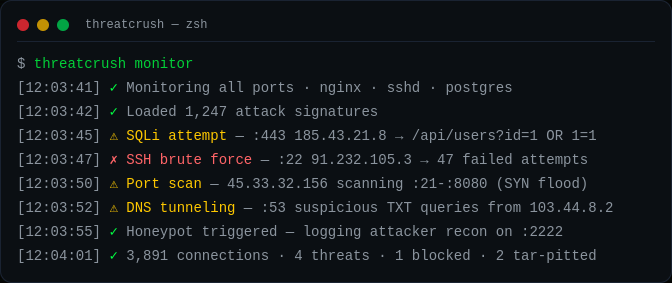
$ threatcrush monitor

2026-09-25 12:03:41 [INFO]    Starting foreground monitor...
2026-09-25 12:03:41 [INFO]    Monitoring 3 log source(s):
  ● ssh-guard      → /var/log/auth.log
  ● log-watcher    → /var/log/nginx/access.log
  ● log-watcher    → /var/log/syslog

  Press Ctrl+C to stop

2026-09-25 12:03:45 [CRITICAL] [log-watcher]  Attack detected [SQLI]: GET /api/users?id=1%20UNION%20SELECT%20password%20FROM%20users (185.43.21.8)
2026-09-25 12:03:46 [CRITICAL] [log-watcher]  Attack detected [PATH_TRAVERSAL]: GET /../../etc/passwd (185.43.21.8)
2026-09-25 12:03:47 [HIGH]     [ssh-guard]    Failed SSH login for root from 91.232.105.3 (91.232.105.3)
2026-09-25 12:03:48 [HIGH]     [ssh-guard]    Invalid SSH user attempt: admin123 from 103.77.88.99 (103.77.88.99)
2026-09-25 12:03:52 [LOW]      [log-watcher]  Client error 404: GET /wp-login.php (203.0.113.9)
monitor tails your logs in the foreground. The daemon (threatcrush start) adds the connection poller, DNS monitor, journald, the rule engine and auto-ban.
Preferred install:
curl -fsSL https://threatcrush.com/install.sh | shThe installer detects whether the machine is a server or desktop, uses your existing package manager when available, and can bootstrap Node.js with mise on bare machines.
- Linux server → installs the CLI
- Linux desktop → installs the CLI + desktop app
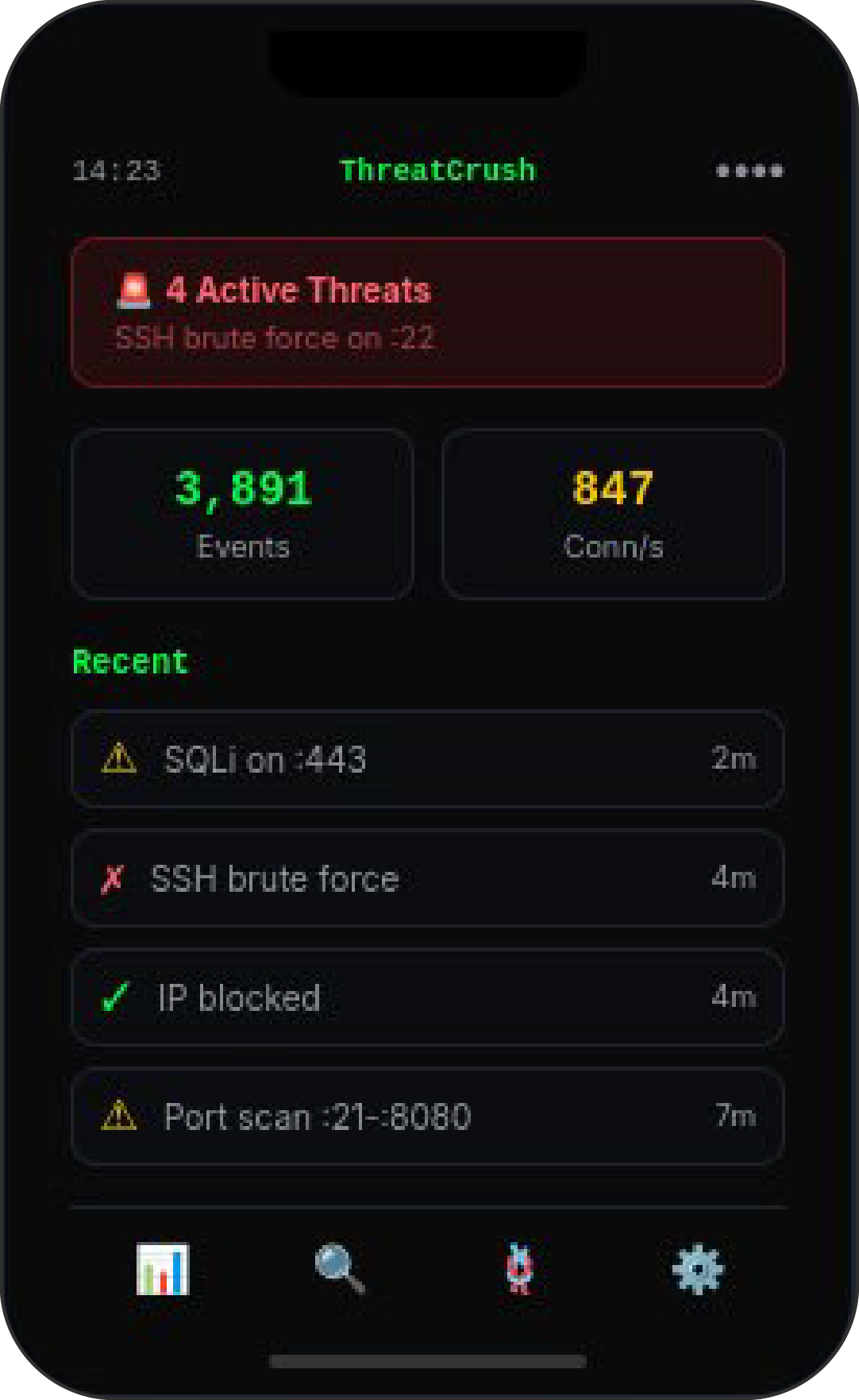
- Windows desktop → installs the desktop app to connect to a ThreatCrush server elsewhere
- macOS desktop → desktop-oriented install for connecting to a ThreatCrush server
After install, the blessed lifecycle commands are:
threatcrush update   # upgrades the installed bundle
threatcrush remove   # removes the installed bundle
Manual package-manager installs still work if you want them:
npm i -g @profullstack/threatcrush
pnpm add -g @profullstack/threatcrush
yarn global add @profullstack/threatcrush
bun add -g @profullstack/threatcrushthreatcrush # Get started
threatcrush monitor # Watch nginx, auth & syslog for attacks (foreground)
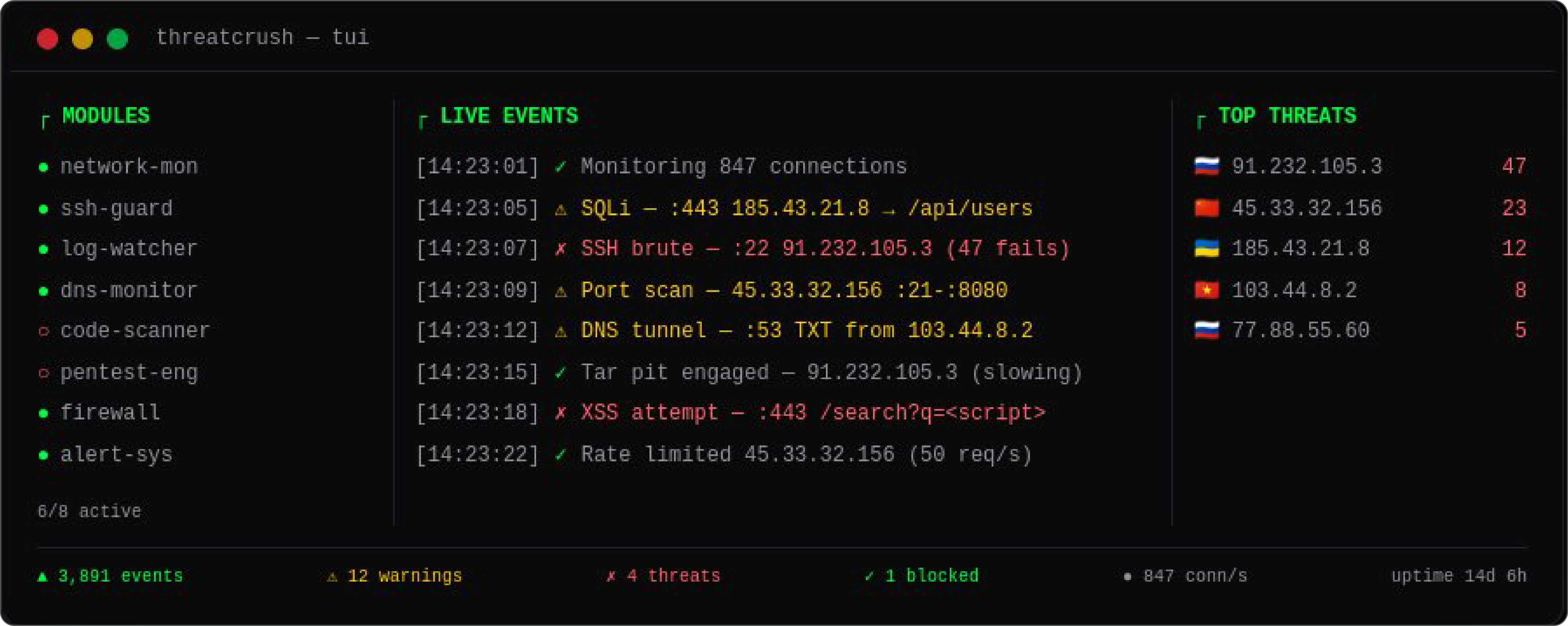
threatcrush tui # Interactive dashboard (htop for security)
threatcrush scan ./src # Scan code for vulnerabilities & secrets
threatcrush pentest URL # Quick web security checks against a URL
threatcrush init # Auto-detect services, generate config
threatcrush status # Show daemon status & loaded modules
threatcrush modules # Manage security modules
threatcrush store # Browse the module marketplace
threatcrush update # Upgrade the CLI using the supported path| Feature | Description |
|---|---|
| 🔍 Live Attack Detection | Tails nginx, auth, syslog and journald, and polls inbound connections to the ports you serve. Detects SQLi, XSS, path traversal, RFI, SSH brute force, port scans, SYN floods, DNS tunneling. |
| 🛡️ Code Security Scanner | Scan your codebase for vulnerabilities, hardcoded secrets, and misconfigurations. |
| 💥 Pentest Checks | threatcrush pentest URL spot-checks security headers, CSP, CORS, cookie flags, server banners, directory listings and error leaks, then probes for SQL errors, path traversal and unsafe HTTP methods. |
| 🔀 Network Monitor | Polls conntrack/ss every 5 s for inbound TCP connections to your listening ports. Flags port scans (10+ ports in 30 s) and SYN floods (50+ half-open from one source). No packet capture. |
| 🔔 Real-time Alerts | Slack, email, webhook notifications the instant a threat is detected. |
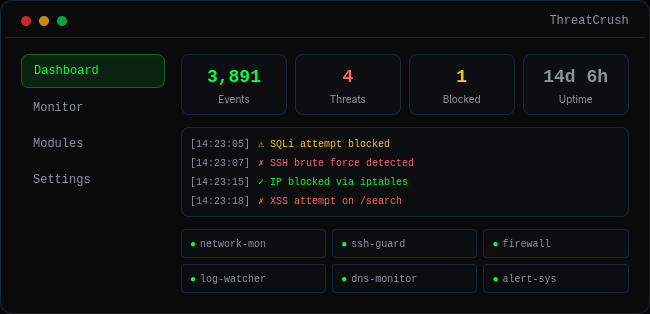
| ⚙️ systemd Daemon | Runs as a background service on your server. Auto-starts on boot, monitors 24/7. |
| 📊 TUI Dashboard | Interactive terminal dashboard — htop for security. |
ThreatCrush uses a pluggable module system. Install from the marketplace or build your own:
threatcrush modules list                # List installed
threatcrush modules install ssh-guard   # Install a module
threatcrush modules install docker-monitor
threatcrush store search "firewall"     # Search marketplace
threatcrush store publish https://github.com/you/my-module # Publish your own| Component | What it covers |
|---|---|
log-watcher |
nginx access log + syslog — 96 OWASP CRS rules (PL1: SQLi, XSS, path traversal, RFI, RCE, PHP/Java injection, SSRF, scanners) + 1 ThreatCrush rule (OS files in the path) scored on every request |
ssh-guard |
auth.log / secure — failed logins, brute force, root logins, user enumeration |
user-journal |
journald — the systemd journal |
network-monitor |
Inbound connections to your listening ports — port scans, SYN floods |
dns-monitor |
Resolver logs (systemd-resolved, dnsmasq, bind, Pi-hole) — DNS tunneling, DGA detection |
threatcrush scan |
Vulnerabilities, secrets, dependency CVEs (OSV.dev, with --deps) |
threatcrush pentest |
Header, CORS, cookie, SQL-error, path-traversal and HTTP-method checks |
| auto-defend | Bans via fail2ban, nftables or iptables |
| alerts | Slack, Discord, email, webhook, PagerDuty |
Build and sell your own modules on the ThreatCrush marketplace:
docker-monitor— Container escape detectionk8s-watcher— Kubernetes cluster securityhoneypot— Deploy decoy servicesgeo-blocker— Block traffic by country/ASNcompliance-reporter— SOC2, HIPAA, PCI-DSS reports
threatcrush init # Auto-detect & generate configConfig lives at /etc/threatcrush/threatcrushd.conf with module configs in /etc/threatcrush/threatcrushd.conf.d/.
Contact us for pricing → threatcrush.com/pricing
Monitor security from your browser:
- Chrome — Chrome Web Store (coming soon)
- Firefox — Firefox Add-ons (coming soon)
- Safari — Coming soon
Features: scan any site, real-time alerts, security headers check, dashboard popup.
- 🌐 Website: threatcrush.com
- 📦 npm: @profullstack/threatcrush
- 🐙 GitHub: profullstack/threatcrush
- 🐛 Issues: GitHub Issues
MIT © Profullstack, Inc.