tree command for Windows
- Windows tree command only support /F or /A option.
- I Wanna use tree command with -d(only directory) or -L(level of sub items) options
- Python 3.x
- pip is installed
- python
- git clone https://github.com/programmer-sjk/wtree.git
- cd wtree
- I give two option to execute init.sh
-
If you wanna execute python script, you can command bash init.sh
you will command like this. ex) python wtree.py [path] [option] -
If you wanna execute binary exe, you can command bash init.sh -b
If you will add directory path to windows environment path, you can use wtree everywhere.
After you command bash init.sh -b , you can see dist directory like below

wtree.exe will be placed dist\wtree\ path.

You need to add wtree.exe path to Windows environment path.

Finally, you can use wtree every place.
- cmder example
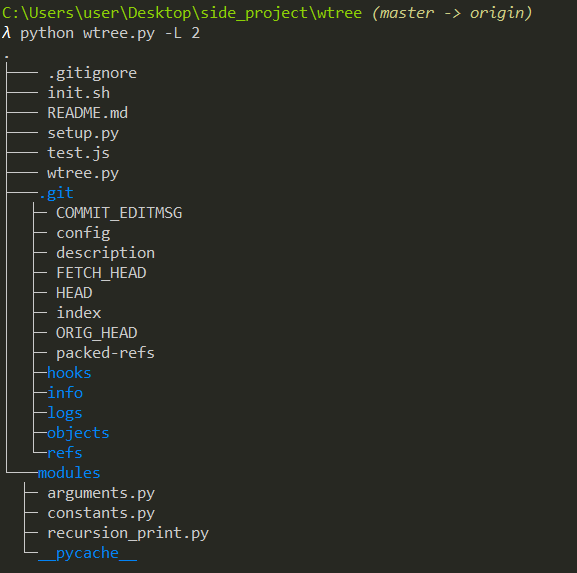
- cmd example
