Pubwave CLI is a reusable command-line toolkit for AI-enabled projects that need a clear first-run setup flow.
It gives your project a polished terminal UI for language selection, cloud or local model setup, Ollama model management, config persistence, and optional Flutter mobile installation.
# Use the `pubwave` command directly (global install)
npm install -g @pubwave/cli

# Or add it to a project to build your own CLI on top of it
npm install @pubwave/cli
Requires Node.js 20 or newer.
| Capability | What it does |
|---|---|
| Interactive setup | Guides users through language, model, API key, local model, and mobile choices. |
| Config commands | Adds config get and config set for saved CLI configuration. |
| Local models | Lists, installs, selects, verifies, and removes Ollama models. |
| Flutter mobile setup | Checks Flutter, finds connected devices, runs flutter pub get, and installs the app. |
| Project commands | Lets your app register commands like sync, source list, or launch. |
| Reusable API | Lets each host project keep its own name, config shape, commands, and runtime behavior. |
Use the published command directly (after a global install, or via npx):
pubwave help
pubwave setup

# Without installing globally:
npx @pubwave/cli help
Or create your own project CLI:
#!/usr/bin/env node
import { createPubwaveCli, jsonConfig } from "@pubwave/cli";

const cli = createPubwaveCli({
  app: {
    name: "My App",
    command: "myapp",
    version: "1.0.0"
  },
  config: jsonConfig({ scope: "user" }),
  features: {
    setup: true,
    cloudModel: true,
    localModel: true
  }
});

await cli.run(process.argv.slice(2));
That creates a project-specific CLI:
myapp help
myapp setup
myapp config get
myapp config set --language=en --provider=openai --model=gpt-5.2
myapp model local list
myapp model local install --model=qwen2.5:7b
myapp model local use --model=qwen2.5:7b
myapp version
Mobile commands appear only when the mobile feature is configured.
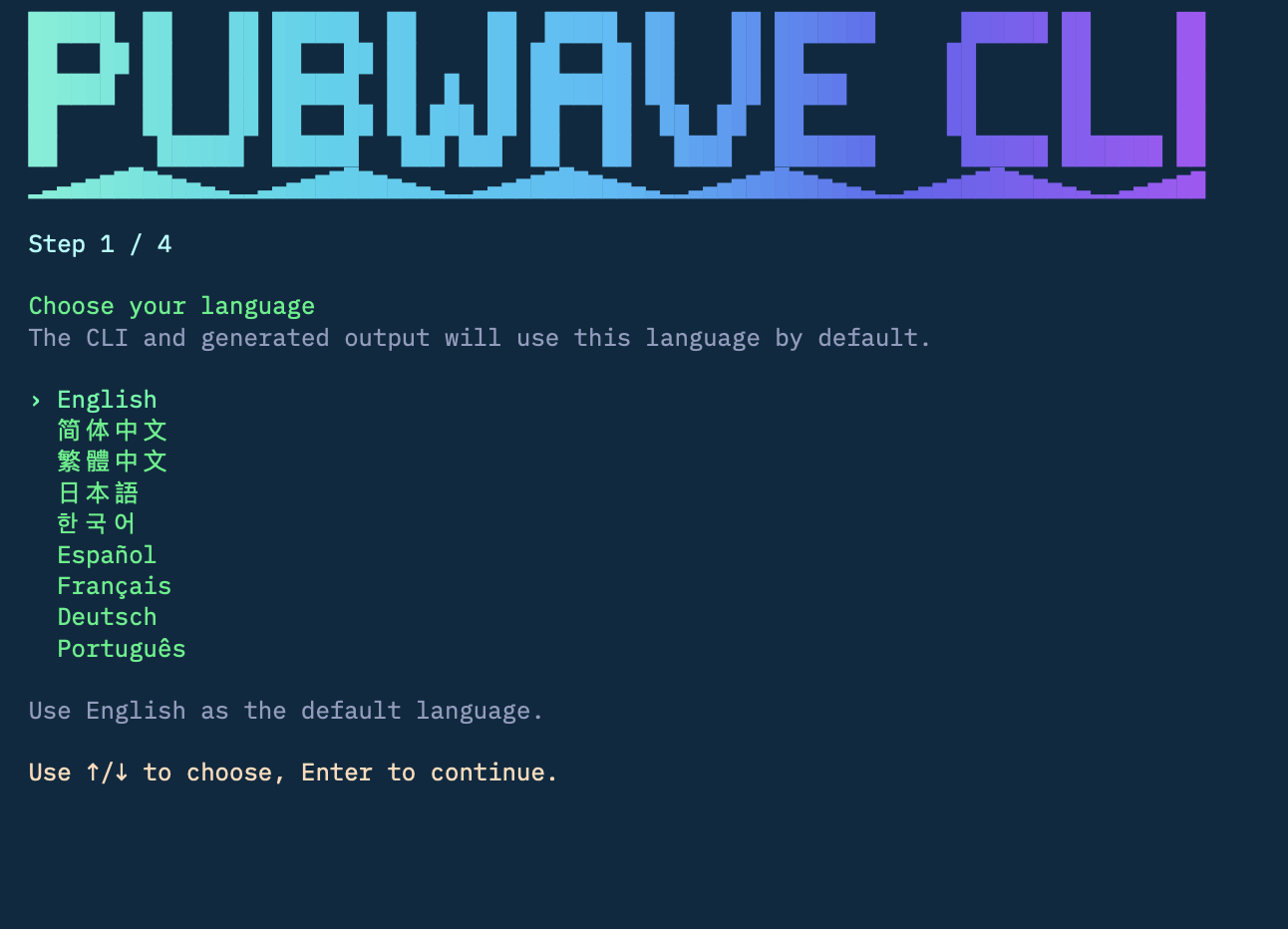
The setup wizard is the main user experience. It turns a messy first-run setup into a short terminal flow.
The user picks the default language for the CLI and generated output.
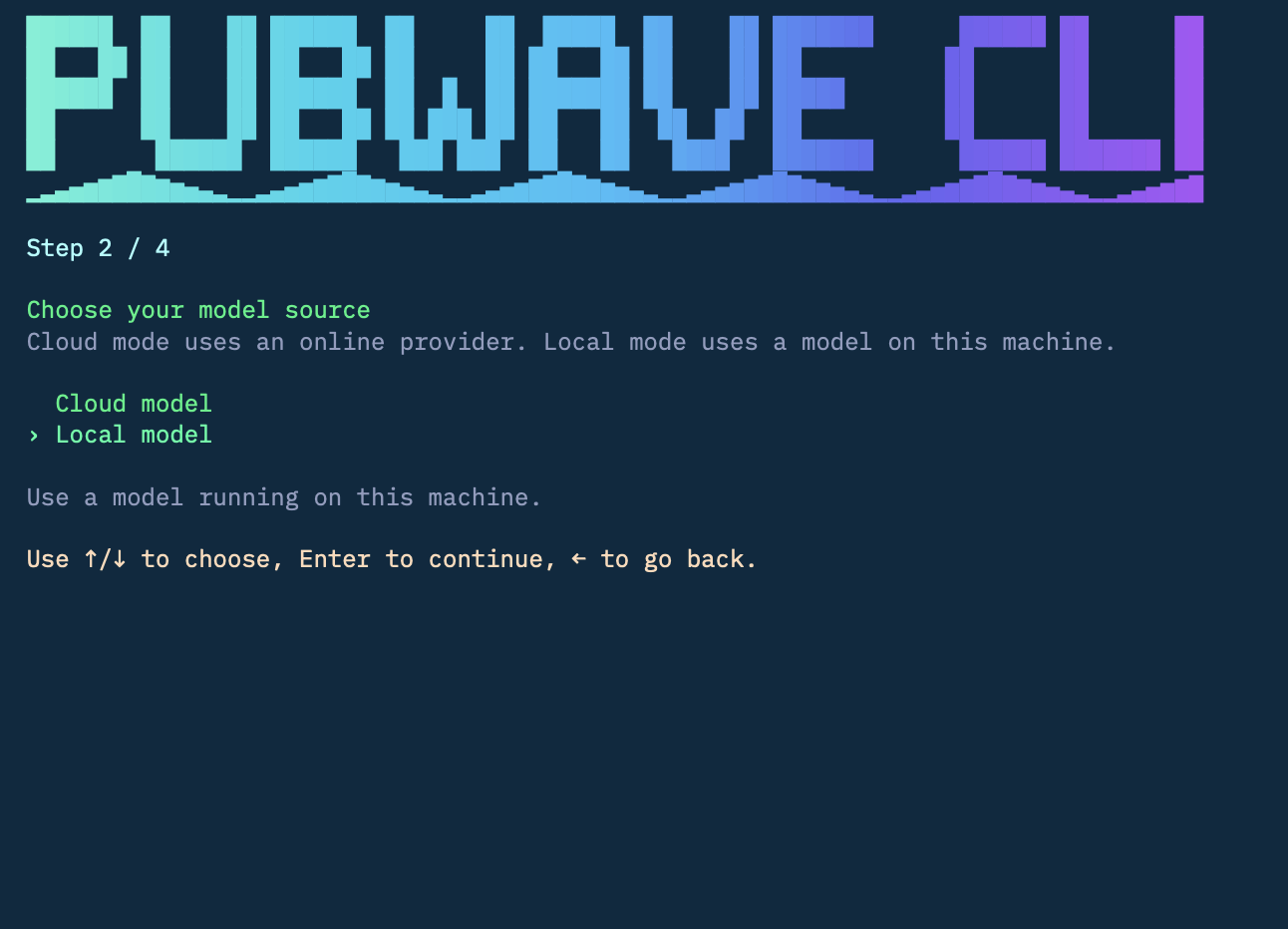
The user decides whether the project should use a cloud model provider or a local model on this machine.
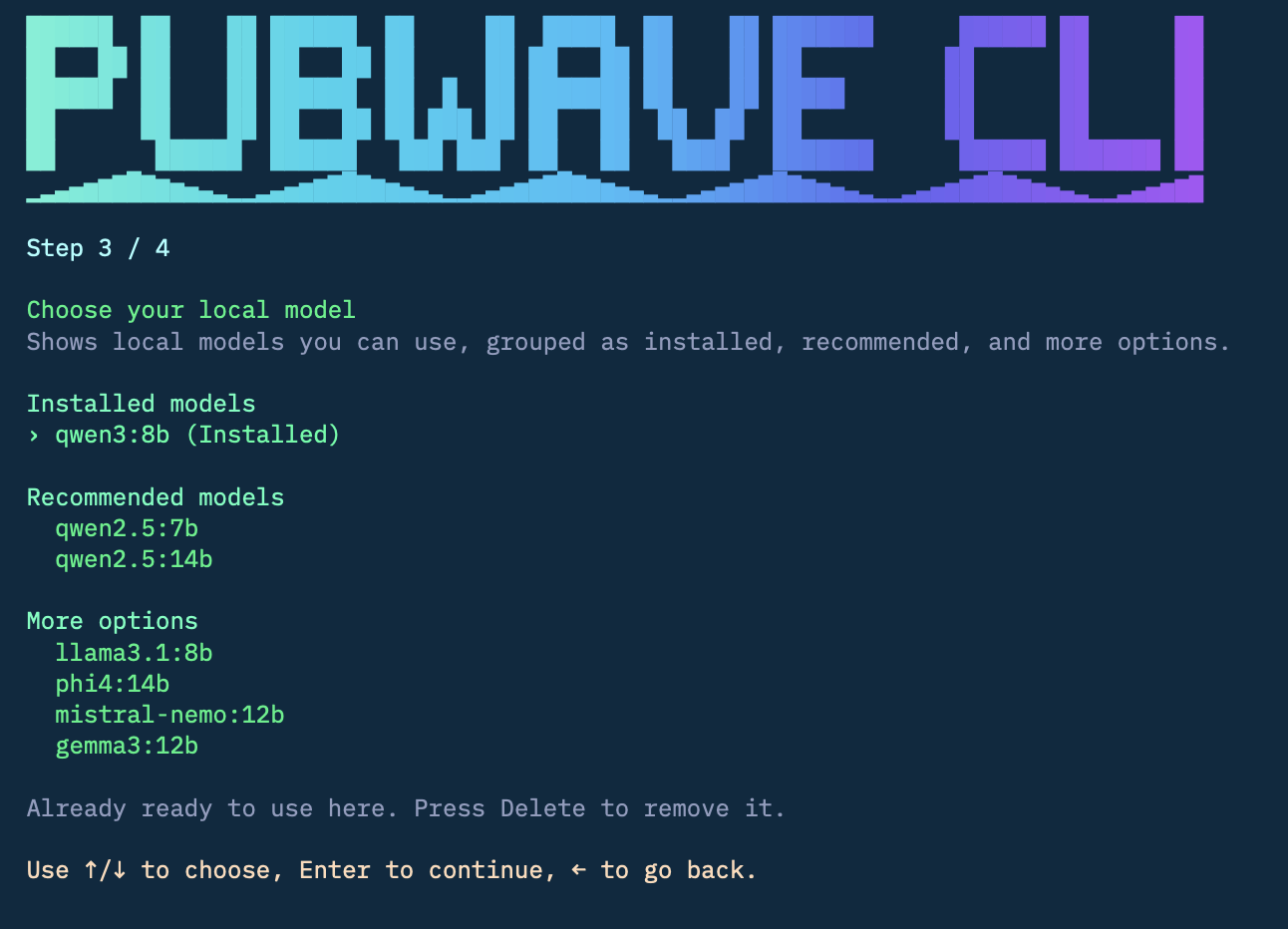
In local mode, Pubwave CLI shows installed Ollama models first, then recommended models that can be pulled and verified.
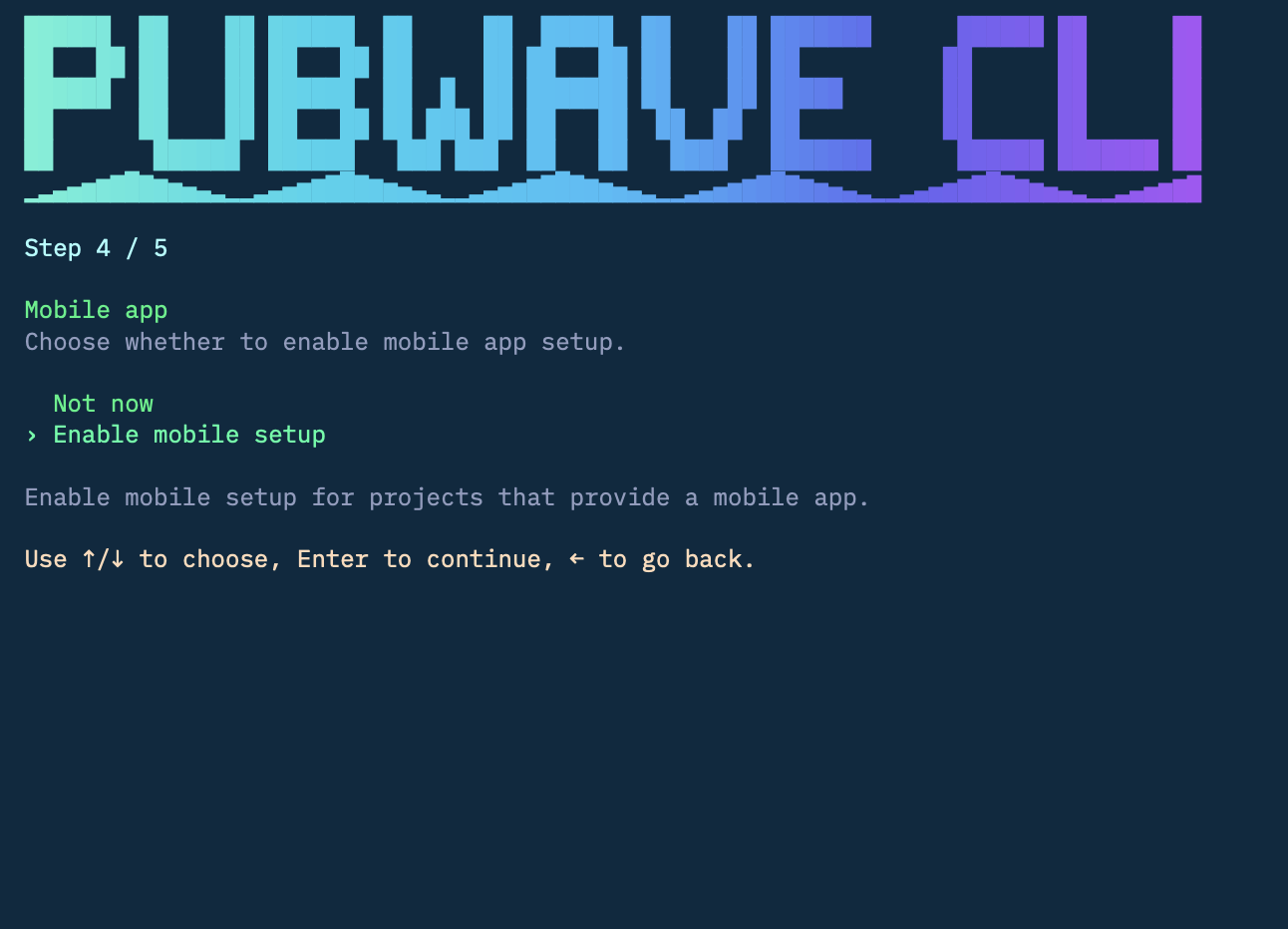
If the host project provides a Flutter app, the wizard can ask whether mobile setup should be enabled.
When multiple supported phones are connected, the user can choose exactly which devices should receive the app.
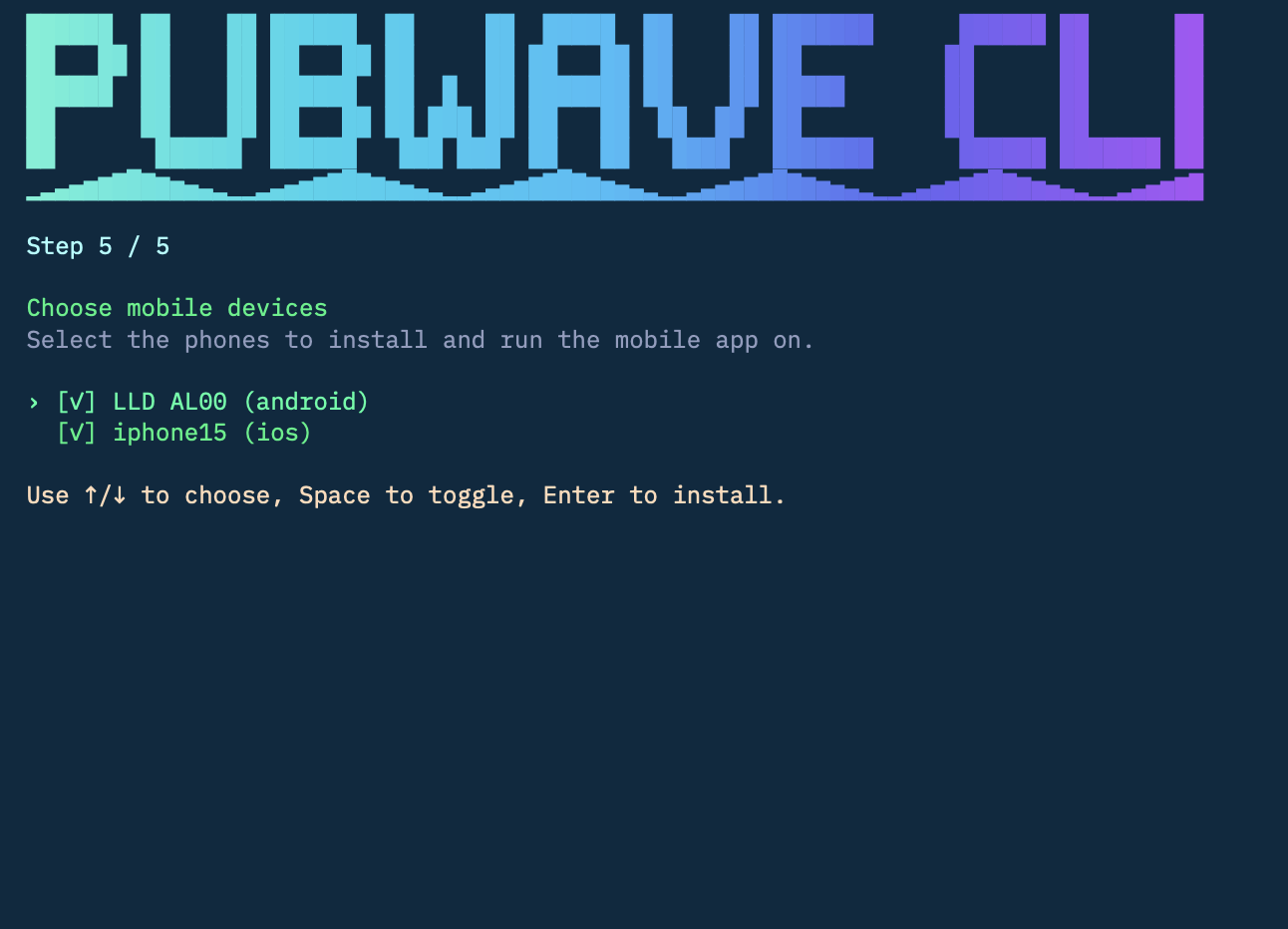
Keyboard controls:
| Key | Action |
|---|---|
| Up / Down | Move between choices. |
| Enter | Continue or save. |
| Left | Go back. |
| Delete | Remove an installed local model from Ollama. |
| Esc | Exit the wizard. |
The published package exposes pubwave:
pubwave help
pubwave setup
pubwave config get
pubwave config set --language=ja --provider=openai --model=gpt-5.2
pubwave model local list
pubwave model local install --model=qwen2.5:7b
pubwave model local use --model=qwen2.5:7b
pubwave model local uninstall --model=qwen2.5:7b
pubwave version
Its config is stored at:
~/.pubwave/config.json
Pubwave CLI uses a small standard setup shape:
interface PubwaveCliConfig {
  language?: string;
  ai?: {
    modelSource?: "cloud" | "local";
    provider?: string;
    model?: string;
    apiKey?: string;
  };
  mobile?: {
    enabled?: boolean;
    platform?: "ios" | "android";
  };
}
Use the built-in JSON adapter for simple projects:
config: jsonConfig({ scope: "user" })User scope stores config in the user's home directory:
~/.myapp/config.json
Project scope stores config in the nearest project root found from the current working directory:
config: jsonConfig({ scope: "project" })<project-root>/.myapp/config.json
The default config directory name is .<command>. You can override it:
app: {
  name: "My App",
  command: "myapp",
  homeDirName: ".myapp"
}
Users can also override the config home with an environment variable:
MYAPP_HOME=/tmp/myapp myapp setupIf your app already has its own config file, map it to Pubwave CLI with managedJsonConfig(...).
import { createPubwaveCli, managedJsonConfig, type PubwaveCliConfig } from "@pubwave/cli";

interface AppConfig {
  app: {
    defaultLanguage: string;
  };
  ai: {
    modelSource: "cloud" | "local";
    provider: string;
    model: string;
    apiKey: string;
  };
}

const cli = createPubwaveCli<AppConfig>({
  app: {
    name: "My App",
    command: "myapp",
    version: "1.0.0"
  },
  config: managedJsonConfig<AppConfig>({
    scope: "user",
    defaults: {
      app: { defaultLanguage: "en" },
      ai: {
        modelSource: "cloud",
        provider: "openai",
        model: "gpt-5.2",
        apiKey: ""
      }
    },
    toCliConfig(config): PubwaveCliConfig {
      return {
        language: config.app.defaultLanguage,
        ai: config.ai
      };
    },
    fromCliConfig(cliConfig) {
      return {
        app: {
          defaultLanguage: cliConfig.language ?? "en"
        },
        ai: {
          modelSource: cliConfig.ai?.modelSource ?? "cloud",
          provider: cliConfig.ai?.provider ?? "openai",
          model: cliConfig.ai?.model ?? "gpt-5.2",
          apiKey: cliConfig.ai?.apiKey ?? ""
        }
      };
    }
  }),
  features: {
    setup: true,
    cloudModel: true,
    localModel: true
  }
});

await cli.run(process.argv.slice(2));When localModel is enabled, Pubwave CLI works with Ollama:
myapp model local list
myapp model local install --model=qwen2.5:7b
myapp model local use --model=qwen2.5:7b
myapp model local uninstall --model=qwen2.5:7b
The installer can detect Ollama, start it when possible, pull the selected model, and verify that the model responds.
Enable mobile setup when your project has a Flutter app:
createPubwaveCli({
  app,
  config,
  features: {
    setup: true,
    cloudModel: true,
    localModel: true,
    mobile: {
      flutter: {
        projectDir: "apps/mobile",
        releaseMode: true,
        autoInstallSdk: true,
        dartDefines: ({ runtime }) => ({
          MYAPP_API_BASE_URL: runtime?.apiBaseUrl ?? "http://127.0.0.1:4310"
        })
      }
    }
  }
}).run();
This adds:
myapp mobile devices
myapp mobile install
myapp mobile run android
myapp mobile run ios
Pubwave CLI can check Flutter, list connected physical devices, run flutter pub get, and install the app on one or more selected devices.
Host projects can add their own commands. Pubwave CLI handles parsing, context, and rendering.
createPubwaveCli({
  app,
  config,
  commands: [
    {
      name: "sync",
      description: "Sync project data.",
      async run() {
        return "Synced.";
      }
    },
    {
      name: "source list",
      description: "List configured sources.",
      async run() {
        return "No sources configured.";
      }
    }
  ]
}).run();
Those commands appear in myapp help alongside the built-in commands.
Projects that manage a server or background runtime can expose familiar commands:
createPubwaveCli({
  app,
  config,
  features: {
    runtime: {
      async launch() {
        return "Runtime started.";
      },
      async status() {
        return "Runtime is running.";
      },
      async stop() {
        return "Runtime stopped.";
      },
      async logs() {
        return "No logs yet.";
      }
    }
  }
}).run();
This enables:
myapp launch
myapp status
myapp down
myapp logsThe setup wizard is localized into English, Simplified Chinese, Traditional Chinese, Japanese, Korean, Spanish, French, German, and Portuguese.
The wizard detects a default language from the user's environment, and the user can change it in the first step.
Import the toolkit API from the package root:
import {
  createPubwaveCli,
  jsonConfig,
  managedJsonConfig,
  defaultCloudModelProviders,
  defaultLocalModelChoices,
  defaultLanguages
} from "@pubwave/cli";
The package also includes the pubwave executable for direct use.
Pubwave CLI provides the reusable CLI shell: setup flow, config handling, model selection, local model helpers, mobile install helpers, and command rendering.
Your project still owns its product behavior: server startup, sync logic, data sources, scheduling, business commands, and app-specific configuration.