Home
| Getting Started | Using the App | Technical Reference | Project |
|---|---|---|---|
| Home | Usage Guide | Architecture | Repository |
| Installation | Conversion Methods | XDVDFS Technical Docs | Building from Source |
| XISO Explorer | Troubleshooting & FAQ | Release Notes |
Welcome to the official documentation for Batch ISO to XISO Converter — a high-performance Windows WPF utility built for the Xbox preservation and emulation community. Convert, verify, and explore Xbox and Xbox 360 ISO files, powered by the XISOSharp library.
- Repository: https://github.com/purelogiccode/BatchConvertIsoToXiso
- Website: https://www.purelogiccode.com
- License: GNU General Public License v3.0
- Current version: 2.8.0
- Platform: Windows x64 / ARM64, .NET 10.0 Desktop Runtime
Batch ISO to XISO Converter streamlines the process of converting standard Xbox and Xbox 360 disc images (Redump ISOs) into the optimized, trimmed XISO format used by original Xbox consoles, emulators, and FTP transfer tools.
The application combines:
- The XISOSharp conversion engine, which repacks the XDVDFS game partition into an optimized, tightly packed XISO.
- An integrity tester that deeply validates the XDVDFS filesystem structure, with an optional surface scan for physical media errors.
- A built-in XISO Explorer that browses the contents of an Xbox ISO without extracting it.
Whether you are managing a large collection of game backups, preparing files for an Xbox hard drive, or verifying the integrity of your dumps, the application provides a user-friendly interface with powerful batch processing capabilities.
| Area | Capabilities |
|---|---|
| Batch Conversion | XISOSharp conversion engine, archive input (.zip, .7z, .rar), CUE/BIN support via bchunk, optional $SystemUpdate removal, replace-originals mode, post-conversion verification |
| Integrity Testing | Structural XDVDFS validation, optional deep surface scan, automatic move of passed/failed files into organized subfolders |
| XISO Explorer | Native in-ISO browsing, file metadata, double-click to open, drag-and-drop extraction |
| Monitoring | Real-time success/fail/skip counters, per-drive read/write speed indicators, elapsed-time tracking, memory usage |
| Reliability | Atomic replace-originals workflow, automatic temp-folder cleanup, fallback temp drives, network path (UNC) support with retry logic, cloud-aware (OneDrive) retries, encrypted-archive detection |
| Support | In-app bug reporting and automatic update checks |
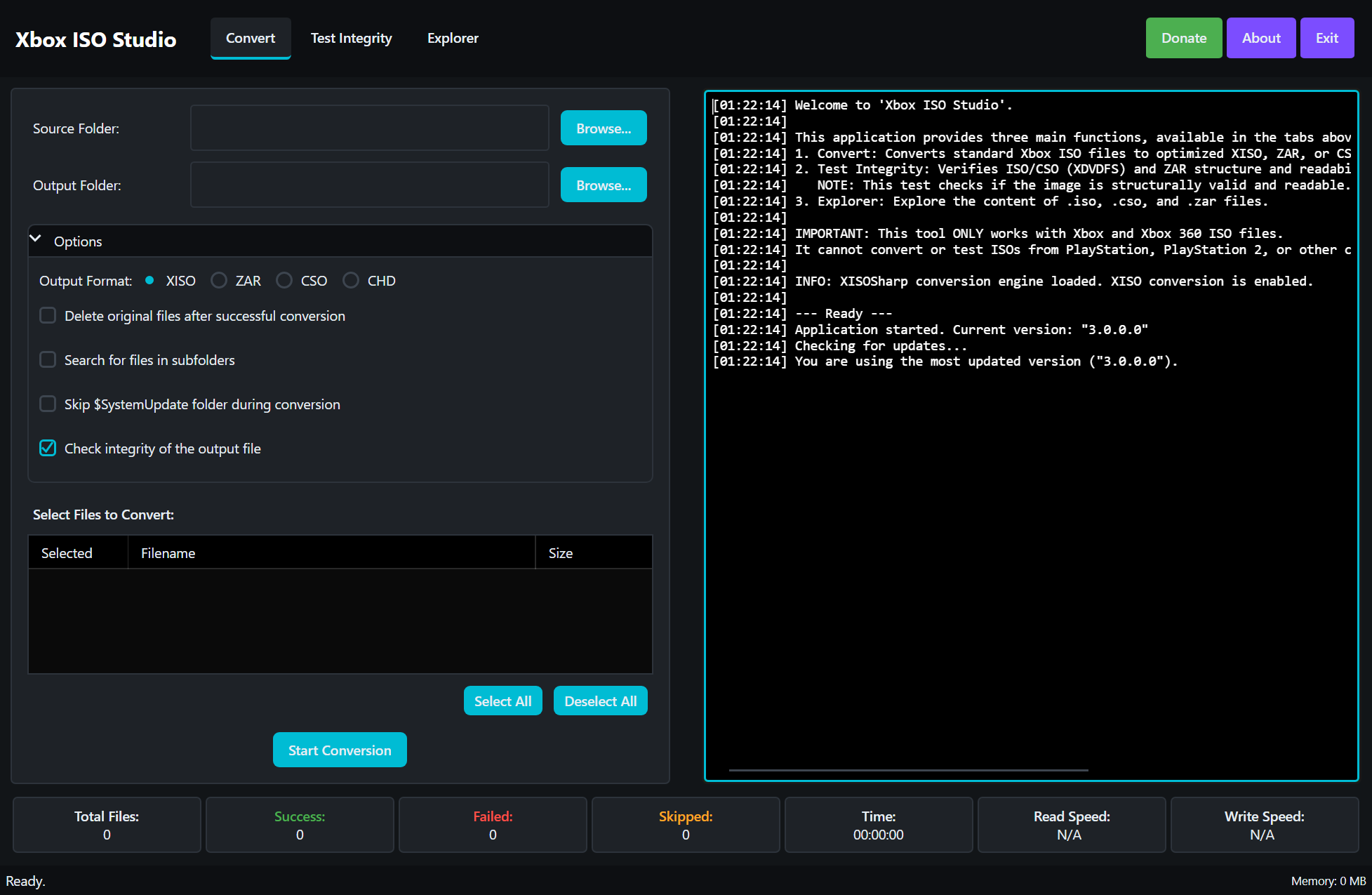 |
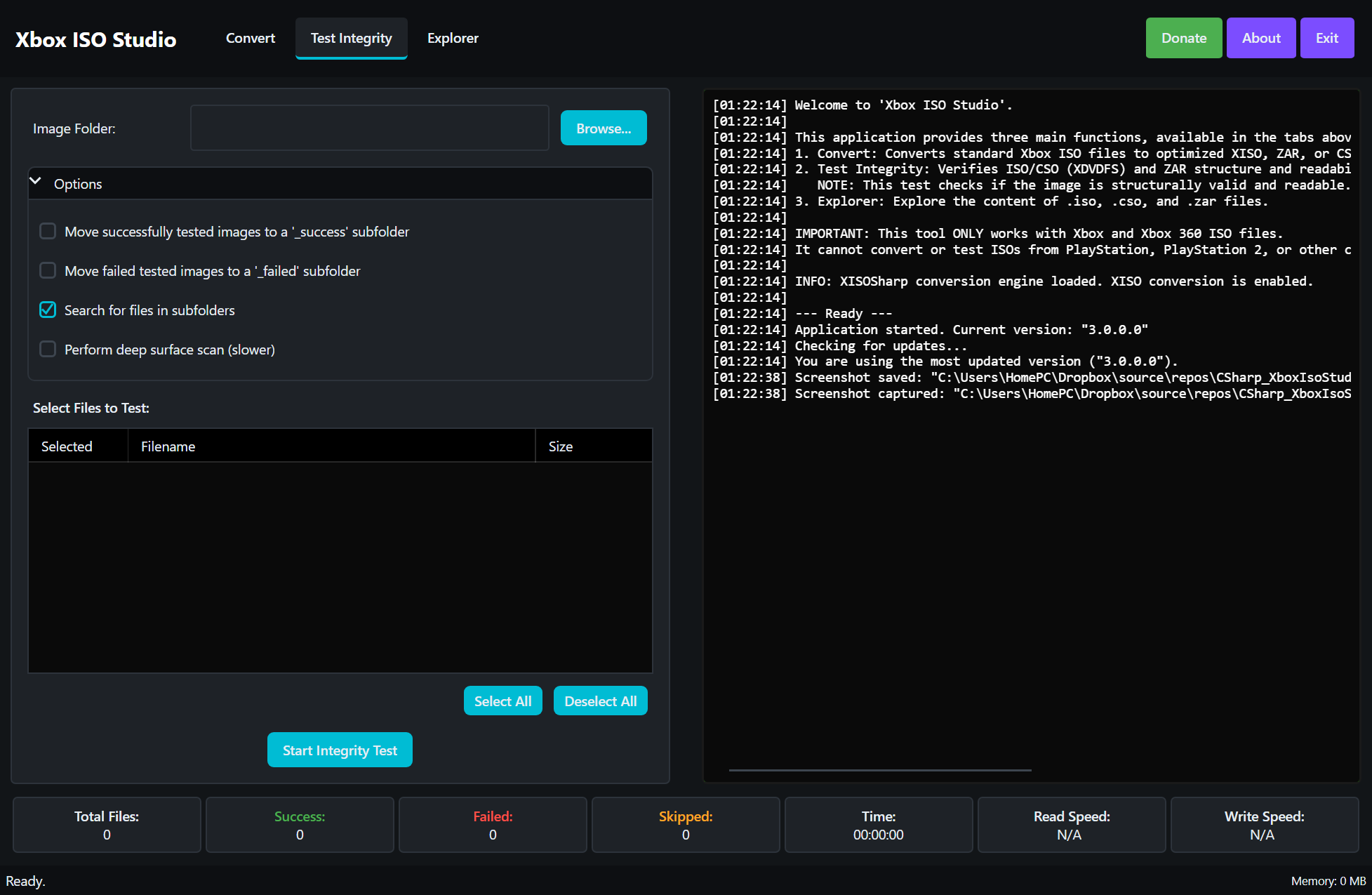 |
| Batch conversion with real-time monitoring | Integrity testing with batch organization |
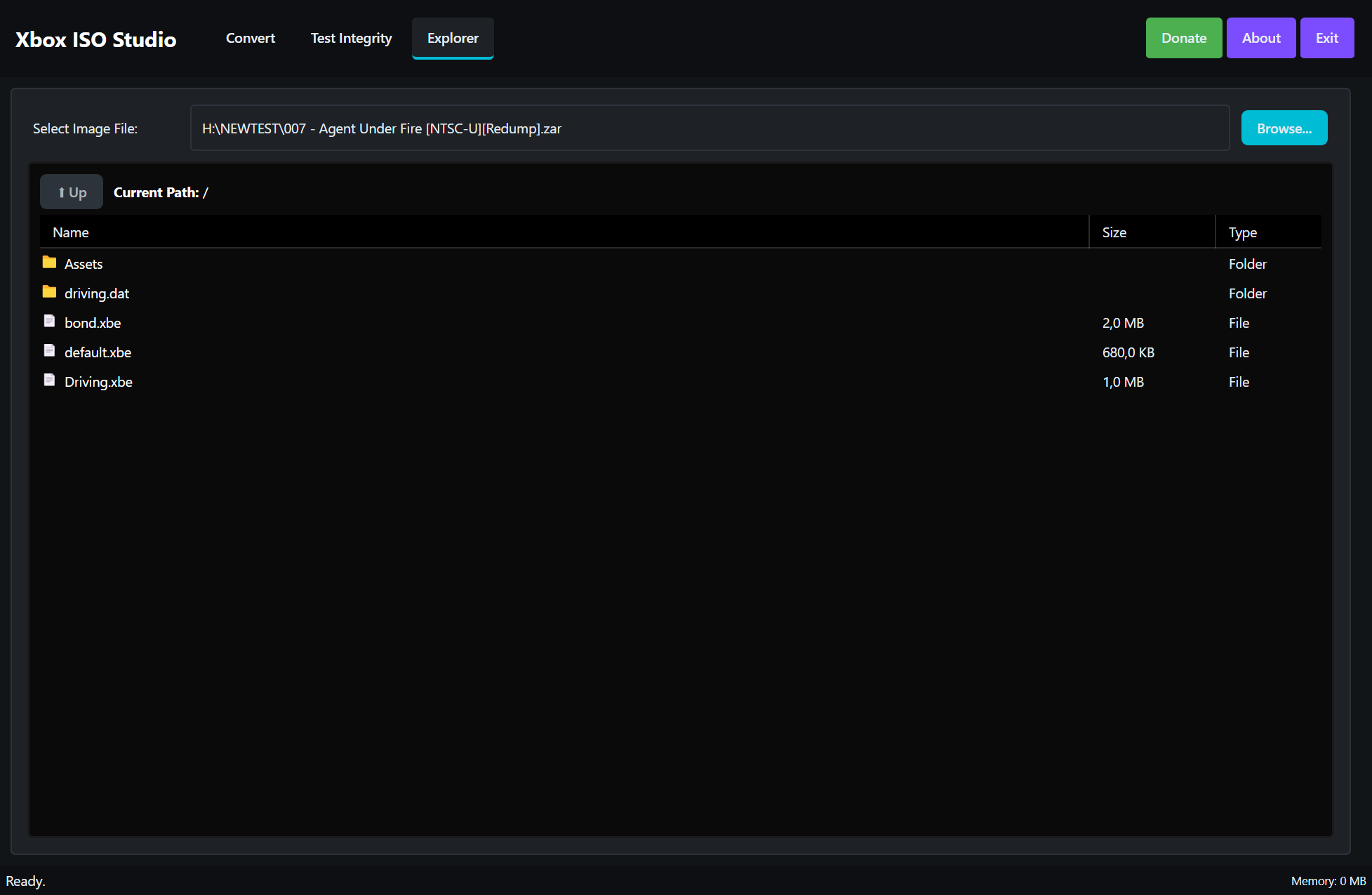 |
|
| XISO file browser |
| Page | Contents |
|---|---|
| Installation | System requirements, download, first run, upgrading |
| Usage Guide | Complete walkthrough of every tab, option, and indicator |
| Conversion Methods | How the XISOSharp conversion engine works |
| XISO Explorer | Browsing, opening, and extracting files from inside an ISO |
| Troubleshooting & FAQ | Common errors, known issues, frequently asked questions |
| Architecture | Codebase design, services, dependency injection, data flow |
| XDVDFS Technical Docs | Binary format internals and the XISO conversion algorithm |
| Building from Source | Prerequisites, build, and test instructions |
| Repository | Repository layout, releases, contributing, and license |
| Release Notes | Version history and detailed release notes |
| What's New | Highlights of the latest release |
- Download the latest release from the Releases page and extract the ZIP — the application is fully portable, no installer required.
-
Launch
BatchConvertIsoToXiso.exe(requires the .NET 10.0 Desktop Runtime). - On the Convert tab, select an input folder containing your ISO files and an output folder for the converted XISOs.
- Optionally enable Skip $SystemUpdate and Check output integrity, then click Start Conversion and monitor progress in real time.
- XISOSharp — XISO/XDVDFS reading, writing, and conversion library that powers conversion, integrity testing, and exploration
- bchunk — CUE/BIN to ISO conversion
- SharpCompress — high-performance archive extraction
If you find this tool useful, please give the repository a star on GitHub!