A plug-and-play SQLite admin panel for FastAPI — beautiful, fast, and intelligent by default.
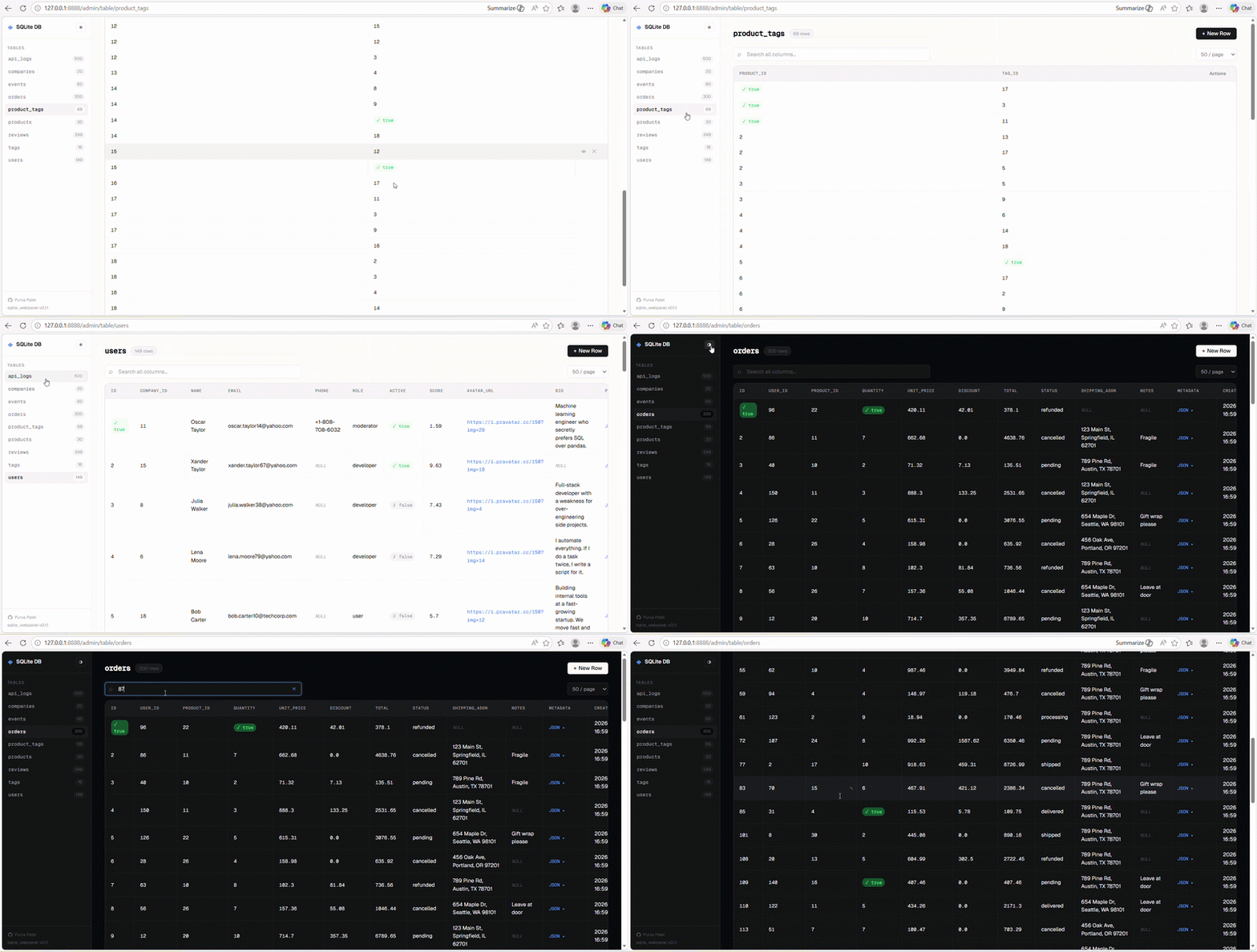



- One-line mount — works with any FastAPI app
- Auto-discovery — detects all tables and columns automatically
- Smart cell rendering — JSON formatting, inline image previews, boolean badges, long text expand/collapse, file & URL links
- Pagination, sorting, filtering, search — all built-in
- Inline editing — double-click any cell to edit in place
- Real-time change detection — toast notifications + auto-refresh when the DB changes
- Read-only mode — disable all writes with a single flag
- Light & dark mode — with smooth toggle and
localStoragepersistence - Keyboard shortcuts —
/to search,nfor new row,Escto close modals - SQL injection safe — all user input is parameterised or strictly validated
- Zero heavy dependencies — HTMX for partial refreshes, vanilla JS, Geist font via Google Fonts
pip install sqlite_webpanelfrom sqlite_webpanel import run_panel
run_panel(app, db_path="app.db")
# → Visit http://localhost:8888/admingit clone https://github.com/yourname/sqlite_webpanel
cd sqlite_webpanel
pip install -e ".[dev]"
pytestsqlite_panel/
├── __init__.py # Public API: mount_sqlite_panel
├── mount.py # FastAPI mounting + static files
├── router.py # All HTTP endpoints (web layer)
├── db.py # Core DB logic (pure Python, no web deps)
├── renderers.py # Smart cell → HTML conversion
├── static/
│ ├── panel.css # All styles (CSS variables, light/dark)
│ └── panel.js # Interactivity (vanilla JS)
└── templates/
├── base.html # Layout with sidebar
├── table.html # Table view with toolbar
├── row_detail.html
├── empty.html
├── redirect.html
└── partials/
└── rows.html # HTMX partial for table body
Key design decisions:
db.pyhas zero FastAPI/web imports — testable in isolationrenderers.pyhas zero DB imports — pure value → HTML transformation- All SQL uses parameterised queries or
_safe_identifier()validation - HTMX partial endpoints allow row refresh without full page reload
- Change detection via polling
/api/fingerprint(row count hash)
| Key | Action |
|---|---|
/ |
Focus search |
n |
Open "New Row" modal |
Esc |
Close modal / cancel edit |
| Double-click cell | Inline edit |
MIT