Hi there,
I've noticed that when running text extraction there are elements appearing at the bottom of the output HTML rather than in their correctly ordered position within the input PDF.
Example PDF: (https://www.cqc.org.uk/sites/default/files/new_reports/AAAG0004.pdf)
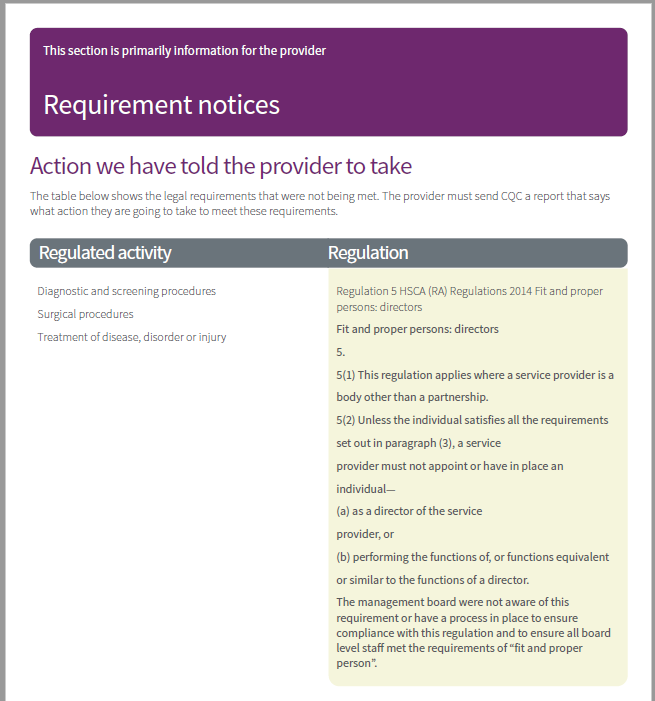
For example, for the above image, the text: "This section is primarily information for the provider" appears at the top of the PDF. However in the output, the value appears in the following location:

I know that elements within a PDF aren't ordered but I know PyMuPDF handles columns well so thought this seemed strange. Does anyone know if there is a parameter that can be modified to alter the ordering or have any other tips for correcting this?
Hopefully someone is able to determine the cause of the problem.
Configuration
Windows 10 x64
Python 3.6
PyMuPDF version 1.16.11 (have tried older versions too)
Many thanks,
Corry


Hi there,
I've noticed that when running text extraction there are elements appearing at the bottom of the output HTML rather than in their correctly ordered position within the input PDF.
Example PDF: (https://www.cqc.org.uk/sites/default/files/new_reports/AAAG0004.pdf)
For example, for the above image, the text: "This section is primarily information for the provider" appears at the top of the PDF. However in the output, the value appears in the following location:
I know that elements within a PDF aren't ordered but I know PyMuPDF handles columns well so thought this seemed strange. Does anyone know if there is a parameter that can be modified to alter the ordering or have any other tips for correcting this?
Hopefully someone is able to determine the cause of the problem.
Configuration
Windows 10 x64
Python 3.6
PyMuPDF version 1.16.11 (have tried older versions too)
Many thanks,
Corry