Description
Online Store is a program that allows customers to browse the shop and see items that are sold, select which items they would like to purchase by entering the product ID, and being able to access and check their cart out. The customer is then walked through the process of checking out, which includes making a payment, and receiving any owed change.
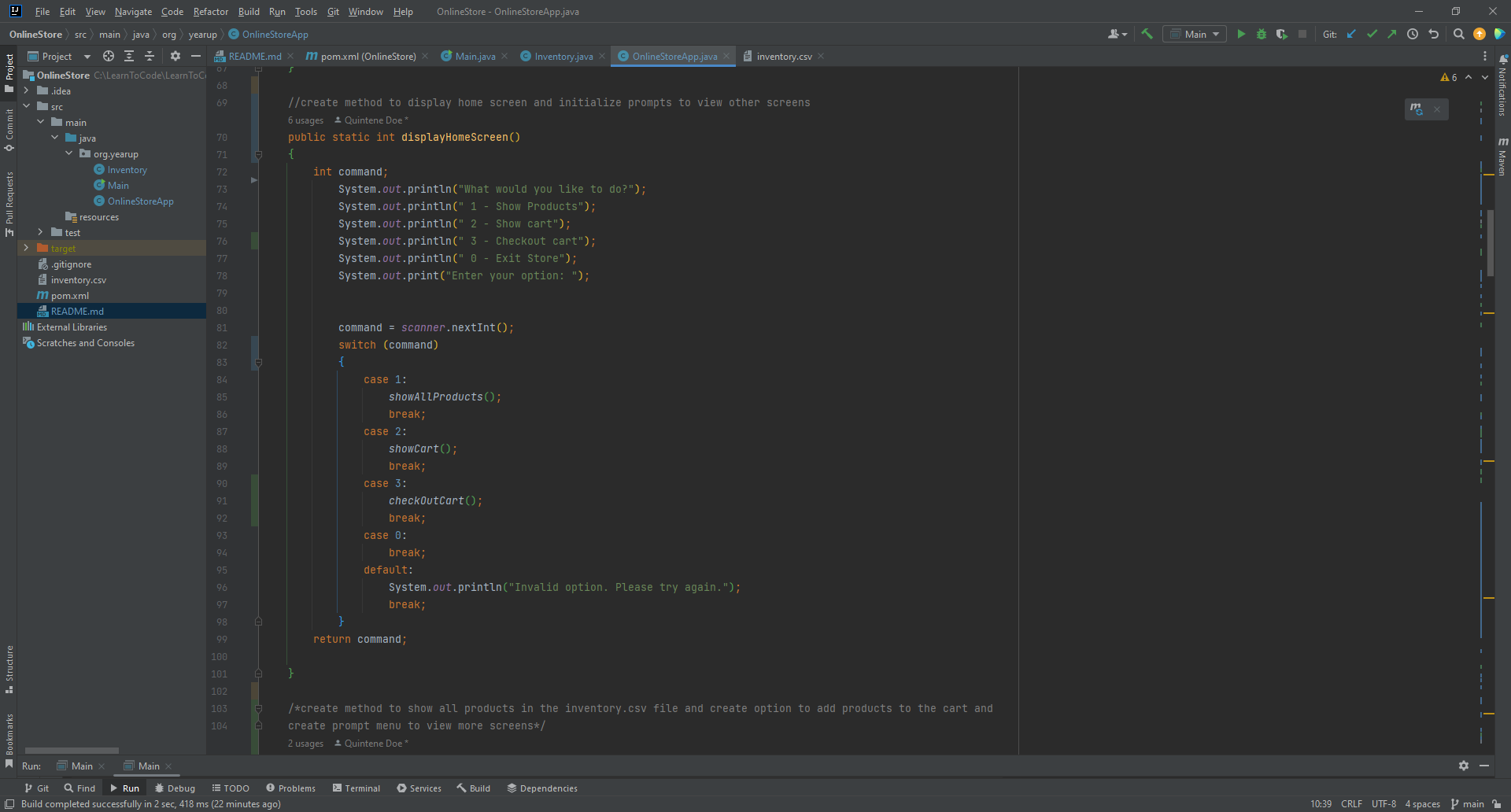
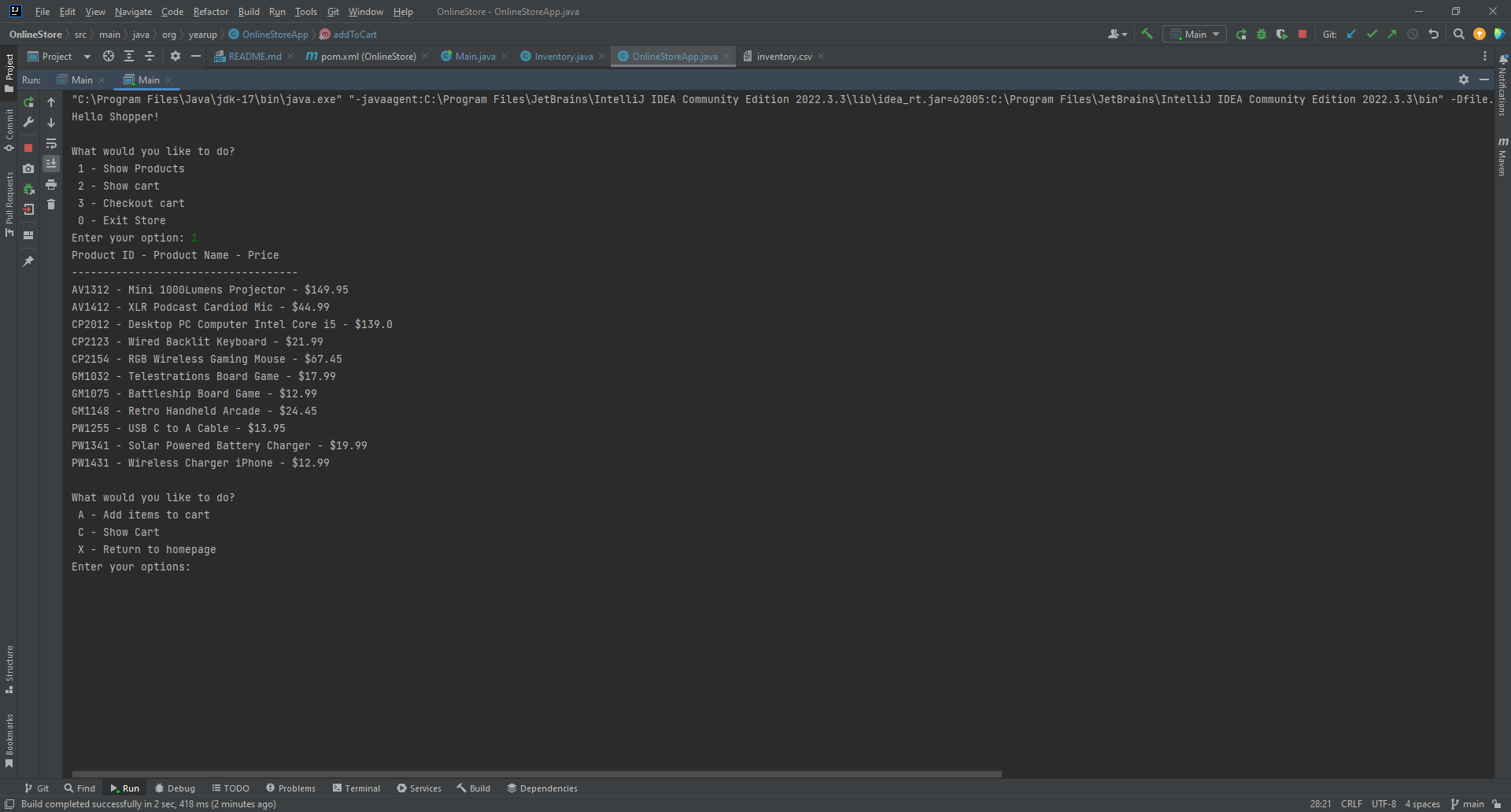
The customer is first greeted with a "Hello Shopper" message on the Home Screen, and given the option to see all items in the store, view their cart, check out the cart, or exit the store. The method displayHomeScreen was created to prompt the customer to make a numeric selection. A switch statement is used to create the prompt menu in order to execute the customer's option input.
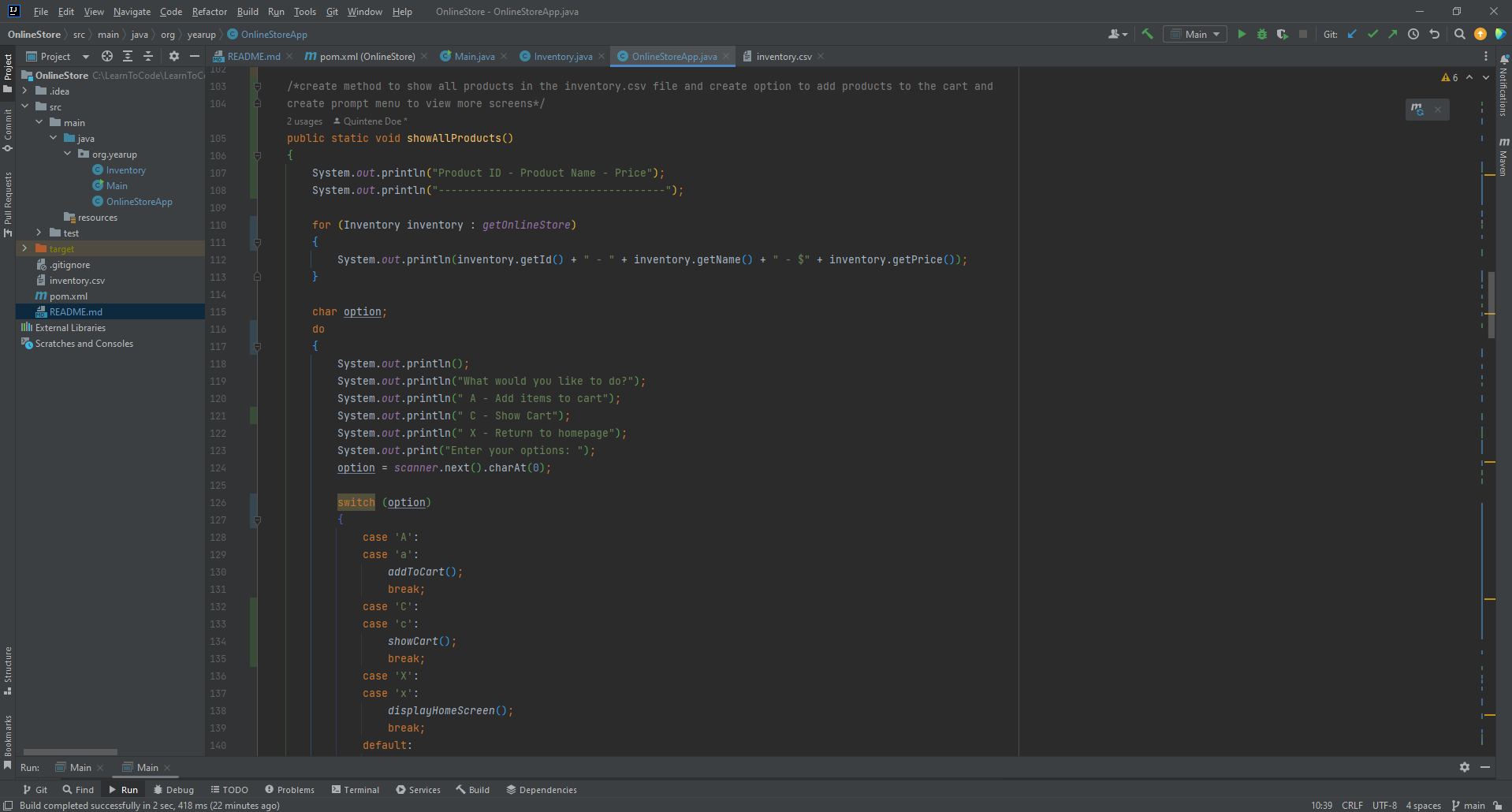
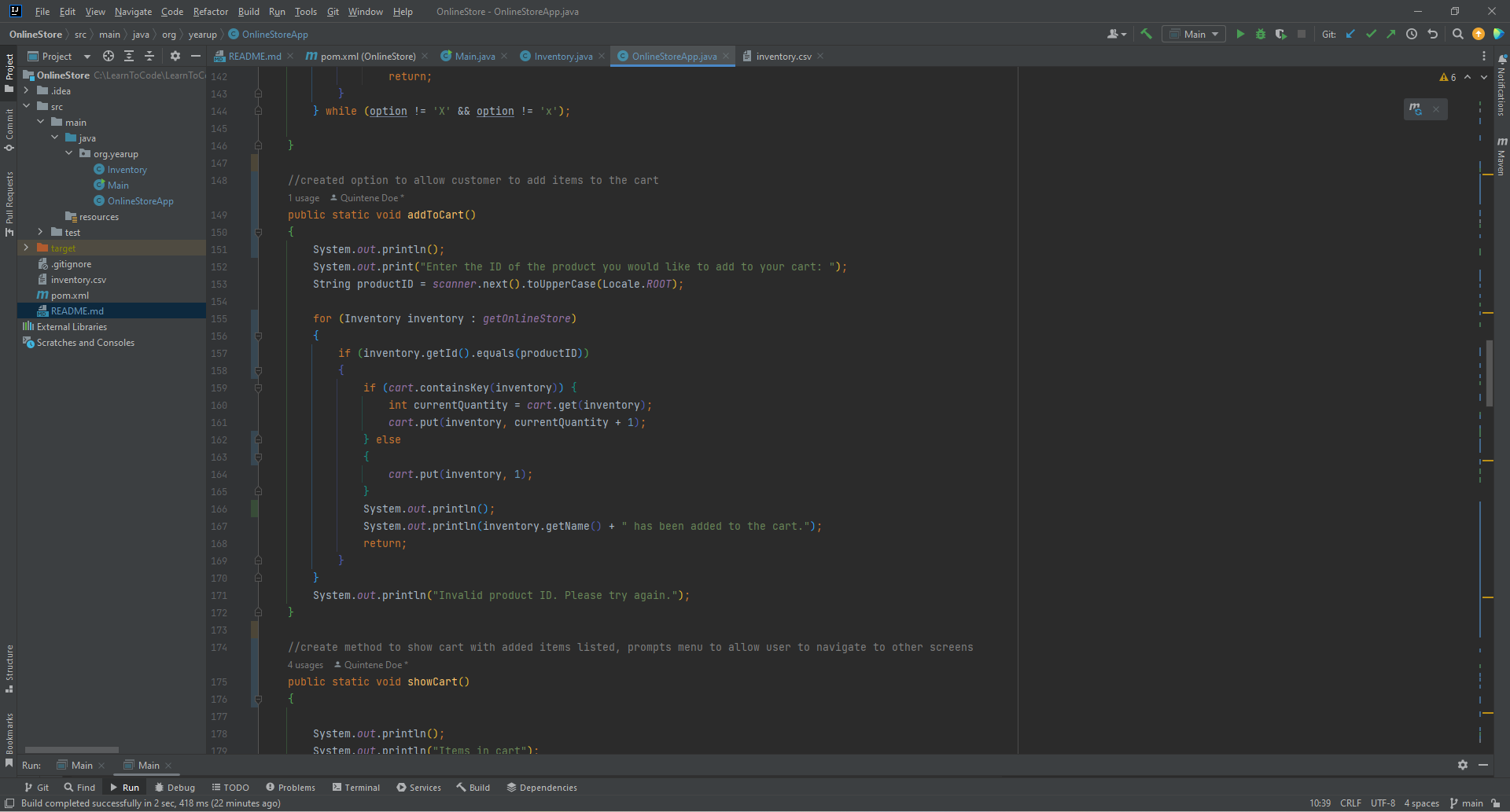
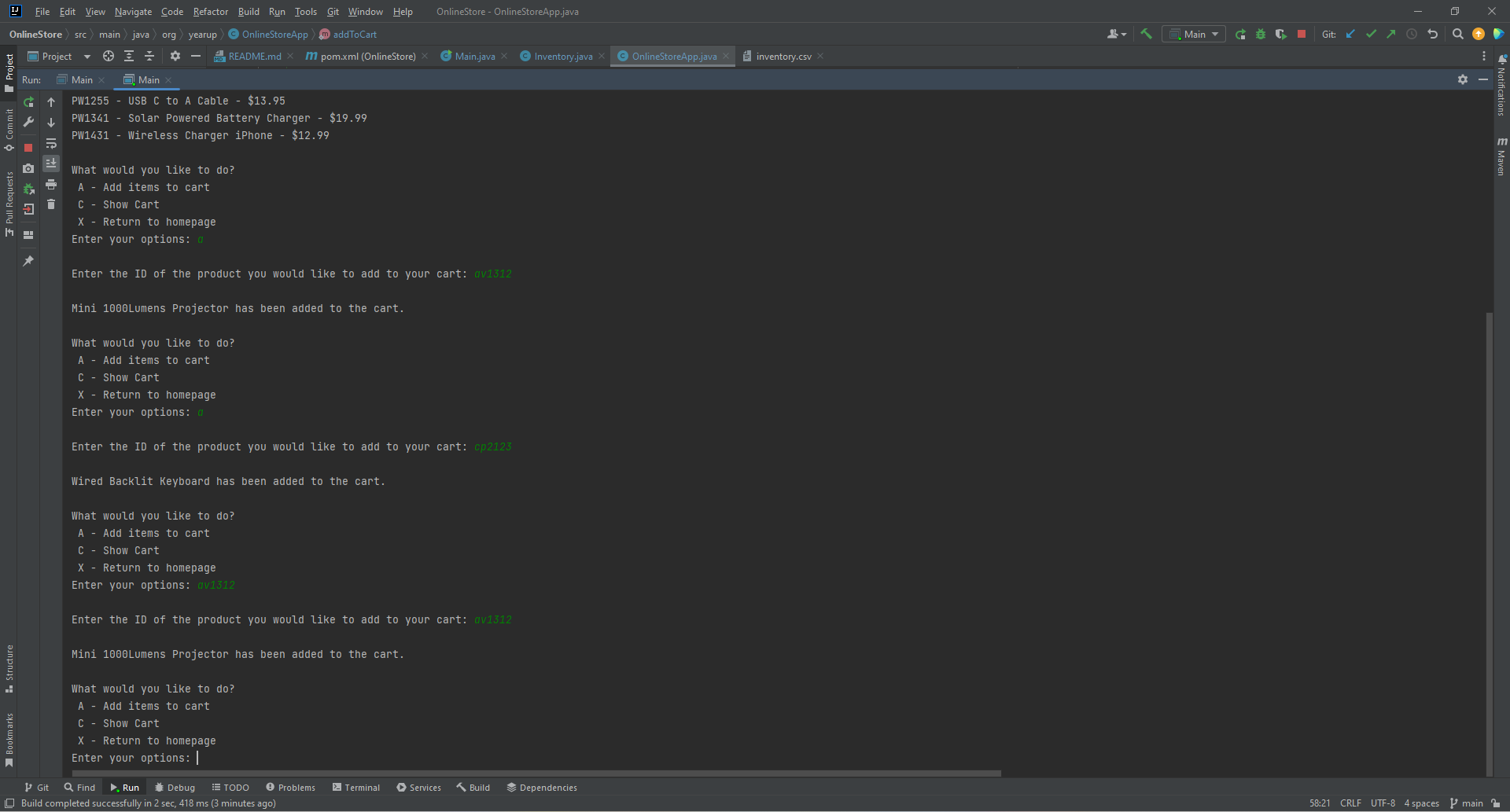
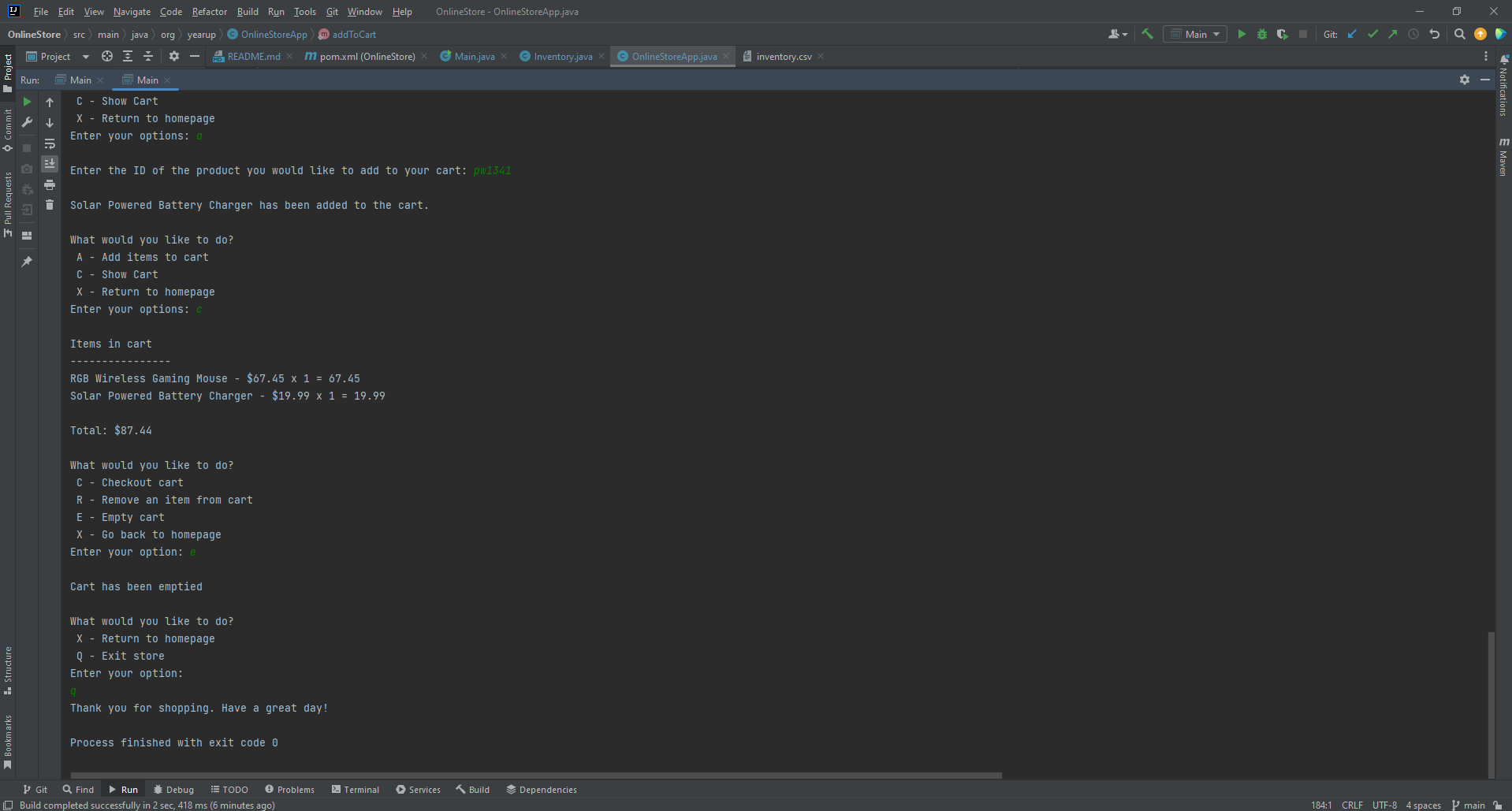
If the customer chooses to show products, the list of all items will populate and show the product ID, the name of the product, and the price. After viewing the list of products, the customer is then prompted to make a selection of adding an item to their cart, viewing their cart, or returning to the Home Screen. If the customer decides to add an item to their cart, they will then be asked to enter the product idea of the item they wish to add. Once the product ID has been entered, a message populates notifying the customer that the product they chose was added to their cart. The customer is then prompted again to add an item, view their cart, or return to the Home Screen. The customer can add as many items as they would like, but each time will be asked if they would like to add an item , view cart, or return to the Home Screen, and will be prompted to enter the product ID of each item they choose.
A char option statement is used to create the prompt menu to execute the customer's option input. A char option statement is used instead of the int command statement, as used in the Home Screen prompt, because the options given to the user on the Show Products screen are characters, and not integers.
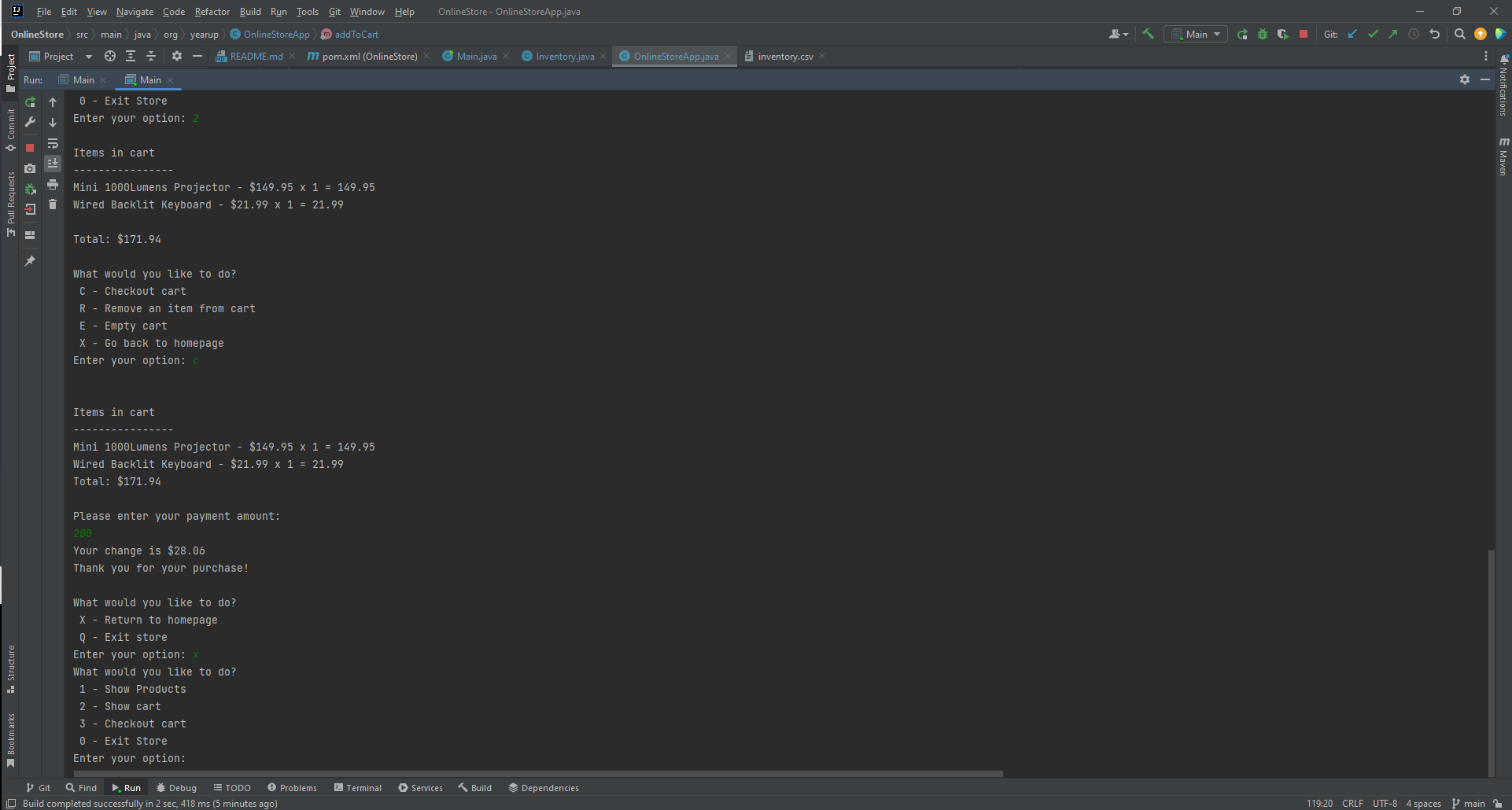
The Show Cart option is given to the customer on both the Home Screen, and the Show Products screen. If the customer chooses to view their cart, they will be taken to a screen that lists all the products they added to their cart. The names, prices, quantity, and subtotal for each item is displayed. The customer can then choose to remove an item from the cart, check out their cart, empty their cart, or return to the homepage. Again, a char option statement is used here to execute the customer's input option.
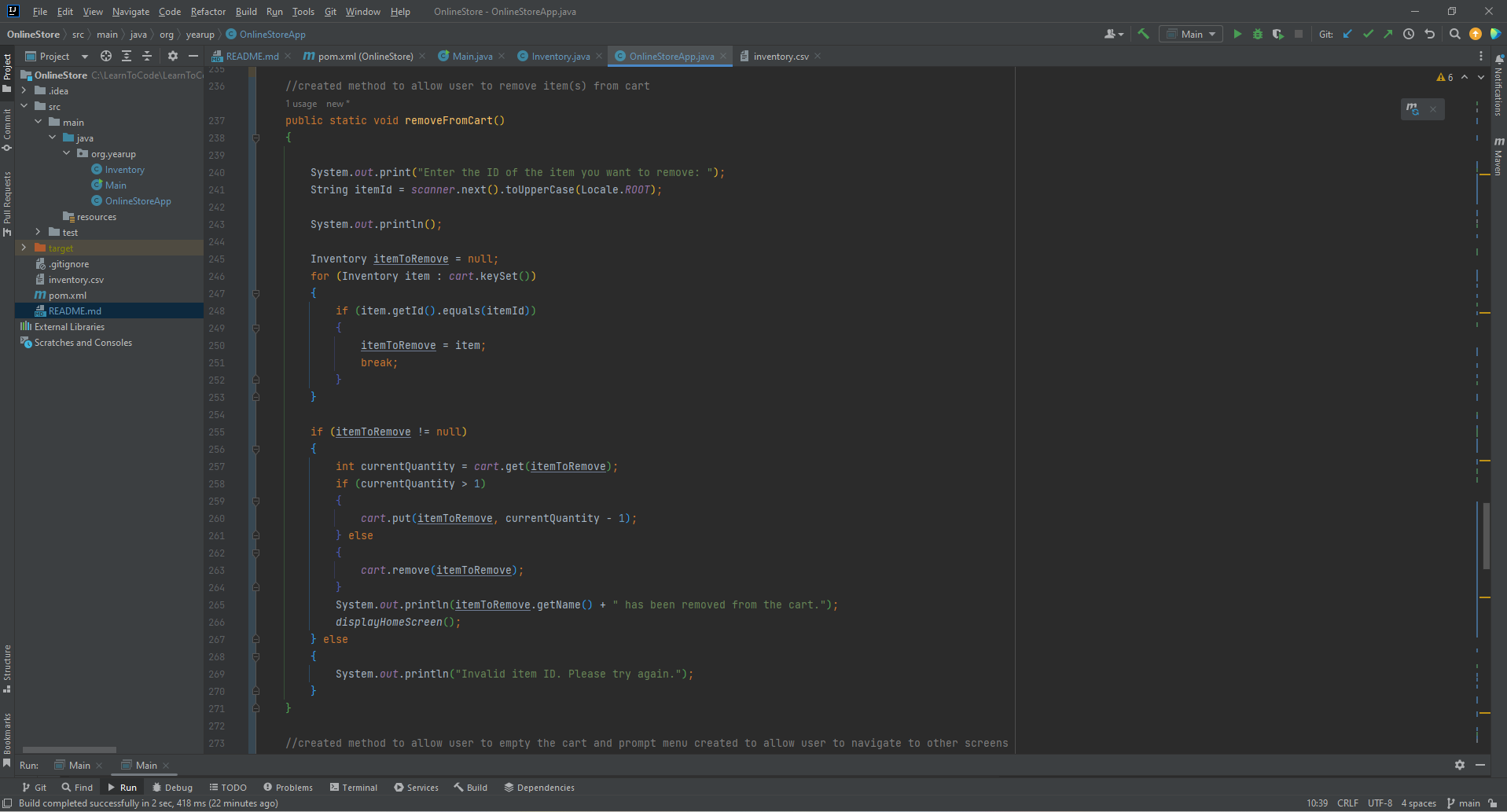
If the customer chooses to remove an item from the cart, they will be taken to a screen that prompts them to enter the ID of the item they wish to remove. Once the item ID has been entered. The customer is given a confirmation message that states the item has been removed from the cart and returns the customer to the homepage.
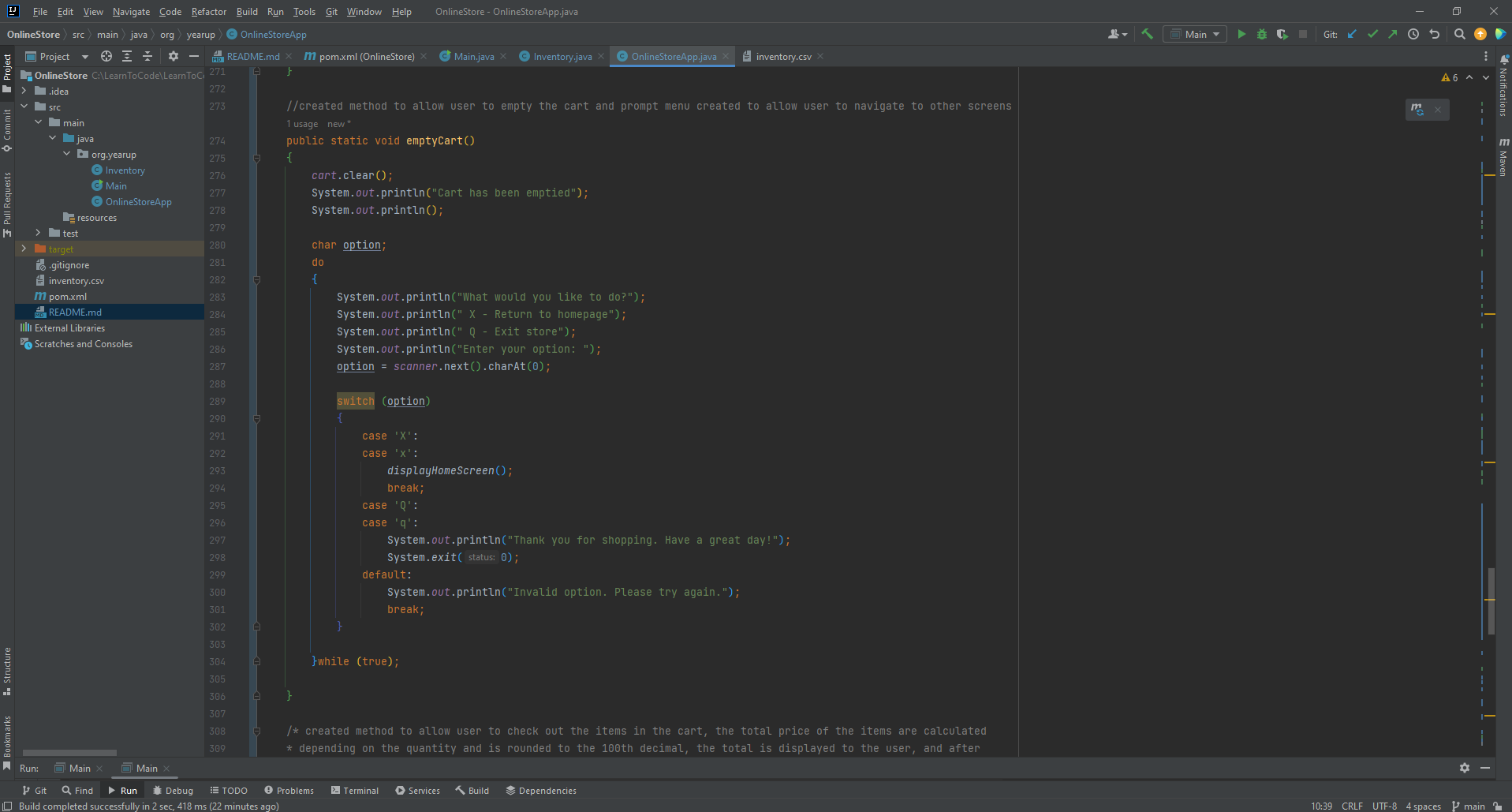
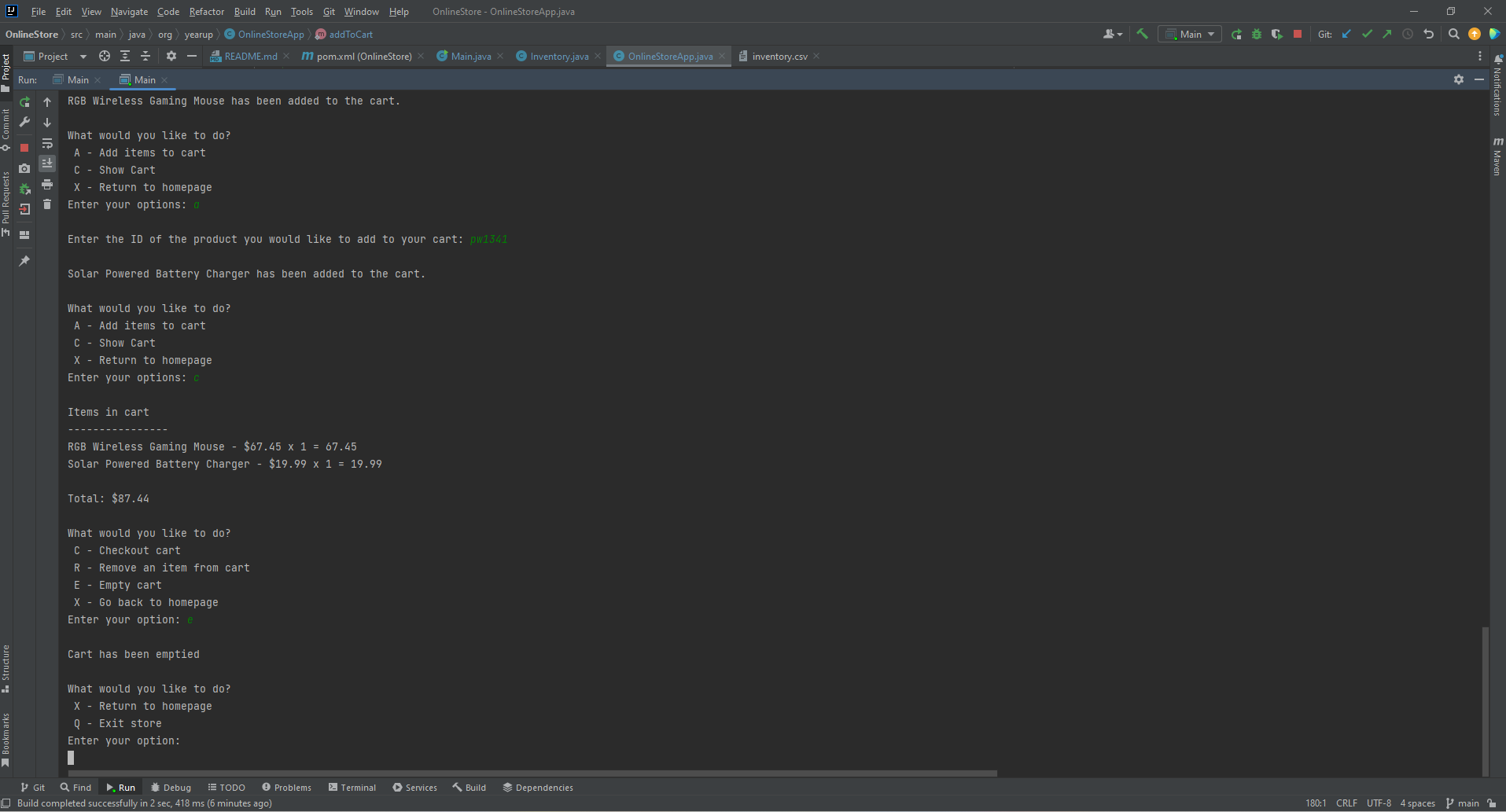
If the customer decides to empty their cart. After hitting the option to empty cart, they are given confirmation that the cart has been emptied and are prompted to return to homepage or exit the store.
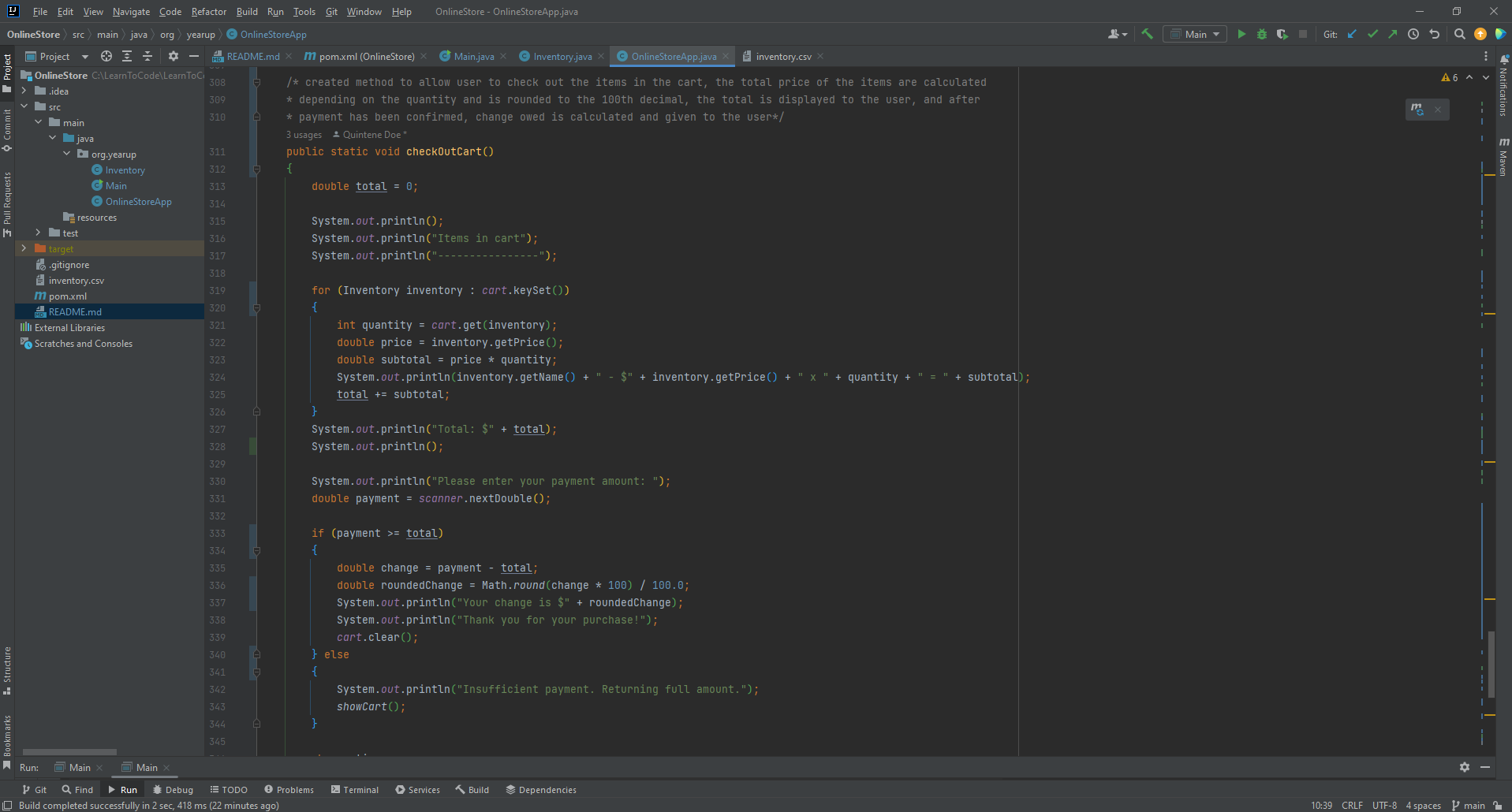
If the customer chooses to check their cart out, they will be taken to a screen that shows their cart, and the total amount due for their order. The customer is asked to enter the payment amount. If the customer enters an amount that is less than the total, they will be returned the full amount of their payment, and met with a message that reads, "Insufficient payment. Returning full amount." and will be taken back to their cart and given to the option to check out again or return to homepage. If the payment the customer enters is equal to or greater than the total due, the customer will be given any owed change, thanked for their purchase, and given the option to return to homepage or exit the store.
If the customer decides to exit the store, they will be shown a message that states, "Thank you for shopping. Have a great day." The program then ends once the customer decides to exit the store. For convenience, the customer is given the option to exit the store on the homepage, after clearing their cart, and after checking out.
Interesting Pieces of Code
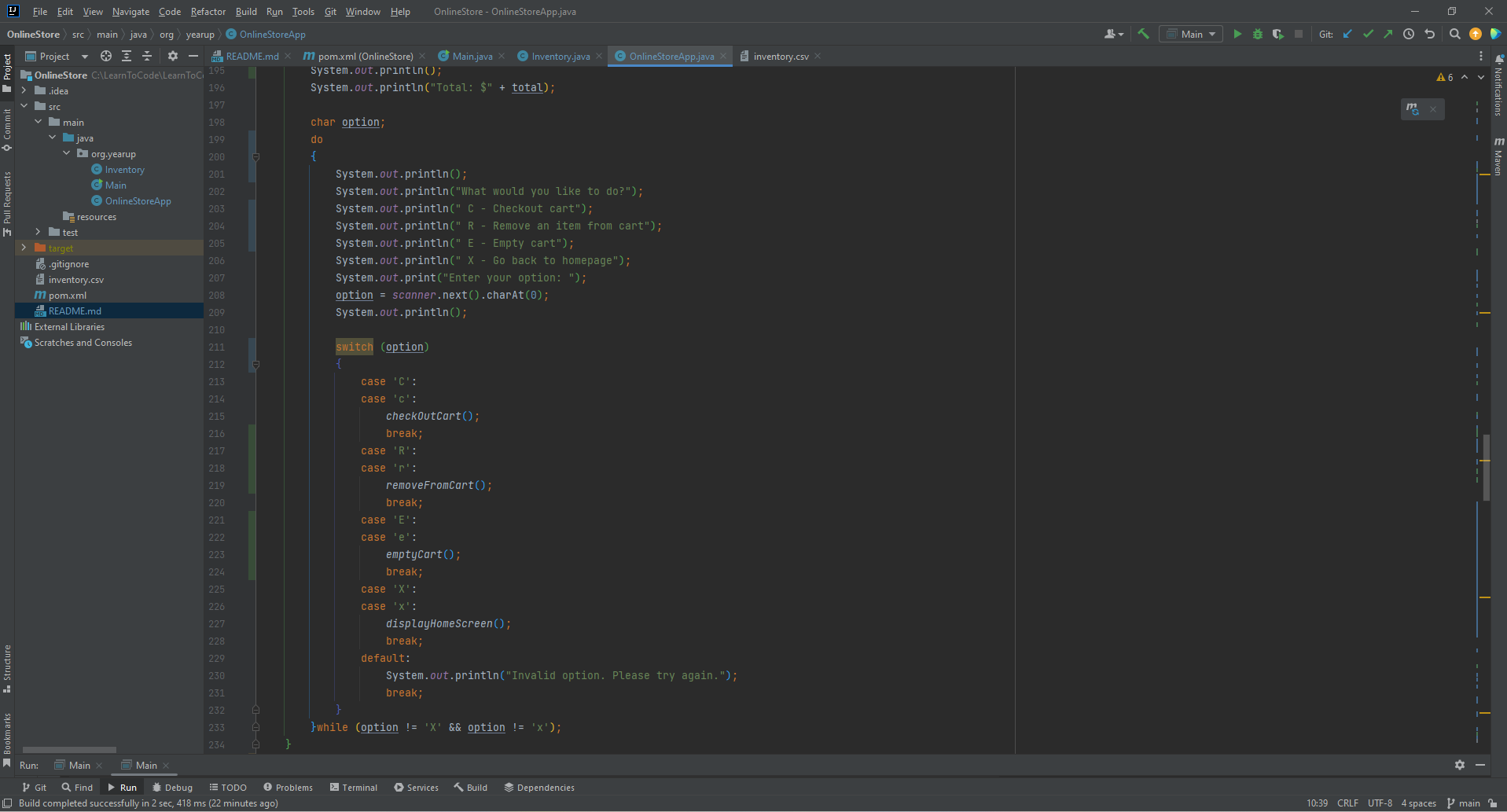
An interesting piece of code I used was adding both uppercase and lowercase cases to my prompt menus. It allows the user to enter their option in upper or lowercase, and still have the program recognize their input.
Prompt Menu Visual
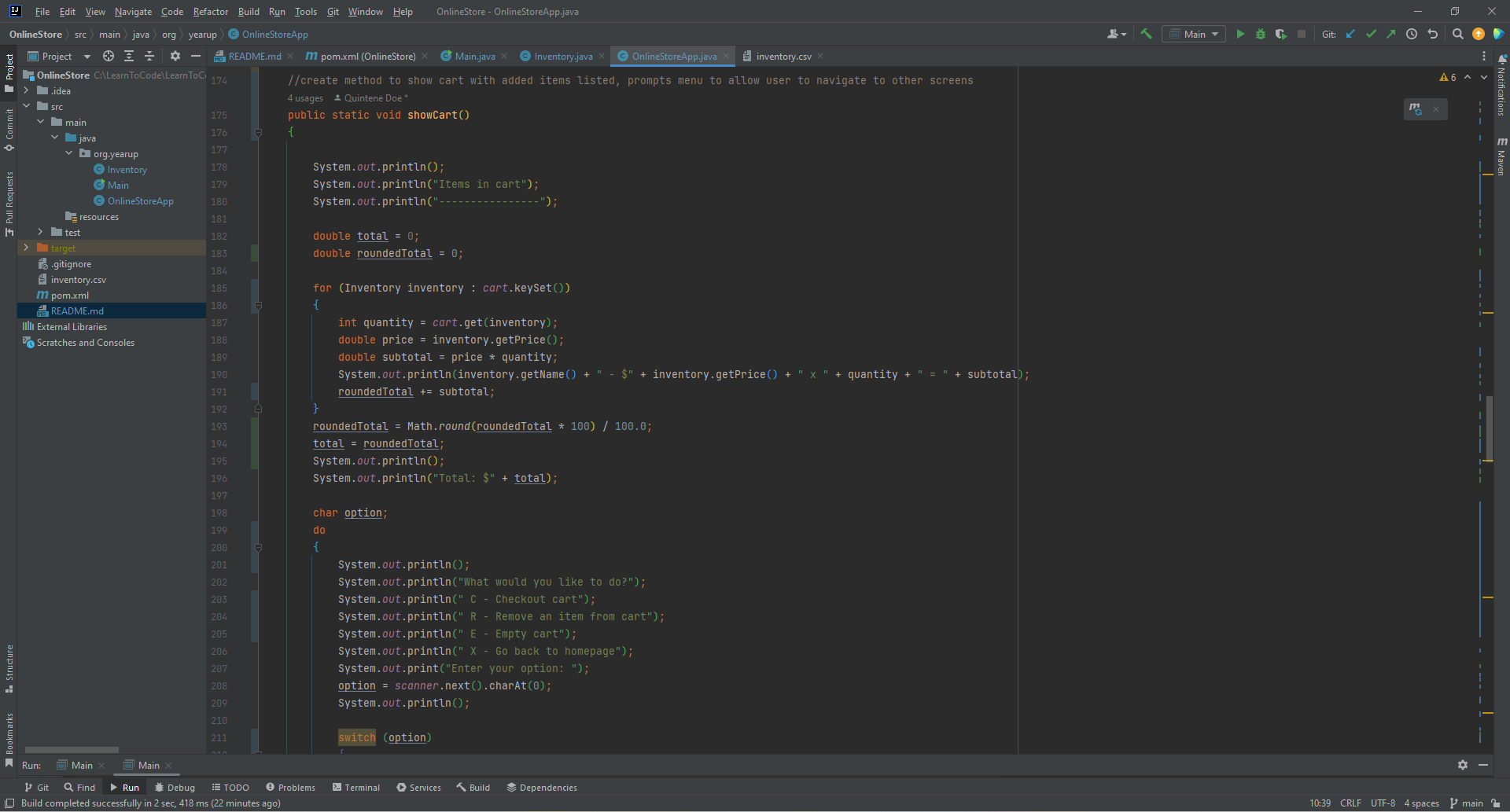
Another piece of interesting code I used was the Math.round() method to round the customer's total and change to the 100th decimal. It allows the user to see the rounded amount of the total and amount of change they will receive, instead of the actual amount. The actual amount would be confusing to the customer, would be entirely too long, and not exactly possible with money.
Rounded Visual
Visuals