
A node.js library for creating map images with polylines and markers. This library is a node.js implementation of Static Map.
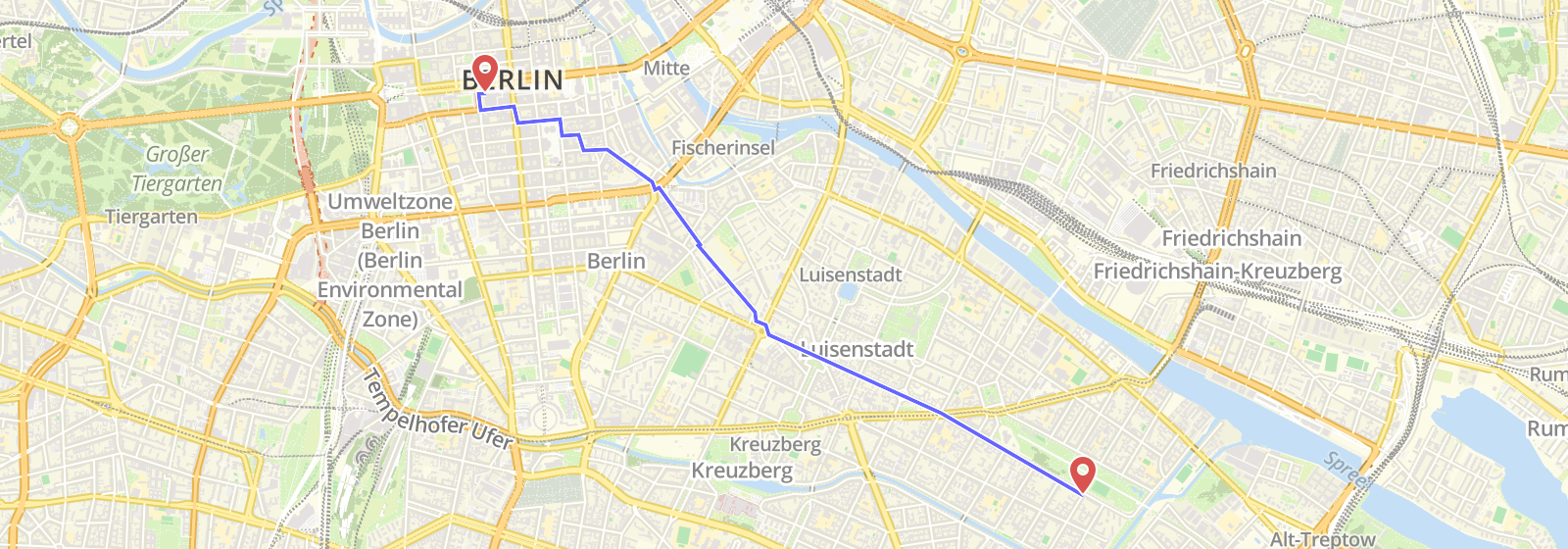
Image manupulation is based on GraphicsMagick. You need to install it before using staticmaps.
> npm i staticmaps -Sconst StaticMaps = require('staticmaps');const options = {
width: 600,
height: 400
};
const map = new StaticMaps(options);| Parameter | Description |
|---|---|
| width | Width of the output image in px |
| height | Height of the output image in px |
| quality | (optional) Set quality of output JPEG, 0 - 100 (default: 100) |
| paddingX | (optional) Minimum distance in px between map features and map border |
| paddingY | (optional) Minimum distance in px between map features and map border |
| tileUrl | (optional) Tile server URL for the map base layer |
| tileSize | (optional) tile size in pixel (default: 256) |
| tileRequestTimeout | (optional) timeout for the tiles request |
| imageMagick | (optional) Use ImageMagick instead of GraphicsMagick (default: false) |
Adds a marker to the map.
| Parameter | Description |
|---|---|
| coord | Coordinates of the marker ([Lng, Lat]) |
| img | Marker image path or URL |
| height | Height of the marker image |
| width | Width of the marker image |
| offsetX | (optional) X offset of the marker image (default: width/2) |
| offsetY | (optional) Y offset of the marker image (default: height) |
const marker = {
  img: `${__dirname}/marker.png`, // can also be a URL
  offsetX: 24,
  offsetY: 48,
  width: 48,
  height: 48,
  coord = [13.437524,52.4945528]
};
map.addMarker(marker);Adds a polyline to the map.
| Parameter | Description |
|---|---|
| coord | Coordinates of the polyline ([[Lng, Lat], ... ,[Lng, Lat]]) |
| color | Stroke color of the polyline (Default: '#000000BB') |
| width | Stroke width of the polyline (Default: 3) |
| simplify | TODO |
  const polyline = {
    coords: [
      [13.399259,52.482659],
      [13.387849,52.477144],
      [13.40538,52.510632]
    ],
    color: '#0000FFBB',
    width: 3
  };

map.addLine(polyline);Adds a polygon to the map. Polygon is the same as a polyline but first and last coordinate are equal.
map.addPolygon(options);
| Parameter | Description |
|---|---|
| coord | Coordinates of the polygon ([[Lng, Lat], ... ,[Lng, Lat]]) |
| color | Stroke color of the polygon (Default: '#000000BB') |
| width | Stroke width of the polygon (Default: 3) |
| fill | Fill color of the polygon (Default: '#000000BB') |
| simplify | TODO |
  const polygon = {
    coords: [
      [13.399259,52.482659],
      [13.387849,52.477144],
      [13.40538,52.510632],
      [13.399259,52.482659]
    ],
    color: '#0000FFBB',
    width: 3
  };

map.addPolygon(polygon);Renders the map.
map.render();
| Parameter | Description |
|---|---|
| center | (optional) Set center of map to a specific coordinate ([Lng, Lat]) |
| zoom | (optional) Set a specific zoom level. |
Saves the image to a file. If callback is undefined it return a Promise.
map.image.save();
| Parameter | Description |
|---|---|
| fileName | Name of the output file. Specify output format (png, jpg) by adding file extension. |
| callback | (optional) Callback function. If undefined, Promise will returned. |
Saves the image to a file. If callback is undefined it return a Promise.
map.image.buffer();
| Parameter | Description |
|---|---|
| mime | Mime type of the output buffer (default: 'image/png') |
| callback | (optional) Callback function. If undefined, Promise will returned. |
const zoom = 13;
const center = [13.437524,52.4945528];

map.render(center, zoom)
  .then(() => map.image.save('center.png'))
  .then(() => console.log('File saved!'))
  .catch(function(err) { console.log(err); });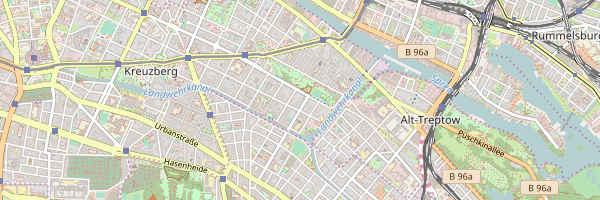
If specifying a bounding box instead of a center, the optimal zoom will be calculated.
const bbox = [
  11.414795,51.835778,  // lng,lat of first point
  11.645164,51.733833   // lng,lat of second point, ...
];

map.render(bbox)
  .then(() => map.image.save('bbox.png'))
  .then(() => console.log('File saved!'))
  .catch(console.log);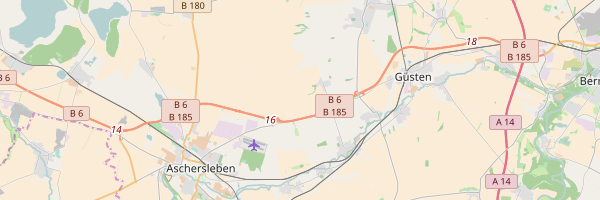
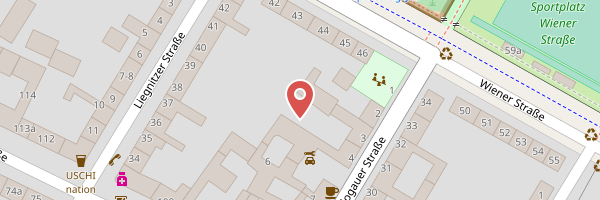
const marker = {
  img: `${__dirname}/marker.png`, // can also be a URL,
  offsetX: 24,
  offsetY: 48,
  width: 48,
  height: 48,
  coord: [13.437524, 52.4945528],
 };
map.addMarker(marker);
map.render()
  .then(() => map.image.save('single-marker.png'))
  .then(() => { console.log('File saved!'); })
  .catch(console.log);
You're free to specify a center as well, otherwise the marker will be centered.
const marker = {
  img: `${__dirname}/marker.png`, // can also be a URL
  offsetX: 24,
  offsetY: 48,
  width: 48,
  height: 48
};

marker.coord = [13.437524,52.4945528];
map.addMarker(marker);
marker.coord = [13.430524,52.4995528];
map.addMarker(marker);
marker.coord = [13.410524,52.5195528];
map.addMarker(marker);

map.render()
  .then(() => map.image.save('multiple-marker.png'))
  .then(() => { console.log('File saved!'); })
  .catch(console.log);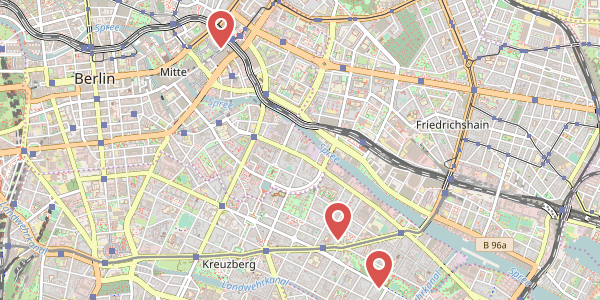
var line = {
  coords: [
    [13.399259,52.482659],
    [13.387849,52.477144],
    [13.40538,52.510632]
  ],
  color: '#0000FFBB',
  width: 3
};

map.addLine(line);
map.render()
  .then(() => map.image.save('test/out/polyline.png')
  .then(() => console.log('File saved!'))
  .catch(console.log);