Consuming: azure-cognitiveservices-vision-computervision source myenv/bin/activate
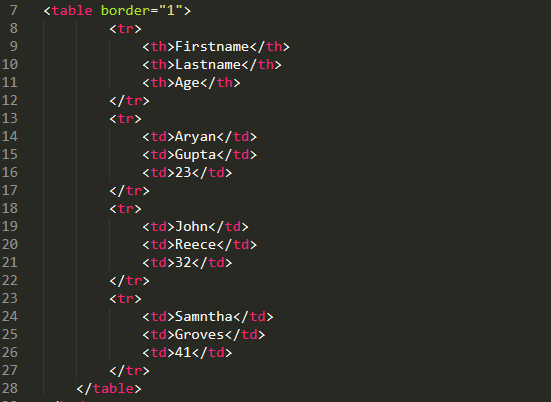
Service will receive an image with code in it and possibly another image with an exercise statement referrred to the code, and will capture the code and the statement and send them to chat gpt for a response. Also the service could receive the statement in text and only need the OCR to capture the code fromt the image.
Python 3.9.18. Pyenv can be used to manage python versions.
- Install Pyenv:
brew update
brew install pyenv- Install python version:
pyenv install 3.9.18
cd path/to/project
pyenv local 3.9.18- Protobuf is also needed:
brew install protobuf- Install dependencies:
pipenv install
pipenv install --dev- Activate the Virtual Environment:
pipenv shell- Run main:
pipenv run pip main.py- Run client to test:
cd src/pb
pipenv run pip main.pyTo generate the protobuf code you need to run the following script in the /pb folder (make sure pyenv virtual environment is activated and the dependecies are installed):
pipenv shell
./scripts/generate_grpc_code.sh
Once created the files, update the imports in visualization_pb2_grpc.py from import visualization_pb2 as visualization__pb2 to from . import visualization_pb2 as visualization__pb2. If not it will give out import errors.
To obtain the URL and API key for your Azure Computer Vision resource, you can follow these steps:
- Sign in to the Azure portal1.
- Search for your resource in the search box2. Click on your resource from the search results.
- In the left navigation menu of your resource, select Keys and Endpoint
- Here, you can see all the information of your resource. You will find two keys and an endpoint.
- Copy the Key1 or Key2 (both are valid) and the Endpoint.
curl -H "Ocp-Apim-Subscription-Key: 077380780a4e4213b81db9be2292b6c9" -H "Content-Type: application/json" "https://westeurope.api.cognitive.microsoft.com//computervision/imageanalysis:analyze?features=caption,read&model-version=latest&language=en&api-version=2023-02-01-preview" -d "{'url':'https://learn.microsoft.com/azure/ai-services/computer-vision/media/quickstarts/presentation.png'}"
https://encrypted-tbn0.gstatic.com/images?q=tbn:ANd9GcTMYTkXomgV45DFsmAMEw9LZYLGptflBmdbmA&usqp=CAU
https://www.simplilearn.com/ice9/free_resources_article_thumb/defining_html_tables-html_tables.PNG