

This is an implementation of the classic game "Forza Quattro" (Connect Four) in C.
There are two game modes available:
- Player1 vs Player2
- Player1 vs PC
The game was implemented using C's IPCs (Inter-Process Communications).
The game is arbitrated by the server, which guarantees mutual exclusion of the game board using appropriate semaphores.
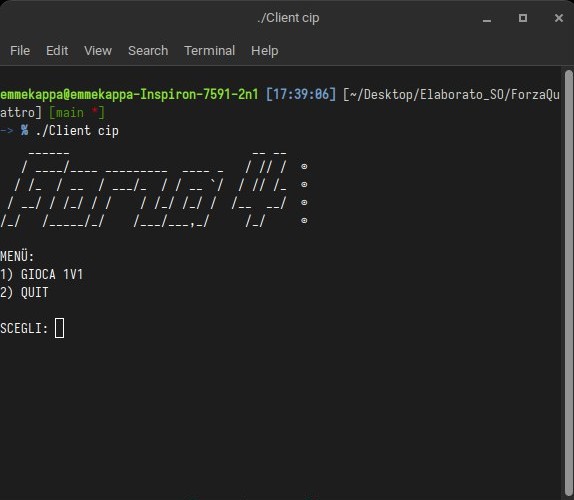
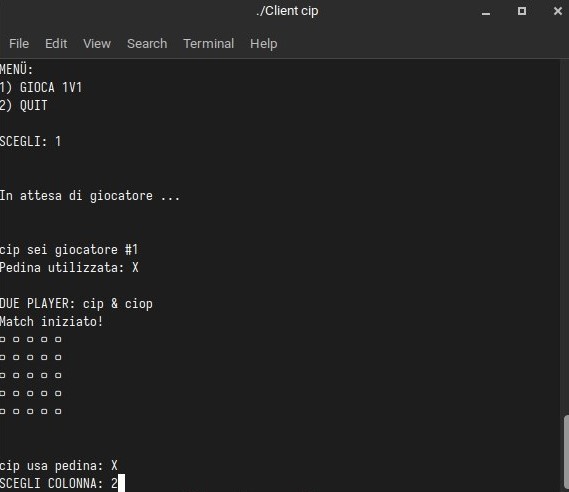
The game has been implemented to offer two distinct selectable game modes:
- 1 vs 1 (Two players)
- 1 vs PC (Automatic game)
Regardless of the game mode you choose, you need to specify the pieces that the two different players will use in the game.
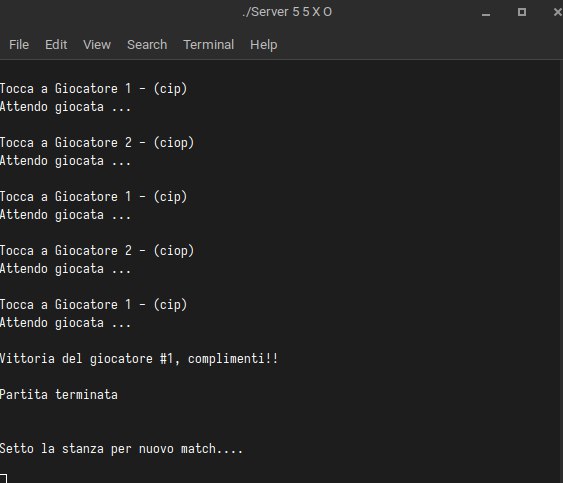
The game is arbitrated by the server, which manages the alternating turns and detects any victory obtained by one of the two players (notifying it appropriately to the other player). The server also detects if the game ends in a draw.
A normal startup sequence of the program involves first starting the server, followed by the clients (or single client in case of automatic game). This is because the server creates the game room and sets the game board to welcome the players (i.e., sets the various IPCs).
The program has appropriate controls in place, as it does not allow clients to access a "room" without a server being started first, nor does it allow additional clients to access a room that is already full with two players. At the end of each game, the server cleans up the game board and waits for a possible rematch.
The program also handles forced exits (CTRL-C, "x" on the terminal), whether executed on the server and/or client side, by sending appropriate messages to the players and closing the room correctly.
In both classic and automatic games, the game board is displayed at each turn (with the opponent's/Bot's move). The player can select where to place their piece on the board and finally confirm their move with a submit command. If the player does not make their move within 20 seconds, the opponent is awarded the victory by default.
If a player wins, the game ends and the outcome is printed on the player's screen. If you intend to play in automatic game mode, it is important to remember to start the client as follows: ./F4Client \* and not just ./F4Client *, as if you launch it with just the asterisk character, it will be interpreted as a shell glob and replaced with a list of all files in the current directory.
To start the server:
./F4Server <Rows> <Columns> <CharPiece1> <CharPiece2>
To start the client:
./F4Client <Player1_Name>
./F4Client <Player2_Name>
To start the client in automatic game mode:
./F4Client <Nome_Giocatore> \*