RKE1 Azure node templates have accelerated networking and availability zones#4932
Conversation


|
I fixed the issue where switching from an AZ to an availability set wasn't being persisted - I don't intend to make any more changes to the PR before it's reviewed |

| <p>{{vmSizeAvailabilityWarning}}</p> | ||
| {{/banner-message}} | ||
| {{/if}} | ||
| {{#if showVmAvailabilityZoneWarning}} |
There was a problem hiding this comment.
I'm not sure it always makes sense to show vmSizeAvailabilityWarning here, since one of the two potential error messages is asking the user to re-configure one of two options in a different section. regionSupportsAzsButNotThisSize certainly makes sense here, but probably not regionDoesNotSupportAzs :
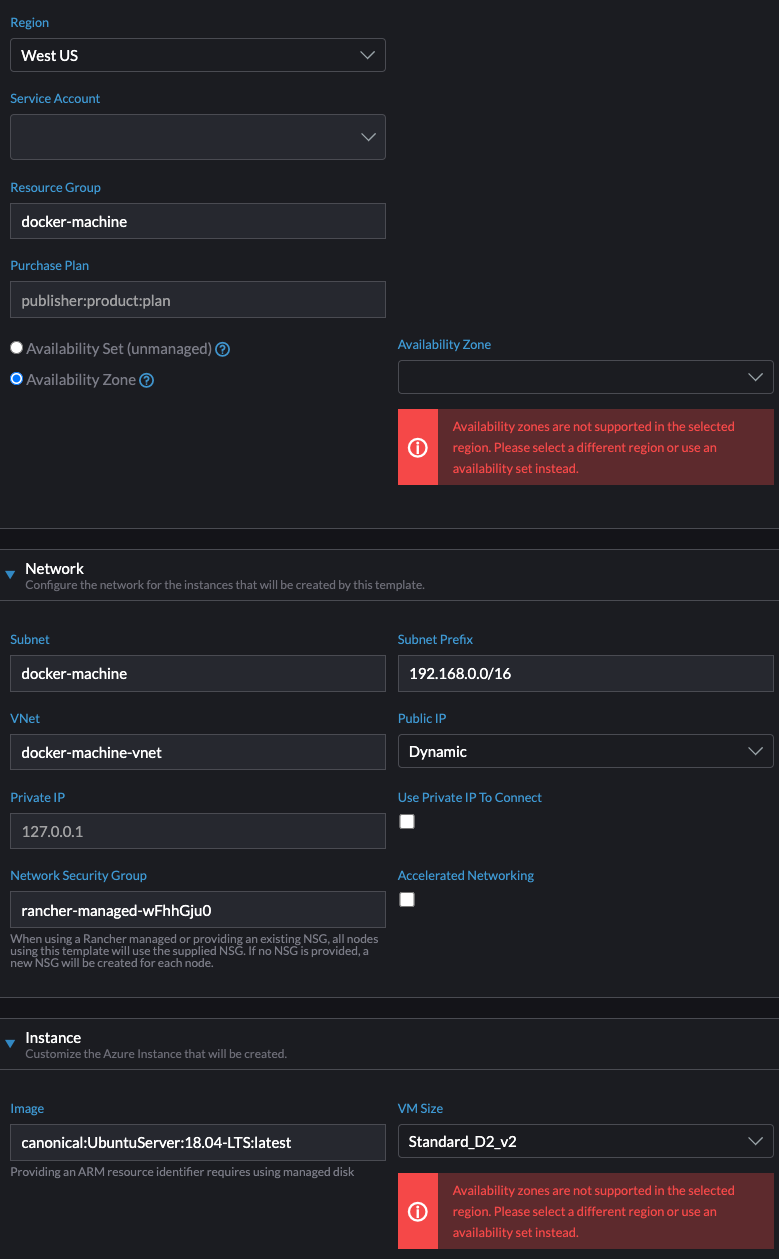
There was a problem hiding this comment.
removed the vmSizeAvailabilityWarning from below the size select
There was a problem hiding this comment.
The one that needs to go is actually vmAvailabilityZoneWarning completely my fault, sorry. Other than that the PR looks good
| .concat(vmsWithAn) | ||
|
|
||
| if (!get(this, 'selectedVmSizeExistsInSelectedRegion')) { | ||
| out.push({ |
There was a problem hiding this comment.
Unfortunately I don't see why, but this doesn't seem to work. When I select a VM size then switch to a region in which the size is not available, I see the warning about the size not being supported, but the dropdown value switches to whatever is first in sizeChoices and the invalid size doesn't seem to be in the list (unless I overlooked it, it's a big list)...then when I switch back to the previous region, the dropdown value also switches back to what I had selected.
There was a problem hiding this comment.
I refactored it and it seems fixed:
let out = [{
      kind:     'group',
      name:     noAnLabel,
      value:    noAnLabel,
      disabled: true
    }]
      .concat(vmsWithoutAn)
      .concat({
        kind:     'group',
        name:     withAnLabel,
        value:    withAnLabel,
        disabled: true
      })
      .concat(vmsWithAn)

    out = out.map((vmData) => {
      const { Name } = vmData;

      if (vmData.kind === 'group') {
        return vmData;
      }

      return {
        label:    Name,
        value:    Name,
        disabled: vmData.disabled || false,
      };
    });

    if (!get(this, 'selectedVmSizeExistsInSelectedRegion')) {
      return out.concat({
        label:    get(this, 'config.size'),
        value:    get(this, 'config.size'),
        disabled: true
      });
    }

    return out
Maybe later this week I'll take some time to figure out why the refactor works but not the original.
There was a problem hiding this comment.
I see what happened. About array.push:
It changes the size of the original array and returns a new array (with the new element added) as output.
The way I had it, I conditionally added something to the array, then returned the original array. But when I conditionally added the array item, it created a new array. Whereas the original variable was pointing to the outdated array - the one that didn't have the new item added.
There was a problem hiding this comment.
.push appends to the array and returns the new length of the array https://developer.mozilla.org/en-US/docs/Web/JavaScript/Reference/Global_Objects/Array/push
concat otoh does return a new array https://developer.mozilla.org/en-US/docs/Web/JavaScript/Reference/Global_Objects/Array/concat
Maybe we're missing something about how ember computed properties work? It's weird that the contents of the dropdown are updated when a new region is selected, and just that option isn't added.
 mantis-toboggan-md
left a comment
mantis-toboggan-md
left a comment
mantis-toboggan-md
left a comment
There was a problem hiding this comment.
I gave a bad suggestion initially - vmAvailabilityZoneWarning should be removed instead of the size warning. Other than that this all looks good.
|
I've updated it to replace |
2 participants


Addresses rancher/dashboard#7753 and rancher/dashboard#7752
This PR is functionally the same as rancher/dashboard#7687, but for RKE1 node templates.
New options
Refetching
Error messages
Standard_A2_v2in that region has three AZs and that works, but if you change the size toStandard_A2_v2you see an error.Notes