Break out Installation into top-level doc section #452
Conversation


|
Deploy preview ready! Built with commit bcf3a5b |

 alexkrolick
force-pushed
the
top-level-installation-guide
branch
from
alexkrolick
force-pushed
the
top-level-installation-guide
branch
from
6ed168f to
bee089a
Compare

 bvaughn
left a comment
bvaughn
left a comment
bvaughn
left a comment
There was a problem hiding this comment.
I think I like this change, in general.
It feels odd though for "Installation" to come after "Quick Start".
"Quick Start > Hello World" mentions that you can use React from CodePen without installing anything, but then again so does the first page of the new "Installation" section.
I think maybe "Installation" might make more sense to come first but...I'm not positive.
| - "docs/environments.html" | ||
| --- | ||
|
|
||
| React is flexible and can be used in a variety of projects. You can create new apps with it, but you can also gradually introduce it into an existing codebase without doing a rewrite. |
There was a problem hiding this comment.
I'm not sure this lead paragraph (and the below header) make sense anymore, given what this page has been remade into.
Maybe we should rename the page title to something like "Try it on CodePen" and leave out this paragraph entirely?

There was a problem hiding this comment.
Sure, although, how about adding more than Codepen? The Codesandbox template for React is pretty mature and quite popular, and we could link out to other content like the editable examples on the home page.
There was a problem hiding this comment.
Sure. That'd be totally fine. CodeSandbox comes to mind as another excellent solution.
| - "docs/tooling-integration.html" | ||
| - "docs/package-management.html" | ||
| - "docs/language-tooling.html" | ||
| - "docs/environments.html" |
There was a problem hiding this comment.
The new Installation pages should have prev/next frontmatter links 😄
There was a problem hiding this comment.
See #451 - the lack of sync between the titles and the ids causes the next/prev to appear as "Installation New Apps", etc
There was a problem hiding this comment.
Not sure I understand. The next/prev titles are currently generated based on the URL you put in the next/prev frontmatter (so it's something we control, even if it's not synced).
I think the new section should still have next/prev links to feel more consistent with the others.
There was a problem hiding this comment.
//  installation-existing-app.md
id: installation-existing-app
title: Add React to an Existing Application
// elsewhere
next: installation-existing-app.html
Results in:

Instead of:
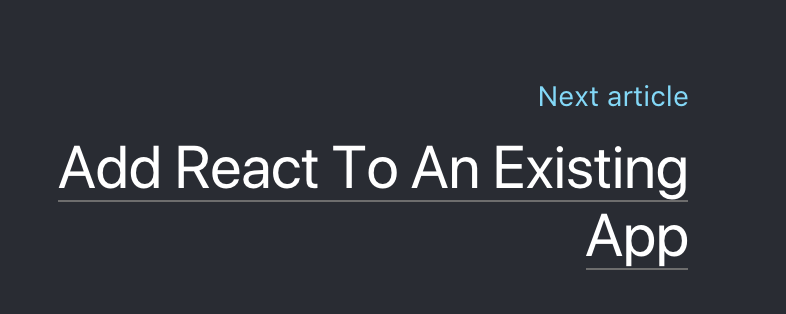
This is because of #451 where the url is parsed instead of looking up the title in the TOC data structure. I am planning on fixing that and adding next/prev once it is done, but I can certainly adjust the filenames for now so that it looks correct (I want to change it back long term so that all the related filenames start with installation as has been done with faq and other sections).
EDIT: it's actually the filename, not the ID, that is the problem, although they are usually the same.
There was a problem hiding this comment.
so it's something we control, even if it's not synced
You chose to name the new file installation-existing-app.md. So I'm just saying, before #451 is resolved, we could work around this issue by just naming it add-react-to-an-existing-app.md instead. 😄

Yeah, a little, but it does feel a bit weird that lots of links to Quick Start appear to be skipping a section if that's where you land from the home page. |

|
I think that's okay, or at least preferable to this. I wonder if people actively look for installation- they'll expect it to come first (and may miss it entirely if it's collapsed below an expanded list of items.) |
- Move Installation section to top
- Add next/prev to install pages

|
|
||
| If you're just interested in playing around with React, you can use CodePen. Try starting from [this Hello World example code](http://codepen.io/gaearon/pen/rrpgNB?editors=0010). You don't need to install anything; you can just modify the code and see if it works. | ||
|
|
||
| If you prefer to use your own text editor, you can also [download this HTML file](https://raw.githubusercontent.com/reactjs/reactjs.org/master/static/html/single-file-example.html), edit it, and open it from the local filesystem in your browser. It does a slow runtime code transformation, so don't use it in production. |

There was a problem hiding this comment.
I think we should add a section here that points to the next two sections and explains in which case you'll want which. It's too easy to miss them otherwise.
There was a problem hiding this comment.
Working on this 😛
There was a problem hiding this comment.
Pushed a change - added "Local Development" section to the Try React page
content/docs/try-react.md
Outdated
|
|
||
| ## Install React | ||
|
|
||
| - **[Add React to a New App](/docs/add-react-to-a-new-app.html)** Create a new app with a starter kit like [Create React App].(http://github.com/facebookincubator/create-react-app) |
content/docs/try-react.md
Outdated
|
|
||
| If you prefer to use your own text editor, you can also [download this HTML file](https://raw.githubusercontent.com/reactjs/reactjs.org/master/static/html/single-file-example.html), edit it, and open it from the local filesystem in your browser. It does a slow runtime code transformation, so don't use it in production. | ||
|
|
||
| ## Install React |
There was a problem hiding this comment.
This makes it sound like it's part of this page. IMO this makes it worse. I was thinking something that more obviously implies it's an optional next step, not something you have to do.
content/docs/try-react.md
Outdated
| ## Install React | ||
|
|
||
| - **[Add React to a New App](/docs/add-react-to-a-new-app.html)** Create a new app with a starter kit like [Create React App].(http://github.com/facebookincubator/create-react-app) | ||
| - **[Add React to an Existing App](/docs/add-react-to-a-new-app.html)** _Advanced configuration._ Use React with a build system like Webpack. |
There was a problem hiding this comment.
I don't think this description is very helpful.
There was a problem hiding this comment.
I'm not sure the dichotomy is correct here - "Add React to A New App" links to CRA primarily, and "Existing App" is all about build systems and CDN links. It makes sense to promote CRA as the starting point, but I think it is confusing to talk about the next page as only for existing apps. It's more of an advanced guide, or maybe a bundling/build guide. The CDN links could also probably be more prominent, with the caveat that they aren't very useful without Babel.
What do you think?
There was a problem hiding this comment.
I understand what you're saying. My point is just that
Advanced configuration. Use React with a build system like Webpack.
is not very meaningful to someone visiting the page for the first time. What advanced configuration? What is webpack? Does the first link not use webpack? etc I'm open to other phrasings of the same idea, this sentence just read as confusing to me.
I think it is confusing to talk about the next page as only for existing apps
In a way, yes. But on the other hand it provides a clear entry point for each use case. If you're ready to configure things on your own you already know enough that you don't need either of these sections.
There was a problem hiding this comment.
Just changed the description to "Add React to a build system or larger app." --- how does that sound? Can iterate on the naming of the page later.
Also added a "Next Steps" header above the Quick Start and Install sections to make it clear that those aren't part of Trying React, but ideas for what to do next if you're set up.
content/docs/try-react.md
Outdated
|
|
||
| ### Quick Start | ||
|
|
||
| Head over to the [Quick Start](/docs/hello-world.html) section to try some examples. |
There was a problem hiding this comment.
I think it's a bit misleading to call QS section that (since it doesn't have that many useful "examples").
Maybe it would be better to direct people either to Tutorial (for those looking for a hands-on practical introduction) or to QS (but frame it as a step-by-step introduction to React concepts).
There was a problem hiding this comment.
Linking to the Tutorial is a great idea --- I'll use that exact phrasing actually.

|
I'm really liking these changes. Left one last nit I have. |
This is useful for Codepen and other Unpkg-y setups
alexkrolick
force-pushed
the
top-level-installation-guide
branch
from
3d06b4e to
2c65291
Compare
Care to take one more pass? 😄 |
content/docs/try-react.md
Outdated
| - "docs/environments.html" | ||
| --- | ||
|
|
||
| Try React online or set up your local dev environment |
There was a problem hiding this comment.
"development environment"
Also let's end with period like we do elsewhere?
content/docs/try-react.md
Outdated
|
|
||
| If you're just interested in playing around with React, you can use an online code playground. Try a Hello World template on [CodePen](codepen://hello-world) or [CodeSandbox](https://codesandbox.io/s). | ||
|
|
||
| ## HTML Template |
There was a problem hiding this comment.
Maybe "Minimal HTML Template" to make it clearer what this is about
content/docs/try-react.md
Outdated
|
|
||
| - Try the [Tutorial](/tutorial/tutorial.html) for a hands-on practical example. | ||
|
|
||
| ### Install React |
There was a problem hiding this comment.
Again, this sounds like it's a required step because of the title.
How about: "Powerful Development Environment" or "Complete Development Environment". Maybe also change the sentence to explain when/why you'd want that.
The goal is to explain this step takes time but gives you a great developer experience and a production-ready setup with linting, testing, and optimizations built-in. We have a chance to preempt "omg why is it 100mb" knee-jerk responses here by being explicit that it's not just for 'hello world' but more IDE-like.
| next: add-react-to-an-existing-app.html | ||
| --- | ||
|
|
||
| The easiest way to get started on a new React project is by using a starter kit. |
There was a problem hiding this comment.
Related to https://github.com/reactjs/reactjs.org/pull/452/files#r158572397: maybe it's worth pointing people looking for something lightweight to "Try React" from this page. I'd love if we could make it clearer that this is a fully-featured setup that isn't required for using React but covers common needs for a single-page application including linting, testing, optimizations, etc.
There was a problem hiding this comment.
👍 Added a note here


|
I think this is great! Hopefully nothing breaks 😄 |

5 participants


Uh oh!
There was an error while loading. Please reload this page.