在手机上继续使用电脑里的 Claude Code / Codex —— 把本机的终端 / 文件 / 屏幕带到任意设备的浏览器上。
机器不暴露公网。本机 Server 主动连 Cloudflare Worker,Worker 只做中继。远程网页只连 Worker,数据不落地。
| 终端 | 文件管理 | 系统状态 |
|---|---|---|
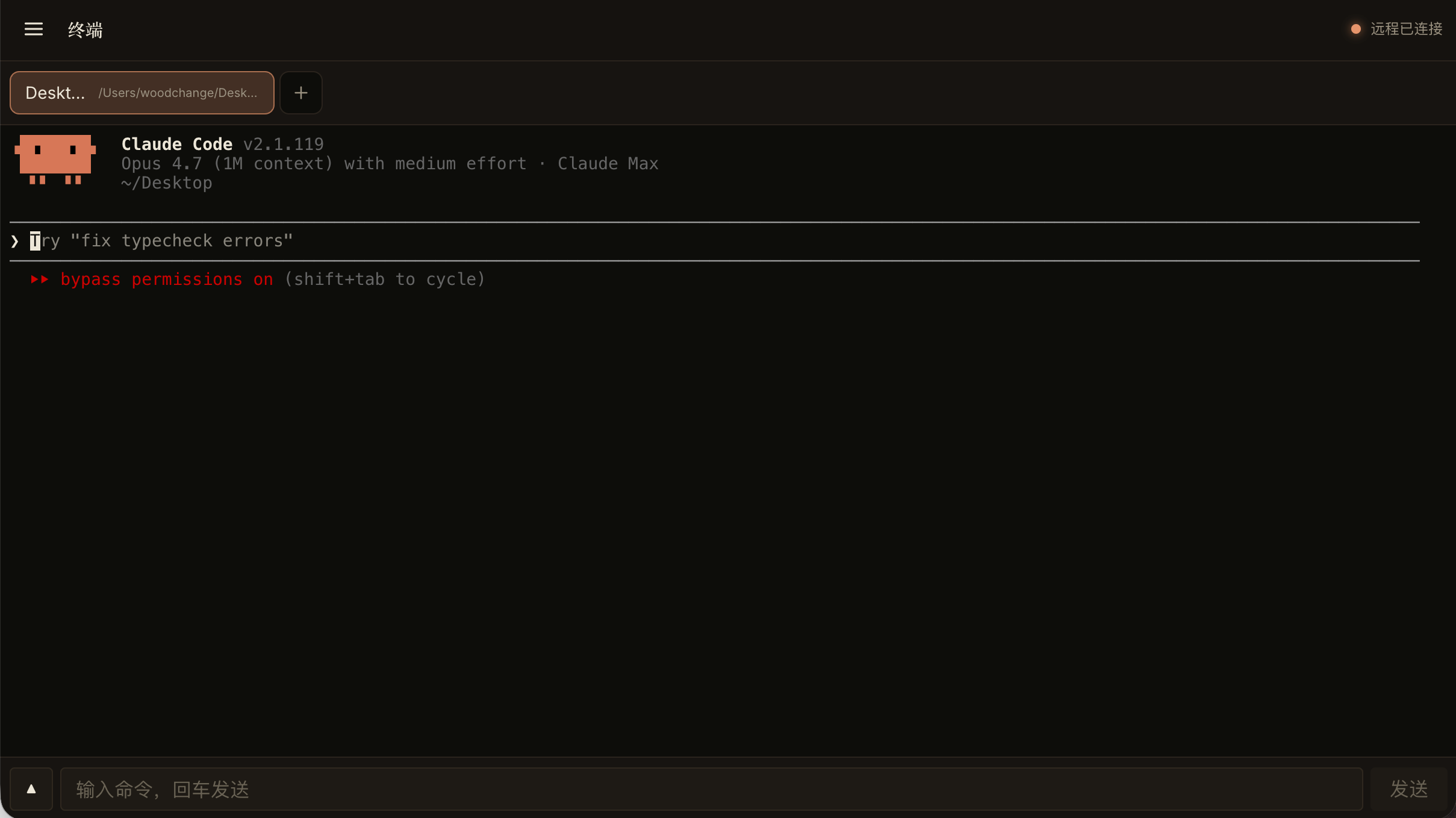 |
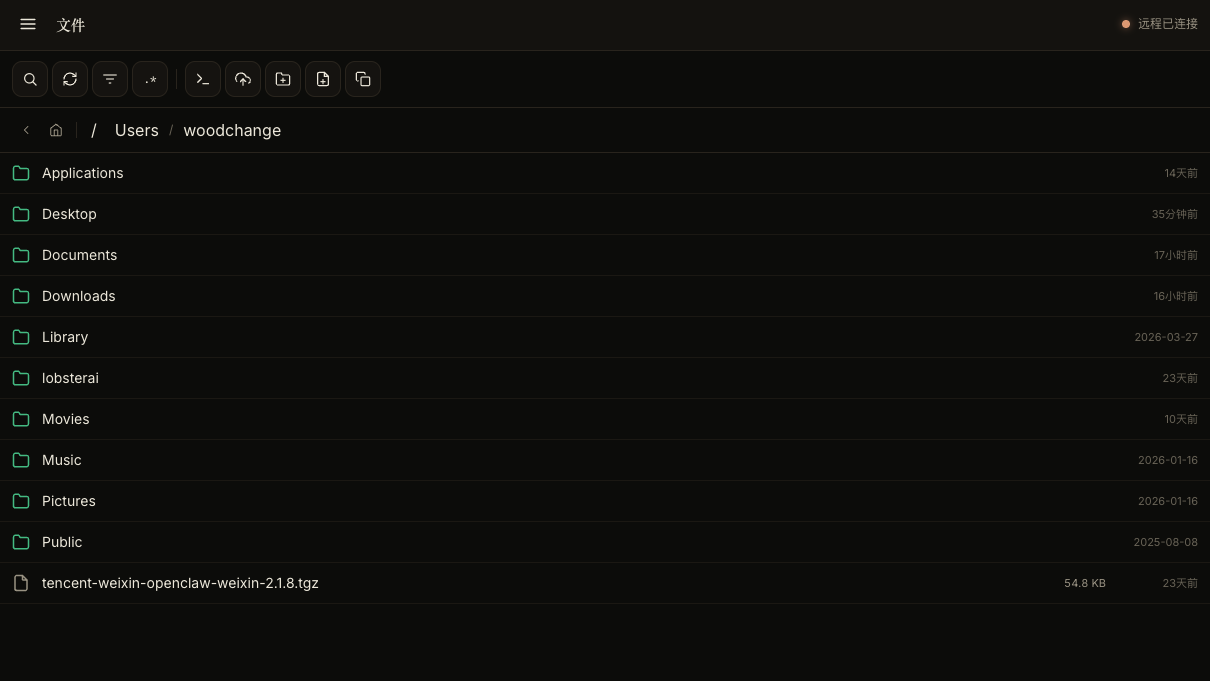 |
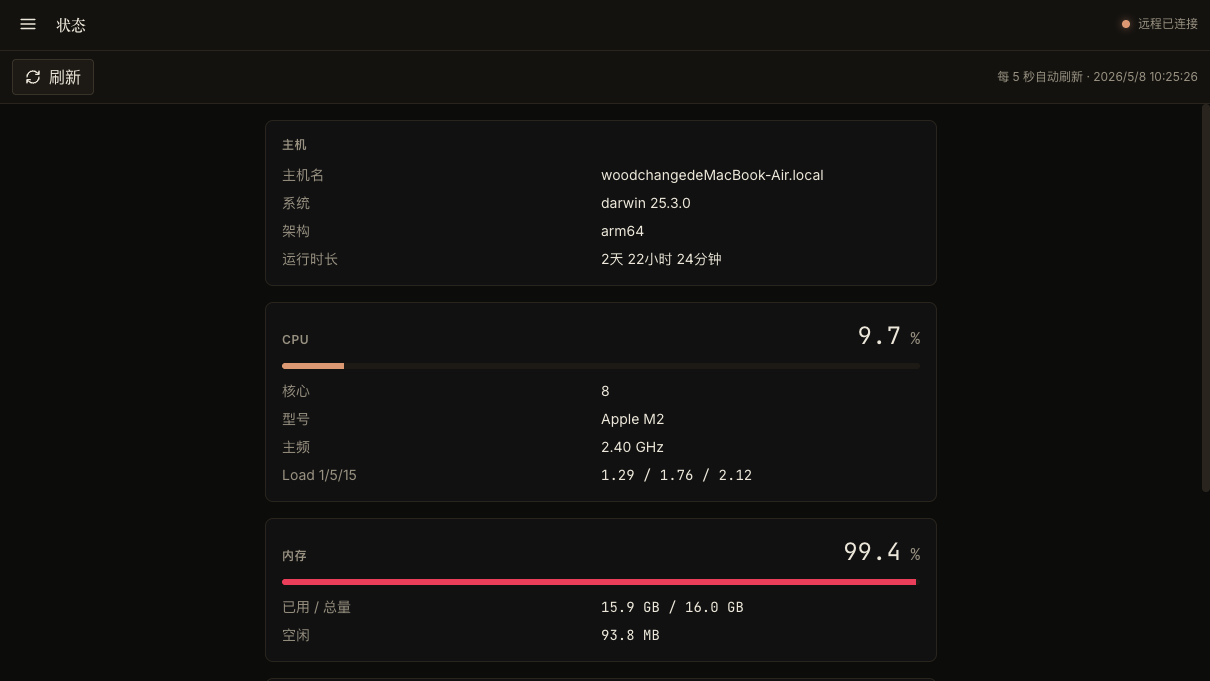 |
社区讨论: LINUX DO
顺便打个广告:我目前主力在做的另一个项目是 AIOS —— 用 AI 直接构建一个操作系统,欢迎去看看、Star、提 issue。
roam/
├─ worker/               # Cloudflare Worker + Vue 前端 + WebSocket 中继
└─ server/               # 本机 Server,提供终端 / 文件 / 屏幕
运行时链路:
远程浏览器
  ↓ https / wss
Cloudflare Worker (中继,不存数据)
  ↓ wss
本机 Roam Server (终端 / 文件 / 屏幕)
- 远程终端
- 文件浏览、读取、上传、重命名、删除
- 屏幕截图查看
- 固定远程连接 session id
- Node.js 20+
- Cloudflare 账号
- 一台运行 Roam Server 的本机电脑
git clone https://github.com/valueriver/roam
cd roam/worker
npm install
cp wrangler.example.jsonc wrangler.jsonc
编辑 worker/wrangler.jsonc:
account_id:Cloudflare account id,可用npx wrangler whoami查看routes:可选,自定义域名;不用就删掉整个routes段
部署:
npm run deploy部署完成后得到 Worker 地址,例如:
https://roam.<your-subdomain>.workers.devhttps://i.example.com
cd ../server
npm install
cp config.example.js config.js
编辑 server/config.js:
export default {
    CLOUDFLARE_WORKER_URL: 'https://roam.example.workers.dev',
    SESSION_ID: '',          // 留空则每次启动随机生成
    SESSION_PASSWORD: '',    // 留空则不要密码
    DEBUG: '0',
};cd server
npm start控制台会输出:
- 远程访问入口 URL
- 访问密码(如果配置了)
希望关机/重启/网络抖动后 server 自动起来,各平台推荐做法:
临时(终端开着才活,关电脑前阻止休眠):
caffeinate -dimsu node /path/to/roam/server/index.js长期(开机自启,崩了自动拉起): 用 launchd。新建 ~/Library/LaunchAgents/me.meeem.roam.plist:
<?xml version="1.0" encoding="UTF-8"?>
<!DOCTYPE plist PUBLIC "-//Apple//DTD PLIST 1.0//EN" "http://www.apple.com/DTDs/PropertyList-1.0.dtd">
<plist version="1.0">
<dict>
    <key>Label</key><string>me.meeem.roam</string>
    <key>ProgramArguments</key>
    <array>
        <string>/usr/local/bin/node</string>
        <string>/Users/YOU/path/to/roam/server/index.js</string>
    </array>
    <key>WorkingDirectory</key><string>/Users/YOU/path/to/roam/server</string>
    <key>RunAtLoad</key><true/>
    <key>KeepAlive</key><true/>
    <key>StandardOutPath</key><string>/tmp/roam.out.log</string>
    <key>StandardErrorPath</key><string>/tmp/roam.err.log</string>
</dict>
</plist>
加载:
launchctl load ~/Library/LaunchAgents/me.meeem.roam.plist
launchctl unload ~/Library/LaunchAgents/me.meeem.roam.plist  # 卸载
which node 看下你的 node 路径,nvm 装的话写 nvm 实际路径。
用 systemd user service。新建 ~/.config/systemd/user/roam.service:
[Unit]
Description=Roam Server
After=network-online.target

[Service]
ExecStart=/usr/bin/node /home/YOU/roam/server/index.js
WorkingDirectory=/home/YOU/roam/server
Restart=always
RestartSec=3

[Install]
WantedBy=default.target
启用 + 启动:
systemctl --user daemon-reload
systemctl --user enable --now roam
systemctl --user status roam
journalctl --user -u roam -f          # 看日志
如果希望未登录也跑(headless 服务器):sudo loginctl enable-linger $USER。
最省事用 nssm 把 node 注册成 Windows 服务:
nssm install Roam "C:\Program Files\nodejs\node.exe" "C:\path\to\roam\server\index.js"
nssm set Roam AppDirectory "C:\path\to\roam\server"
nssm start Roam
nssm remove Roam confirm   # 卸载
或用任务计划程序触发器选"启动时",操作填 node.exe + 脚本路径。
页面显示未连接:
- 确认
server正在运行 - 确认
CLOUDFLARE_WORKER_URL是当前部署的 Worker 地址 - 确认远程 URL 里的
session和 Server 控制台打印的一致
- Worker 不保存终端输出、文件内容或任何业务数据
- 真实数据保留在本机 Server
SESSION_PASSWORD用于远程网页访问校验- 不要把真实
server/config.js和worker/wrangler.jsonc提交到仓库
MIT