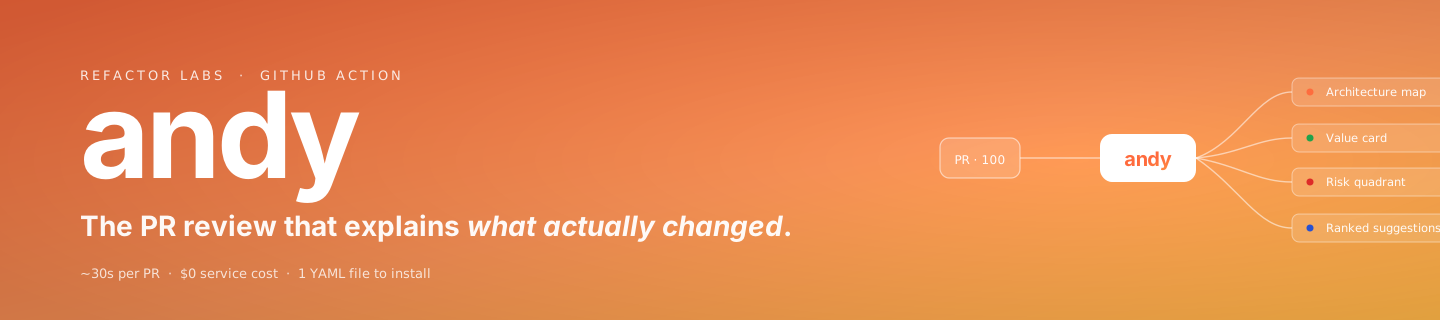
The PR review that explains what actually changed.
A GitHub Action. One comment. Zero services to authorize.




~30s per PR · $0 service cost · 1 YAML file to install · runs on your own runner

- Why Andy
- Install — one YAML file
- Anatomy of the comment
- A peek at the output
- On a real PR
- How it works
- Configuration
- What Andy doesn't do
- The landing page is part of the action
- Local development & reproducible screenshots
- Repository layout
- CI / CD
- License & contact
Three questions every PR comment fails to answer:
| 01 Reviewers approve PRs they didn't fully understand because nobody has 90 minutes to trace a 100-file diff. Bugs ship in the gap between looks right and is right. | 02 Context lives in Linear, Slack threads, and the author's head — not in the PR. New reviewers spend half their time inferring intent before they can judge the code. | 03 No one can answer in dollars or minutes. The PR closes, the impact disappears into vibes, and the team forgets what they shipped by next quarter. |
Andy reads every pull request and posts one comment with the answers — and a 60-second audio summary you can play.
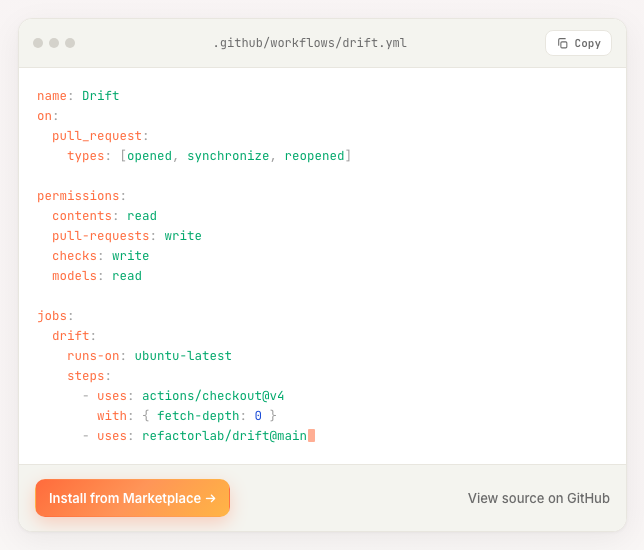
Drop this into .github/workflows/drift.yml. No tokens, no profile commands, no extra config.
name: Drift
on:
  pull_request:
    types: [opened, synchronize, reopened]

permissions:
  contents: read
  pull-requests: write
  checks: write
  models: read

jobs:
  drift:
    runs-on: ubuntu-latest
    steps:
      - uses: actions/checkout@v4
        with: { fetch-depth: 0 }
      - uses: refactorlab/drift@main
Then open a PR — Andy auto-detects the latest profiler release, caches it via $RUNNER_TOOL_CACHE, and posts a sticky comment within ~30 seconds.

👉 The YAML, close up
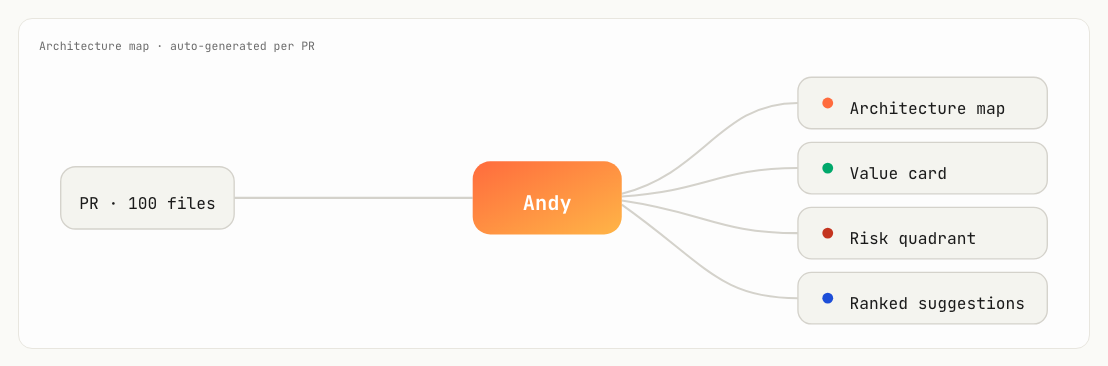
flowchart LR
    PR((PR · N files)) --> Andy((🟧 Andy))
    Andy --> A1[🏗 Architecture map]
    Andy --> A2[📊 Value card]
    Andy --> A3[💡 Ranked suggestions]
    Andy --> A4[⚠ Risk quadrant]
    Andy --> A5[🗂 Hot-touch mindmap]
    Andy --> A6[🧭 Business context]
    Andy --> A7[🔊 Audio summary]
    classDef src fill:#1f6feb,stroke:#1d4ed8,color:#fff
    classDef hub fill:#ff6b3d,stroke:#ff9558,color:#fff
    classDef out fill:#fafaf7,stroke:#d4d2cb,color:#1a1a1a
    classDef aud fill:#fff1ea,stroke:#ff9558,color:#1a1a1a
    class PR src
    class Andy hub
    class A1,A2,A3,A4,A5,A6 out
    class A7 aud
One sticky comment per pull request, re-rendered on every push. Inside it: the visuals that turn a large diff into a guided handoff, plus the code suggestions and risks that actually need a reviewer's eye. And now a 60-second audio summary rides along in the same comment — the whole review, narrated — so the next reviewer can listen to what changed before they read a line.

| # | Artifact | What it is |
|---|---|---|
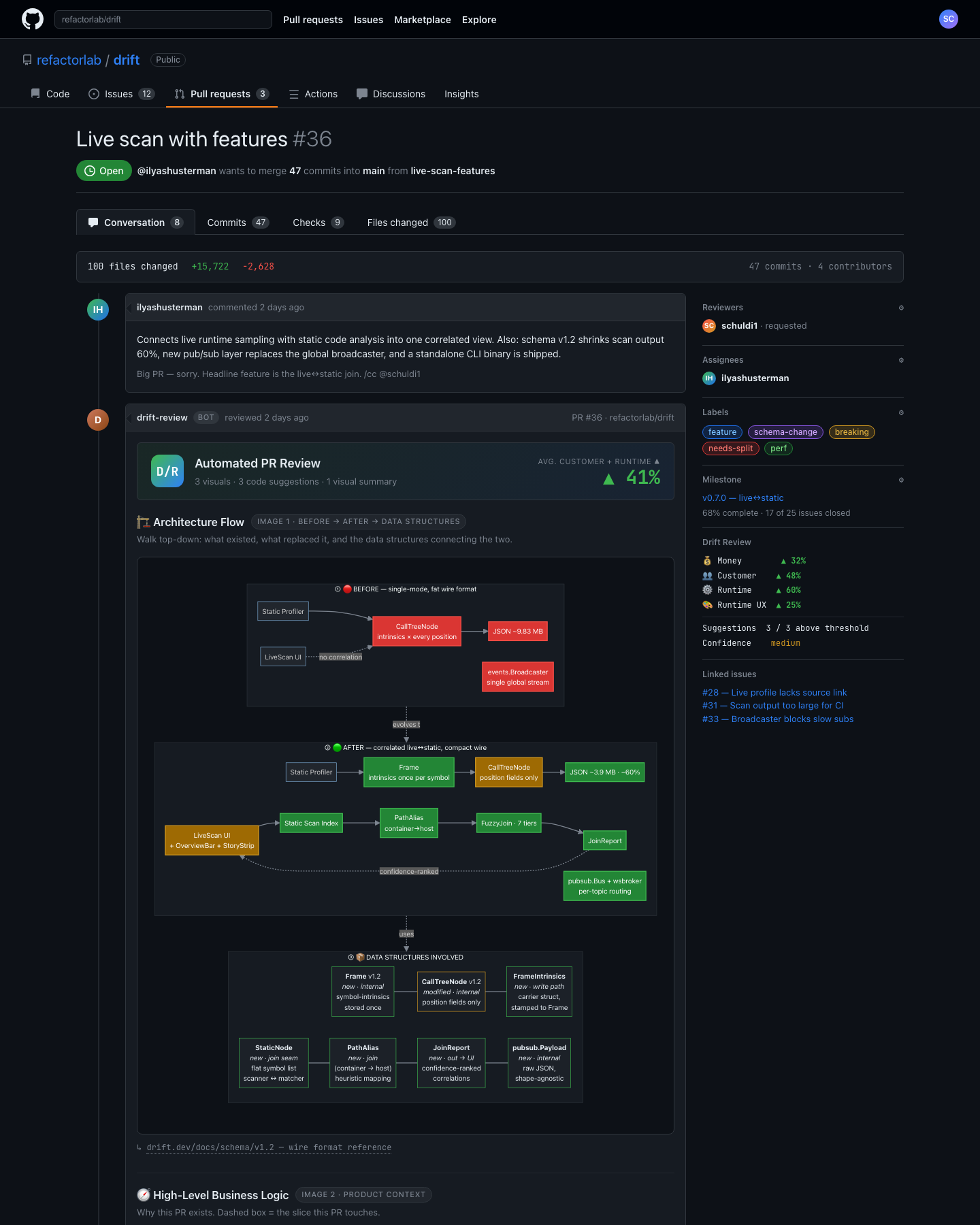
| 1 | 🏗 Architecture map | Before → after diagrams of what your PR changed, plus the data structures connecting the two. Rendered as Mermaid. |
| 2 | 📊 Value card | Money, customer, runtime, runtime-UX — each scored with the formula, the inputs that produced it, and a confidence label. |
| 3 | 💡 Ranked suggestions | Every code suggestion ships with a confidence score, a category, an applyable diff, and references to specs or docs. |
| 4 | Severity × likelihood map of every risk Andy spotted. Block on what's red before merge; monitor the rest. | |
| 5 | 🗂 Hot-touch mindmap | The files reviewers should open first, grouped by subsystem — the difference between a 100-file PR and a 6-file mental model. |
| 6 | 🧭 Business context | A product-level diagram with the slice your PR touches highlighted — so reviewers see why the change exists, not just what. |
🔊 Plus an audio summary. Not a seventh card — a different modality. Andy attaches a ~60-second narrated overview of the PR (what changed, why it matters, where to start), generated alongside the comment and embedded as a playable clip — for the commute, the code walk, or the reviewer who'd rather listen than scroll.
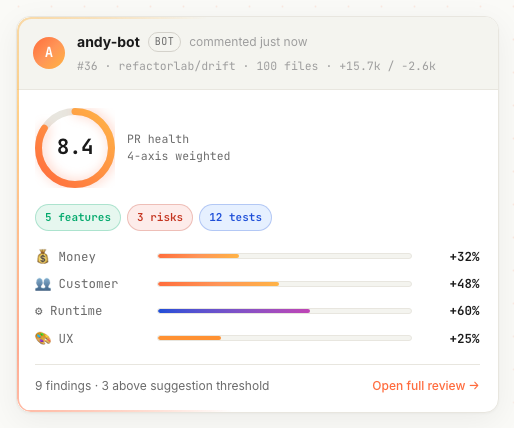
Two artifacts from a real review on a 100-file PR — the value card, a ranked product-correctness suggestion with a fixable diff, and the self-drawing architecture map underneath:

|
|
📎 Open the full example review →
This is exactly what reviewers see when Andy lands on a real pull request (refactorlab/drift#36) — the sticky comment with a live architecture flow, weighted scores, and grouped findings:
- Runs as a GitHub Action on your own runner. Nothing leaves the workflow — no service to authorize, no API key to manage.
- Auto-detects the latest profiler release (
drift-static-profiler) and caches it via$RUNNER_TOOL_CACHEso subsequent runs are fast. - Walks the PR diff against the base branch, builds the call graph + data-structure map, and renders the comment.
- Posts (or updates) a single sticky comment — identified by a hidden marker, so it's overwritten in place on every push.
- Adds a
Drift / PR reviewcheck run summarising the verdict (advisory; does not fail the check).
Andy works with zero configuration — just paste the YAML above.
🔑 Permissions explained
| Permission | Why |
|---|---|
contents: read |
Read the diff and the base/head trees. |
pull-requests: write |
Create / update the sticky comment. |
checks: write |
Emit the Drift / PR review check run. |
models: read |
Read GitHub Models for LLM-assisted suggestion ranking. |
⚙️ Optional knobs (env or with-block)
| Variable | Default | Notes |
|---|---|---|
DRIFT_BASE_SHA |
inferred | Override the base SHA Andy diffs against. |
DRIFT_SUGGESTION_CONFIDENCE |
0.75 |
Floor for showing a code suggestion. |
DRIFT_DEV_HOUR_RATE_USD |
95 |
Used in the Money axis formula. |
👉 Click for the honesty section
- ❌ Doesn't block merges. Findings surface as a check-run summary; you decide whether to gate on them.
- ❌ Doesn't run your tests, or your code. Pure static analysis on the diff + call graph.
- ❌ Doesn't talk to any external service beyond GitHub APIs. The whole pipeline runs on your runner.
- ❌ Doesn't model new-feature dev time. The Money axis is the cost of servicing what the PR ships (bugs + maintenance + LLM iteration) — not the cost of building it.
- ❌ Doesn't replace human review. It hands the next reviewer a guided map and a short list of things that warrant a second look.
The page at https://refactorlab.github.io/andy/ is shipped from this repo, and it's also a deliberate showcase of modern frontend craft — the kind of thing the action's reviewers care about. A few highlights from the implementation:
- OKLCH color for perceptually-uniform gradients, with an sRGB fallback
- A bento layout with CSS Grid + container queries, so the featured cell adapts to its own width
- A fluid
clamp()type & space scale — no breakpoint jumps between mobile and desktop - Native
<dialog>+@starting-style+transition-behavior: allow-discretefor the command palette's entry/exit - A WebGL2 shader background (OKLCH FBM mesh), a self-drawing SVG architecture diagram, CSS Motion Path data-flow particles, a self-typing syntax-highlighted YAML, kinetic variable-font typography, a spring-physics cursor — all
prefers-reduced-motion-aware - An adaptive
perf-litemode that drops the heaviest layers on weak devices (Save-Data, ≤2 GB RAM, ≤2 cores) - React.lazy code-splitting moves decorative components off the critical path
- JSON-LD structured data, an installable web app manifest, Speculation Rules prefetch, a skip link, an
sr-onlyutility, and CSS logical properties for RTL readiness
Press ⌘K / Ctrl+K anywhere on the page to open the command palette — fuzzy filter, full keyboard control, with theme/perf/section commands:

There's also a hidden treat — try the Konami code: ↑↑↓↓←→←→BA.
Requires Bun ≥ 1.3.
bun install
bun run dev          # local dev server at http://localhost:5173/andy/
bun run typecheck    # tsc -b --noEmit
bun run test         # bun:test — pure-logic suite (yaml tokenizer, scramble, konami, perf)
bun run build        # production build into dist/
bun run preview      # preview the production build
Every screenshot in this README is generated by scripts/screenshots.ts — a small Chrome DevTools Protocol driver. To regenerate them:
# 1) Start the dev server
bun run dev
# 2) In another shell, launch headless Chrome on a debug port
"/Applications/Google Chrome.app/Contents/MacOS/Google Chrome" \
  --headless=new --disable-gpu --remote-debugging-port=9333 \
  --user-data-dir=/tmp/andy-chrome about:blank &
# 3) Capture every shot in docs/screenshots/  (light + dark + close-ups)
bun scripts/screenshots.ts 5174 9333
The script writes the theme into localStorage before navigation so the page's no-FOUC bootstrap picks it up, emulates prefers-reduced-motion: reduce for deterministic captures, and uses CDP's captureScreenshot clip parameter to crop close-ups precisely to an element's bounding box.
public/pr36-github-ui_2.html       # the full example review the landing page links to
public/manifest.webmanifest        # PWA manifest (theme-color, icons, installable)
src/components/                    # React components (Hero, Bento, palette, …)
src/lib/                           # pure logic (yaml tokenizer, scramble, perf, theme store)
src/lib/*.test.ts                  # bun:test unit suite (20 tests, 41 expects)
scripts/screenshots.ts             # CDP-driven screenshot generator
docs/banner.svg                    # the SVG banner at the top of this README
docs/screenshots/                  # 15 PNGs — light, dark, and component close-ups
.github/workflows/ci.yml           # type-check + tests + build on every PR
.github/workflows/deploy.yml       # GitHub Pages deploy pipeline
.github/workflows/drift.yml        # Andy PR review (dogfoods the action on this repo)
Three workflows in .github/workflows/:
ci.yml— type-checks (tsc -b --noEmit), runs thebun testsuite, and builds the landing page on every PR.drift.yml— runs Andy on this repo's own PRs. The action dogfoods itself.deploy.yml— on push tomain, builds (vite build, base/andy/) and deploysdist/to GitHub Pages.
The first time you deploy, enable Pages under Settings → Pages → Source → GitHub Actions.
- Marketplace: https://github.com/marketplace/actions/andy-pr-handoff-by-drift
- Issues: https://github.com/refactorlab/andy/issues
- Contact: schuldi@gmail.com
- License: MIT
© Refactor Labs · built to make code review feel less like archaeology.