@catborise @honza801
You know when you hit the green + button on the Instance page and choose a compute host, you are being dropped in the create new instance page.
On the top there are 3 buttons - Custom, Template and XML. When you click on some of those buttons, the are actually expanding, but nothing is suggesting that you can click back on the same button and collapse the fill-in form which was opened.
The collapsed button color is green - can you make it when you click on some button and it is in expanded state, this button to become red, so that it can suggest to click you back to exit from this particular form?
It would be great, thanks!
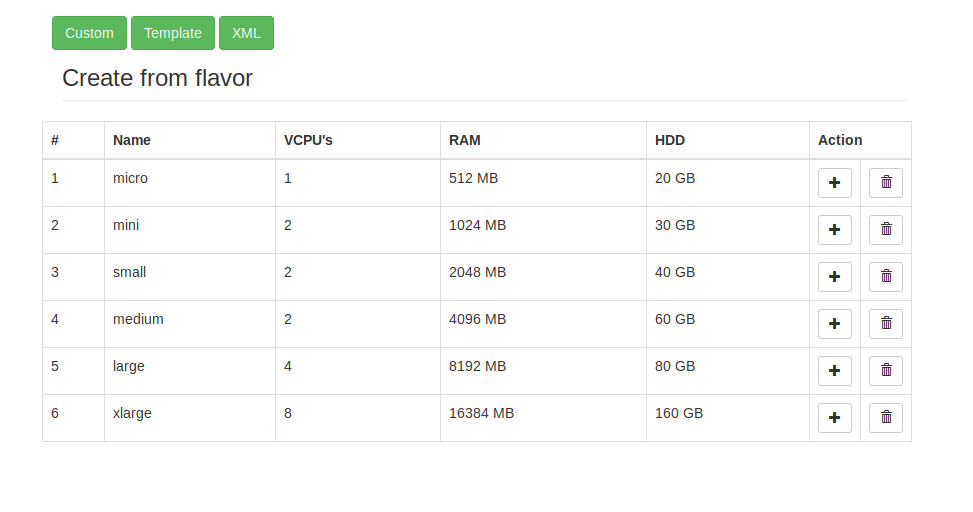
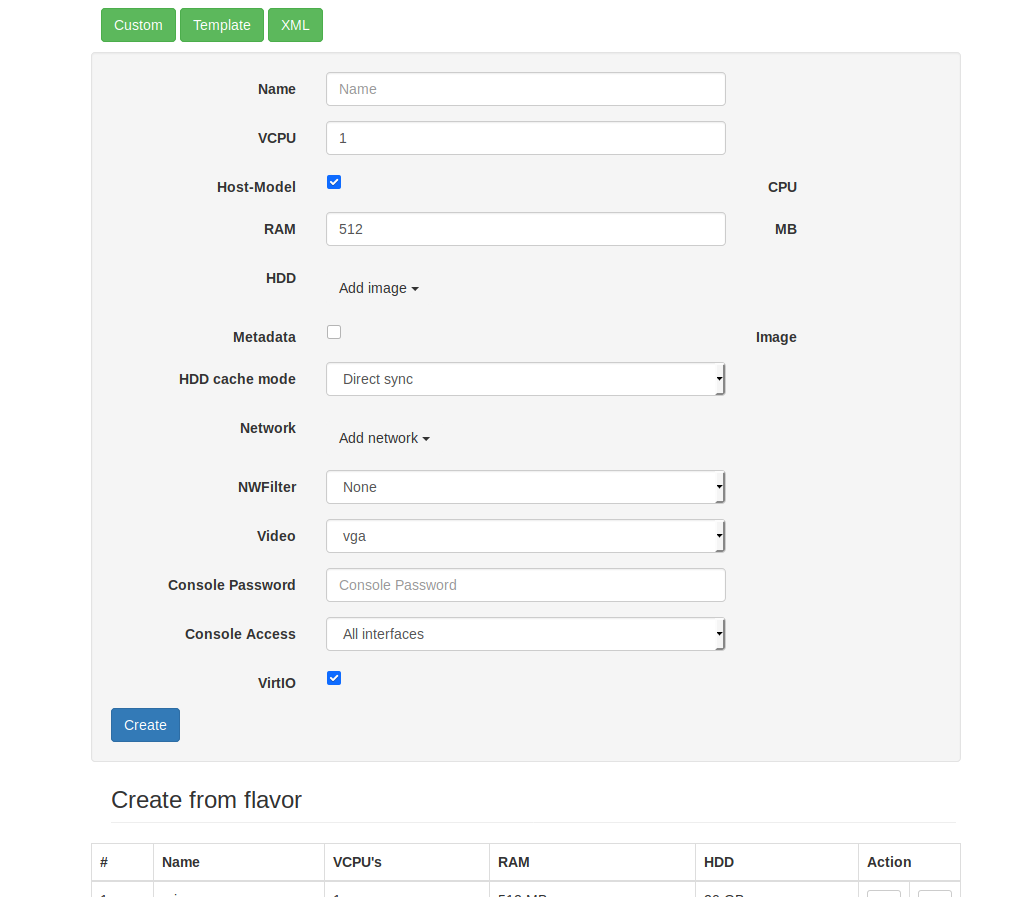
In those example pictures below, I've opened the Custom button, but nothing suggests it is exactly it which is opened.

@catborise @honza801


You know when you hit the green + button on the Instance page and choose a compute host, you are being dropped in the create new instance page.
On the top there are 3 buttons - Custom, Template and XML. When you click on some of those buttons, the are actually expanding, but nothing is suggesting that you can click back on the same button and collapse the fill-in form which was opened.
The collapsed button color is green - can you make it when you click on some button and it is in expanded state, this button to become red, so that it can suggest to click you back to exit from this particular form?
It would be great, thanks!
In those example pictures below, I've opened the Custom button, but nothing suggests it is exactly it which is opened.