Appearance
The Appearance tab controls everything about how the dancer display looks — transitions, colors, background image, and fonts.
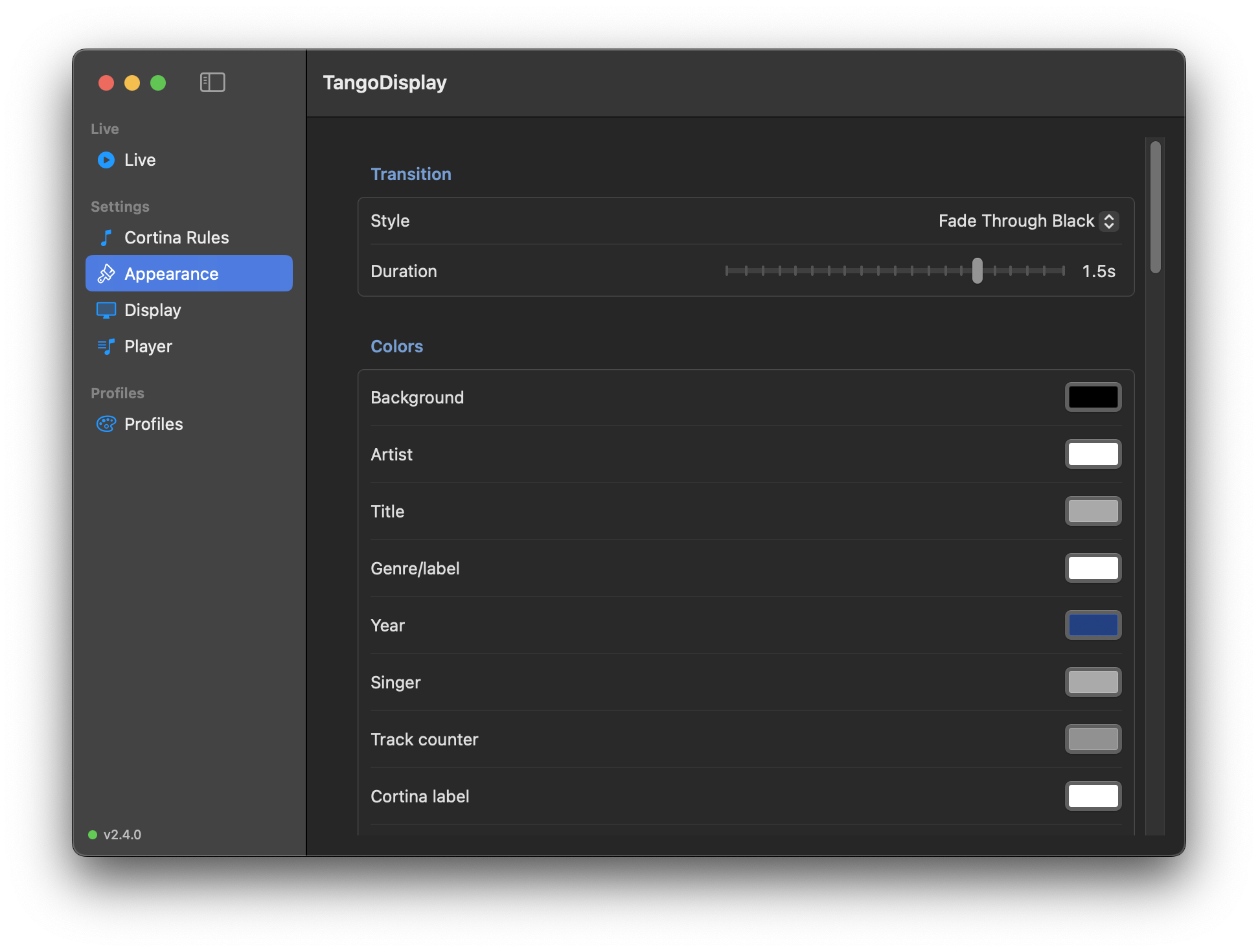
| Setting | Description |
|---|---|
| Style | How the display transitions between tracks. Options include Fade Through Black, Cross-Fade, and Cut. |
| Duration | Length of the transition in seconds (drag the slider). |
Set the color of each element on the dancer display:
| Element | What it colors |
|---|---|
| Background | The solid background fill (used when no background image is set, or behind a semi-transparent image) |
| Artist | The large artist/orchestra name text |
| Title | The track title text |
| Genre/label | The smaller genre or record label line |
| Year | The recording year (e.g. 1952) |
| Track counter | The "Track X of X" text in the corner |
| Singer | The vocalist/singer line |
| Cortina label | The "CORTINA" heading text on the cortina screen |
| Next up label | The "COMING UP" heading text in the cortina preview |
| Cortina artist | The cortina track's own artist (when cortina track display is enabled) |
| Cortina title | The cortina track's own title (when cortina track display is enabled) |
| Idle message | The text shown when nothing is playing |
| Last Tanda label | The Last Tanda announcement text when Last Tanda mode is active |
Click any color swatch to open the macOS color picker.
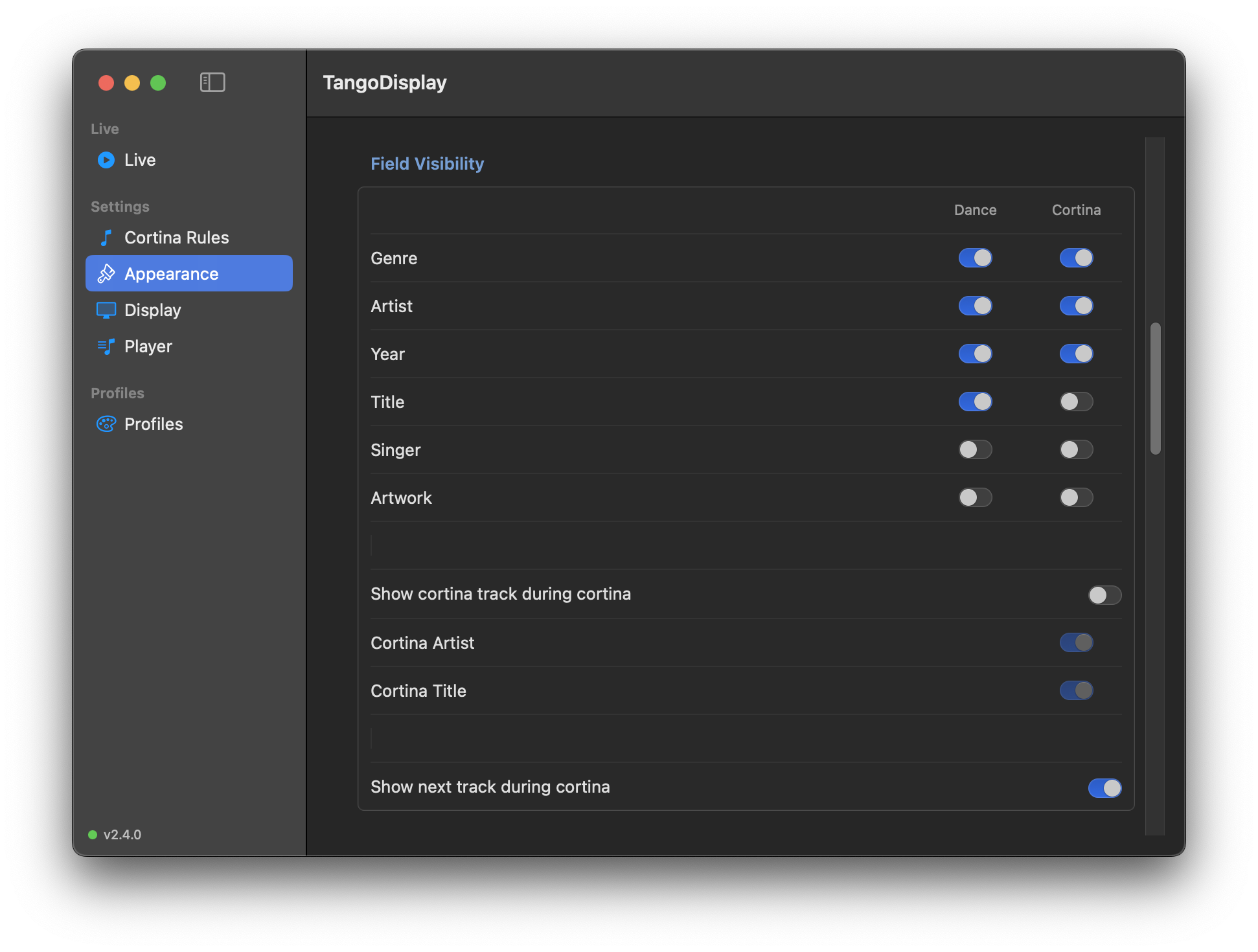
Control which fields are shown — independently for dance tracks and for the cortina "Coming Up" preview. Each row has two toggles: Dance (shown while a tanda is playing) and Cortina (shown in the next-track preview during a cortina).
| Field | Dance default | Cortina default |
|---|---|---|
| Genre | On | On |
| Artist | On | On |
| Year | Off | Off |
| Title | On | Off |
| Singer | Off | Off |
| Artwork | Off | Off |
A second block — Show cortina track during cortina — lets you display the playing cortina's own track information on the cortina screen. When enabled, two sub-toggles appear:
| Field | Description |
|---|---|
| Cortina Artist | The artist/orchestra of the playing cortina track |
| Cortina Title | The title of the playing cortina track |
These sub-toggles are only active when Show cortina track during cortina is on. Off by default.
A third toggle — Show next track during cortina — hides or shows the entire "Coming Up" next-track preview section. When off, the cortina screen shows only the cortina label (and cortina track info if enabled) with no preview content at all.
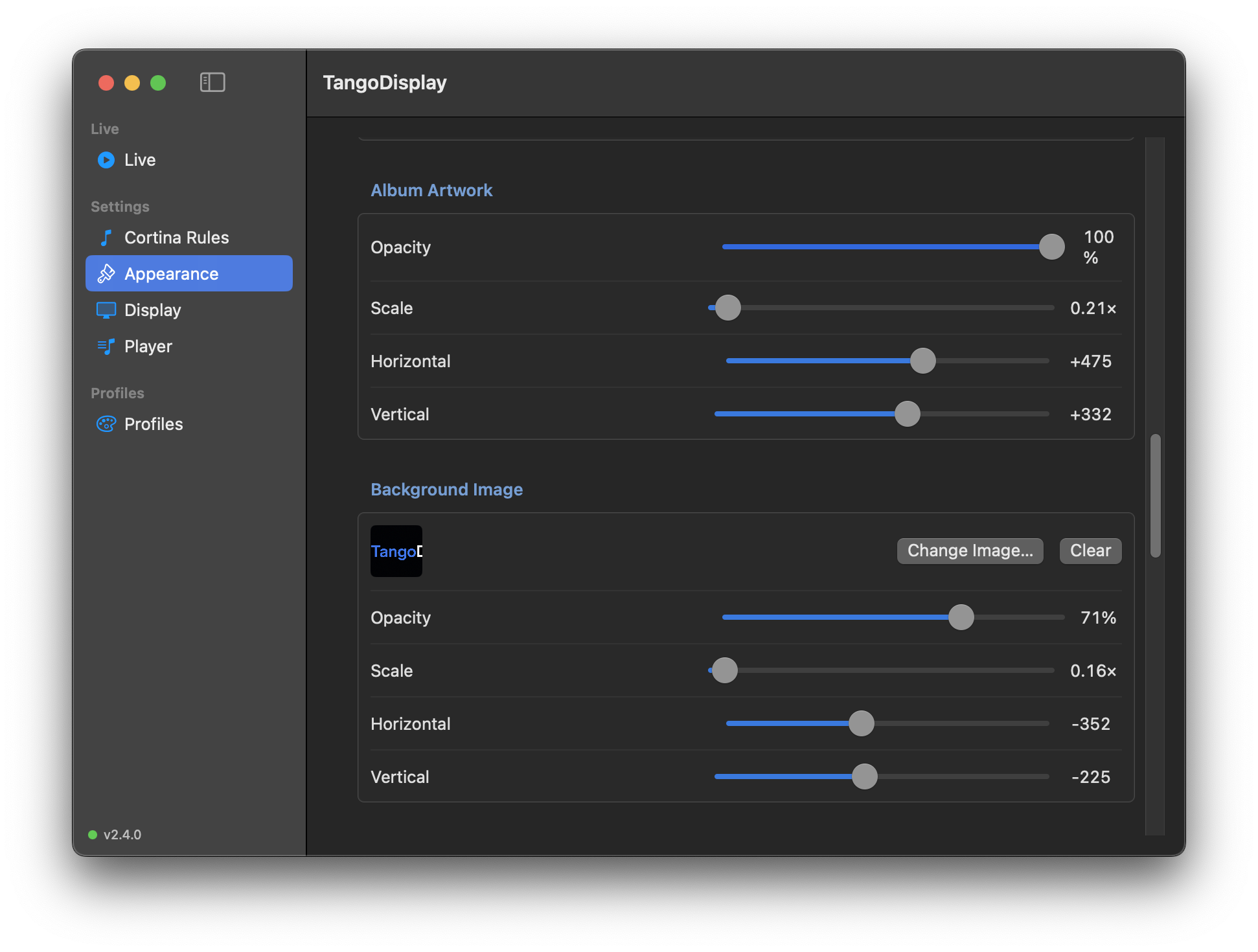
Configure how album artwork appears on the dancer screen. Artwork visibility is controlled per context in Field Visibility above — these sliders only take effect when artwork is enabled for Dance or Cortina (or both).
| Control | Description |
|---|---|
| Opacity | 0 % = invisible, 100 % = fully opaque |
| Scale | 1× = natural size; increase to fill more of the screen |
| Horizontal offset | Move the artwork left (negative) or right (positive) |
| Vertical offset | Move the artwork up (negative) or down (positive) |
Artwork is fetched automatically from the playing track for all three player sources — Music.app, Swinsian, and Embrace. It fades in and out in sync with track transitions using the same transition style and duration configured above. When no artwork is available the display falls back gracefully (nothing is shown in that layer).
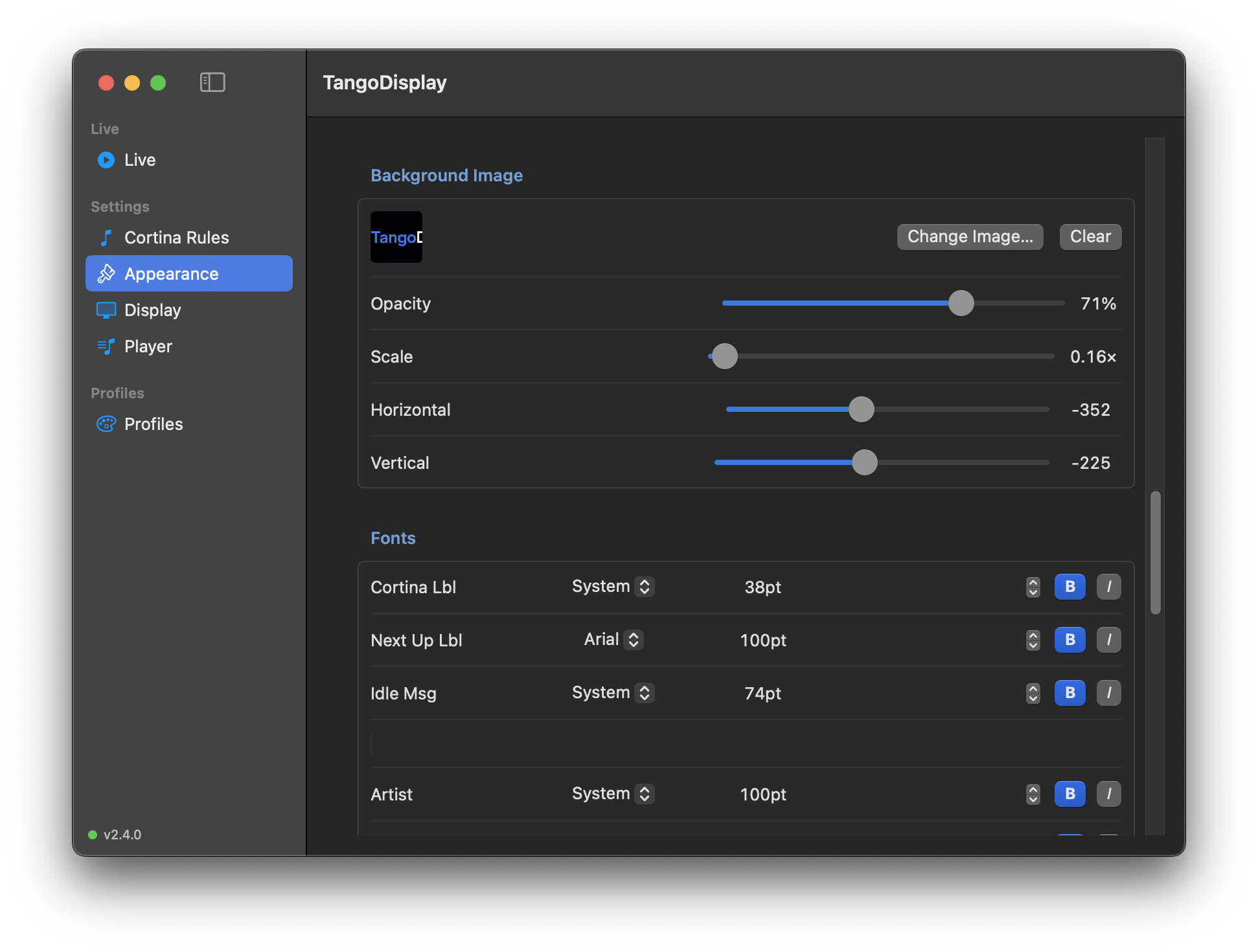
| Control | Description |
|---|---|
| Pick Image… / Change Image… | Opens a file picker to select any image file (label changes to Change Image… once an image is loaded) |
| Clear | Removes the background image |
| Opacity | 0 % = fully transparent (solid background color shows), 100 % = fully opaque |
| Scale | Zoom the image in or out (1× = original size, higher = zoomed in) |
| Horizontal | Pan the image left or right |
| Vertical | Pan the image up or down |
Use Scale + Horizontal + Vertical to frame exactly the part of the image you want behind the text.
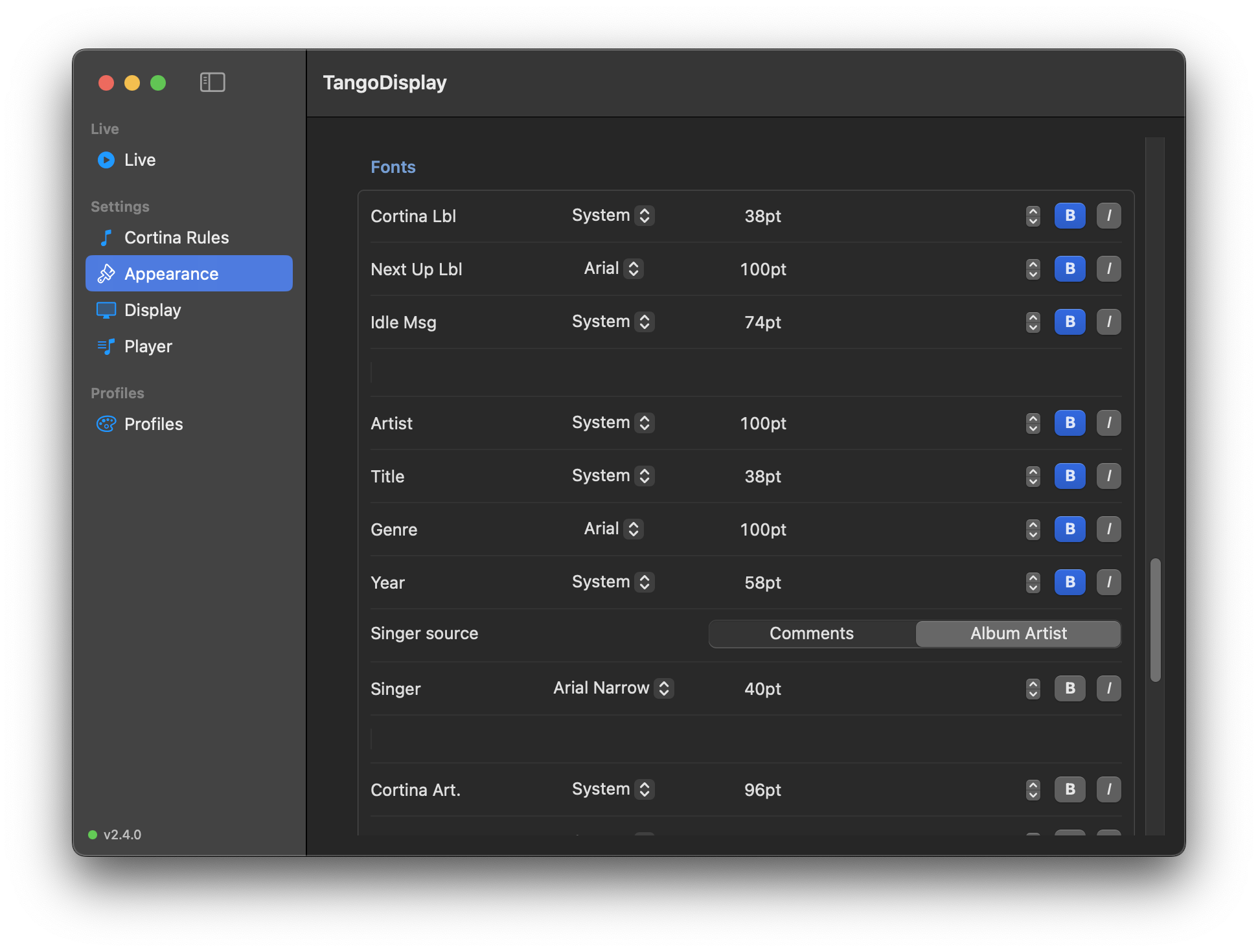
Configure the typeface, size, and style for each text element:
| Column | What you set |
|---|---|
| Font name | Choose from installed system fonts |
| Size | Point size of the text |
| Up/Down arrows | Fine-tune the point size |
| B | Bold |
| I | Italic |
The section is divided into three groups:
Label rows (at the top): Cortina Lbl (the "CORTINA" heading), Next Up Lbl (the "COMING UP" heading), and Idle Msg (the idle-state message). These were previously hardcoded — they now have independent font and color control.
Dance track rows: Artist, Title, Genre, Year, and Singer. Whether each field is shown is controlled in Field Visibility above.
Cortina track rows (at the bottom): Cortina Art. and Cortina Ttl. — the font for the cortina track's own artist and title when cortina track display is enabled.
A Source picker lets you choose where the singer name comes from:
| Source | Description |
|---|---|
| Comments | Reads the track's Comment metadata field. Useful when you've tagged vocalist names into comments in your library. This is the default and matches the behaviour of earlier versions. |
| Album Artist | Reads the Album Artist metadata field. Useful when Album Artist holds the vocalist name (common in some tango library workflows). |
A Singer font row appears below the source picker so you can set the typeface, size, and style independently of the other text elements.
Configure the Last Tanda announcement label — displayed on the dancer screen when Last Tanda mode is active.
| Setting | Description |
|---|---|
| Label text | The text shown on the dancer display (e.g. LAST TANDA). Stored globally, not per-profile. Leaving this blank disables the Last Tanda toggle on the Live screen. |
| Color | Color of the label text |
| Font | Typeface, size, bold, and italic for the label |
| Show in display | Per-profile master switch — when off, the label never appears even if Last Tanda mode is active. Also disables the Last Tanda toggle on the Live screen for this profile. |
Label text is shared across all profiles. Color, Font, and Show in display are saved per-profile.
The label's vertical position within the dance track and cortina coming-up layouts is controlled in Text Order below.
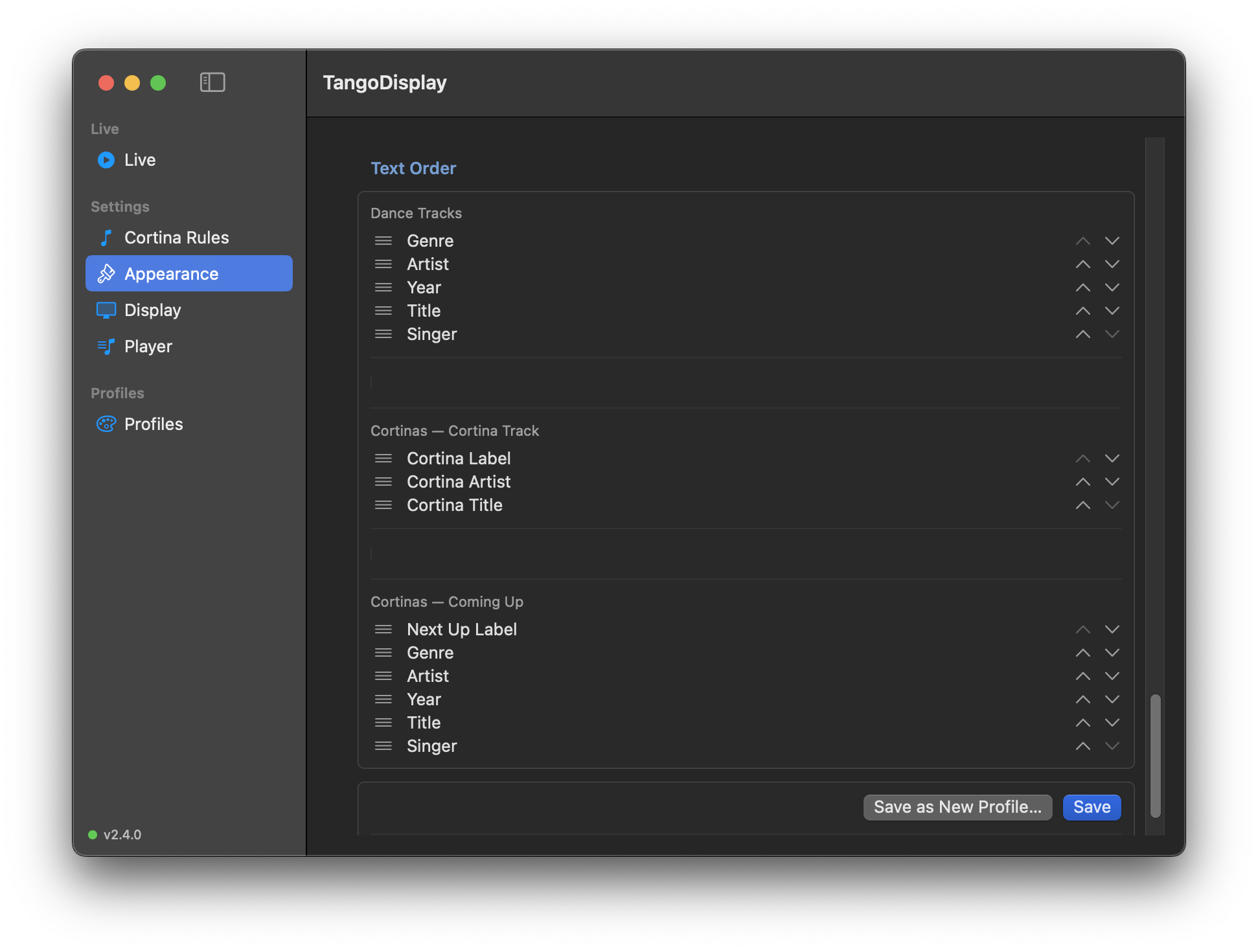
Control the vertical order in which text items appear on the dancer display. There are two independent orderings — one for dance tracks and one for the cortina "Coming Up" preview.
| Section | What it controls |
|---|---|
| Dance Tracks | Order of items on the main display while a tanda is playing |
| Cortinas — Cortina Track | Order of Cortina Label, Cortina Artist, and Cortina Title on the cortina screen |
| Cortinas — Coming Up | Order of Next Up Label and next-tanda preview items during cortinas |
Each section lists the available items. Use the ↑ and ↓ chevron buttons on the right of each row to move items up or down. Changes take effect on the dancer display immediately.
Dance Tracks items: Genre, Artist, Year, Title, Singer, Last Tanda Label
Cortinas — Cortina Track items: Cortina Label, Cortina Artist, Cortina Title (default order: label first, then artist, then title). Only visible when Show cortina track during cortina is enabled in Field Visibility.
Cortinas — Coming Up items: Next Up Label, Genre, Artist, Year, Singer, Title, Last Tanda Label. The Next Up Label ("COMING UP" heading) is an orderable item — move it anywhere in the preview block.
- Save — updates the currently active profile with the new settings
- Save as New Profile… — creates a new named profile (see Profiles)
Changes take effect on the dancer display immediately.