DHCP CONFIGURATION
DHCP stands for dynamic host configuration protocol and is a network protocol used on IP networks where a DHCP server automatically assigns an IP address and other information to each host on the network so they can communicate efficiently with other endpoints. In addition to the IP address, DHCP also assigns the subnet mask, default gateway address, domain name server (DNS) address and other pertinent configuration parameters.Check out this example done using packet tracer
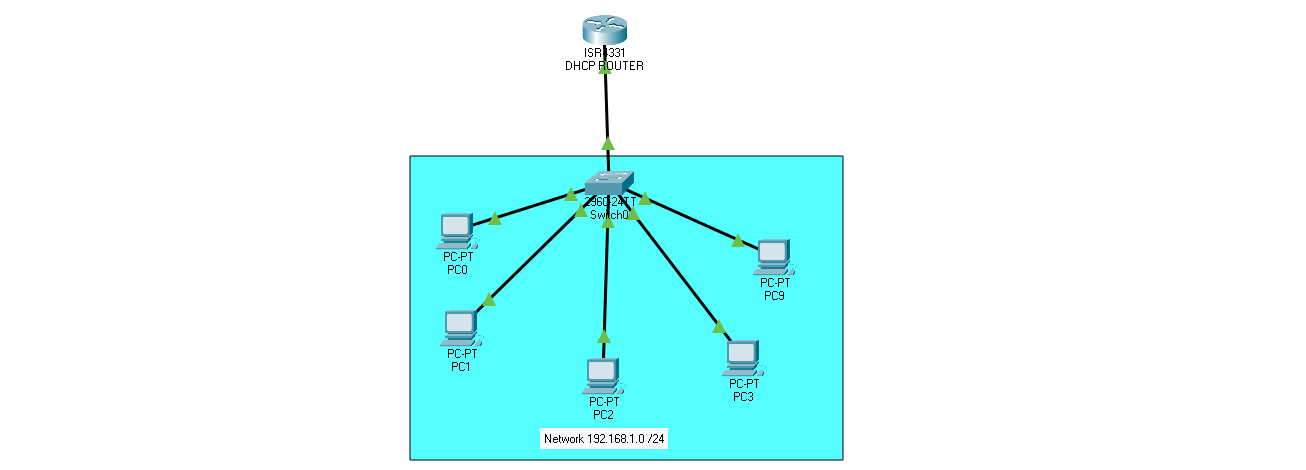
Router Configuration Commands
Router > enable
Router # config terminal
Router (config) # interface GigabitEthernet0/0/0
Router (config-if) # ip address 192.168.1.1 255.255.255.0
Router (config-if) # no shutdown
Router (config-if) # exit
Router (config) # ip dhcp pool LOCAL
Router (dhcp-config) # network 192.168.1.0 255.255.255.0
Router (dhcp-config) # default-router 192.168.1.1
Router (dhcp-config) # dns-server 192.168.1.4
Router (dhcp-config) #netbios-name-server 192.168.1.7
Router (dhcp-config) # domain-name example.com
Router (dhcp-config) # exit
Router (config) # ip dhcp excluded-address 192.168.1.1 192.168.1.10
Router (config) # service dhcp