A simple multi threaded web server (file based) that supports storage and retrieval of static files like html, json, xml, png, jpeg, jpg to name a few. POST, PUT, DELETE,GET,HEAD methods are supported for all the above mime types. Server Supports HTTP 1.1
png, xml, json files are downloaded. jpg, html files are rendered in the browser chrome when tested.
Takes the below properties from the web-server.properties file placed alongside the jar files port -> port threads -> maxNumberOfThreads root -> web root folder
POST, PUT, GET, DELETE, OPTIONS, HEAD, CONNECT, TRACE
Currently supported are POST, PUT, GET, DELETE, HEAD
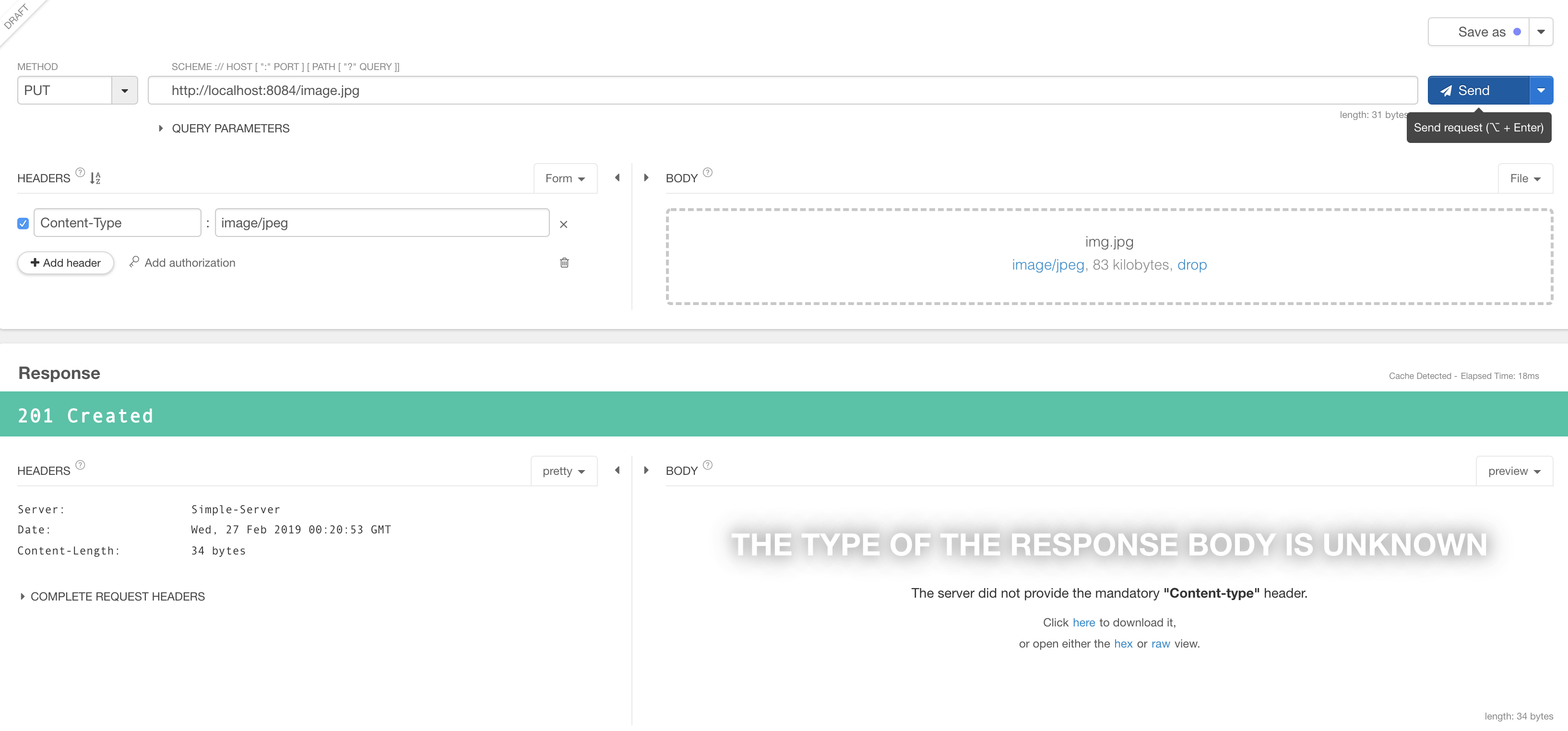
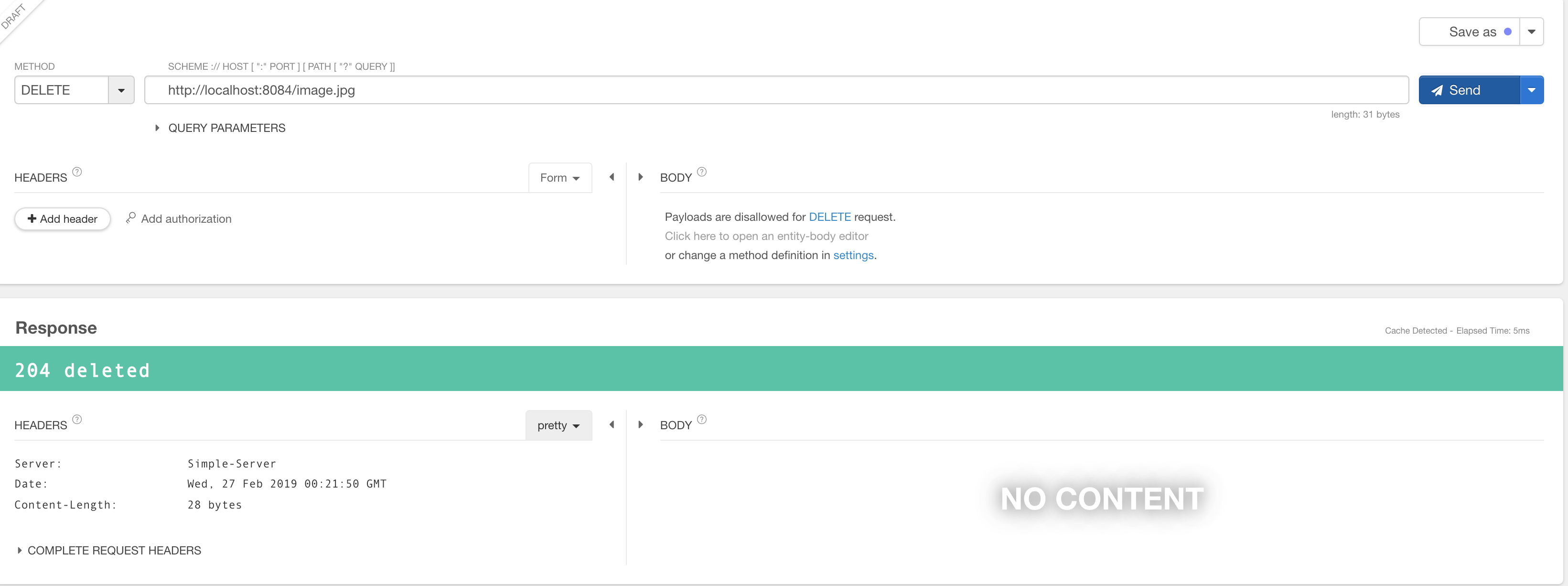
OK(200, "OK"),CREATED(201, "Created"),NO_CONTENT(204,"deleted"),BAD_REQUEST(400, "Bad request"), FORBIDDEN(403, "Forbidden"),NOT_FOUND(404, "Not found"),METHOD_NOT_SUPPORTED(405, "Not found"), INTERNAL_SERVER_ERROR(500, "Internal server error"),HTTP_VERSION_NOT_SUPPORTED(505, "HTTP Version not supported")
File locking feature is implemented which will ensure the other thread will wait until the current thread is done with using the file and release it. The same is tested with Junits too.
delete of a folder or create of a folder is not allowed. So the url should always have a file name at the end to process the data. GET api can have the folder, which will display all the contents.
mvn clean package
Running this command will build a release version of the jar along with all the dependencies after executing the test cases.
place the jar (the one with the dependencies built in) and the server-config.properties in the same folder
or
cd in to the folder
execute java -jar example - java -jar java -Jar web-server-1.0-RELEASE.jar
You should see the below logs : 0 [main] INFO com.gans.server.Starter - Loading server properties 0 [main] INFO com.gans.server.Starter - Initializing server parameters 3 [main] INFO com.gans.server.Starter - starting server
Example Static file operatrions through rest client.
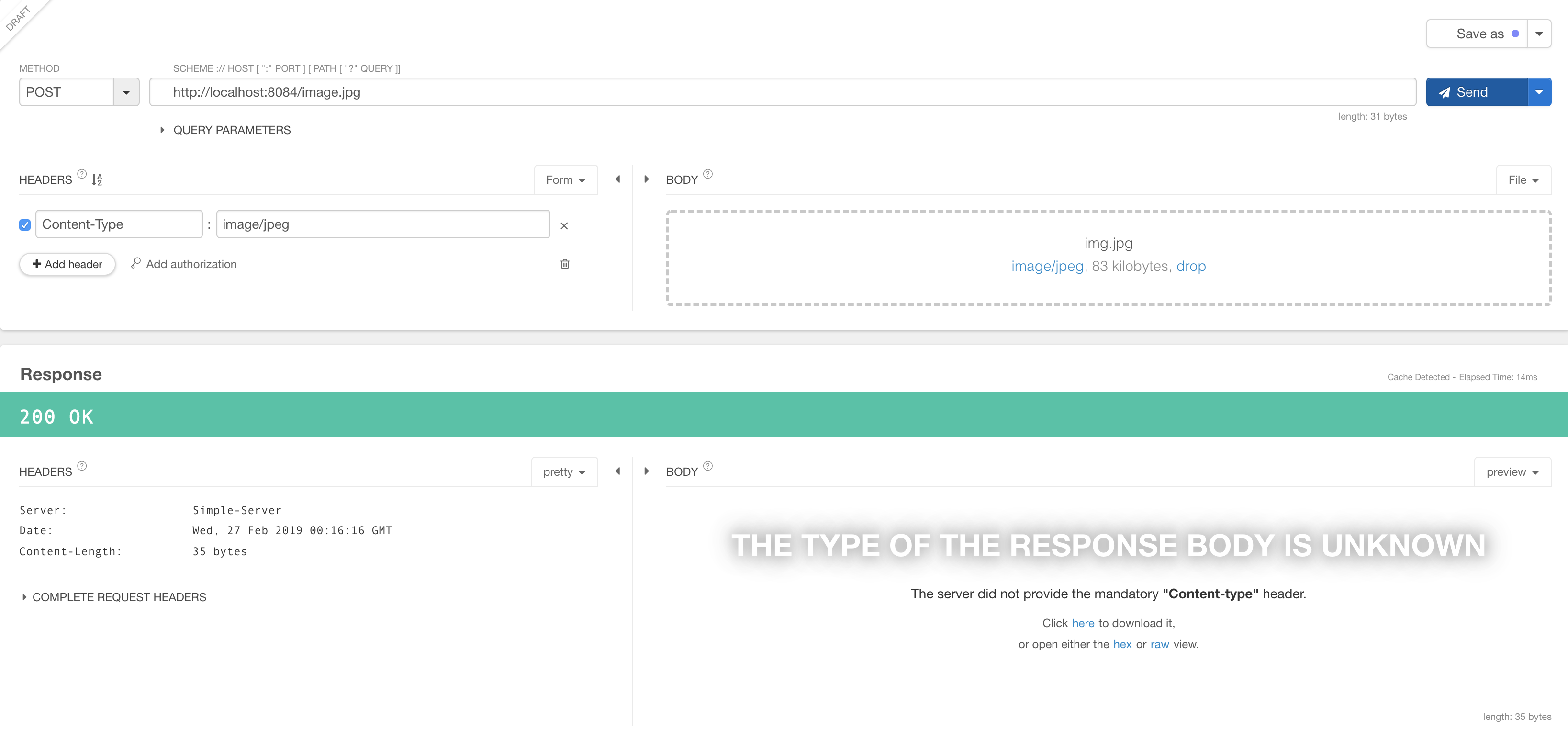
Add file as a part of the post request specify the content type specify the filename in the url to save the image under the root folder with that name. e.g. localhost:8080/1.jpg
POST :
##********************************************************************************************************************** ##**********************************************************************************************************************
HEAD:

##********************************************************************************************************************** ##**********************************************************************************************************************
GET:

##********************************************************************************************************************** ##**********************************************************************************************************************
PUT:
##********************************************************************************************************************** ##**********************************************************************************************************************
DELETE:
##********************************************************************************************************************** ##**********************************************************************************************************************
GET:

##c ##
GET at ROOT :

##********************************************************************************************************************** ##**********************************************************************************************************************
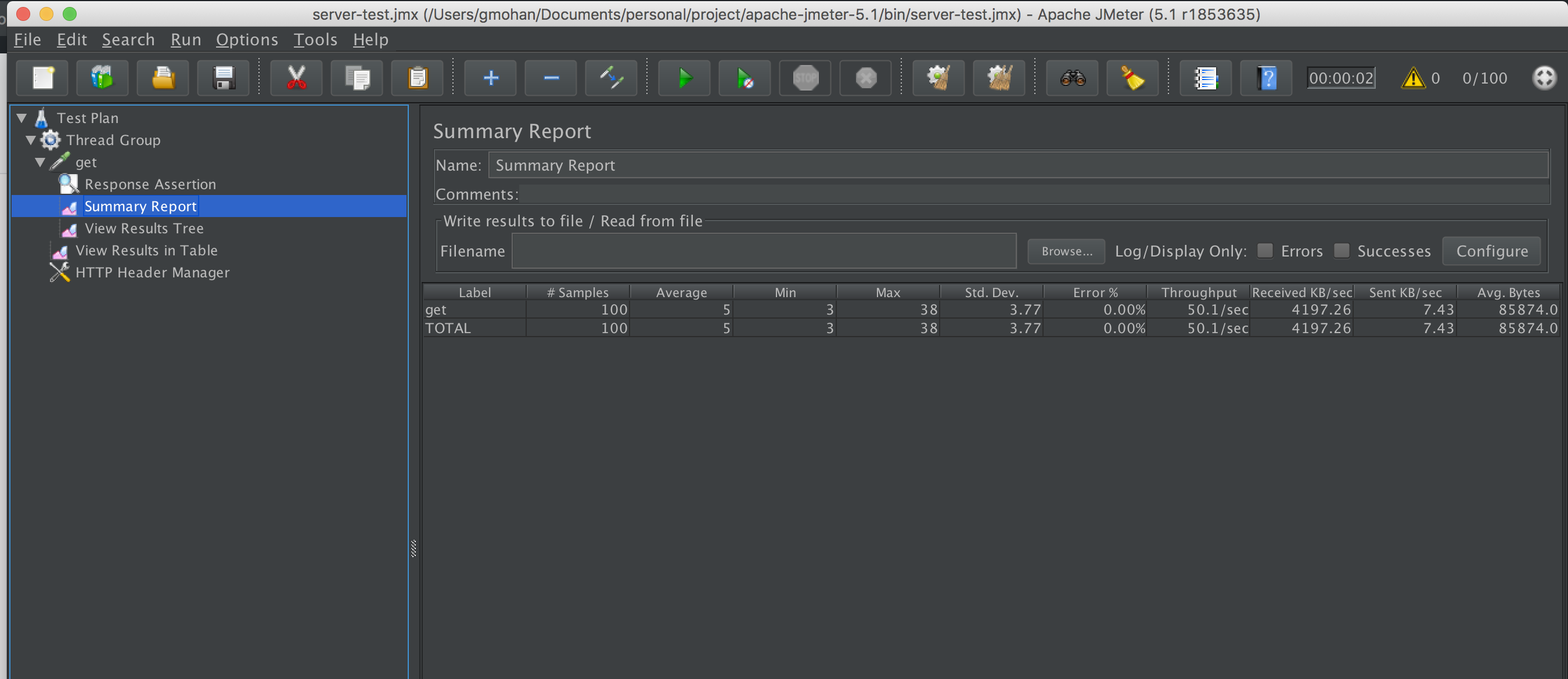
Tested the Server performance with JMeter 100 threads with a ramp of 2 seconds.
Though I referred to the below repositories for idea, I coded the entire solution. Few Methods under the class HttpResponseWriter are copied from the source. authors name and comments are left intact in the code.
The Links referred are :
https://github.com/warchildmd/webserver (Went thorugh the source code to get an idea of the approach) https://github.com/sorinslavic/file-based-web-server (used few methods with respect to response writing) Opensource server - https://github.com/NanoHttpd/nanohttpd (went through the source to get an idea of the approach)
Though I have used a few methods it was not completely as is. I have made a lot of changes to the original code. For example The author used String based approach to get all bytes and write. However, It wont work for binary files like images. So improvised to read with byte array from the input stream. Also changed the logs and added validation checks wherever required.
- Would like to improve the logging. Build a framework to monitor the health of the Server
- Implement options,trace, connect methods.
- Improve the junit test coverage.