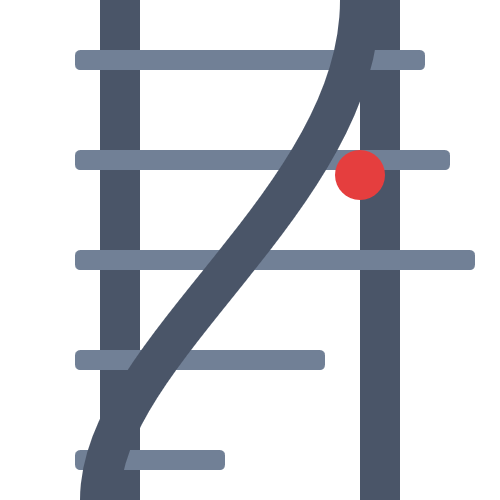
Unlike traditional routers that destroy and recreate DOM elements, Alpine Turnout treats your routes like railroad tracks. Every section stays in the DOM, preserving its internal state, while the "Turnout" guides the view and URL to the correct destination.
-
Zero-Config: just setup your
htmllayout like normally and use thex-routeattribute to declare the "tracks". -
Persistence: Forms, scroll positions, and component data are preserved when navigating away and back.
-
Instant Switching: No re-mounting or re-fetching logic on every click.
-
Alpine-Native: Uses a global store and works with a single directive.
-
Transitions: Works seamlessly with Alpine's
x-transition. -
Super Small The alpine-turnout code is only 2.00 kB (gzip: 0.94 kB)
-
SEO Proof: All your content gets indexed by the popular search engines like
Google,DuckDuckGoetc.
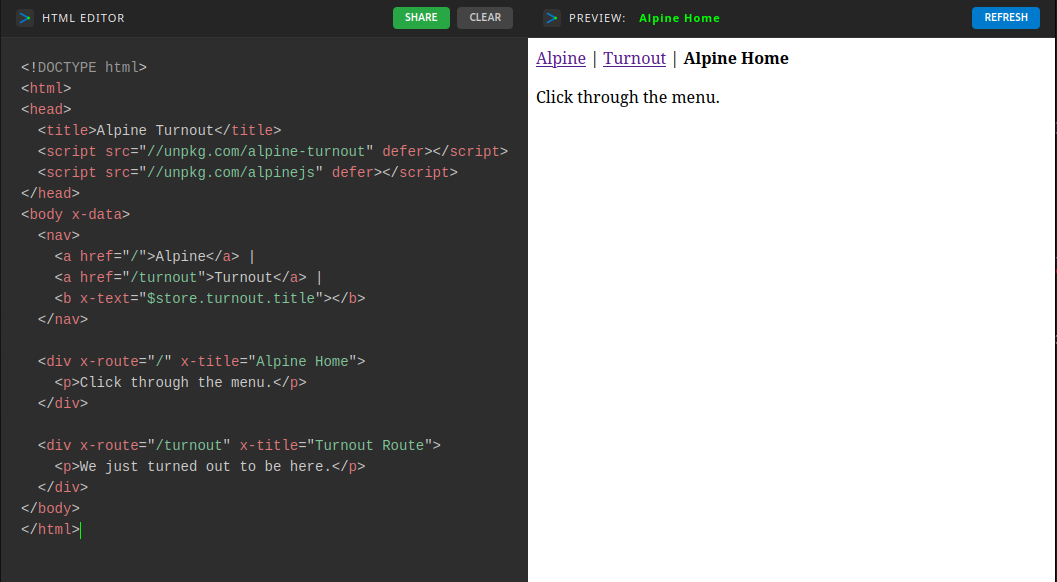
Include the script before Alpine.js:
<script src="https://unpkg.com/alpine-turnout" defer></script>
<script src="https://unpkg.com/alpinejs" defer></script>Install Alpine Turnout:
npm install alpine-turnoutInitialize Alpine.js and Alpine Turnout as modules with the following code:
import Alpine from 'alpinejs';
import AlpineTurnout from 'alpine-turnout';

Alpine.plugin(AlpineTurnout);
Alpine.start();
Then launch your dev environment with vite:
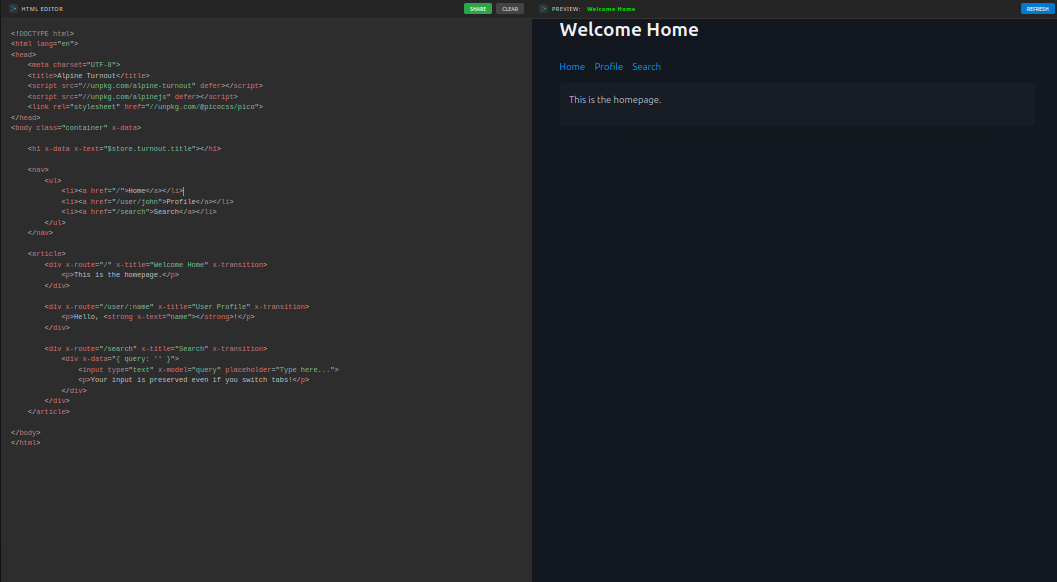
npm run devCreate a nice layout in html. Then use the x-route and x-title directives:
<!doctype html>
<html lang="en">
<head>
    <meta charset="UTF-8">
    <title>Alpine Turnout</title>
    <script src="//unpkg.com/alpine-turnout" defer></script>
    <script src="//unpkg.com/alpinejs" defer></script>
    <link rel="stylesheet" href="//unpkg.com/@picocss/pico">
</head>
<body class="container" x-data="{}">

    <h1 x-data x-text="$store.turnout.title"></h1>

    <nav>
        <ul>
            <li><a href="/">Home</a></li>
            <li><a href="/user/john">Profile</a></li>
            <li><a href="/search">Search</a></li>
        </ul>
    </nav>

    <article>
        <div x-route="/" x-title="Welcome Home" x-transition>
            <p>This is the homepage.</p>
        </div>

        <div x-route="/user/:name" x-title="User Profile" x-transition>
            <p>Hello, <strong x-text="name"></strong>!</p>
        </div>

        <div x-route="/search" x-title="Search" x-transition>
            <div x-data="{ query: '' }">
                <input type="text" x-model="query" placeholder="Type here...">
                <p>Your input is preserved even if you switch tabs!</p>
            </div>
        </div>
    </article>

</body>
</html>-
Go Here for a more
extensivelive example! -
Go Here for a more functional
note applive example! -
Go Here for a demonstration
studio applive example! -
Go Here and check out our
/examples/*directory for more.
Turnout automatically intercepts any internal <a href="/user/john">Visit John</a> links. You can also navigate programmatically:
<button @click="$store.turnout.go('/user/john')">Visit John</button>When you define an x-route, Alpine Turnout does three things:
-
Registers the path: Adds the pattern to a global registry.
-
Injects Scope: Makes route parameters (like
:name) available directly to the HTML inside that div. -
Manages Visibility: Uses
x-showlogic under the hood. When the URL matches, the "track" becomes visible; otherwise, it is hidden withdisplay: none.
| Property | Type | Description |
|---|---|---|
path |
String |
The current URL pathname. |
title |
String |
The value of x-title for the active route. |
notFound |
Boolean |
True if the current path matches no registered routes. |
go(path) |
Function |
Programmatically navigate to a new route. |
Used on a div or section to define a "track".
-
Static Routes:
x-route="/about" -
Dynamic Routes:
x-route="/post/:id"(makesidavailable in local scope). -
Wildcard (Custom 404):
x-route="*"
If no x-route="*" is found and the user hits an unregistered path, Turnout automatically injects a "Dead End" 404 section into your main element to prevent a blank screen.
Because Turnout uses Alpine's visibility toggling, you can use standard transitions. Note that we recommend setting a leave.duration.0ms if you want the "old" page to disappear instantly while the new one fades in.
<div x-route="/fast"
     x-transition.duration.500ms
     x-transition:leave.duration.0ms>
    ...
</div>| Subject | alpine-router(s) | alpine-turnout |
|---|---|---|
| DOM Logic | Destroys/Creates | Hides/Shows (Persistent) |
| State | Reset on nav | Preserved (Forms/Input) |
| Performance | Lower Memory | Faster Switching |
| Best For | Massive apps | One-pagers & Dashboards |
Most modern routers (React Router, Vue Router) are "empty" until JavaScript runs. Bots often see a blank page on the first pass.
Alpine Turnout’s Edge: Since all your "tracks" (the divs with x-route) are physically present in your HTML file, a crawler like Googlebot sees all your content immediately when it reads the source code.
The Result: Your internal pages are indexed much more easily than with a standard SPA.
Since this is a Single Page Application (SPA) using the History API, your web server should be configured to serve index.html for all requests that don't match a static file.
location / {
    try_files $uri $uri/ /index.html;
}Simply include a file named netlify.toml in the publish directory of your repository:
[[redirects]]
  from = "/*"
  to = "/index.html"
  status = 200
This project is tested using Vitest and JSDOM. Because Alpine.js initializes asynchronously, the test suite ensures that routes are correctly registered and cleared.
To run the tests:
npm install
npm testOur suite covers the following test cases:
-
initializes and shows the home route by default
-
navigates to a parameterized "track" and updates the view
-
updates parameters reactively without re-mounting the element
-
renders a 404 terminal when a "track" is not found
-
persists state (like attributes or input) when switching "tracks"
-
intercepts internal links and prevents default behavior
-
ignores external links and allows standard navigation