
This project demonstrates an automated ETL (Extract, Transform, Load) workflow using Microsoft Excel Power Query.
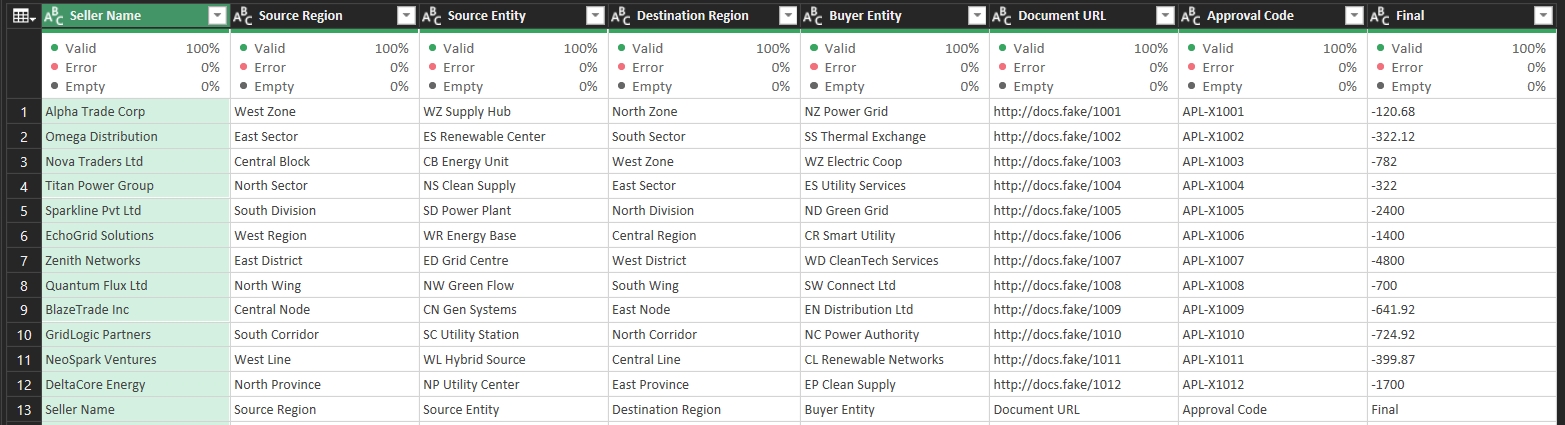
Any new file added to the data folder is automatically detected, transformed, validated, and loaded into the final Excel sheet without manual effort.
- Folder-based automatic file detection
- Data Cleaning & Transformation
- Column Validation (Valid / Error / Empty)
- Structured Data Output
- Auto Refresh Enabled
- No Manual Copy–Paste Required
- User drops raw data files into a designated folder.
- Power Query auto-detects new files.
- Data is cleaned and validated.
- Final transformed data loads into Excel dashboard.
- Microsoft Excel
- Power Query
- ETL Concepts
- Data Validation Rules
- Saves Time
- Reduces Human Errors
- Scalable for Multiple Files
- Professional Reporting Structure
Business Reporting, Sales Tracking, Audit Logs, and any repetitive Excel data automation scenario.
This project simulates a real-world business automation workflow using Excel ETL.