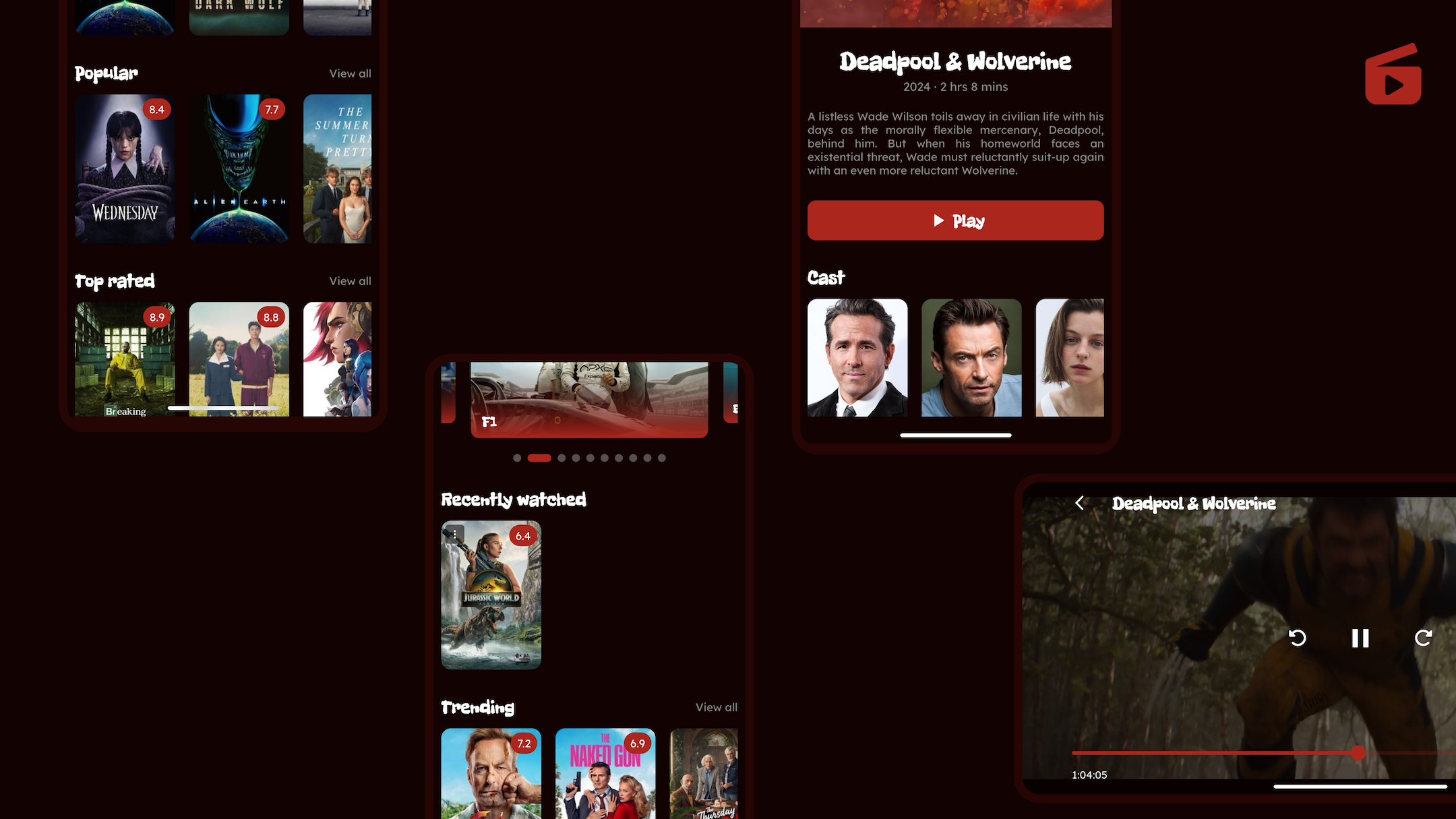
Semo is designed to offer a seamless movie and TV show streaming experience. With support for multiple streaming servers, synced watch progress, YouTube trailer playback, and fully customizable subtitles, Semo aims to be your go-to streaming app for enjoying your favorite content.
🗂 Comprehensive Library
- Access almost all movies and TV shows.
- Explore a vast library to find something for everyone using TMDB data.
🎥 Stream Playback
- Play movies and TV shows directly using high-quality HLS or file streams.
- Multiple streaming servers with automatic fallbacks and quality labelling for direct-file sources.
⏳ Synced Watch Progress
- Automatically syncs playback progress for movies and episodes.
- Never lose your spot, even if you switch devices or revisit content later.
🔠 Customizable Subtitles
- Support for .srt subtitle files (converted on the fly to WebVTT for playback).
- Filter subtitles by language and cache downloads for offline reuse.
- Play official trailers via resilient multi-backend YouTube extraction.
- Sniff additional media links directly from provider pages when needed.


Download APK
Download IPA
Client: Flutter
Server: Firebase
- Architecture
- API services:
- TODOs
Prerequisites:
- Flutter SDK (latest stable version).
- A code editor (e.g., Android Studio, VSCode).
- A Firebase account
Instructions:
- Clone the repository
git clone https://github.com/moses-mbaga/semo.git
cd semo- Install the dependencies:
flutter pub get-
Under the parent directory, create a
.envfile, which will contain the secrets required to run the app. An example can be found in.env.example. -
Auto generate asset and env helpers using build_runner:
dart run build_runner build --delete-conflicting-outputs-
Add Firebase to the app using FlutterFire CLI. You can follow instructions from the official documentation
-
Run the app:
flutter runIf you encounter any issues or have suggestions, please open an issue in the GitHub Issues section.
Enjoy streaming with Semo! 🌟