Save time for gcloud sql instances list and cloud-sql-proxy command.
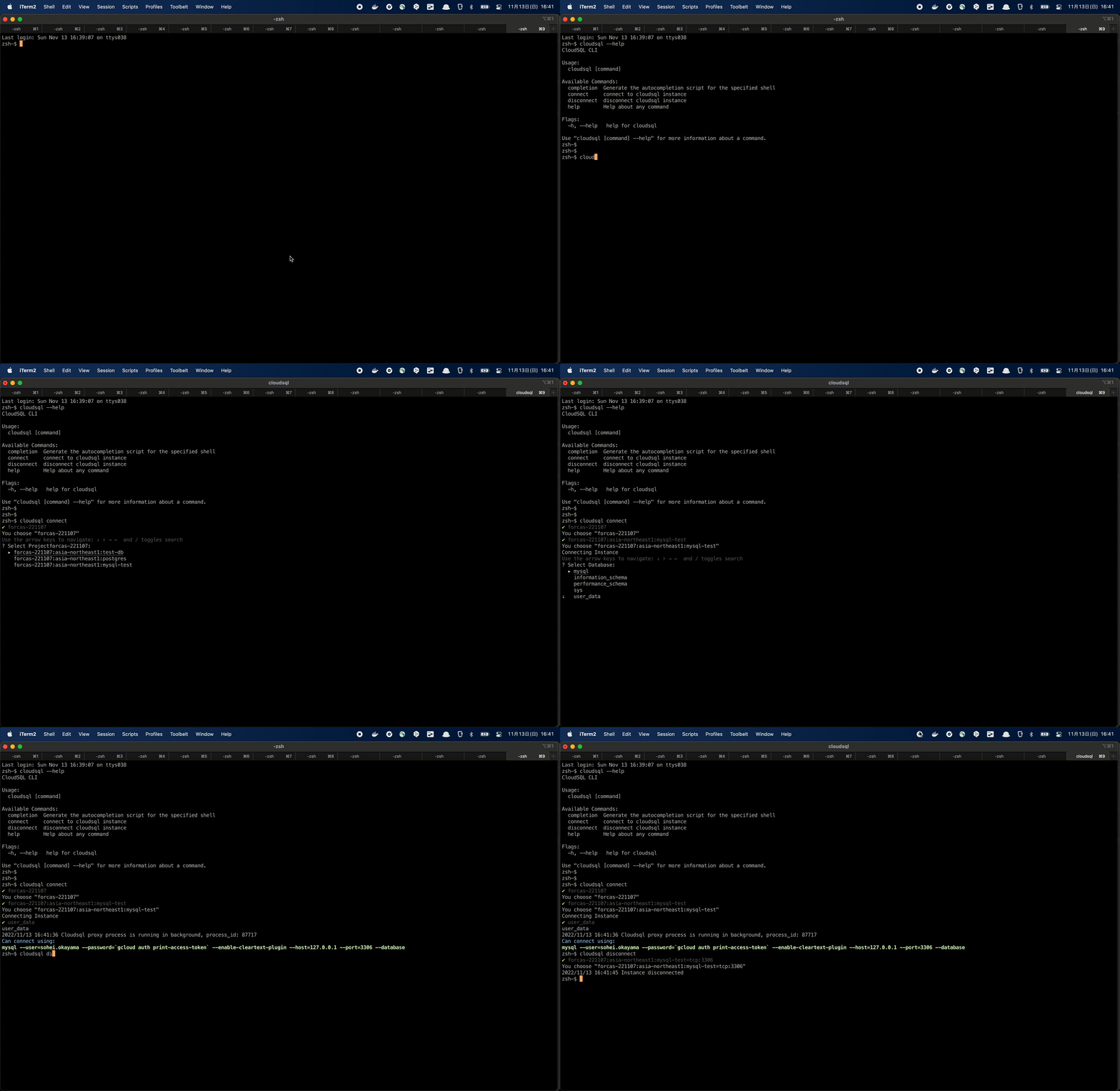
-
Information
When cloud-sql-proxy was updated from version 1 to 2, the command was changed from cloud_sql_proxy to cloud-sql-proxy (underscores are now hyphens). Please upgrade to the new version (v2) if you are using the old version (v1). -
Preparation
1. Install Cloud SQL Auth Proxy
https://cloud.google.com/sql/docs/postgres/sql-proxy?hl=ja#install
$ chmod +x cloud-sql-proxy
$ sudo mv cloud-sql-proxy /usr/local/bin/

2. Install Gcloud CLI & Auth
https://cloud.google.com/sdk/docs/install?hl=ja
$ gcloud auth login
$ gcloud auth application-default login

3. Check Preparation
$ gcloud --version
$ cloud-sql-proxy --version
- Install
Chose
DownloadorBuildorbrew install
- brew install
$ brew tap s-okayama/homebrew-cloudsql
$ brew install s-okayama/cloudsql/cloudsql

- Download
https://github.com/s-okayama/cloudsql/releases
$ chmod +x cloudsql
$ sudo mv cloudsql /usr/local/bin/

- Build
$ git clone git@github.com:s-okayama/cloudsql.git
$ go build
$ chmod +x cloudsql
$ sudo mv cloudsql /usr/local/bin/
- Set Config File Set Your GCP Project ID to a Config File
$ mkdir ~/.cloudsql/
$ vim ~/.cloudsql/config
project-dev
project-prd
$ cloudsql
CloudSQL CLI

Usage:
  cloudsql [command]

Available Commands:
  completion  Generate shell completion script
  config      manage connection profiles
  connect     connect to cloudsql instance
  disconnect  disconnect cloudsql instance
  doctor      troubleshooting
  help        Help about any command
  info        show cloudsql instance details
  list        list connected cloudsql instance
  version     Print the version number of cloudsql

Flags:
  -h, --help   help for cloudsql
# Interactive mode
$ cloudsql connect

# With port
$ cloudsql connect --port 12345

# Direct mode (opens psql session directly)
$ cloudsql connect --direct

# With saved profile
$ cloudsql connect mydb
$ cloudsql connect --profile mydb

# Debug mode
$ cloudsql connect --debug
If the specified port is already in use, an available port is automatically selected. If a proxy for the same instance is already running, the existing connection is reused.
# Select instance to disconnect
$ cloudsql disconnect

# Disconnect all instances
$ cloudsql disconnect --all
# Interactive mode
$ cloudsql info

# With saved profile
$ cloudsql info --profile mydb
Displays instance details: region, DB version, tier, state, IPs, storage, backup, maintenance window, etc.
Save frequently used connections to skip interactive selection.
# Save a profile (interactive selection)
$ cloudsql config save mydb

# List saved profiles
$ cloudsql config list

# Delete a profile
$ cloudsql config delete mydb
Profiles are stored in ~/.cloudsql/profiles.json.
# Zsh
$ source <(cloudsql completion zsh)

# Permanent (Zsh)
$ cloudsql completion zsh > "${fpath[1]}/_cloudsql"

# Bash
$ source <(cloudsql completion bash)

# Fish
$ cloudsql completion fish | source
$ cloudsql doctor
Google Cloud SDK Version: 569.0.0
gcloud version: 569.0.0
Authenticated user account: user@example.com
cloud-sql-proxy version: cloud-sql-proxy version 2.14.3
psql version: psql (PostgreSQL) 16.3
mysql version: mysql  Ver 9.0.1 for macos14.4 on arm64 (Homebrew)
config file: ok
Your system is All Green!