Repository navigation
MIDI Routing
s3g Relay, s3g Tracker, s3g Utility NIM Gesture, and s3g Utility Neon MIDI are Max MIDI Effects. Their generated MIDI can reach the next instrument on the same track directly, and can also be sent to a separate numbered MIDI bus. The MIDI OUT menu controls only that additional bus.
Put Relay or Tracker before a Live instrument on a MIDI track. When the s3g device generates notes, the instrument plays even if MIDI OUT = OFF. Selecting 01–16 copies the output to that private bus; it does not disable the direct path.
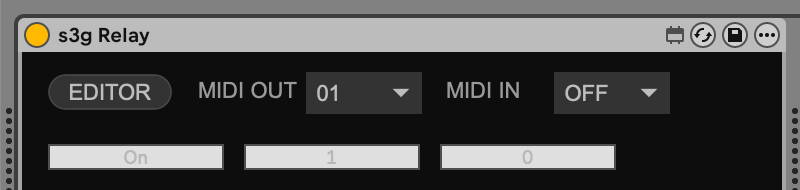
This is the simplest setup. No s3g MIDI Bus to Live device is needed on the same track.
- Put Relay or Tracker on the sending MIDI track and set MIDI OUT = 01.
- On the destination MIDI track, put s3g MIDI Bus to Live before the Live instrument. Set the bridge's MIDI IN = 01. Choose MIDI CH = ALL for every channel, or 01–16 to pass only one.
- Use Live's normal track monitoring to hear the destination instrument.
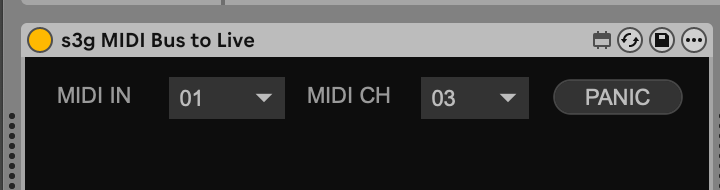
MIDI CH = 03 is just the pictured filter setting; choose the channel sent by the notes you want this track to play.
The bridge filters only its private bus. Live's MIDI From channel chooser filters the track input, not MIDI inserted by this bridge; ordinary incoming Live MIDI also passes through the bridge unfiltered. Changing MIDI IN or MIDI CH releases held bus notes. The bridge merges the resulting bus MIDI with ordinary incoming Live MIDI on its track. If the sender also has an instrument after Relay or Tracker, both that instrument and the remote instrument can sound. Keep the sender on a separate MIDI track when you want only the remote instrument.
For two ordinary Live instruments, use MIDI OUT = 01 on the sender and MIDI IN = 01 on both bridges. Set one bridge to MIDI CH = 01 and the other to MIDI CH = 02. The bus is the shared route; the channel chooses which notes each bridge passes on.
Use three MIDI tracks to let Relay sequence two s3g Drum instruments while each drum keeps its own stereo output:
Track 1: s3g Relay ── MIDI OUT 01 ──┬── Track 2: s3g Drum Kick  (MIDI IN 01)
                                    └── Track 3: s3g Drum Snare (MIDI IN 01)
-
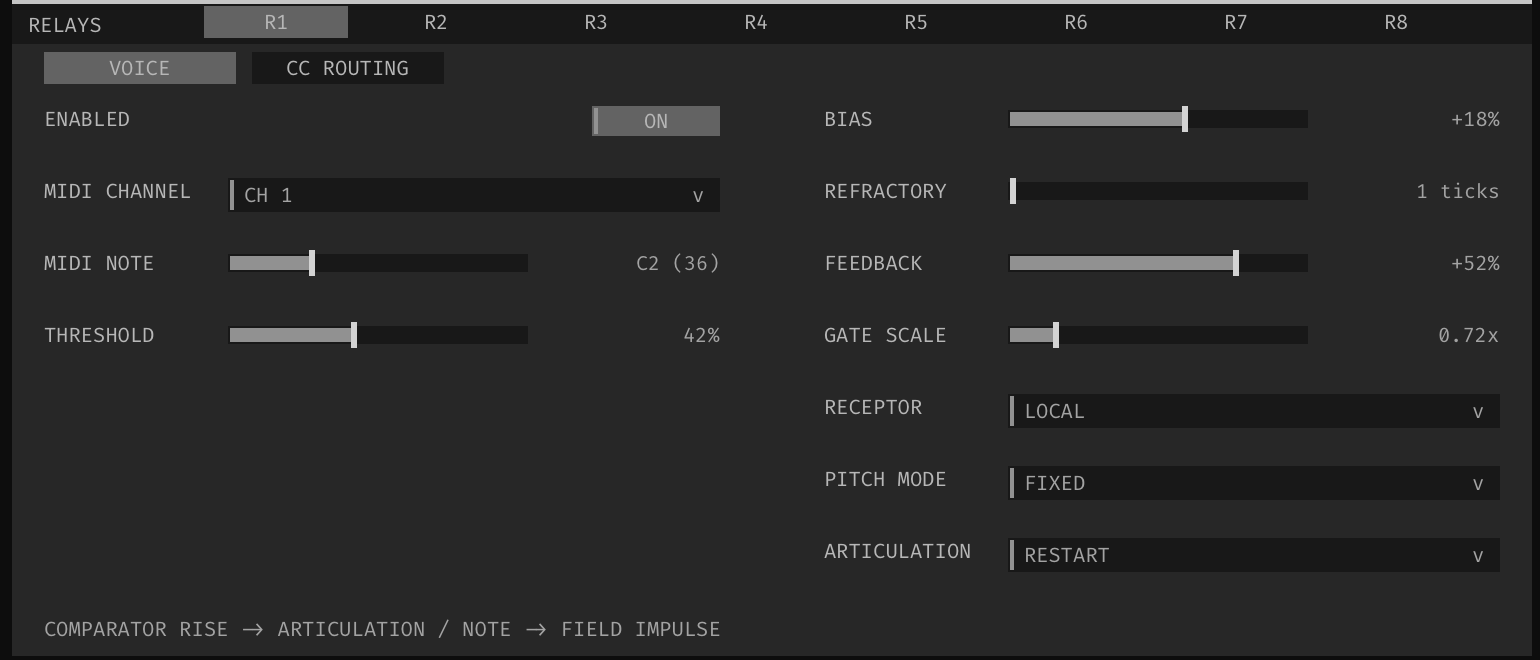
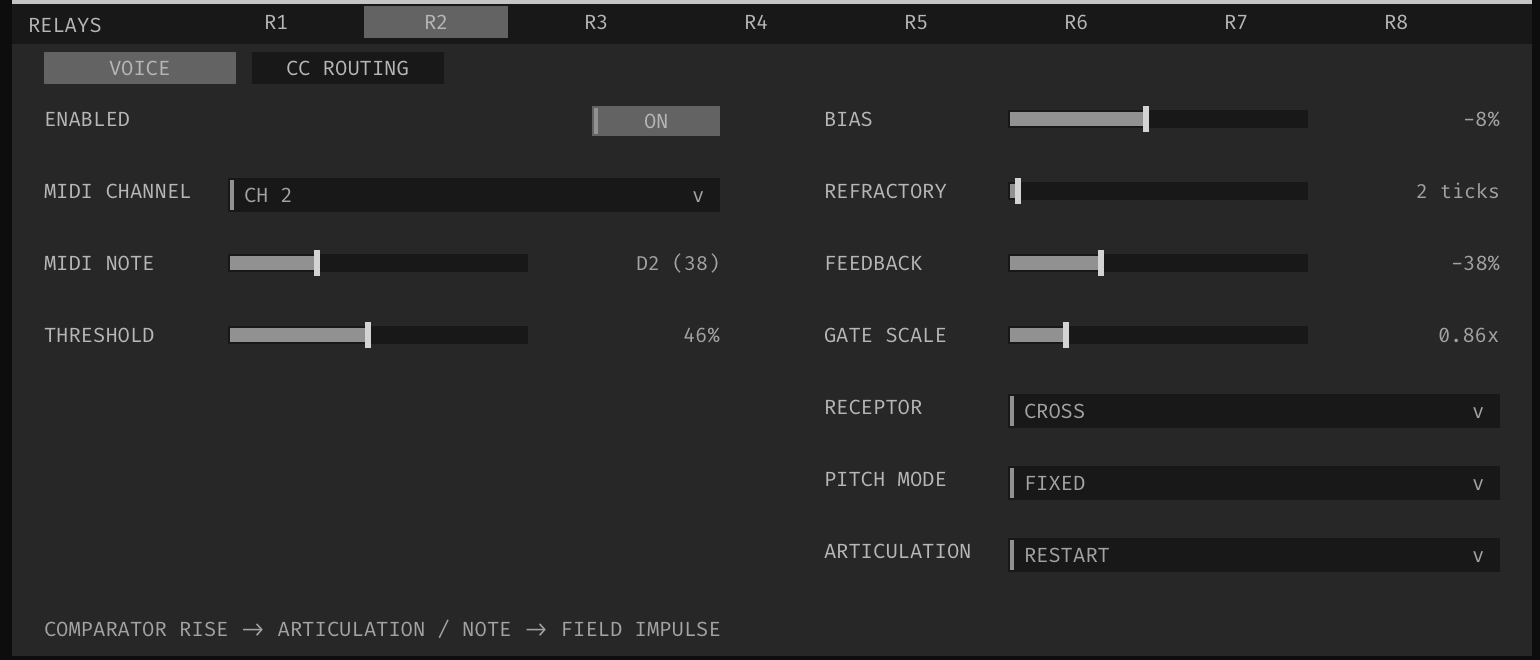
On Track 1, load s3g Relay. Leave its MIDI IN = OFF and set MIDI OUT = 01. In Relay's EDITOR, select relay R1 and set its Pitch Mode = Fixed, MIDI Note = 36, and MIDI Channel = 1. Set R2 to Fixed, MIDI Note = 38, and MIDI Channel = 2. For a first test, set R3–R8's MIDI Note to Off so they do not trigger additional hits.
-
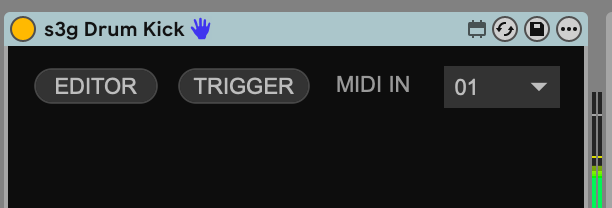
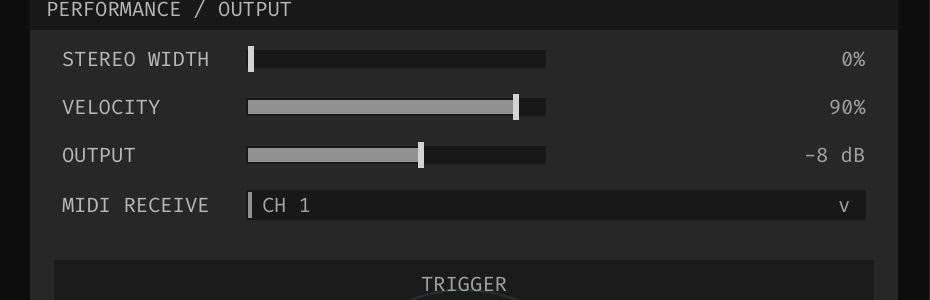
On Track 2, load s3g Drum Kick and set the wrapper's MIDI IN = 01. In its EDITOR, set MIDI RECEIVE = CH 1.
-
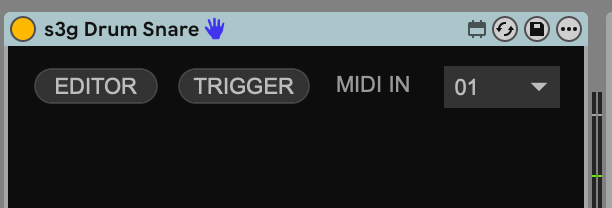
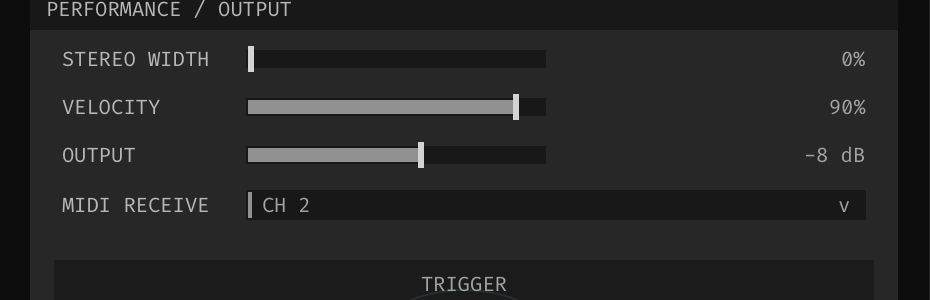
On Track 3, load s3g Drum Snare and set MIDI IN = 01. In its EDITOR, set MIDI RECEIVE = CH 2.
-
Start Live's transport. R1's note 36 plays Kick; R2's note 38 plays Snare. Keep both Drum tracks unmuted and use their ordinary stereo outputs—no 36-channel audio bus or Main hardware device is needed.
The two Drum wrappers receive the same private MIDI bus but filter by MIDI channel inside their CLAP editors. This matters because Drum Kick and Drum Snare can both respond to notes other than their reference notes. Leave either editor at OMNI only if that drum should respond to both relays. The Drum wrappers receive the bus directly: do not add s3g MIDI Bus to Live or set Live's MIDI From to the Relay track for this example. Their TRIGGER buttons audition the instruments without testing the MIDI bus.
If a MIDI effect's MIDI IN and MIDI OUT use the same bus number, its private bus output is suppressed to prevent feedback. Its direct same-track MIDI path remains separate.
Check the sender's MIDI OUT, the receiver's MIDI IN, the destination track's monitoring, and the bridge's MIDI CH or any MIDI channel filter inside the receiving plugin. OFF disconnects a private bus but does not mute direct MIDI on the sender's track. Use the bridge's PANIC button if bus notes become stuck.
The cross-track Max bus is scheduler-timed, not sample-accurate. Test timing in a Live Set before relying on it for tight sequencing.