Repository navigation
Multichannel Audio Routing
Live's ordinary track path is stereo. s3g Bus Send 36 and s3g Bus Receive 36 provide an explicit, numbered 36-channel connection between tracks. The same bus works for Ambisonics and other multichannel layouts. The s3g Ambi … wrappers do not contain hidden bus connections: put Send and Receive devices wherever the signal crosses a track boundary.
This example feeds s3g Ambi Encoder Path from a stereo source.
-
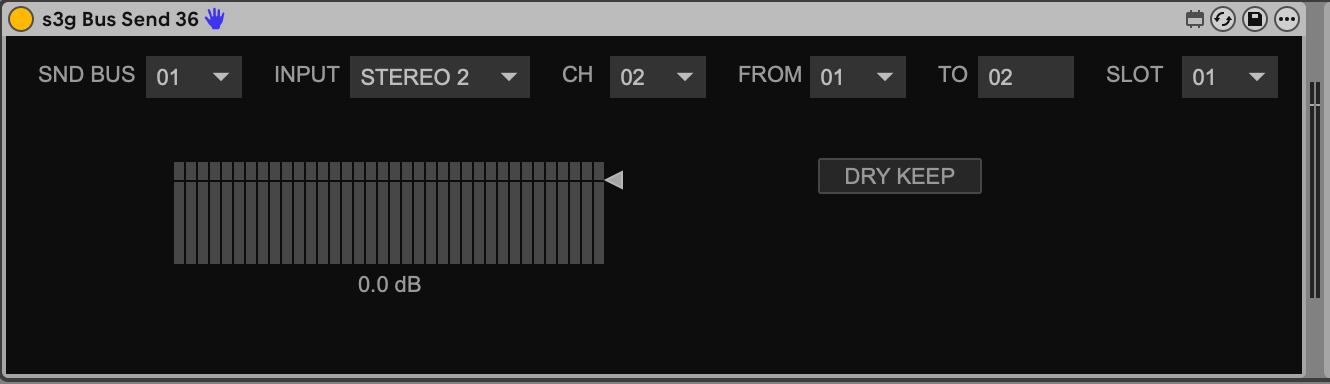
On the source track, put s3g Bus Send 36 after the stereo source. Set INPUT = STEREO 2, CH = 2, SLOT = 01, and BUS = 01. Choose DRY KEEP if the source should also play on its own track, or BUS ONLY if it should not.
-
On a separate audio track, put s3g Bus Receive 36 immediately before s3g Ambi Encoder Path. Set BUS = 01. Leave MON = OFF for a bus-only track.
The Receive publishes its channels to the next device on that track. The encoder's output also moves to the next device on the same track automatically; no NEXT switch is required.
-
After the encoder, add another s3g Bus Send 36. Select INPUT = CHAIN 36, CH = 36, SLOT = 01, and BUS = 02.

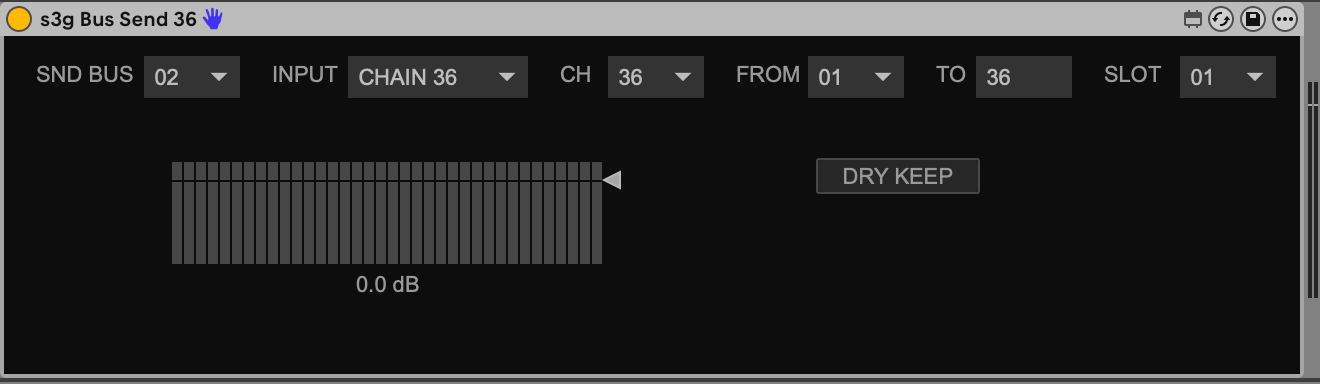
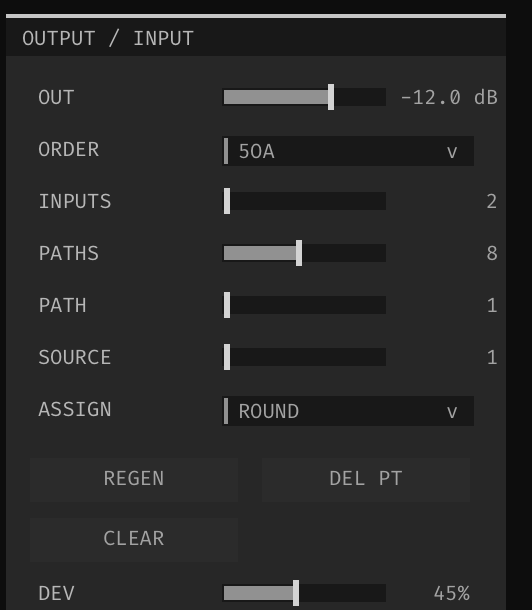
For this stereo-source example, set Path's INPUTS = 2 in its editor. Set ORDER = 5OA to produce 36 active Ambisonic channels. The Send's CH = 36 transports those slots; it does not set the encoder's order. See the Path plugin controls for other input counts and orders.
-
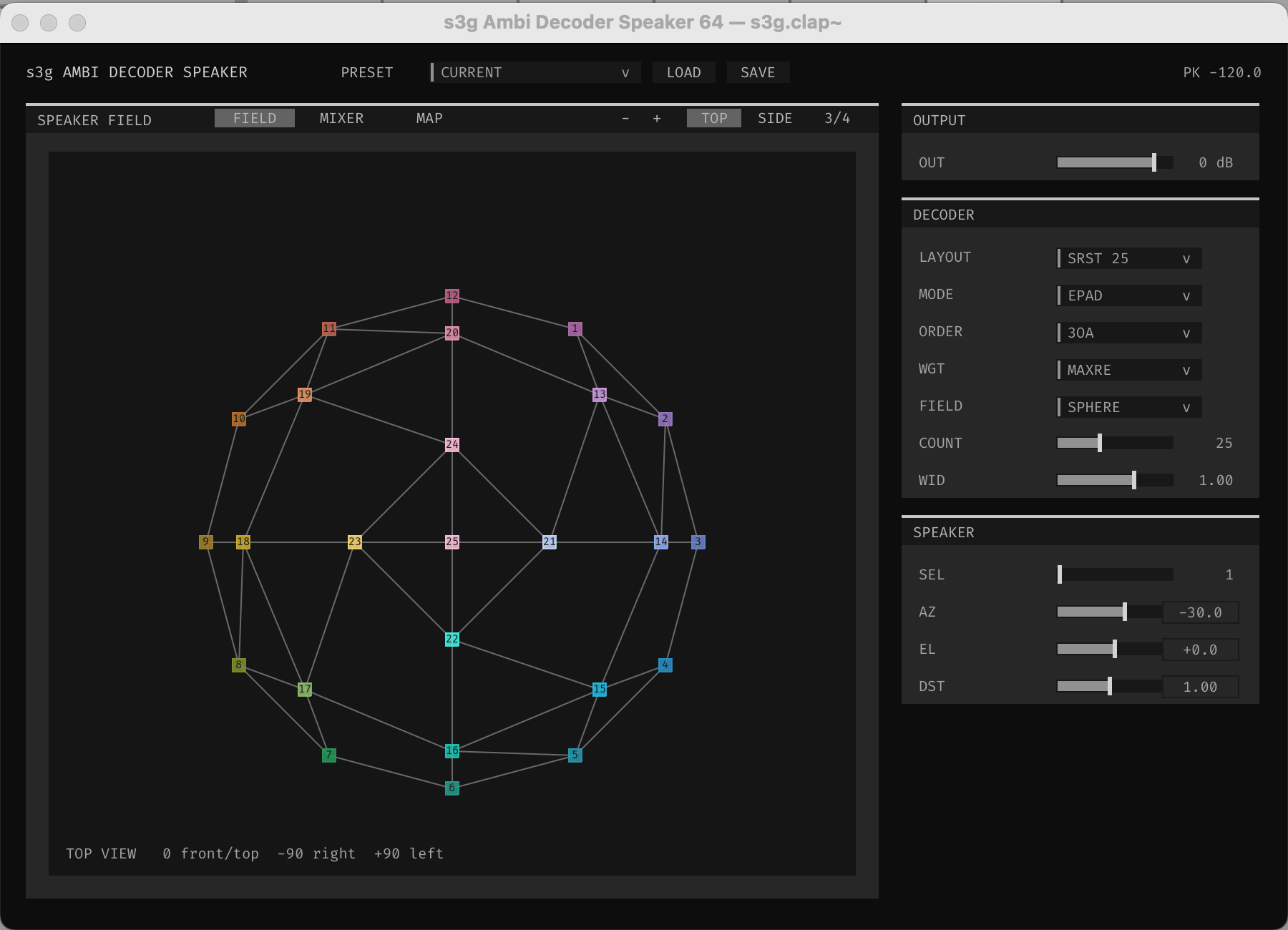
On the decoder track, put s3g Bus Receive 36 (BUS = 02) before a compatible decoder, such as s3g Ambi Decoder Speaker.

Open the Speaker decoder's EDITOR to choose its speaker layout and decoding settings. This screenshot shows an SRST 25 speaker field with ORDER = 3OA. The decoder's order is a separate setting from the encoder's order and the Send's CH = 36 bus width.
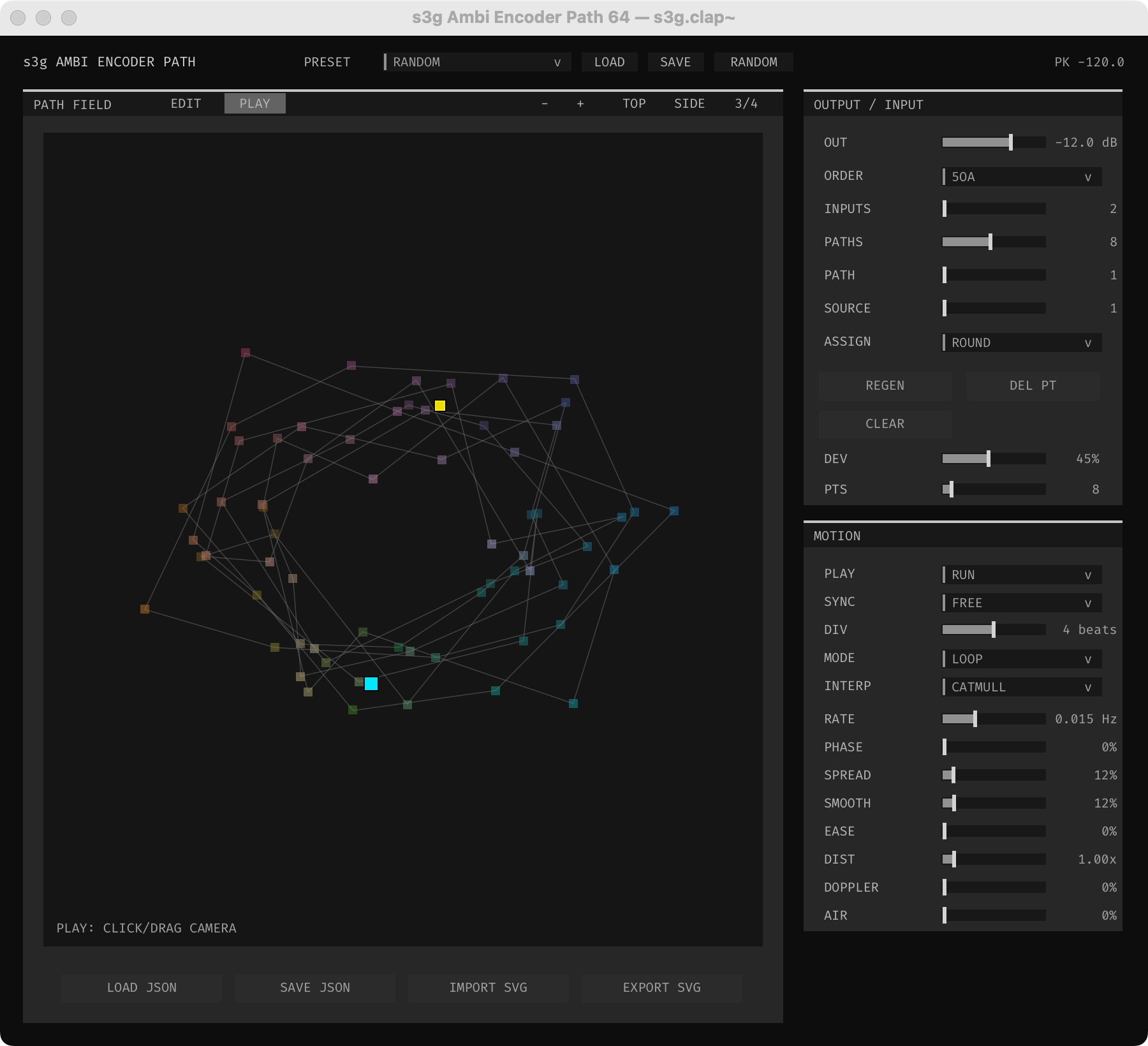
Use a new bus number after the encoder because Bus 01 carries the stereo source and Bus 02 carries the encoded field. Multiple Sends may feed one audio bus; their channels are summed at its Receive. Use one Receive destination per audio bus number. For further cross-track effects, add a new Send/Receive pair on another bus. For an effect on the same track, simply place it between the encoder and Send.
The bus holds 36 channels, enough for fifth-order Ambisonics. A CLAP may offer higher orders, but channels above 36 do not cross this bus. Set Send's CH to the active output count for smaller formats; selecting CH = 36 in this example carries all available encoder slots, including silence in unused slots.
The Receive's MON menu auditions a stereo pair through the track's ordinary output. It does not change the multichannel signal passed to the next device. Set it back to OFF when you do not want that monitor path.
After a multichannel decoder or panner, continue to Main Hardware Output. Stereo decoders instead return to Live's normal stereo output.