This is a CMake setup that loads glfw, OpenGL, stb_image, stb_truetype, and ImGUI. It works both on Windows and Linux.
It is cross-platform with linux,windows and it is easy to add libraries FULL EXAMPLE VIDEO!
Opening the Solution:
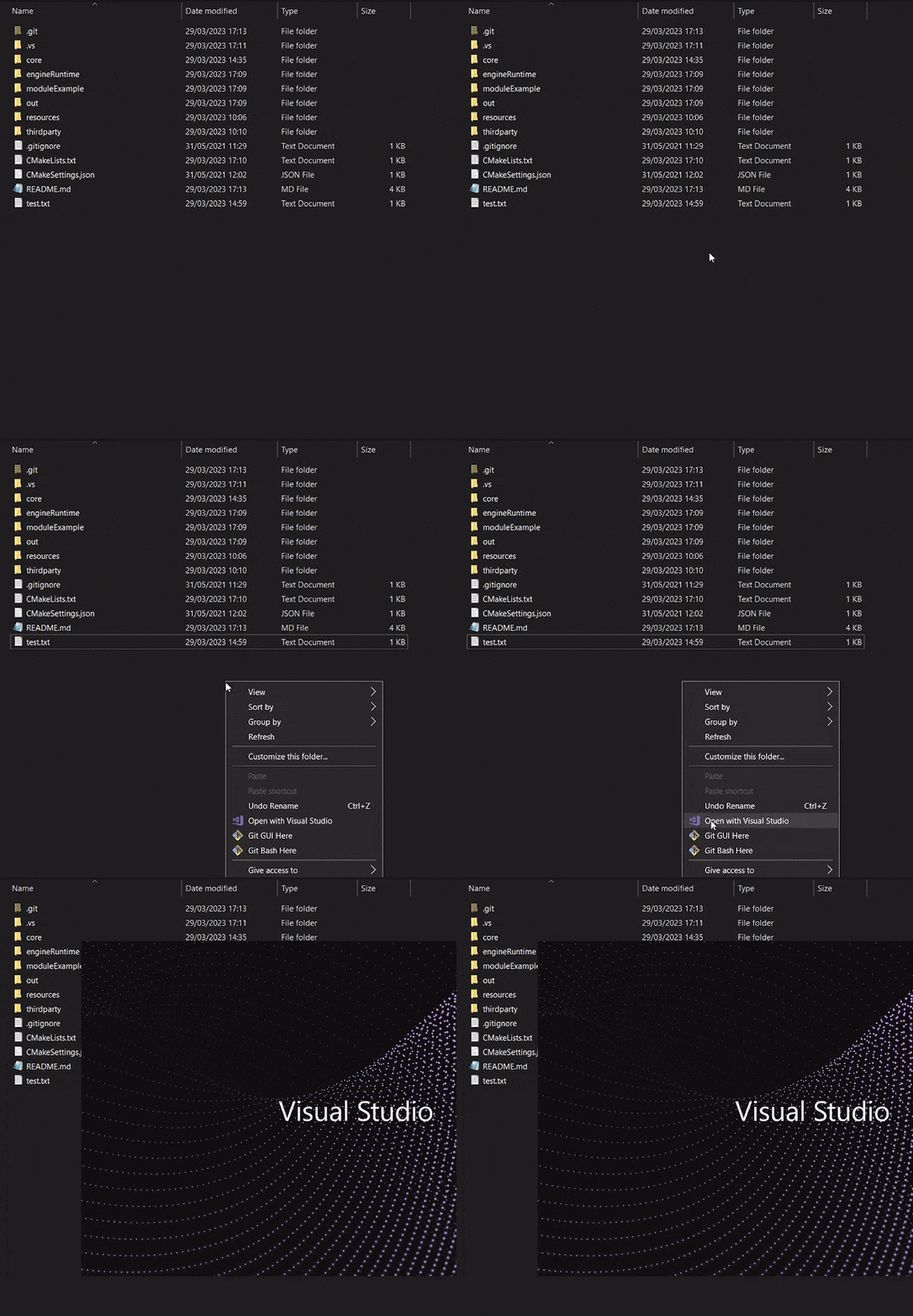
Or
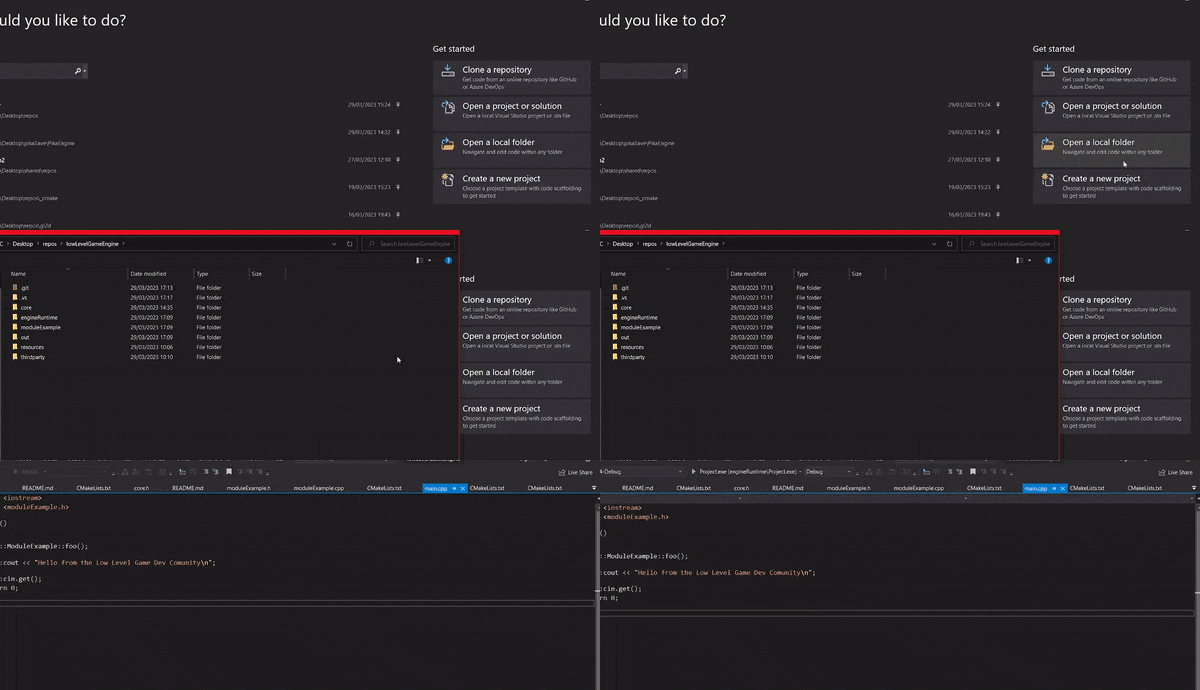
Running the setup
Go to CMakeLists.txt, CTRL + S to make sure the solution was built.
Then, from this dropdown select mygame.exe
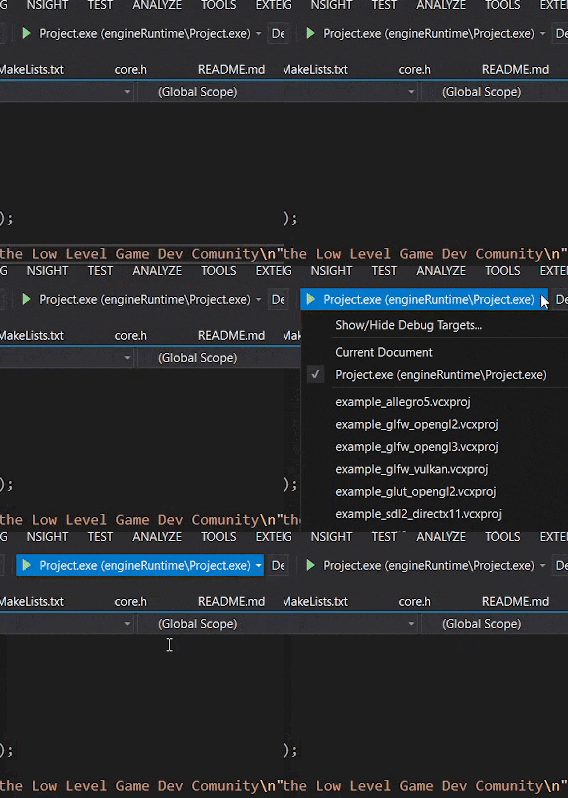
Ctrl + F5 to build (F5 oppens the debugger, you usually want to press Ctrl + F5 because it oppens faster like this.
Adding files:
You should add .cpp in src and .h in include Whenever you add a new file CMake will ask you if you want to add that thing, say NO every time! I am already adding all of the things.
If you accidentally say YES, just remove that file from the CMake.lists
Refreshing your changes:
After you add a file, the changes should be automatically added but if you want to be sure, you can refresh changes by saving the CMake file. If you want to make a hard refresh (you might have to do that sometimes) close Visual Studio, delete the out folder, reopen VS, CTRL + S on CMakeLists.txt
you need to have a /textures/ in a folder that is a directory behind the executable file to load textures
To ship the game: In Cmakelists.txt, set the PRODUCTION_BUILD flag to ON to build a shippable version of your game. This will change the file paths to be relative to your exe (RESOURCES_PATH macro), will remove the console, and also will change the aserts to not allow people to debug them. To make sure the changes take effect I recommend deleting the out folder to make a new clean build!