- Angular CLI Version: 10.0.4
- Angular Core Version: 10.0.4
- Node Version: v12 (LTS)
- Default Port: 8000
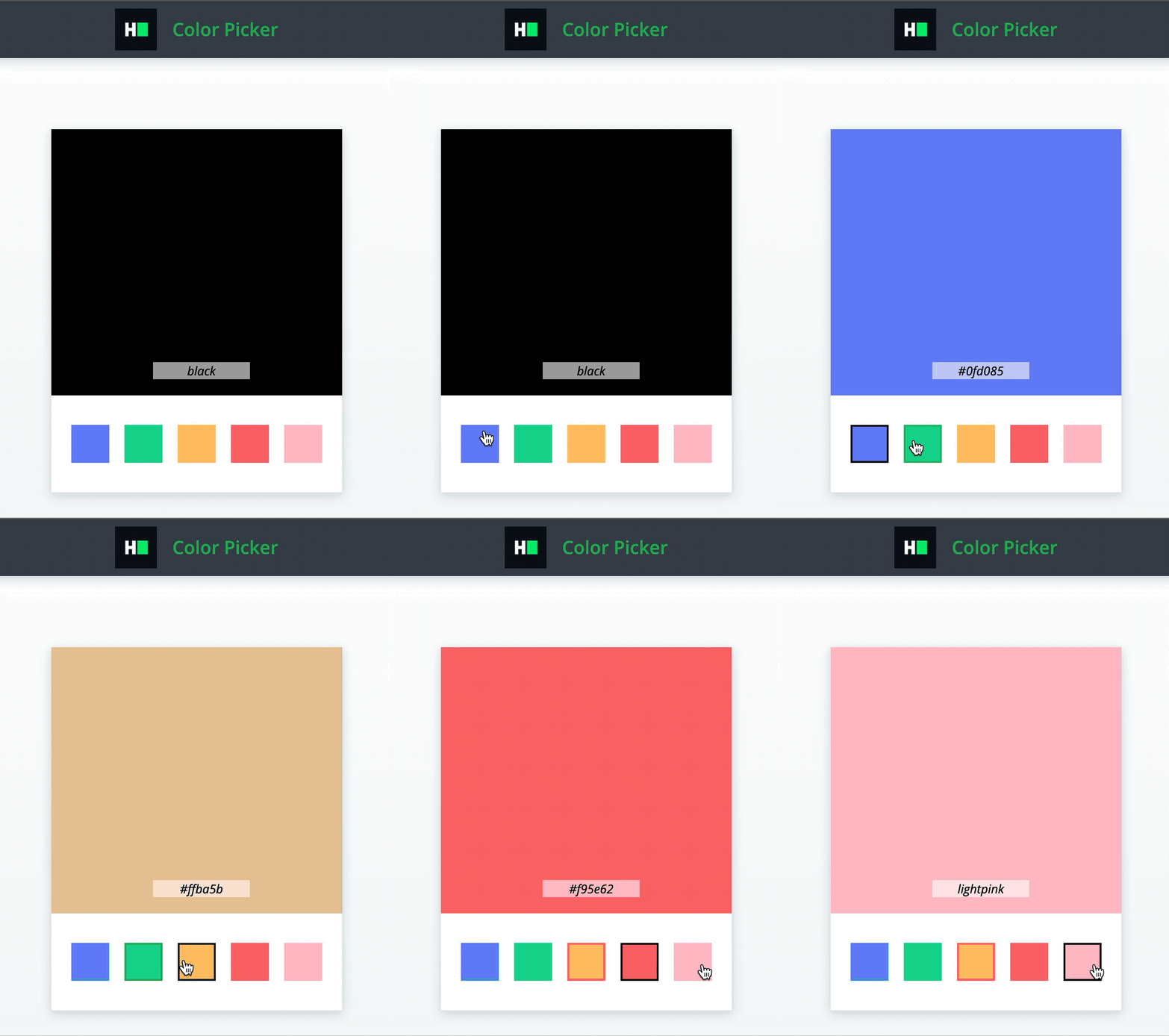

The component will have the following functionalities:
-
There is a selectedColor div, which is a div with the data-test-id attribute as
selectedColor. This div shows the chosen color.- Initially, the color of this div is set by props property initialSelectedColor which is a string denoting a valid CSS color name (e.g., “red” or “#efefef”).
-
There is a color list, which is a div with the data-test-id attribute as
colorPickerOptions. Clicking any color from this list changes the color of the selectedColor div.- Please note that backgroundColor of the clicked div in this list is the color to be set as backgroundColor of selectedColor div. The colors in this list are passed as props via the property
colorPickerOptionswhich is an array of strings, where each string is a valid CSS color name.
- Please note that backgroundColor of the clicked div in this list is the color to be set as backgroundColor of selectedColor div. The colors in this list are passed as props via the property
The following data-test-id attributes are required in the component for the tests to pass:
- The selectedColor div should have the data-test-id attribute
selectedColor. - The color list should have the data-test-id attribute
colorPickerOptions
Read Only Files
- src/app/color-picker/color-picker.component.spec.ts
- src/app/app.component.spec.ts
Commands
- run:
bash bin/env_setup && . $HOME/.nvm/nvm.sh && npm start- install:
bash bin/env_setup && . $HOME/.nvm/nvm.sh && npm install- test:
bash bin/env_setup && . $HOME/.nvm/nvm.sh && npm test