

Infile is a tool for efficient file management and text-based file processing, supporting various file operations in a simple interface.
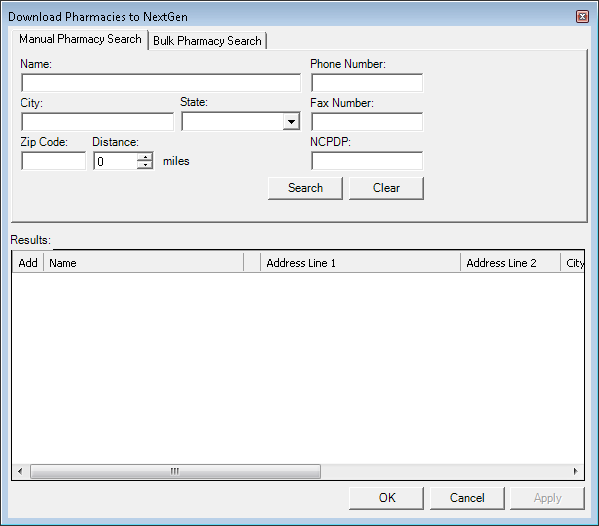
Purpose of the Program: 'Infile' is a versatile file management tool designed for efficiently handling file input and output (I/O) operations. Whether it's processing large datasets, reading or writing text files, or interacting with file systems, Infile provides a simple and effective interface for these tasks. It is particularly suited for users who need to automate file operations, manage text files, and streamline workflows related to data extraction and processing.
Key Features:
- Text File Management: Infile allows for the opening, reading, editing, and saving of text files in various formats, providing a seamless experience for managing large sets of data.
- Advanced Search and Filter: The tool supports search and filtering functions, enabling users to quickly locate specific data points within large text files.
- Batch Processing: Infile allows users to process multiple files at once, making it ideal for tasks like data migration, data cleansing, or batch file edits.
- Customizable Output: Users can customize the format of their output data, whether it's for reporting, logging, or further processing.
- File Integrity Checking: The software can perform basic file integrity checks, ensuring that no data is lost or corrupted during file manipulation.
- Cross-Platform Compatibility: Infile works across multiple operating systems, providing flexibility for various workflows.
Unique Features:
Infile stands out with its user-friendly interface, powerful batch processing capabilities, and support for a wide variety of text file formats. The ability to perform complex file I/O operations without needing advanced technical knowledge is one of the key selling points of this tool.
Target Audience:
Infile is ideal for developers, system administrators, data analysts, and anyone who frequently works with large sets of text files or needs to automate file-related tasks. Its simplicity also makes it accessible to less technical users who require a straightforward tool for file management.
Advantages of Use:
Infile helps users save time and reduce errors in file processing by automating repetitive tasks, supporting batch operations, and providing a comprehensive set of file handling features. Its cross-platform functionality ensures that it can be used in diverse environments, from personal computers to enterprise-grade systems.
Functional Modules:
- File Input/Output: The core functionality of Infile is its ability to read, write, and edit files of various types, including text files, CSVs, and logs.
- Batch Processing: Handle multiple files at once, performing actions such as renaming, moving, or editing large numbers of files in a single operation.
- Search and Filter: Search through files based on keywords, regular expressions, or specific data criteria, and filter results accordingly.
- Data Processing: Extract or modify specific data points in text files using built-in functions for automation.
- Logging: Maintain detailed logs of file operations for auditing or troubleshooting purposes.
System Requirements:
- Operating System: Windows 7/8/10 or later, macOS, Linux.
- Processor: Minimum Intel i3 or equivalent processor.
- Memory: 2 GB RAM (4 GB or more recommended for larger datasets).
- Storage: 100 MB free disk space for installation, additional space for files.
- Software: Microsoft .NET Framework 4.5 or later (for Windows users).
Supported Platforms:
- Windows
- macOS
- Linux
Algorithms and Mechanisms:
Infile uses efficient algorithms for file processing, ensuring that even large files are handled without excessive memory or time usage. The batch processing feature relies on optimized file I/O functions that minimize system overhead while performing multiple actions on files concurrently.
Technologies Used:
The program uses technologies like .NET (for Windows), Python (for cross-platform compatibility), and various open-source libraries for efficient file manipulation and system integration. These technologies ensure that Infile remains lightweight, fast, and easy to update.
Security and Data Protection:
Infile ensures that all files are processed locally and does not require cloud storage, minimizing exposure to external threats. Additionally, the software includes encryption support for sensitive data and allows users to apply password protection to files during editing or export.
Performance:
The tool is designed to handle large files and execute complex operations quickly and with minimal delay. Batch operations and simultaneous file handling are performed efficiently to ensure the user can complete tasks without long wait times.
Updates and Releases:
Infile is regularly updated to include bug fixes, new features, and compatibility improvements. Users can opt for automatic updates or manually check for newer versions through the software's update menu.
Licensing and Terms:
Infile is available under a commercial or free trial license. The free version includes basic file management features, while the commercial version unlocks batch processing, advanced search, and file security features. A subscription model is available for businesses requiring enterprise-level support.
Limitations:
The primary limitation of the free version is the lack of batch processing and advanced file security options. Additionally, the tool may not support certain non-text file formats like binary files or proprietary application formats.
Typical Use Cases:
- Automating file organization and management tasks in an office or IT environment.
- Batch editing large volumes of log or CSV files.
- Quickly processing data from text files and converting them into more structured formats for analysis.
Step-by-Step Guide:
1. Download and install Infile from the official website or authorized distributors.
2. Open the program and choose a file or multiple files to process.
3. Use the file management tools (read, edit, search, filter) as needed.
4. Select the batch processing option if you want to apply the same action to multiple files.
5. Save your changes or export processed files in the desired format.
Installation and Setup:
1. Download the installer from the official site.
2. Run the installer and follow the on-screen instructions.
3. After installation, open Infile and customize settings for file types, search preferences, and output formats.
Running the Software:
After installation, launch Infile and load the file you wish to manage. Use the built-in tools to perform operations such as reading, editing, searching, or batch processing files. Export or save your results in various formats as required.
User Reviews:
Users generally find Infile to be a reliable tool for managing text-based files. The batch processing feature is frequently highlighted as a time-saver, while others appreciate its cross-platform functionality. Some users wish for support for additional file types beyond text files, but overall, the software is well-received for its ease of use and efficiency.