Tutorial URL: https://developers.sap.com/tutorials/abap-environment-s4hanacloud-service-consumption.html
Please specify the step you are referring to : Step 3 - Subpart 8(Select External API and click on the butterfly symbol).
I thing there is a missing step as it is just mentioned to click on the butterfly symbol but noting is mentioned about the association condition. This results in an error later while saving.
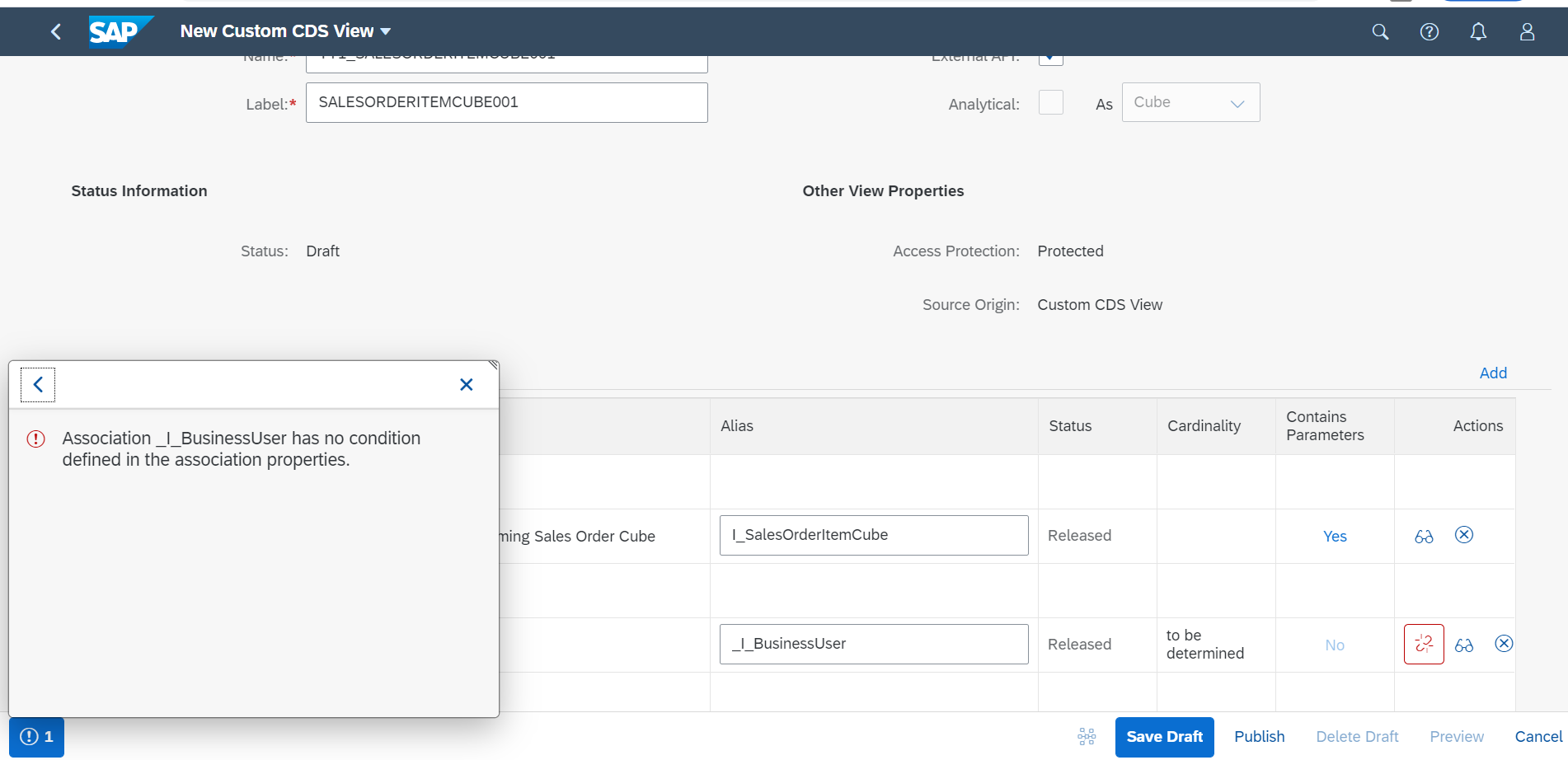
I believe the the association condition should be mapping between BusinessPartner and sold-to-party.
Best Regards,
Chaitra


Tutorial URL: https://developers.sap.com/tutorials/abap-environment-s4hanacloud-service-consumption.html
Please specify the step you are referring to : Step 3 - Subpart 8(Select External API and click on the butterfly symbol).
I thing there is a missing step as it is just mentioned to click on the butterfly symbol but noting is mentioned about the association condition. This results in an error later while saving.

I believe the the association condition should be mapping between BusinessPartner and sold-to-party.
Best Regards,
Chaitra