Raycasting
Raycasting is a rendering technique to create a 3D perspective in a 2D map. it basically throw rays to the direction of the player view. This is necessary to find the walls in the map and check the distance of the wall to calculate the size of the line we need to draw in the canvas. The map will be an integer number matrix with 1 (one) or 0 (zero) values where 0 (zero) represents the empty place and 1 (one) represents the wall.
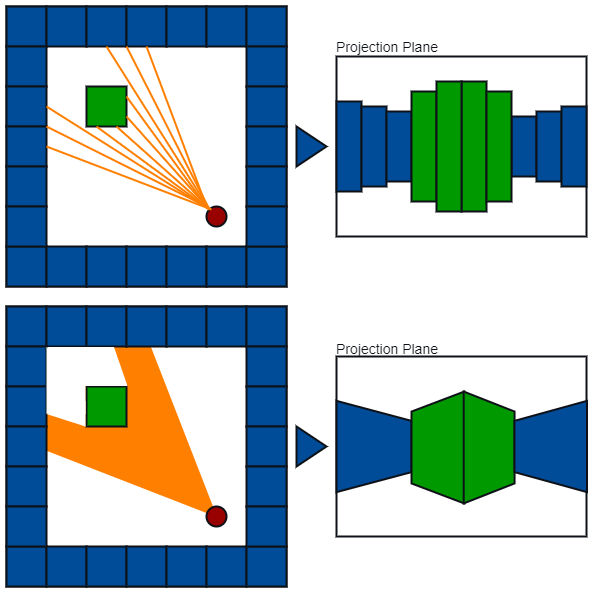
- Map is a 2D square grid
- Either grid can be 0: no wall or 1: Wall
- For every pixel in screen, send out a ray that starts at the players's position and depend on both:
- Player's looking direction
- x-coordinate of the screen
- Player's height
- half of the wall height
- Player's field of vision (FOV)
- determines how wide the player sees the world in front of him/her.
- Player's position
- To put the player inside the world, we need to define the player's x and y coordinates.
- Projection plane's dimension
- to project what the player sees into the projection plane we can use a 320X200 rectangle
- Relationship between player and project plane
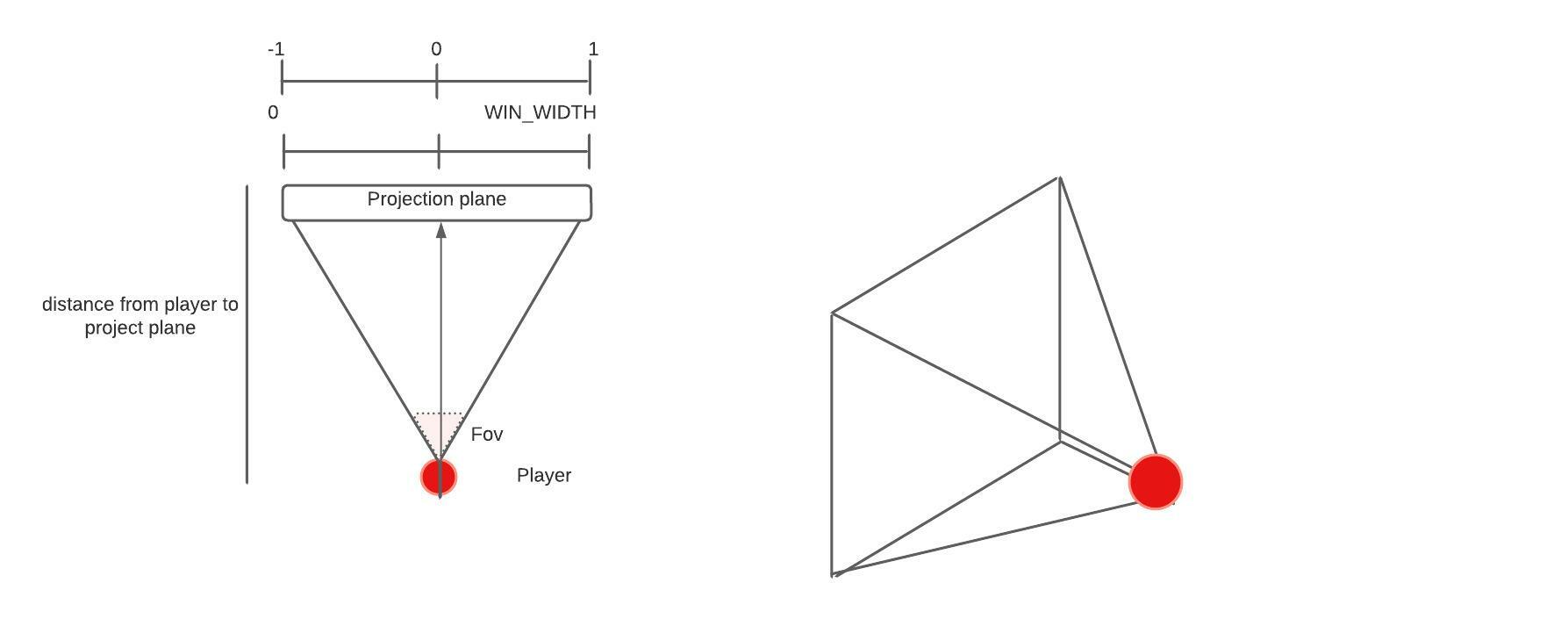
1. Define a ray angle in relation of player FOV
2. Create a ray loop. This loop will iterate the screen width
3. Get the sin and cos of the ray angle to discover the numbers to increment to follow forward with the ray
4. Create a loop to check if the position of the ray is an wall. If the position is not a wall, increment with sin and cos values and check again
5. After find a wall, get the distance between player coordinates and ray coordinates with pythagoras theorem
6. Discover the wall height reversing the got distance in relation of the half height of the screen using divide operator
7. draw the "ceiling" line from the top of the screen to the top of the wall height
8. draw the "wall" line in relation of the wall height obtained
9. draw the "floor" line from the bottom of the wall height to the bottom of the screen
10.Repeat this process for every ray (x-axis screen coordinate)