

A Blazor on-screen virtual keyboard for MudBlazor apps.
- 🧩 JavaScript-free core. Rendering, the text engine, shift/caps and the symbol toggle are 100% C#/Blazor. A single tiny optional ES module powers one feature: the global docked keyboard that pops up on input focus.
- 🎨 Themed by MudBlazor. Every colour comes from MudBlazor CSS variables, so dark/light mode and your theme cascade to the keyboard automatically — no extra code.
- ⚡ AOT & trim friendly. No reflection, no dynamic code. The library is marked
IsAotCompatible, so trim/AOT analyzers run on every build. - 🎯 .NET 8, 9 and 10. Interactive Server and WebAssembly render modes.
Render modes: the library is render-mode agnostic — your app picks
InteractiveServerorInteractiveWebAssembly. Static SSR is not supported (a virtual keyboard needs interactivity).
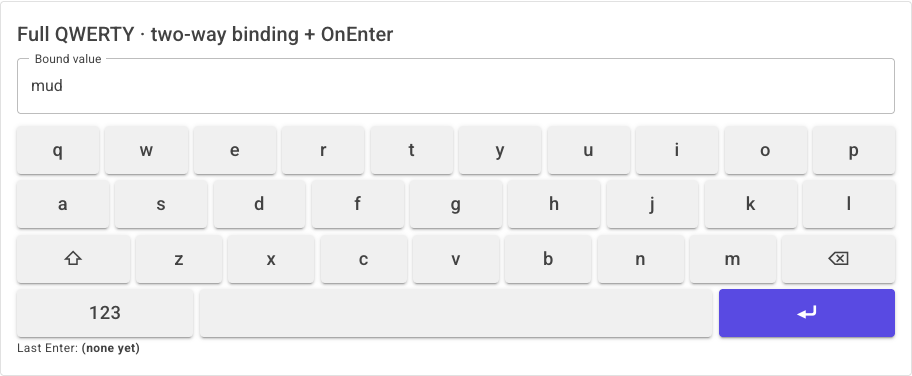
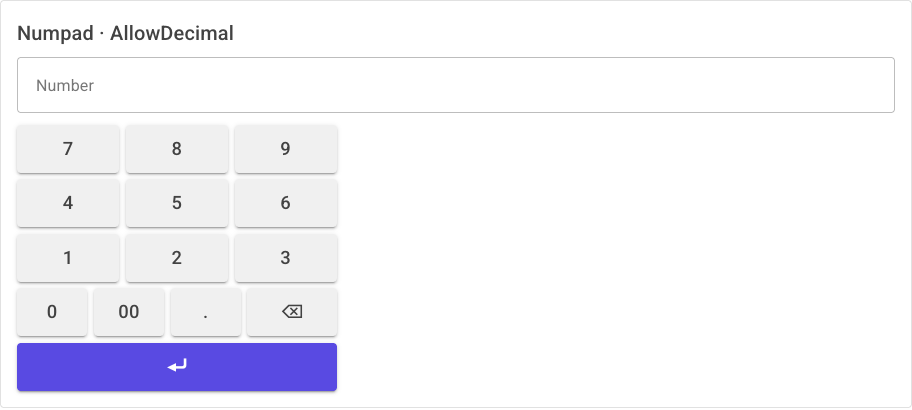
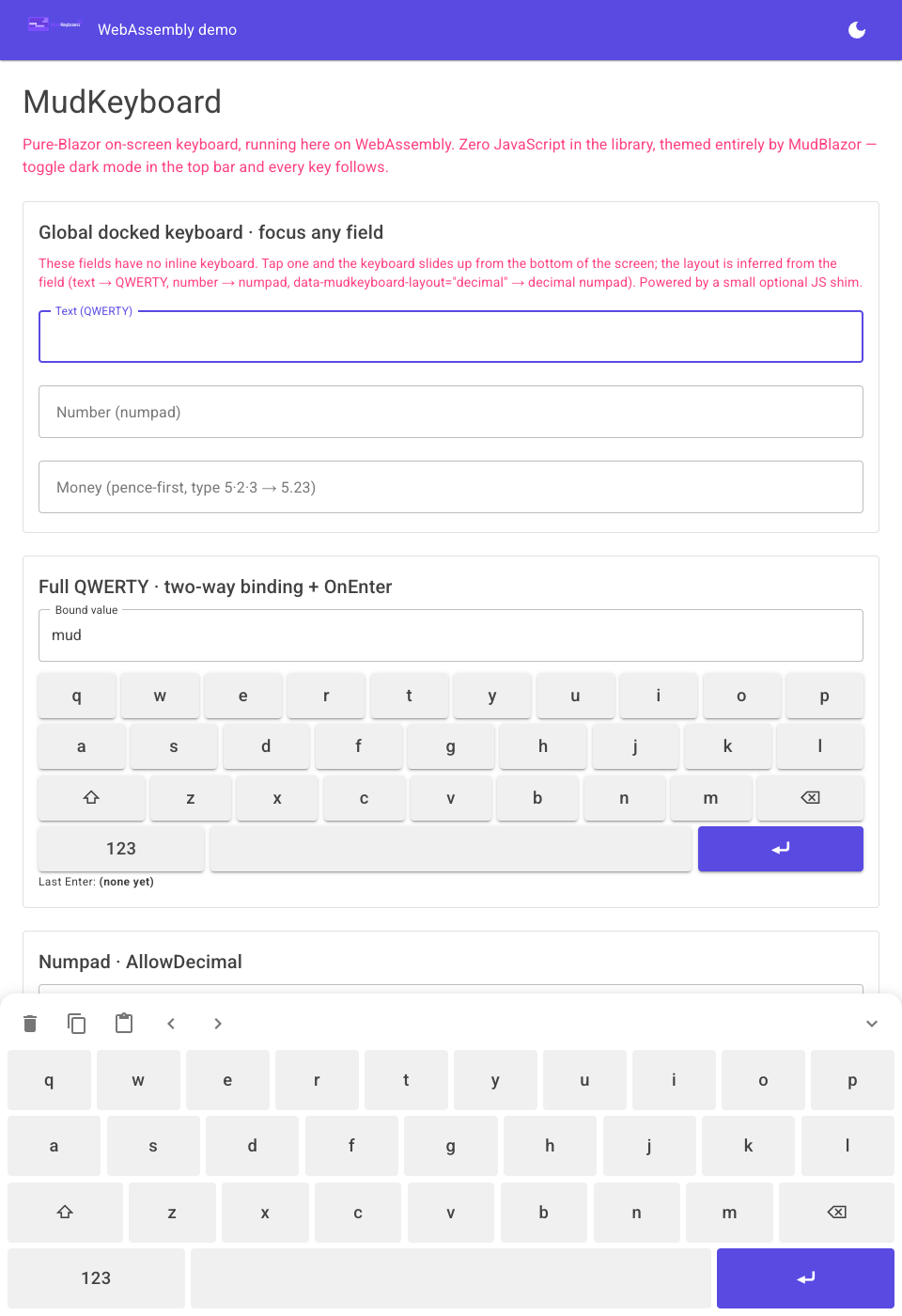
| Inline keyboard | Numpad / Pricepad | Global docked keyboard |
|---|---|---|
 |
 |
 |
dotnet add package MudKeyboardMudBlazor is a peer dependency — MudKeyboard reuses your existing MudBlazor setup and does not bundle a second theme. If you don't have MudBlazor yet, follow its getting-started guide first.
<PackageReference Include="MudBlazor" Version="9.*" />
<PackageReference Include="MudKeyboard" Version="1.0.0" />
Add the namespaces to _Imports.razor:
@using MudKeyboard.Components
@using MudKeyboard.Models<MudTextField @bind-Value="_text" Label="Name" Variant="Variant.Outlined" />
<MudKeyboard @bind-Value="_text" OnEnter="Submit" MaxLength="40" />
@code {
private string _text = string.Empty;
private void Submit() { /* Enter was pressed */ }
}<MudNumpad @bind-Value="_number" AllowDecimal="true" />
@code { private string _number = string.Empty; }Typing 5, 2, 3 yields £5.23 — the last DecimalPlaces digits are always the fraction.
<MudPricepad @bind-Value="_price" CurrencySymbol="£" DecimalPlaces="2" />

@code { private string _price = string.Empty; }A layout is just data — rows of key tokens. Literal tokens are typed verbatim; brace tokens such as
{bksp} are commands (see Key tokens).
<MudKeyboard @bind-Value="_value" Variant="KeyboardVariant.Custom" Layout="MyLayout" />

@code {
    private string _value = string.Empty;

    private static readonly KeyboardLayout MyLayout = new()
    {
        Rows = new string[][]
        {
            ["m", "u", "d"],
            ["k", "e", "y"],
            [KeyTokens.Space, KeyTokens.Backspace, KeyTokens.Enter],
        },
    };
}A single host component shows a keyboard that slides up from the bottom when any input is focused and types at the caret of that field. This is the one feature that uses JavaScript (a small focus-capture shim shipped as a static web asset).
1. Register the services in Program.cs:
using MudKeyboard.Extensions;

builder.Services.AddMudServices();   // MudBlazor
builder.Services.AddMudKeyboard();   // MudKeyboard docked-keyboard services
2. Place the host once in your main layout (next to the MudBlazor providers):
<MudThemeProvider @bind-IsDarkMode="_isDarkMode" />
<MudPopoverProvider />
<MudDialogProvider />
<MudSnackbarProvider />

<MudKeyboardHost />   @* once, anywhere in the layout *@
That's it — every editable text/number field now raises the keyboard on focus. The layout is inferred per field (text → QWERTY, number → numpad, etc.).
By default (KeyboardAttachMode.AllInputs) every editable field attaches. Opt out, opt in, or force a
layout with data attributes:
| Attribute | Effect |
|---|---|
data-mudkeyboard-ignore |
Never raise the keyboard for this field (AllInputs mode). |
data-mudkeyboard |
Opt this field in when using KeyboardAttachMode.OptIn. |
data-mudkeyboard-layout="..." |
Force a layout: qwerty, numpad, decimal, or money/price. |
// Only attach to fields explicitly marked with data-mudkeyboard
builder.Services.AddMudKeyboard(o => o.AttachMode = KeyboardAttachMode.OptIn);<MudTextField @bind-Value="_amount" data-mudkeyboard-layout="money" Immediate="true" />
<MudTextField @bind-Value="_note" data-mudkeyboard-ignore="true" Immediate="true" />Use
Immediate="true"on MudBlazor inputs so the bound value updates as keys are tapped.
The docked panel also includes clear / copy / paste / cursor controls, and automatically docks one layer above the top-most element on the page, so it floats over dialogs and overlays.
| Parameter | Type | Default | Description |
|---|---|---|---|
Value / ValueChanged |
string |
"" |
Two-way bindable value (@bind-Value). |
Layout |
KeyboardLayout? |
null |
Explicit layout; overrides Variant. |
Variant |
KeyboardVariant |
Full |
Full, Numpad, Pricepad, Custom. |
SymbolLayout |
KeyboardLayout? |
null |
Numbers/symbols face for the {sym} toggle. |
MaxLength |
int? |
null |
Optional cap on value length. |
Disabled |
bool |
false |
Disables every key. |
DropShadow |
bool |
true |
Flat keys when false. |
Palette |
KeyboardPalette? |
null |
Per-keyboard colour overrides. |
Class / Style |
string? |
null |
Passthrough CSS. |
OnEnter |
EventCallback |
— | Fires on the Enter key. |
OnEscape |
EventCallback |
— | Fires on an {esc} key. |
OnInput |
EventCallback<KeyboardInput> |
— | Emit mode: route each press elsewhere instead of editing Value. |
Value/ValueChanged, AllowDecimal, MaxLength, Disabled, OnEnter, Palette, Class, Style.
Value/ValueChanged, CurrencySymbol (default £), DecimalPlaces (default 2), MaxLength,
Disabled, OnEnter, Palette, Class, Style.
Palette, Elevation (default 8), MinZIndex (default 1400), Style.
The keyboard reads the ambient MudBlazor theme — toggle MudThemeProvider's dark mode and every
key follows, with zero extra code. To recolour a single keyboard without touching the app theme, pass a
KeyboardPalette. Any slot you leave unset still follows the theme (so dark/light keeps working):
<MudKeyboard @bind-Value="_value" Palette="Brand" />

@code {
    private static readonly KeyboardPalette Brand = new()
    {
        AccentColor = "#00897b",      // Enter / active-shift keys
        AccentTextColor = "#ffffff",
        // Surface, KeyColor, KeyTextColor left unset → follow the theme
    };
}| Slot | Recolours |
|---|---|
Surface |
Keyboard background |
KeyColor |
Literal-key background |
KeyTextColor |
Literal-key label |
AccentColor |
Accent-key (Enter / active shift) background |
AccentTextColor |
Accent-key label |
Values are any CSS colour — a hex string, rgb()/hsl(), or a var(--…) reference.
LayoutLibrary exposes the shipped layouts: Qwerty, Symbols, Numeric, Numpad,
NumpadWithDecimal, and Price.
Inside a KeyboardLayout, any token wrapped in braces is a command; everything else is a literal
character. The well-known tokens are constants on KeyTokens:
| Token | Constant | Action |
|---|---|---|
{bksp} |
KeyTokens.Backspace |
Delete the character before the caret |
{enter} |
KeyTokens.Enter |
Commit / submit |
{space} |
KeyTokens.Space |
Insert a space |
{shift} |
KeyTokens.Shift |
One-shot shift (double-tap = caps lock) |
{caps} |
KeyTokens.Caps |
Caps lock |
{sym} |
KeyTokens.SymbolToggle |
Flip between letters and numbers/symbols |
{esc} |
KeyTokens.Escape |
Dismiss (raises OnEscape) |
The library targets net8.0;net9.0;net10.0 and sets <IsAotCompatible>true</IsAotCompatible>, which
enables the trim, AOT and single-file analyzers on every build — there is no reflection or dynamic code
to trip them. Only primitive strings cross the JS interop boundary, so the focus-capture shim is
AOT/trim-safe too.
Two runnable demos live under demo/:
dotnet run --project demo/MudKeyboard.Demo.Server   # Interactive Server
dotnet run --project demo/MudKeyboard.Demo.Wasm     # Interactive WebAssembly
The Server demo showcases every variant, two-way binding, the OnEnter callback, a custom layout, a
KeyboardPalette override and the global docked keyboard.
dotnet build                                   # build everything
dotnet test tests/MudKeyboard.Tests # run the unit + bUnit testsMIT © Sardar Qaslany