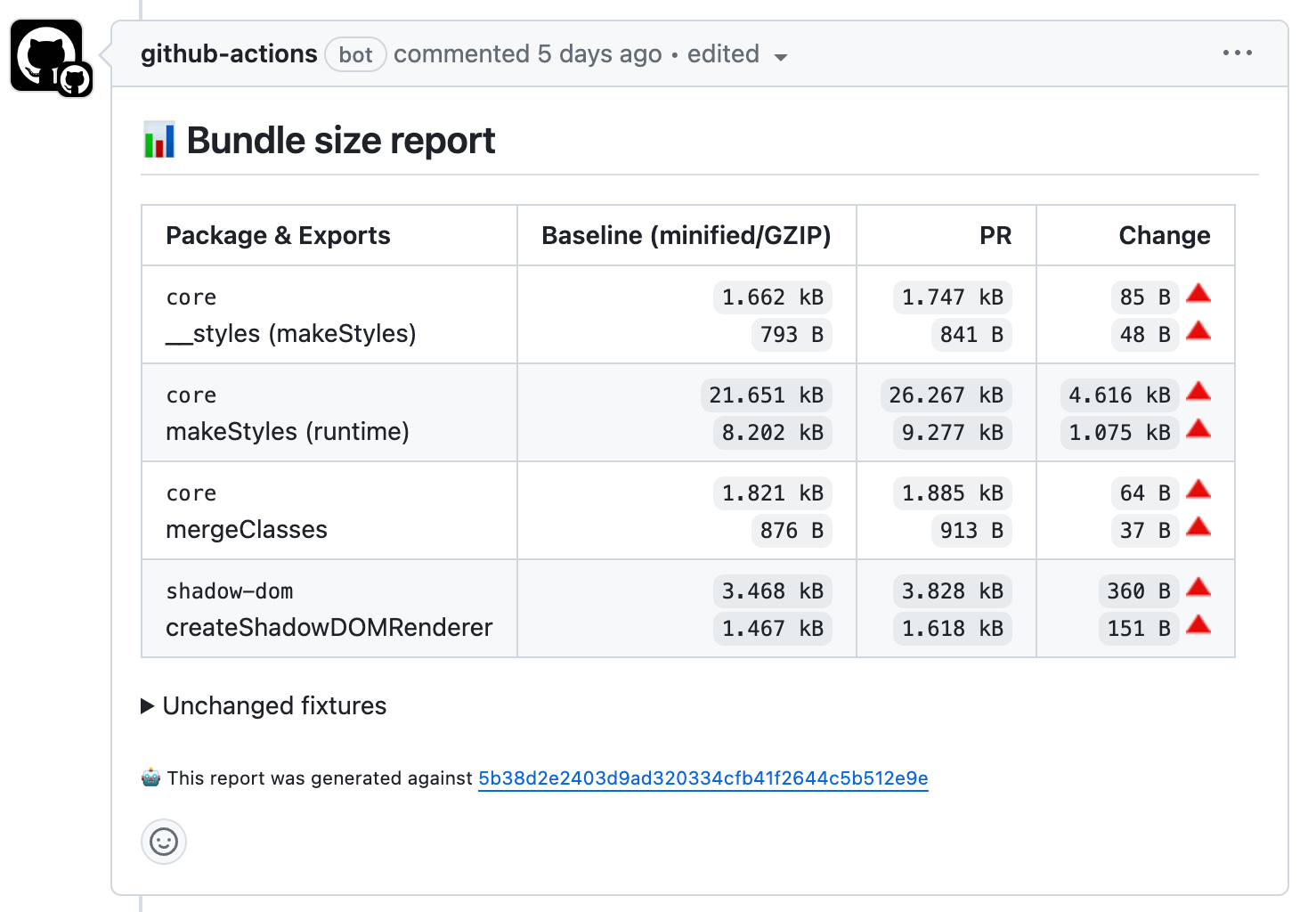
- 📚 Designed to be used in CI/CD pipelines
- 🎱 Designed to represent real-world scenarios
- 🧰 Supports single packages & monorepos
- 🍿 Supports various bundlers (Webpack, esbuild, implement your own? 🐱)
- ☁️ Supports various storage adapters
# yarn
yarn add --dev monosize

# npm
npm install --save-dev monosizeNote:
monosizerequires building packages first before doing any kind of measurements. Make sure to accommodate this in your pipeline
Fixtures declare exports that should be measured by the monosize tool. Fixtures are created inside each package.
For example:
import { Component } from '@library/component';

export { Component };
// 👆 "export" is required to be able to measure the size of the component

export default {
  name: 'Component',
  // 👆 defines a name for a fixture that will be used in output
};You need to create a monosize.config.mjs in the root of your project directory (next to package.json) to configure storage and bundler adapters.
my-proj/
├─ src/
├─ monosize.config.mjs
├─ node_modules/
├─ bundle-size/
│  ├─ Fixture.fixture.js
├─ package.json
A global configuration can also be used for monorepo scenarios:
my-proj-a/
├─ src/
├─ node_modules/
├─ bundle-size/
│  ├─ Fixture.fixture.js
├─ package.json
my-proj-b/
├─ src/
├─ node_modules/
├─ bundle-size/
│  ├─ Fixture.fixture.js
├─ package.json
monosize.config.mjs
// monosize.config.mjs
import storageAdapter from 'monosize-storage-*';
import webpackBundler from 'monosize-bundler-webpack';

export default {
  repository: 'https://github.com/__ORG__/__REPOSITORY__',
  storage: storageAdapter(),
  bundler: webpackBundler(config => {
    // customize config here
    return config;
  }),
};To build fixtures and produce artifacts you need to use a bundler adapter. Following adapters are available:
To store reference results and run comparisons you need to use a storage adapter. Following adapters are available:
monosize measure [--debug] [--quiet]Builds fixtures and produces artifacts. For each fixture:
[fixture].fixture.js- a modified fixture without a default export, used by a bundler[fixture].output.js- a fully minified file, used for measurements[fixture].debug.js- a partially minified file, useful for debugging (optional, if--debugis passed)
Produces a report file (dist/bundle-size/monosize.json) that is used by other steps.
Compares local (requires call of monosize measure first) and remote results, provides output to CLI or to a Markdown file.
monosize compare-reports --branch=main --output=["cli"|"markdown"] --deltaFormat=["delta"|"percent"] [--quiet]Note: requires a configured storage adapter.
monosize upload-report --branch=main --commit-sha=HASH [--quiet]Aggregates local results to a single report and uploads data to Azure Table Storage.
Note: should be called only during CI builds.
This project welcomes contributions and suggestions. Most contributions require you to agree to a Contributor License Agreement (CLA) declaring that you have the right to, and actually do, grant us the rights to use your contribution. For details, visit https://cla.opensource.microsoft.com.
When you submit a pull request, a CLA bot will automatically determine whether you need to provide a CLA and decorate the PR appropriately (e.g., status check, comment). Simply follow the instructions provided by the bot. You will only need to do this once across all repos using our CLA.
This project has adopted the Microsoft Open Source Code of Conduct. For more information see the Code of Conduct FAQ or contact opencode@microsoft.com with any additional questions or comments.
This project may contain trademarks or logos for projects, products, or services. Authorized use of Microsoft trademarks or logos is subject to and must follow Microsoft's Trademark & Brand Guidelines. Use of Microsoft trademarks or logos in modified versions of this project must not cause confusion or imply Microsoft sponsorship. Any use of third-party trademarks or logos are subject to those third-party's policies.