TextFSM Auto-Detection Engine - Automatically find and apply the best TextFSM template for your network device output.


tfsm_fire solves a common network automation challenge: given raw CLI output from a network device, which TextFSM template should you use to parse it?
Traditional approaches require you to know the platform and command beforehand:
# The old way - you must know platform + command
template = "cisco_ios_show_version"
tfsm_fire flips this - give it raw output and it finds the right template:
# The tfsm_fire way - auto-detect from output
best_template, parsed_data, score, _ = engine.find_best_template(device_output)
This is particularly valuable for:
- Multi-vendor environments where you don't always know what you're connecting to
- Legacy network discovery where device types are unknown
- Batch processing captures from heterogeneous networks
Note: To our knowledge, tfsm_fire is the first FOSS solution to provide automatic TextFSM template detection and scoring. Existing tools require explicit platform/command specification.
- Auto-Detection Engine - Automatically scores and ranks template matches
- Smart Scoring Algorithm - Evaluates record count, field richness, population rate, and consistency
- SQLite Template Database - Store and manage hundreds of templates efficiently
- Thread-Safe - Safe for use in multi-threaded applications
- GUI Included - Full-featured PyQt6 interface for testing and template management
- NTC-Templates Integration - Download templates directly from the popular ntc-templates repository
pip install tfsm-fireFor GUI support:
pip install tfsm-fire[gui]from tfsm_fire import TextFSMAutoEngine
# Initialize with your template database
engine = TextFSMAutoEngine("tfsm_templates.db", verbose=True)
# Raw output from a network device
device_output = """
Device ID Local Intf Hold-time Capability Port ID
switch1 Eth1/1 120 R Ethernet1/1
switch2 Eth1/2 120 R Ethernet1/2
"""
# Find the best matching template
best_template, parsed_data, score, all_scores = engine.find_best_template(
device_output,
filter_string="lldp_neighbor" # Optional: narrow the search
)
print(f"Best Template: {best_template}")
print(f"Score: {score}")
print(f"Parsed Records: {len(parsed_data)}")
for record in parsed_data:
print(record)Best Template: cisco_ios_show_lldp_neighbors
Score: 85.5
Parsed Records: 2
{'NEIGHBOR': 'switch1', 'LOCAL_INTERFACE': 'Eth1/1', 'CAPABILITY': 'R', 'NEIGHBOR_INTERFACE': 'Ethernet1/1'}
{'NEIGHBOR': 'switch2', 'LOCAL_INTERFACE': 'Eth1/2', 'CAPABILITY': 'R', 'NEIGHBOR_INTERFACE': 'Ethernet1/2'}
tfsm_fire uses a 100-point scoring system to evaluate template matches:
| Factor | Points | Description |
|---|---|---|
| Record Count | 0-30 | Did the template extract data? More records = better (with diminishing returns) |
| Field Richness | 0-30 | How many fields per record? Richer extractions score higher |
| Population Rate | 0-25 | What percentage of fields contain actual data? |
| Consistency | 0-15 | Are the same fields populated across all records? |
Templates that fail to parse or return no data score 0.
class TextFSMAutoEngine:
    def __init__(self, db_path: str, verbose: bool = False):
        """
        Initialize the auto-detection engine.

        Args:
            db_path: Path to SQLite database containing templates
            verbose: Enable detailed logging output
        """

    def find_best_template(
        self,
        device_output: str,
        filter_string: Optional[str] = None
    ) -> Tuple[Optional[str], Optional[List[Dict]], float, List[Tuple[str, float, int]]]:
        """
        Find the best matching template for the given device output.

        Args:
            device_output: Raw CLI output from network device
            filter_string: Optional filter to narrow template search
                          (e.g., "show_version", "lldp", "cisco_ios")

        Returns:
            Tuple containing:
            - best_template: Name of the best matching template (or None)
            - parsed_data: List of parsed records as dictionaries (or None)
            - best_score: Score of the best match (0-100)
            - all_scores: List of (template_name, score, record_count) for all non-zero matches
        """

    def get_filtered_templates(
        self,
        connection: sqlite3.Connection,
        filter_string: Optional[str] = None
    ) -> List[sqlite3.Row]:
        """
        Get templates from database matching the filter.

        Args:
            connection: Active database connection
            filter_string: Filter terms (underscores/hyphens treated as separators)

        Returns:
            List of matching template rows
"""tfsm_fire includes a full-featured GUI for template testing and management.
tfsm-guiOr from Python:
from tfsm_fire.tfsm_gui import main
main()Test device output against your template database and see scoring results:
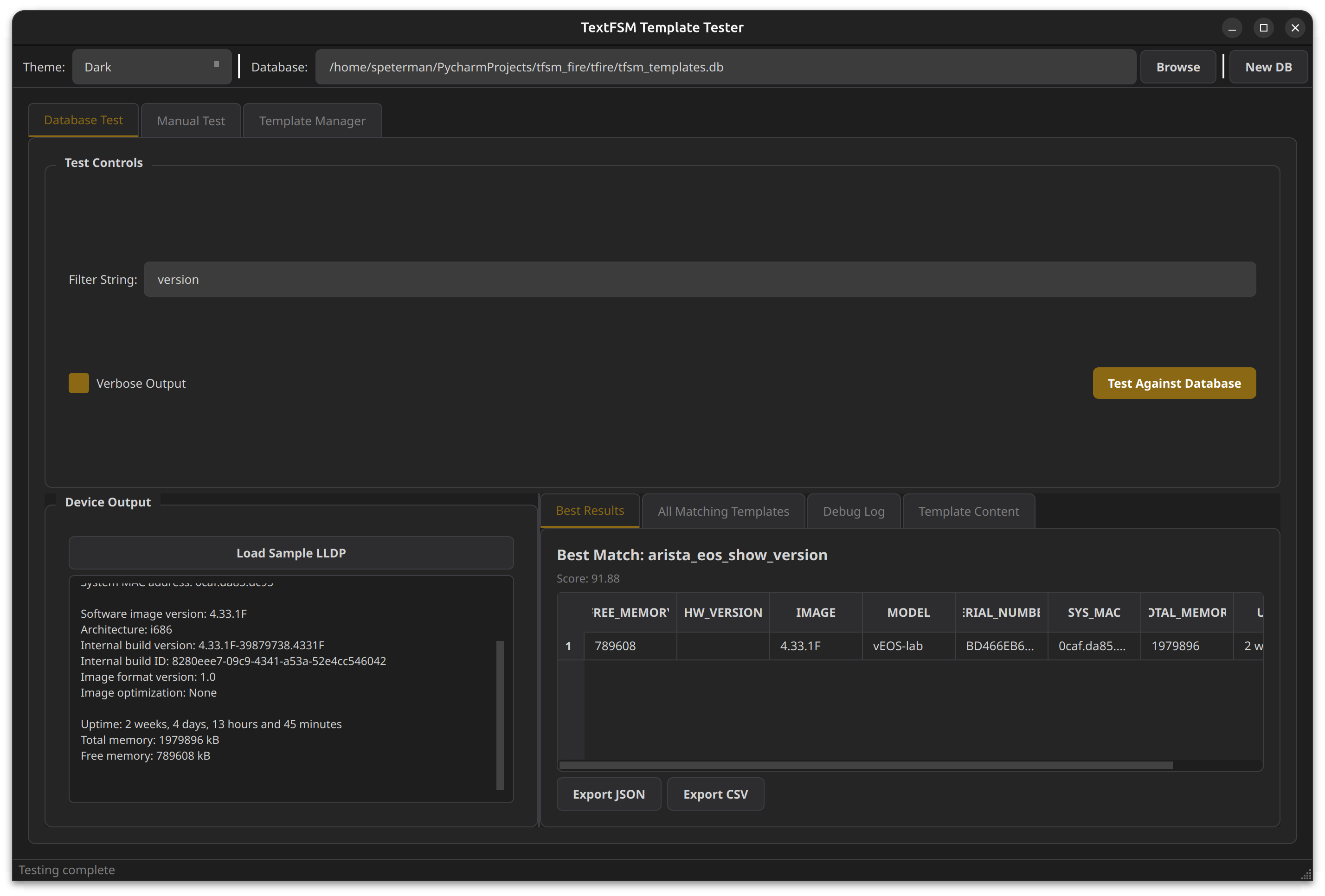
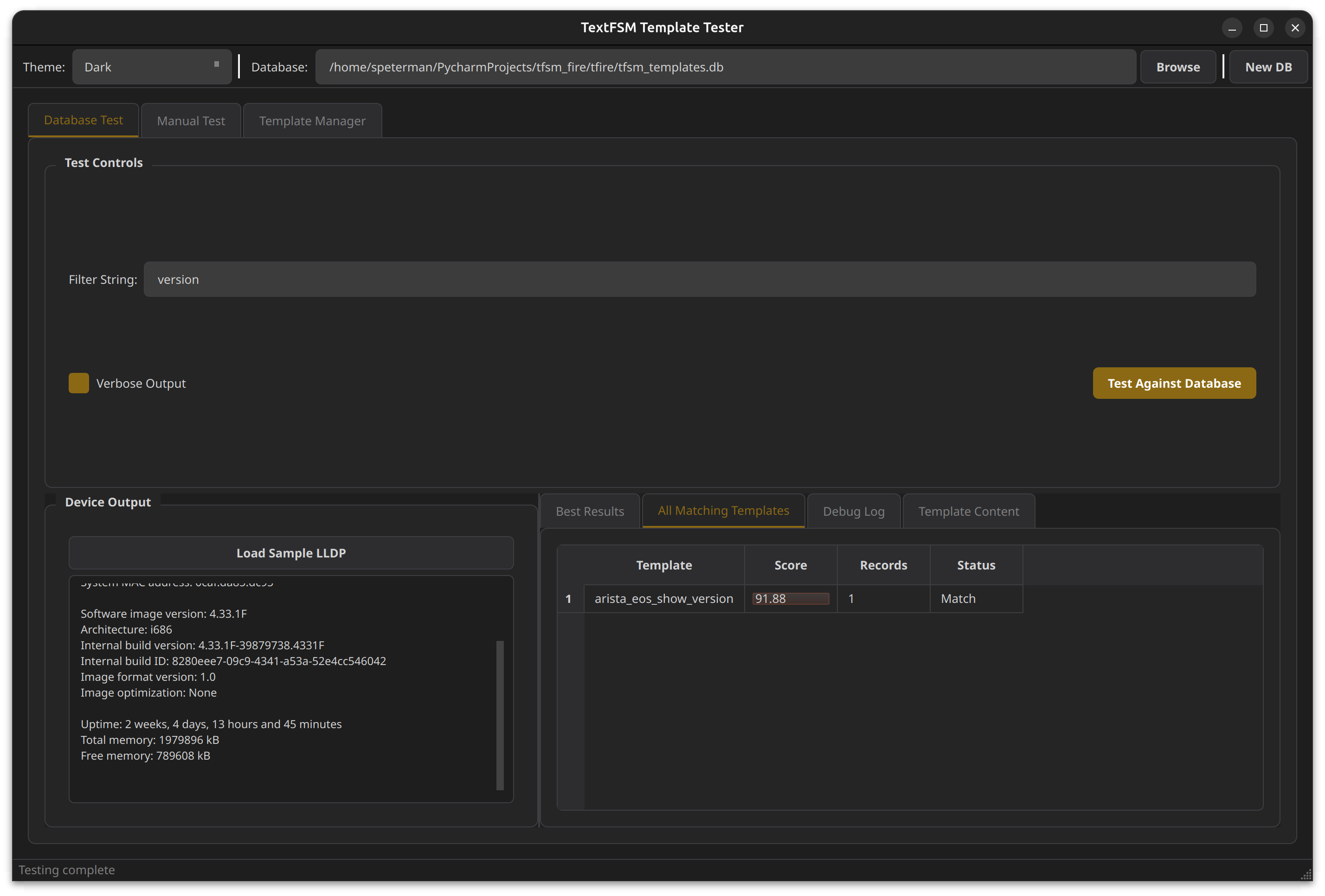
View all matching templates with scores:
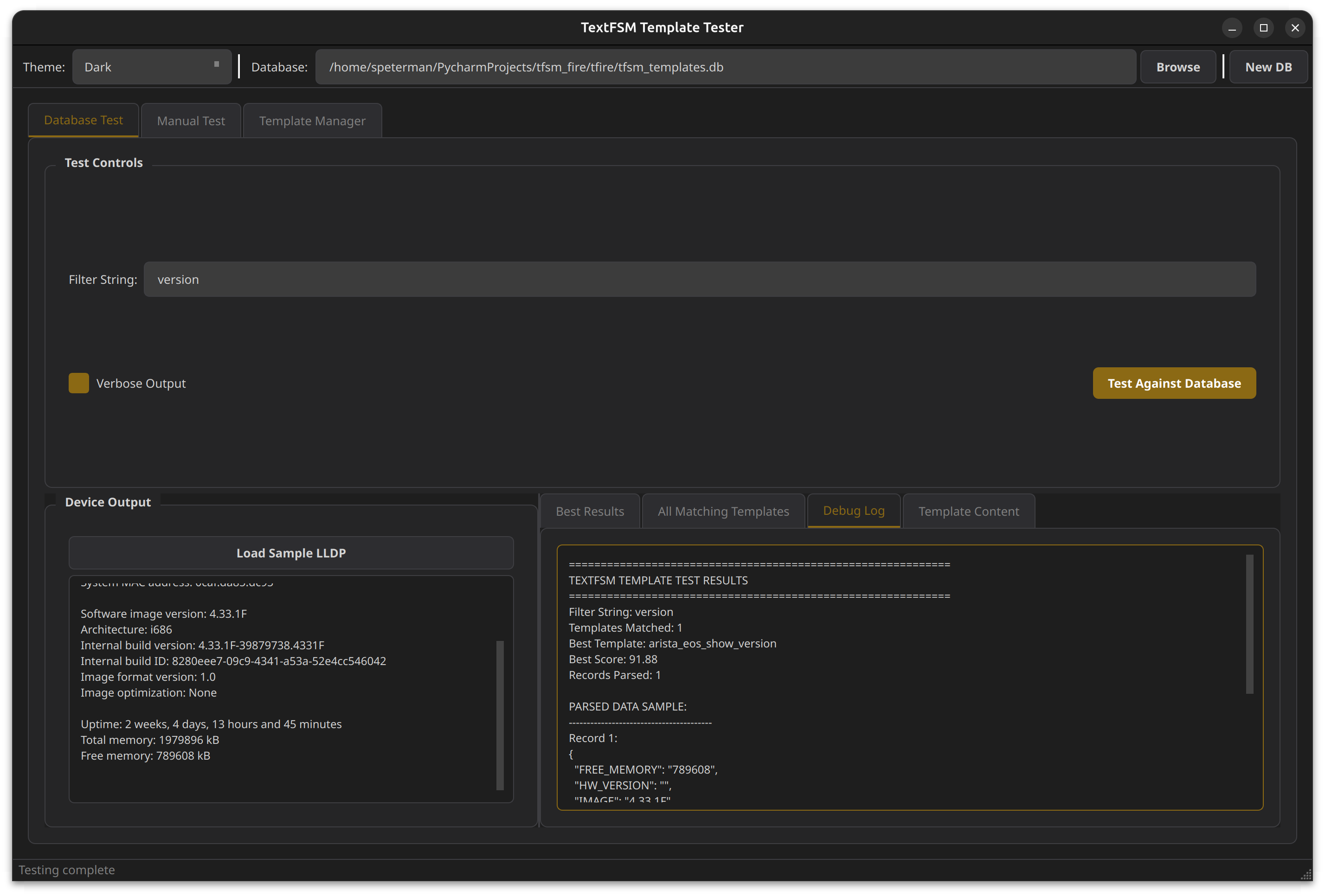
Detailed debug logging:
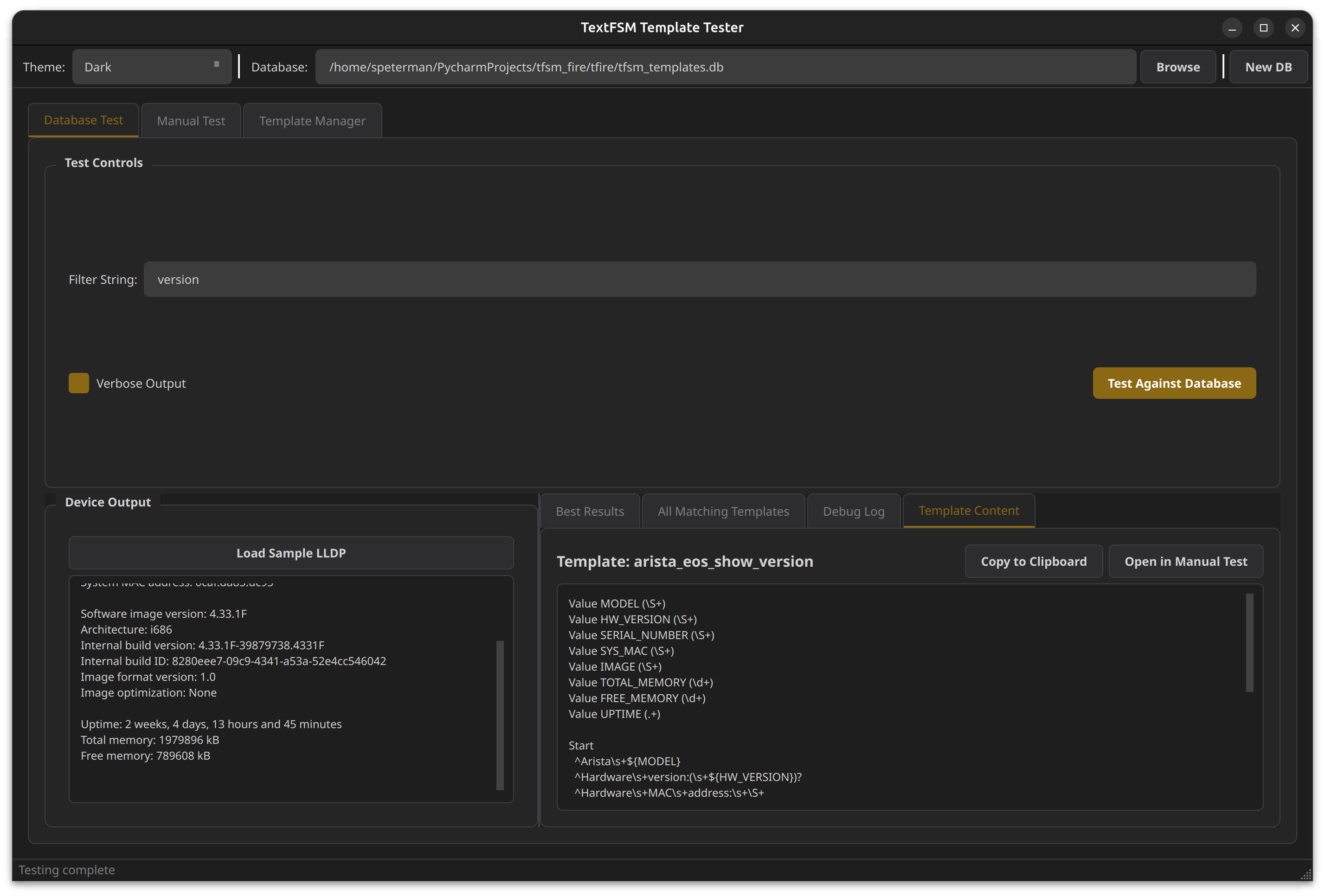
View the winning template content:
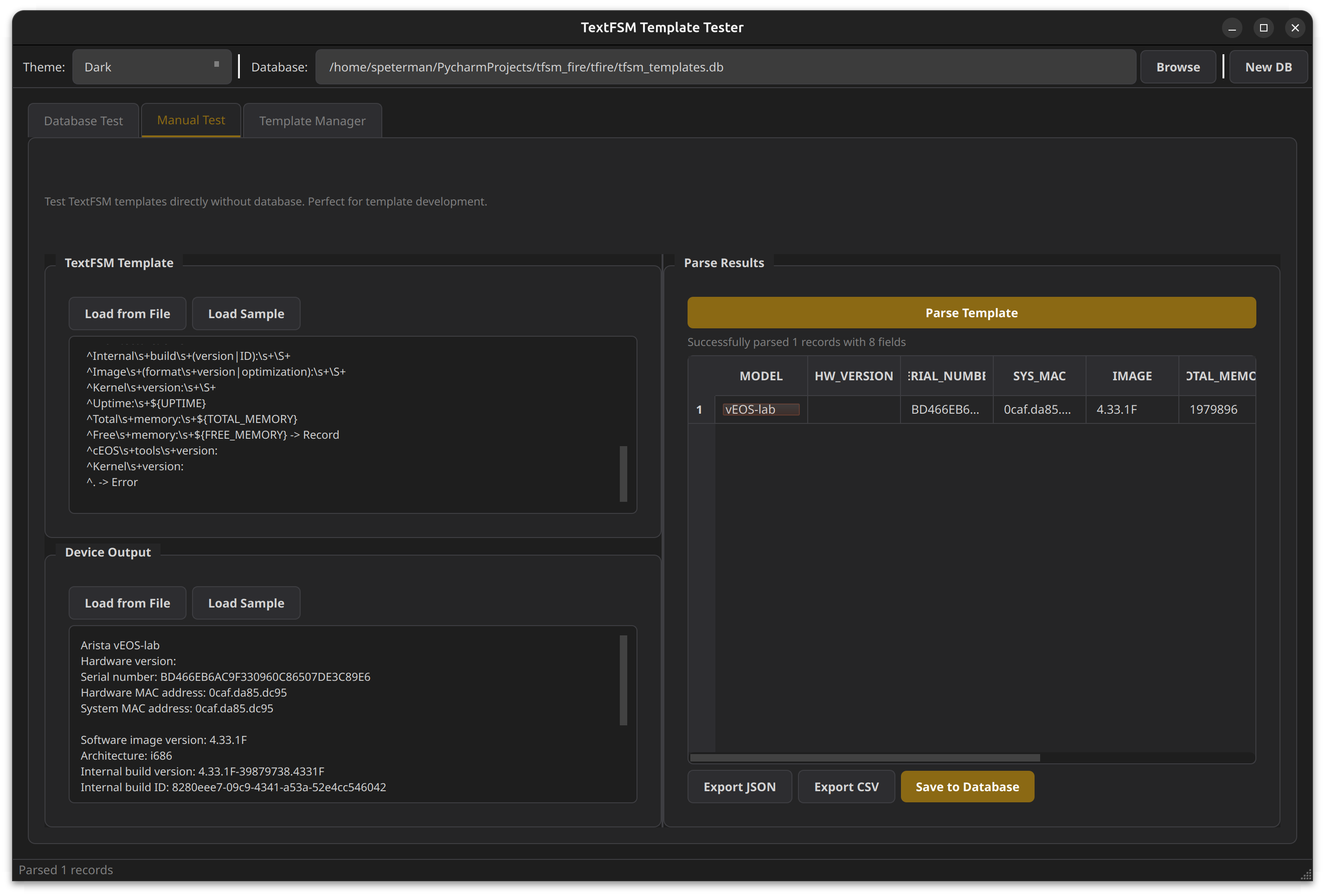
Test templates directly without a database - perfect for template development:
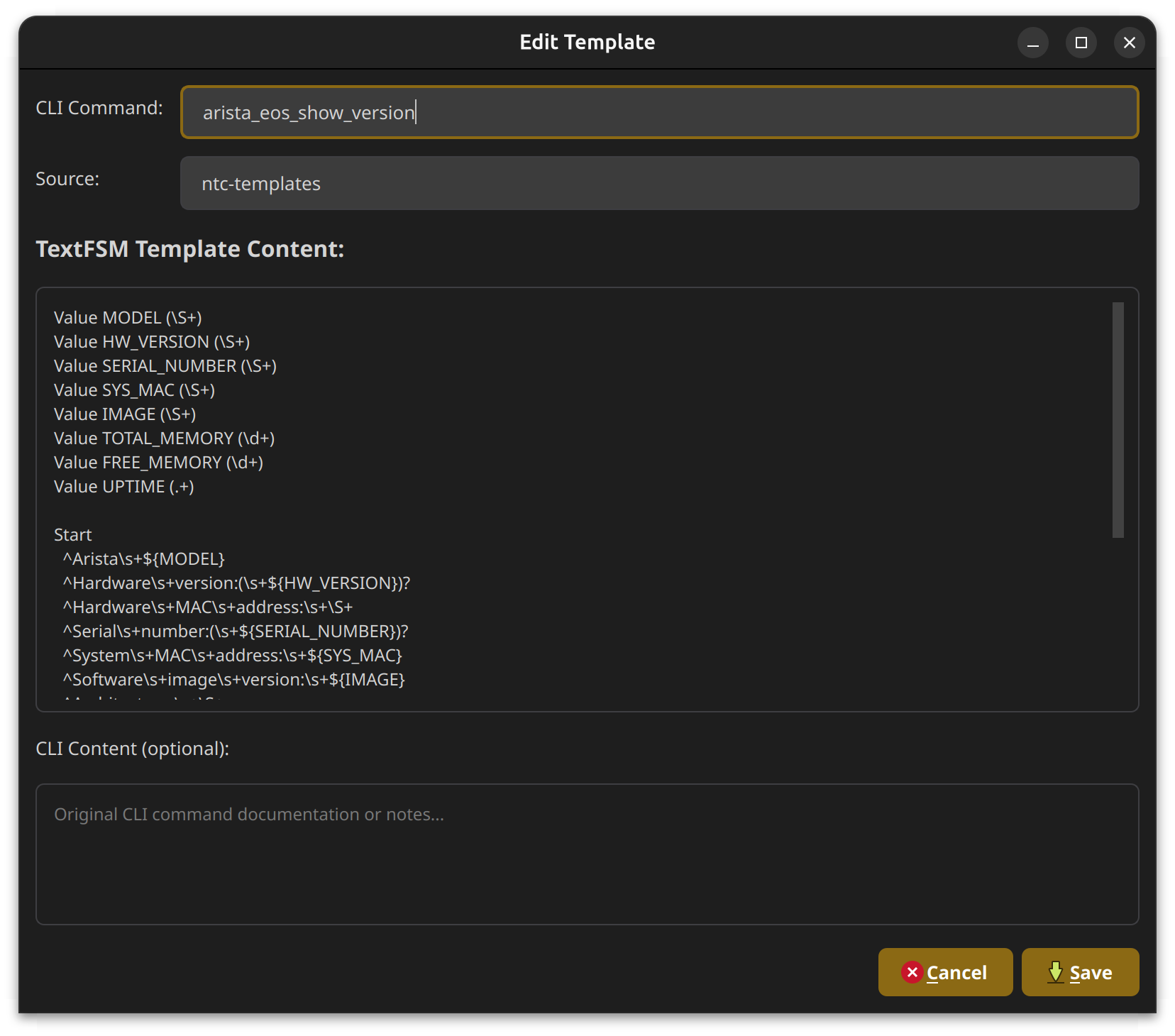
Full CRUD interface for managing your template database:
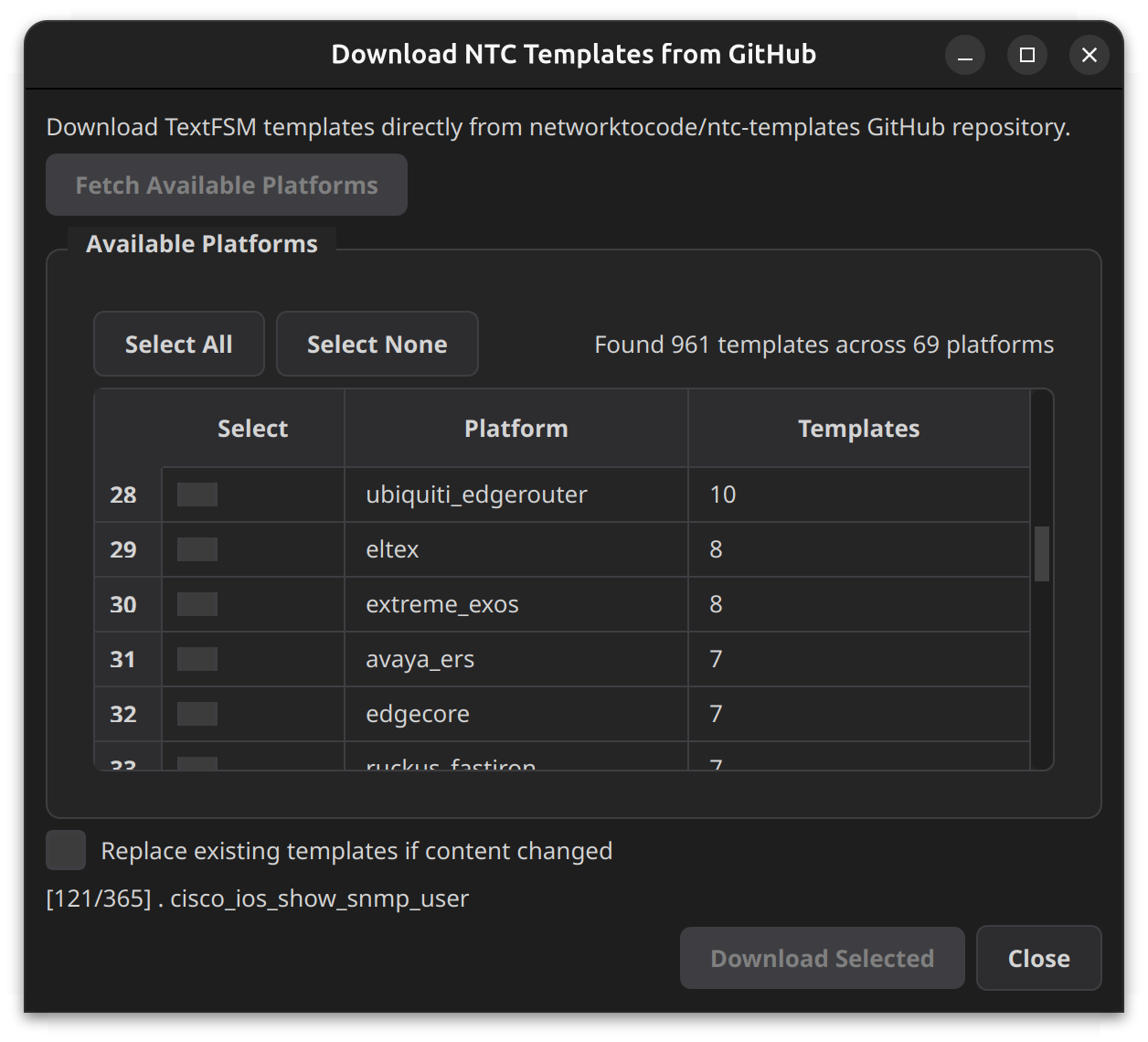
Import templates directly from the networktocode/ntc-templates GitHub repository:
tfsm_fire uses a simple SQLite schema:
CREATE TABLE templates (
    id INTEGER PRIMARY KEY AUTOINCREMENT,
    cli_command TEXT NOT NULL,      -- Template identifier (e.g., "cisco_ios_show_version")
    cli_content TEXT,               -- Optional: example CLI output
    textfsm_content TEXT NOT NULL,  -- The TextFSM template content
    textfsm_hash TEXT,              -- MD5 hash for change detection
    source TEXT,                    -- Origin (e.g., "ntc-templates", "custom")
    created TEXT                    -- ISO timestamp
);- Launch the GUI:
tfsm-gui - Go to Template Manager tab
- Click Download from NTC
- Select platforms and download
import sqlite3
import hashlib
from pathlib import Path
from datetime import datetime

def create_database(db_path: str, templates_dir: str):
    conn = sqlite3.connect(db_path)
    conn.execute("""
        CREATE TABLE IF NOT EXISTS templates (
            id INTEGER PRIMARY KEY AUTOINCREMENT,
            cli_command TEXT NOT NULL,
            cli_content TEXT,
            textfsm_content TEXT NOT NULL,
            textfsm_hash TEXT,
            source TEXT,
            created TEXT
        )
    """)

    for template_file in Path(templates_dir).glob("*.textfsm"):
        content = template_file.read_text()
        conn.execute("""
            INSERT INTO templates (cli_command, textfsm_content, textfsm_hash, source, created)
            VALUES (?, ?, ?, ?, ?)
        """, (
            template_file.stem,
            content,
            hashlib.md5(content.encode()).hexdigest(),
            "local",
            datetime.now().isoformat()
        ))

    conn.commit()
    conn.close()

create_database("my_templates.db", "/path/to/ntc-templates/templates")tfsm_fire includes a batch processor for parsing large collections of network device captures.
python tfsm_batch_processor.py \
    --capture-dir /path/to/captures \
    --output-dir /path/to/parsed_results \
    --db-path tfsm_templates.db \
    --min-score 10 \
--verbose| Option | Description |
|---|---|
-c, --capture-dir |
Path to capture directory containing ._output files |
-o, --output-dir |
Output directory for parsed JSON results |
-d, --db-path |
Path to TextFSM templates database |
-m, --min-score |
Minimum score threshold (default: 10) |
-f, --folder |
Process only a specific folder (e.g., "version") |
-v, --verbose |
Enable verbose output |
--dry-run |
Preview without writing files |
======================================================================
PROCESSING SUMMARY
======================================================================

Files processed:     1308/1308
Successfully parsed: 828
Below threshold:     0
No match found:      480
Skipped (empty):     0

Total records:       828
Score range:         61.0 - 100.0 (avg: 83.9)

Processing time:     7.6s
Rate:                171.2 files/sec

Top Templates Used:
  297x  paloalto_panos_show_system_info
  257x  hp_procurve_show_system
  234x  cisco_ios_show_version
   40x  cisco_nxos_show_version

Per-Folder Results:
Folder                     Matched    Total    Records  Avg Score
-----------------------------------------------------------------
version                        828     1308        828       83.9
The batch processor automatically maps folder names to appropriate template filters and outputs structured JSON with metadata:
{
  "source_file": "version/device1._output",
  "template": "cisco_ios_show_version",
  "score": 91.88,
  "record_count": 1,
  "parsed_at": "2025-01-01T12:00:00",
  "data": [
    {
      "VERSION": "15.2(4)M3",
      "HOSTNAME": "router1",
      "UPTIME": "2 weeks, 3 days"
    }
  ]
}from tfsm_fire import TextFSMAutoEngine
engine = TextFSMAutoEngine("tfsm_templates.db")
# Works regardless of vendor
for device in devices:
output = device.send_command("show version")
template, parsed, score, _ = engine.find_best_template(output, "show_version")
if parsed:
print(f"{device.hostname}: {parsed[0].get('VERSION', 'Unknown')}")- Capture device output
- Use the GUI Manual Test tab to develop your template
- Save to database when complete
- Test against the full database to ensure it wins for your output
def test_template_coverage():
    engine = TextFSMAutoEngine("tfsm_templates.db")

    test_cases = [
        ("show_version_ios.txt", "cisco_ios_show_version"),
        ("show_version_eos.txt", "arista_eos_show_version"),
    ]

    for output_file, expected_template in test_cases:
        with open(output_file) as f:
            output = f.read()

        best, _, score, _ = engine.find_best_template(output)
        assert best == expected_template, f"Expected {expected_template}, got {best}"
assert score > 50, f"Score too low: {score}"- Python 3.8+
- textfsm
- click
For GUI:
- PyQt6
- requests (for NTC download feature)
Contributions welcome! Please feel free to submit a Pull Request.
The database schema design was adapted from an earlier project by slurpit.io, originally released under the MIT License.
GPL v3 License - see LICENSE for details.
- ntc-templates - Network to Code TextFSM templates
- textfsm - Google's TextFSM library
Scott Peterman
tfsm_fire - Stop guessing which template to use. Let the engine find it for you. 🔥